
5.2 Coord system
5.2.1 Feature Overview
The coordinate system is used to define the spatial reference frame of the project, and is the basis for measurement, stakeout, data display, and result import and export. Trion Survey supports commonly used coordinate systems, predefined coordinate systems, custom coordinate systems, and model file management, meeting the coordinate application needs of different countries, regions, and engineering scenarios.
In the coordinate system module, users can complete the following operations:
1. Select commonly used coordinate systems to quickly establish project coordinate references.
2. Retrieve standard coordinate systems by region or code from a predefined coordinate system library.
3. Custom ellipsoids, projections, transformation parameters, and elevation models.
4. Import or export coordinate system configuration.
5. Download and manage model files for coordinate transformation and elevation calculation in specific areas.
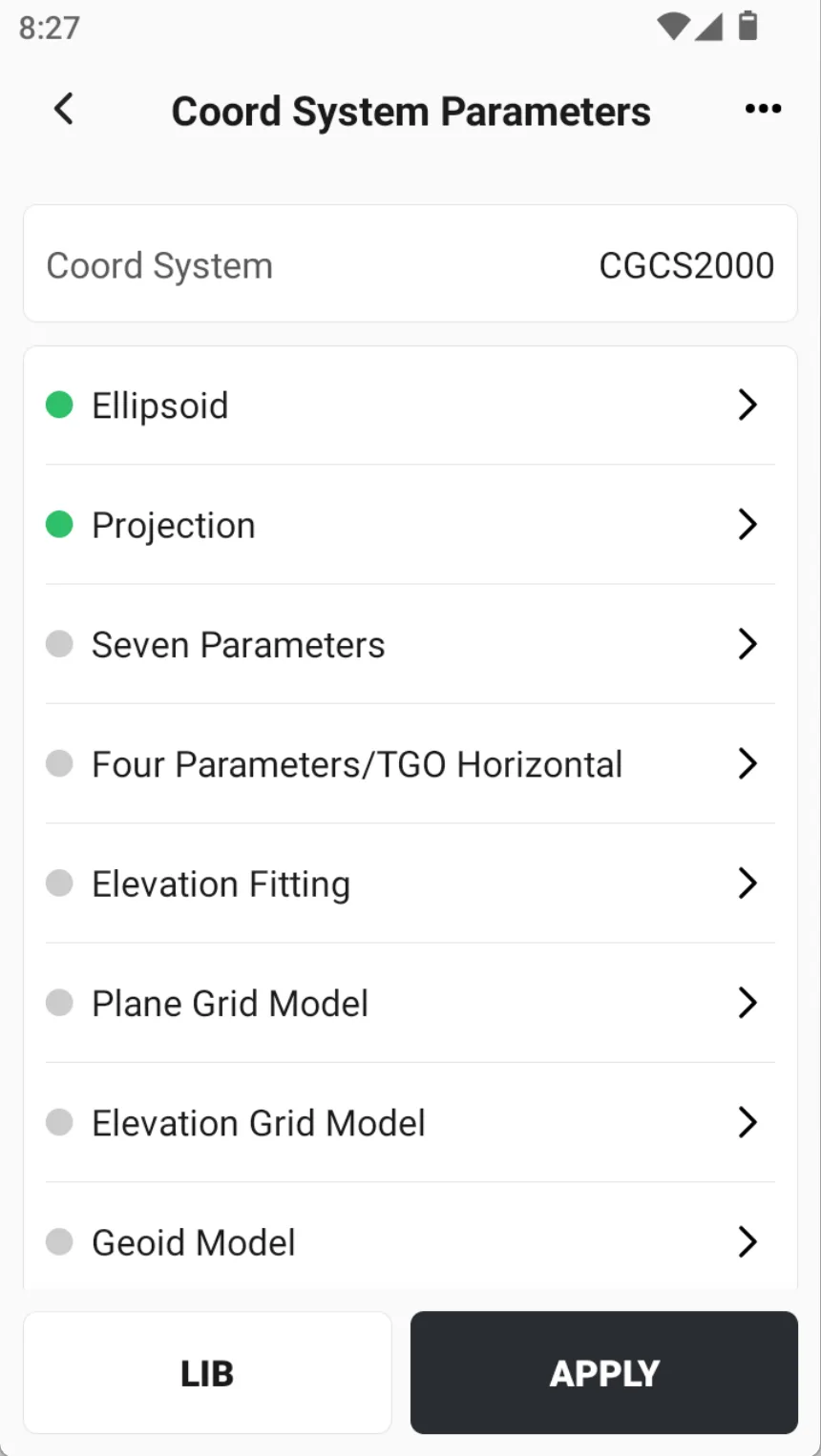 | 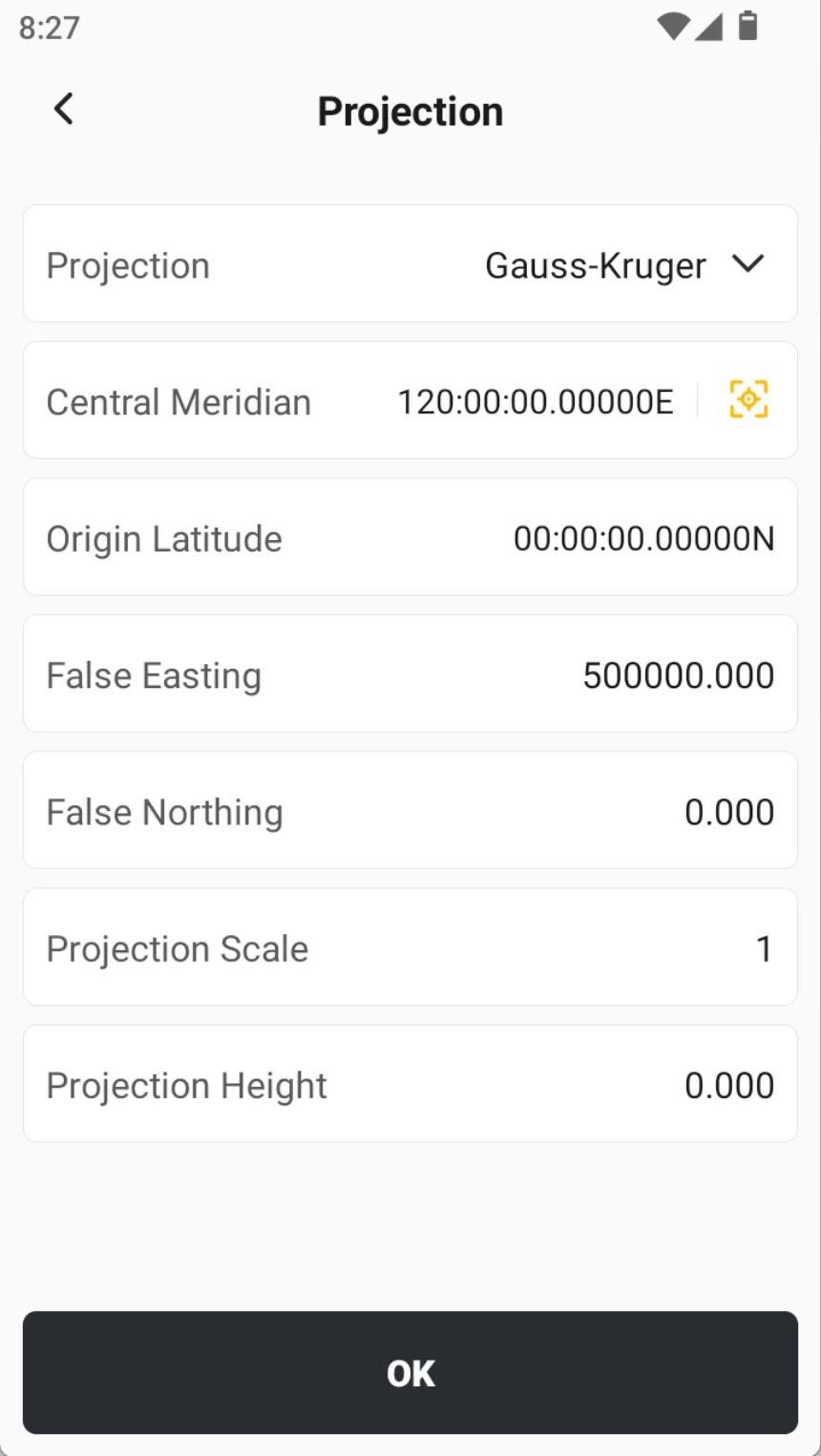 | 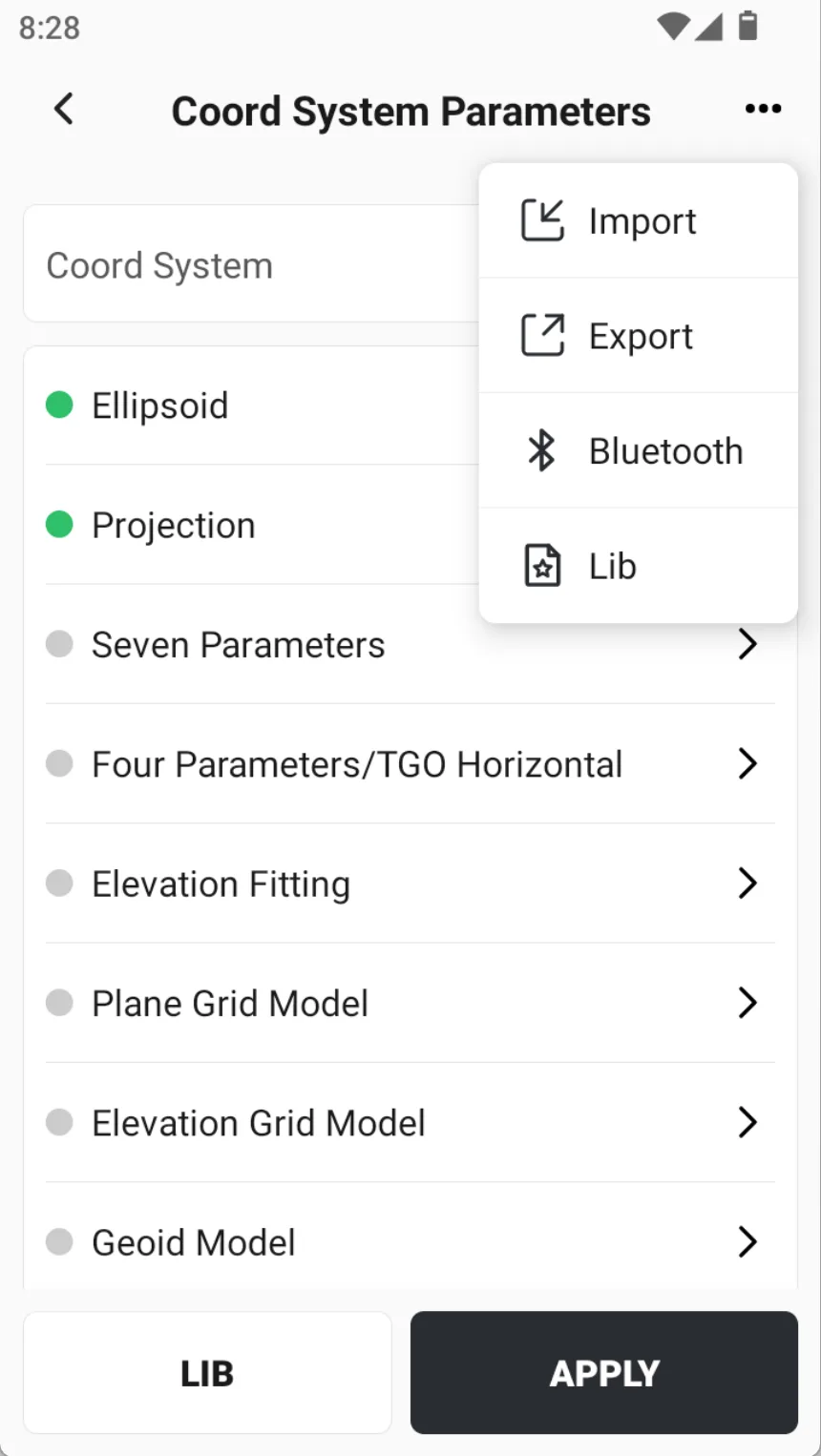 |
| Name | Description |
| Ellipsoid | The system has built-in commonly used ellipsoid parameters. Usually, users do not need to modify the long half-axis and the reciprocal of the flattening ratio, keeping the default values can meet most application needs. For special projects or non-standard coordinate systems, the ellipsoid definition can also be edited based on known parameters. |
| Projection | Projection is used to convert ellipsoidal coordinates into plane coordinates. The system comes with multiple commonly used projection methods, including Gaussian projection, horizontal Mercator projection, UTM projection, etc., and provides the ability to configure corresponding projection parameters. In conventional applications, the parameter that users usually focus on is the central meridian. For custom coordinate systems, the central meridian can generally be determined based on the average longitude of the measurement area. To ensure projection accuracy, the deviation between the measurement area and the central meridian should not be too large, and it is usually recommended to control the longitude difference within 30 '.
|
| Seven Parameters | The seven parameters are used to achieve coordinate conversion between different spatial Cartesian coordinate systems. The parameters usually include three translation quantities, three rotation quantities, and one scale factor. If the user has mastered the results of the seven parameters in the target area, they can directly input and apply them without recalculating through point correction. Seven-parameter conversion usually requires at least three known common points for calculation. Known points can be control points in the national coordinate system or coordinate points with only minor system differences from WGS84. To improve model reliability, it is recommended to use more than three known points for checking point quality and parameter calculation results. The seven-parameter method model is relatively rigorous and requires high accuracy for known points. It is suitable for medium and large-scale operations or scenarios that require high stringency for conversion models. When the accuracy of known points is insufficient, the distribution is unreasonable, or the local distortion is obvious, it is not recommended to use seven-parameter conversion. |
| Four parameters/TGO Horizontal | Mainly used for plane coordinate conversion and local correction. After the system completes point correction and application, it will automatically generate corresponding plane conversion parameters and display them in the coordinate system parameter interface. This type of parameter is usually suitable for plane coordinate fitting and transformation in a small area, suitable for local engineering measurement or application scenarios with limited control conditions. Compared with the seven-parameter method, its model is more suitable for local approximation processing, and the adaptation to point distribution and coordinate system differences is also different. |
| Elevation Fitting | Elevation fitting is used to establish the correction relationship between GNSS elevation, engineering elevation, and leveling elevation. The system currently supports four elevation fitting algorithms: weighted average, plane fitting, surface fitting, and vertical adjustment, with plane fitting being the default.
|
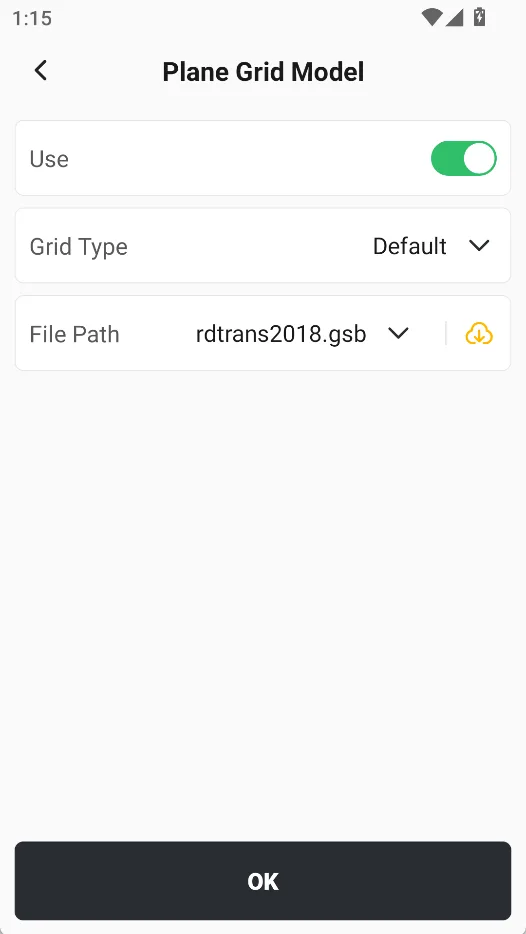
| Plane Grid Model | Used to describe the spatial distribution of plane coordinate correction information within a region. The model usually organizes data in the form of a two-dimensional regular grid, with each grid node corresponding to a plane correction value or transformation information. The grid position, direction, and resolution are all clearly defined in the coordinate system. Through the planar mesh model, fine expression of local regional plane coordinate differences can be achieved, which is suitable for regional plane correction scenarios that are difficult to fully describe with conventional analytical parameters. Compared with a single parameter model, the mesh model can more accurately reflect spatial variation characteristics, thereby improving local conversion accuracy. |
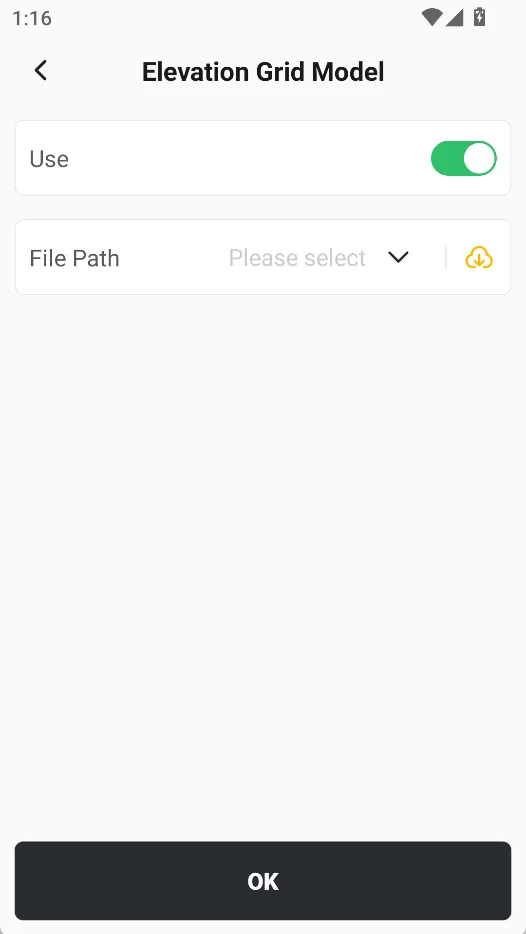
| Elevation Grid Model | Used to describe the spatial distribution of elevation correction information within a region, it is a way to discretely express the elevation changes in three-dimensional space. The model usually divides the work area into continuous grid units and stores corresponding elevation correction values in each grid node or unit. In practical applications, the elevation grid model can be used to express regional elevation anomalies, fit correction value changes, or local elevation transformation relationships. It is suitable for scenarios with large ranges, complex elevation changes, or where conventional fitting methods are difficult to meet accuracy requirements. |
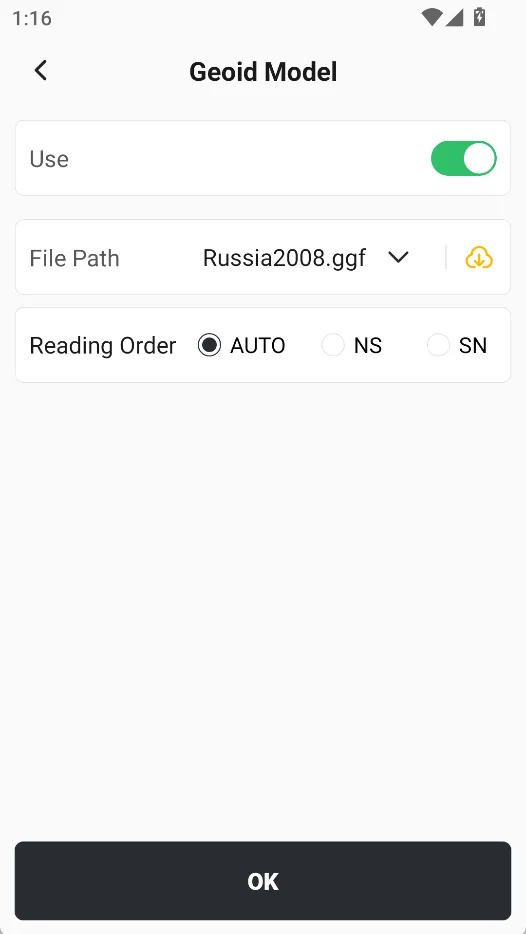
| Geoid Model | Used to establish the conversion relationship between ellipsoidal height and normal height or positive height, it is an important basic data for elevation calculation and elevation system unification. The system supports importing various common formats of geoid model files, including * .tif, * .gtx, * .asc, * .grd, * .ggf, etc. Users can load corresponding geoid models according to the project area and achievement requirements to improve the accuracy and applicability of elevation conversion. |
5.2.2 Common Coord System
Click the Library Selection button to open the [Common Coord Systems] page, which lists imported or frequently used coordinate systems. Users can directly select and apply them to the current project. Among them, the [RTCM1021-1027] coordinate system is displayed at the top by default. This type of coordinate system is usually used in application scenarios related to RTCM coordinate conversion parameters and is suitable for workflows that require quick configuration of common reference systems.
📌 Note: For geoid model correction and RTCM1021-1027 information correction, RTCM1021-1027 correction information is preferred. When using RTCM1021-1027 correction information, if there is a message of 1023 or 1024, the geoid model cannot be selected. If RTCM1021-1027 correction information is not used, or if RTCM1021-1027 correction information is used but there is no message of 1023 or 1024, the geoid model can be selected. | 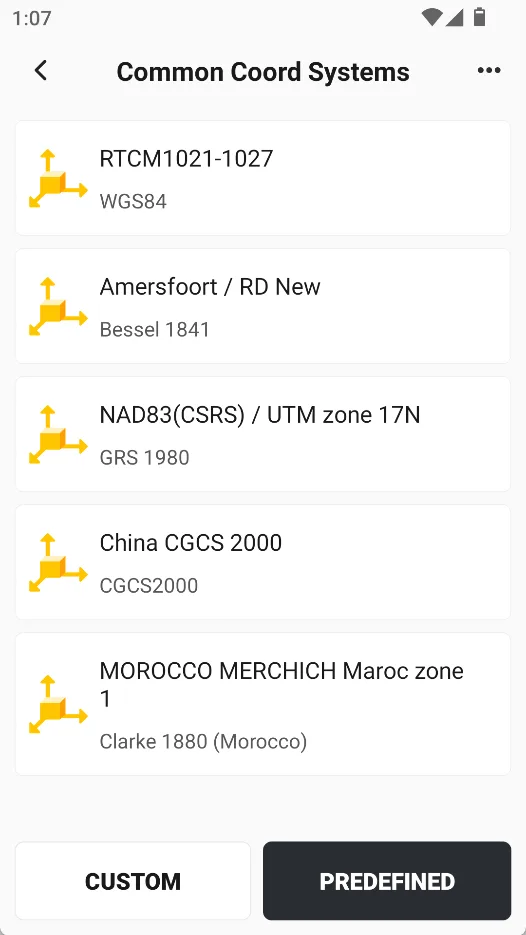 |
5.2.3 Predefined
Trion Survey has built-in 6000+ EPSG and locally supplemented predefined coordinate systems, which can be quickly filtered by continent and region. If you know the name or EPSG code, you can also search directly. Click on a coordinate system to optionally view details and confirm the application.
Users can find the target coordinate system in the following ways:
| Method | Description |
| Filter by region | You can filter step by step according to continent and region to quickly narrow down the search range. This method is suitable for situations where the work area has been identified but the specific code is unclear. |
| Search by code | You can directly input the coordinate system code or name for retrieval and quickly locate the target system. This method is suitable for situations where the EPSG Code or coordinate system name is known. |
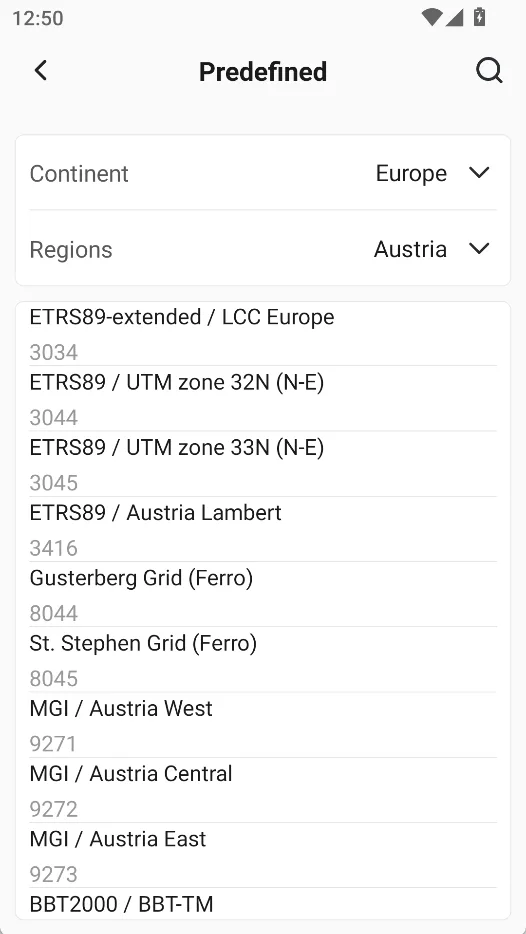 | 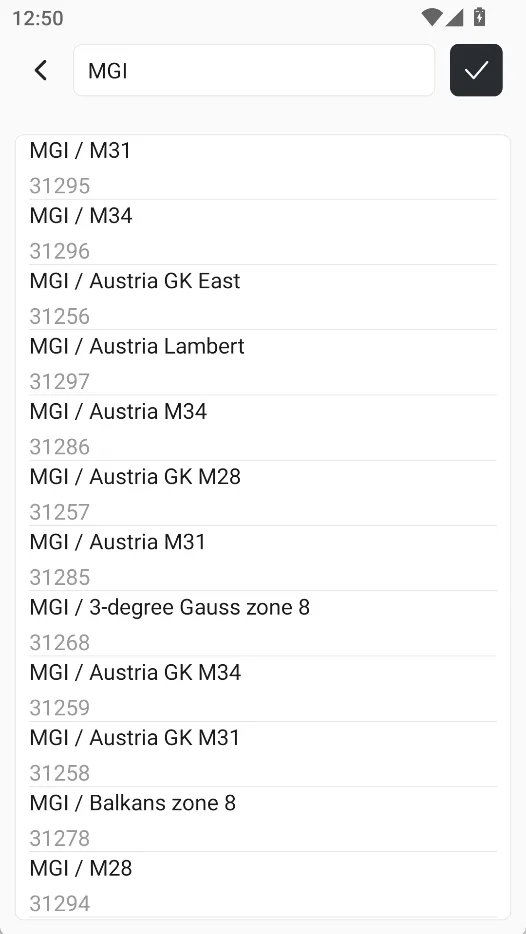 | 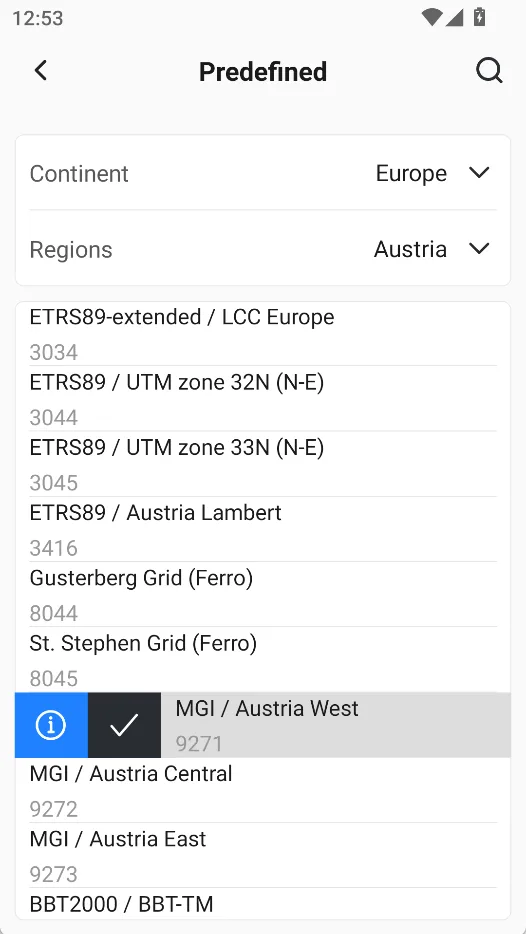 |
5.2.4 Model download
In some coordinate system application scenarios, the system may require supporting model files to support related calculations, transformations, or regionalization applications. To address this, Trion Survey provides download functions for planar grids, elevation grids, and geoid models, making it easy for users to obtain and manage the required models on demand.
When using the model download function, it is recommended to pay attention to the following matters:
1. Download as needed
Only download the model files that are actually needed for the current project or target area to avoid irrelevant models occupying device storage space.
2. Maintain network stability
The model download process relies on network connection. It is recommended to perform it in a stable network environment to avoid download interruptions or incomplete files.
3. Apply after downloading is complete
After the model file is downloaded, it can be used normally in the relevant coordinate system or project. If the model is not completely downloaded, it may cause the corresponding function to be unavailable or the result to be abnormal.
4. It is recommended to manage versions uniformly.
For team collaboration projects, it is recommended to use the same version of the model file uniformly to ensure consistent processing results between different devices.
 |  |  |
Note:
1. If there is already a model file, copy the file directly to /FJDynamics/TrionSurvey/Grid, so that the APP can select it through the drop-down list;
2. All grid models need to be strictly validated before use.