
6.3 Base
The base station plays a core role in the RTK system. Its main function is to calculate the difference between the GNSS observation data of the current position and the standard value in real time, and send these differences in the form of RTCM correction data to the rover station through the radio or network, so that the rover can obtain high-precision positioning results.
| Work Mode | Description |
| Known points | Obtain or measure the coordinates of the reference station in advance. After inputting the coordinates in the APP, the base station uses the known coordinates as a reference to directly calculate the differential correction number. The advantage is that the positioning reference point is accurate and reliable, without waiting for coordinate convergence time, which can ensure the consistency of the positioning reference in important engineering projects. |
| Automatic convergence | After the base station is started, satellite positioning is automatically performed. After about 1 minute of convergence time, the base station coordinates are automatically determined using the currently received GNSS observation values. The advantage is that there is no need to obtain known coordinates in advance for rapid deployment; the disadvantage is that the coordinate accuracy depends on the observation environment at that time. |
GNSS receivers can be used as both rover and base stations, and the receiver mode can be configured through the [Base].
6.3.1 Internal Radio
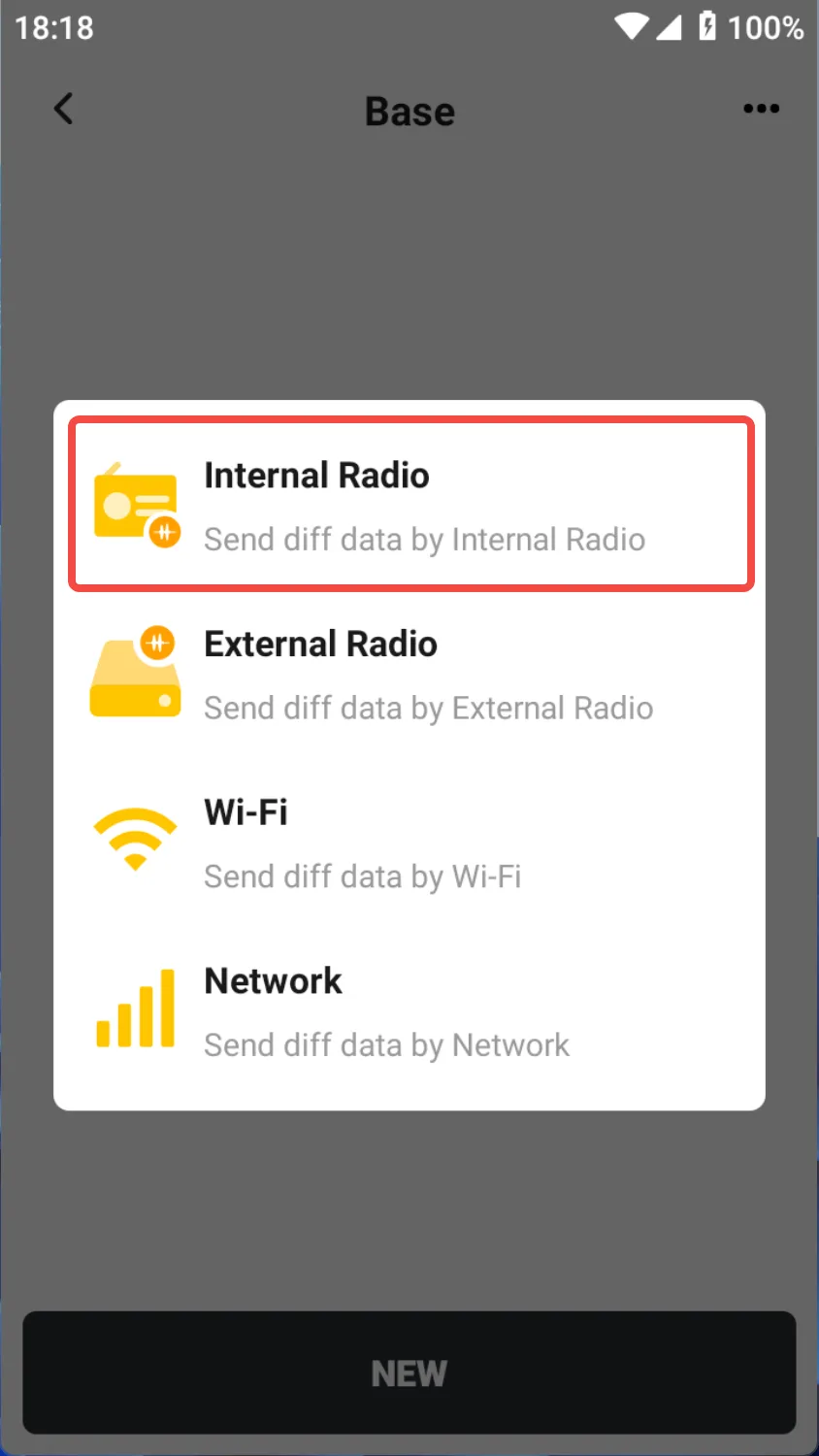
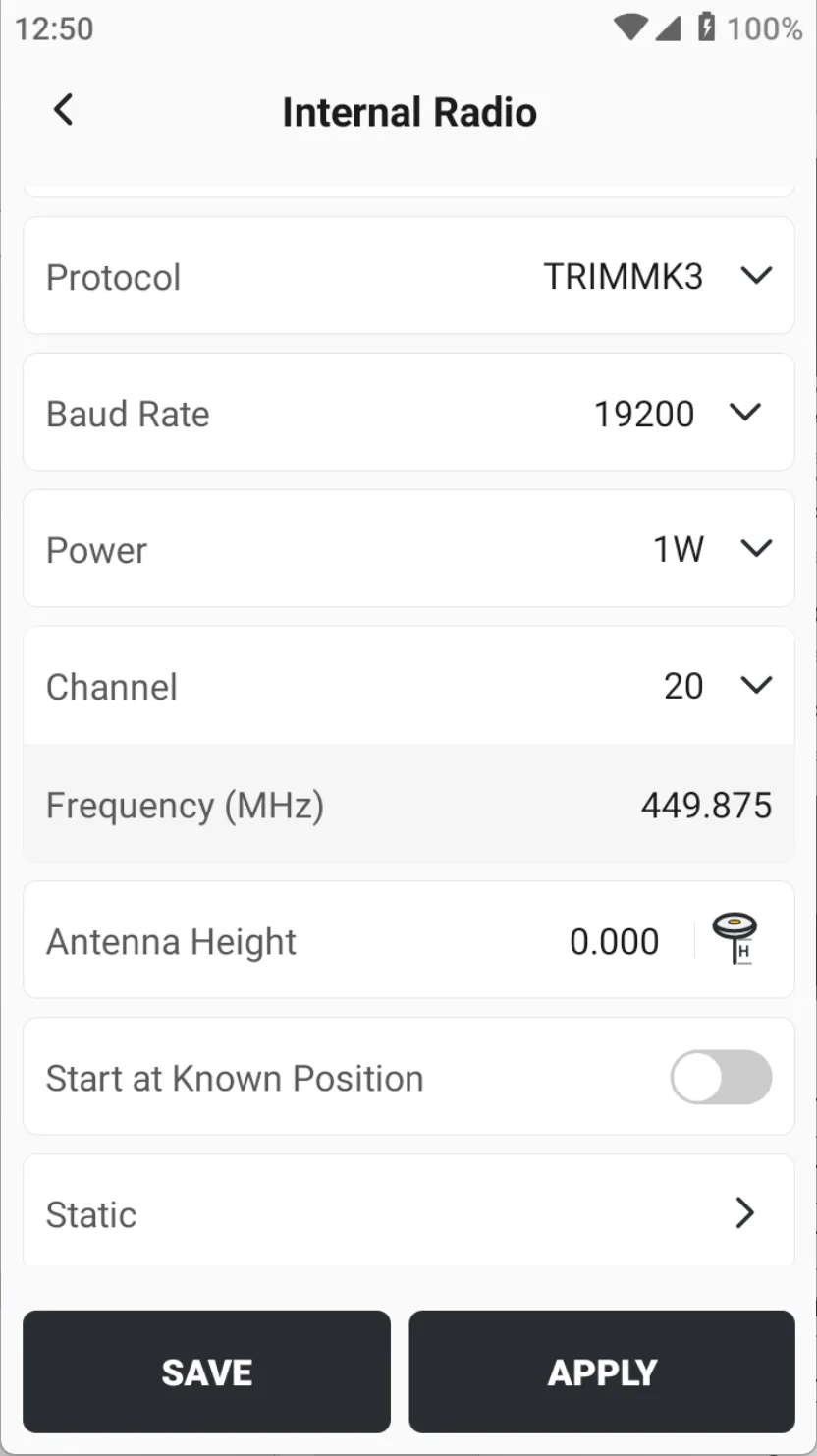
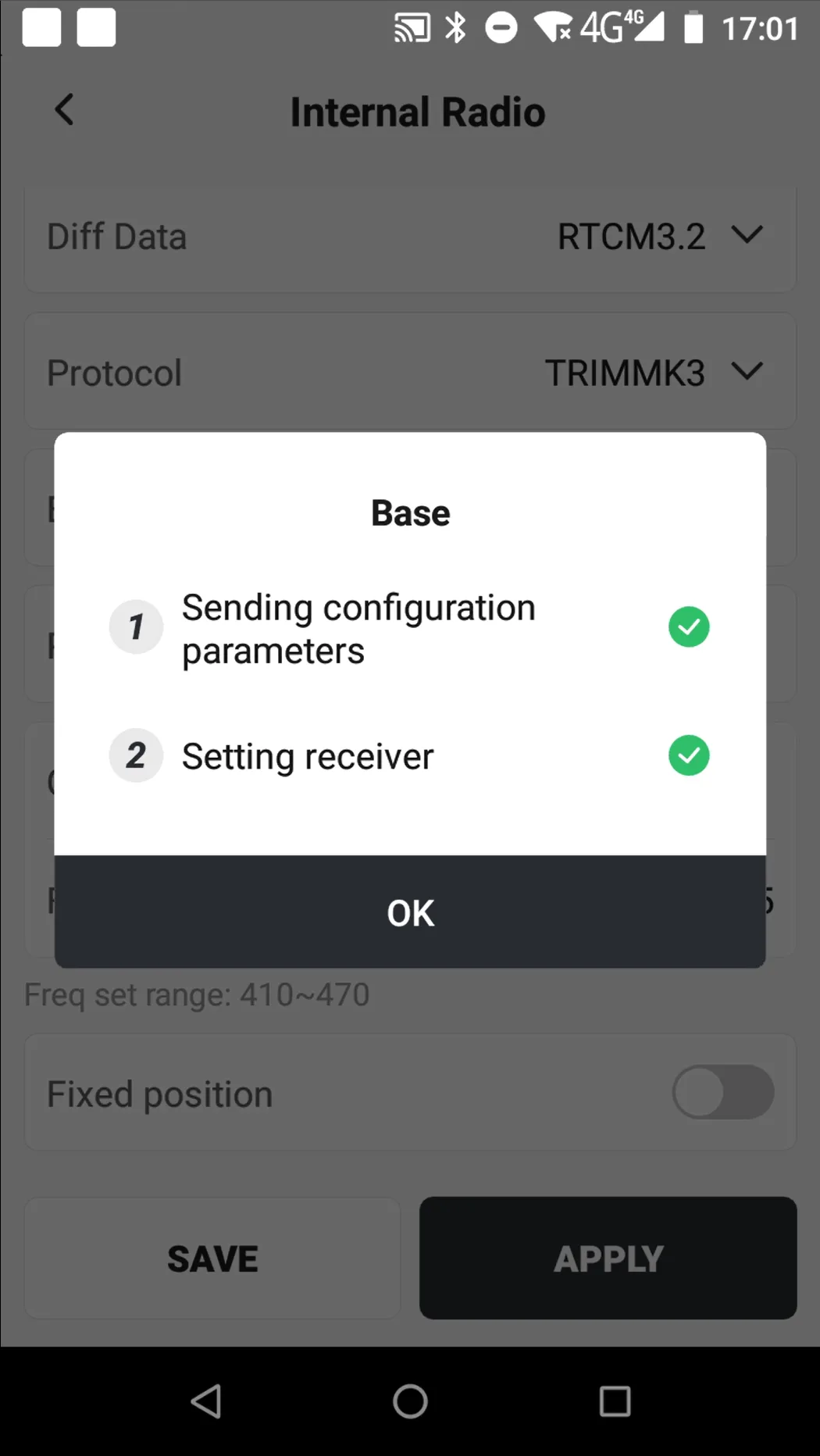
Click [Base] → [NEW], select [Internal Radio], Configuration parameters are as follows:
| Name | Description |
| Name | Enter a configuration name |
| Mask Angle | Default 20 °, optional minimum 5 °, maximum 45 ° |
| Diff data | Default RTCM3.2, optional RTCM3.0/RTCM3.3 |
| MSM Type | Default MSM4, optional MSM3 and MSM5 |
| Protocol | Default TRIMMK3, optional TRIMTALK, TT450S, TRANSEOT, SATEL |
| Baud rate | Different protocols correspond to different baud rate options |
| Power | Different devices support different power levels, with options of 1W, 2W, and 5W. |
| Channel | 400M radio station optional, default 20, support custom frequency |
| Frequency | Display the frequency value corresponding to the selected channel |
| Antenna Height | Set the antenna height of the reference station |
| Start at Known Position |
|
| Static | Record static data at the same time. For configuration details, see Chapter 6.7. |
 |  |  |
Both internal and external radios require external whip antennas, and the antenna parameters of 400M and 900M are different.
6.3.2 External Radio
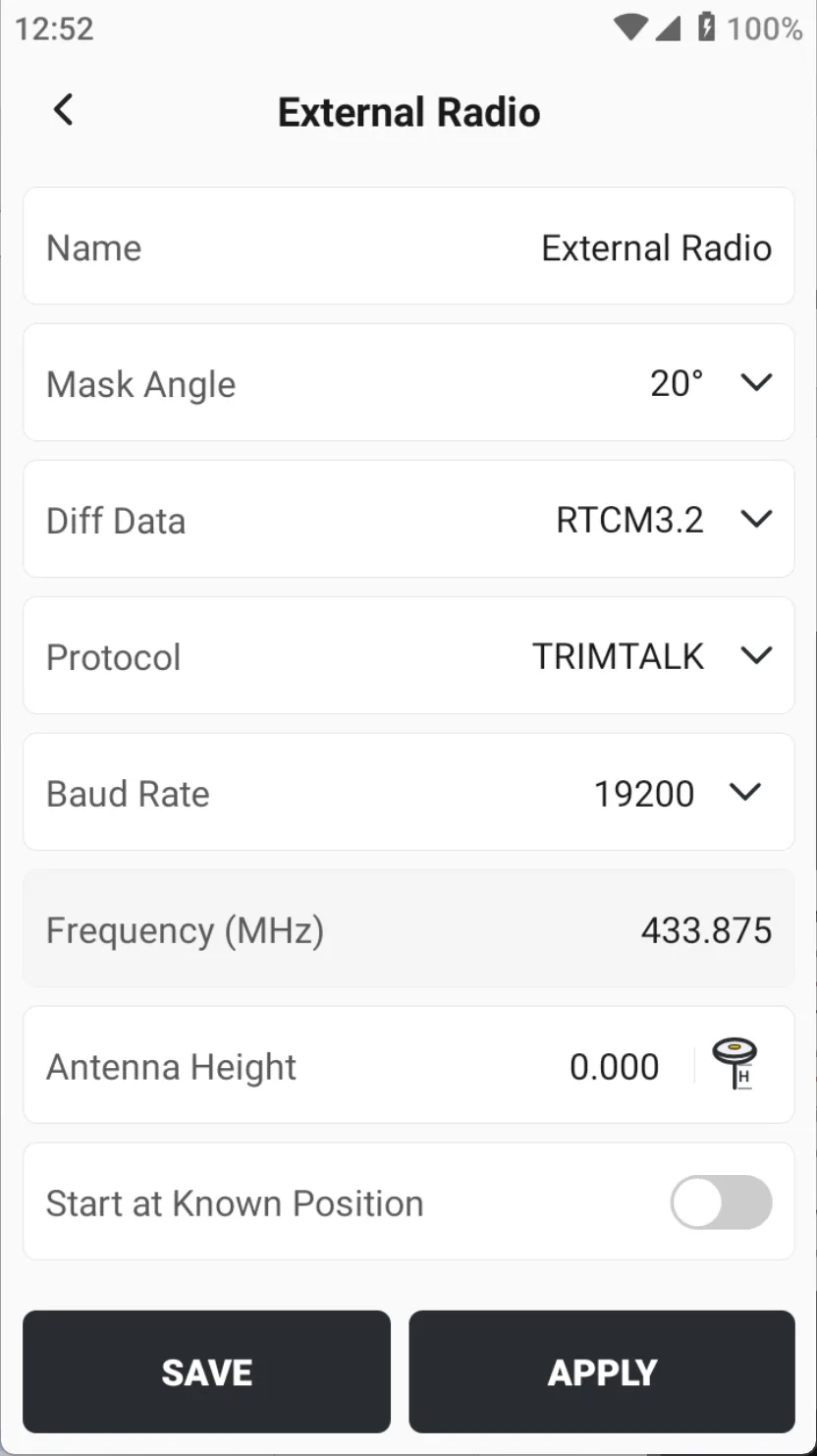
When the operation range is large, the baseline distance is more than 5 km, and there are many obstacles blocking, the external radio should be considered.
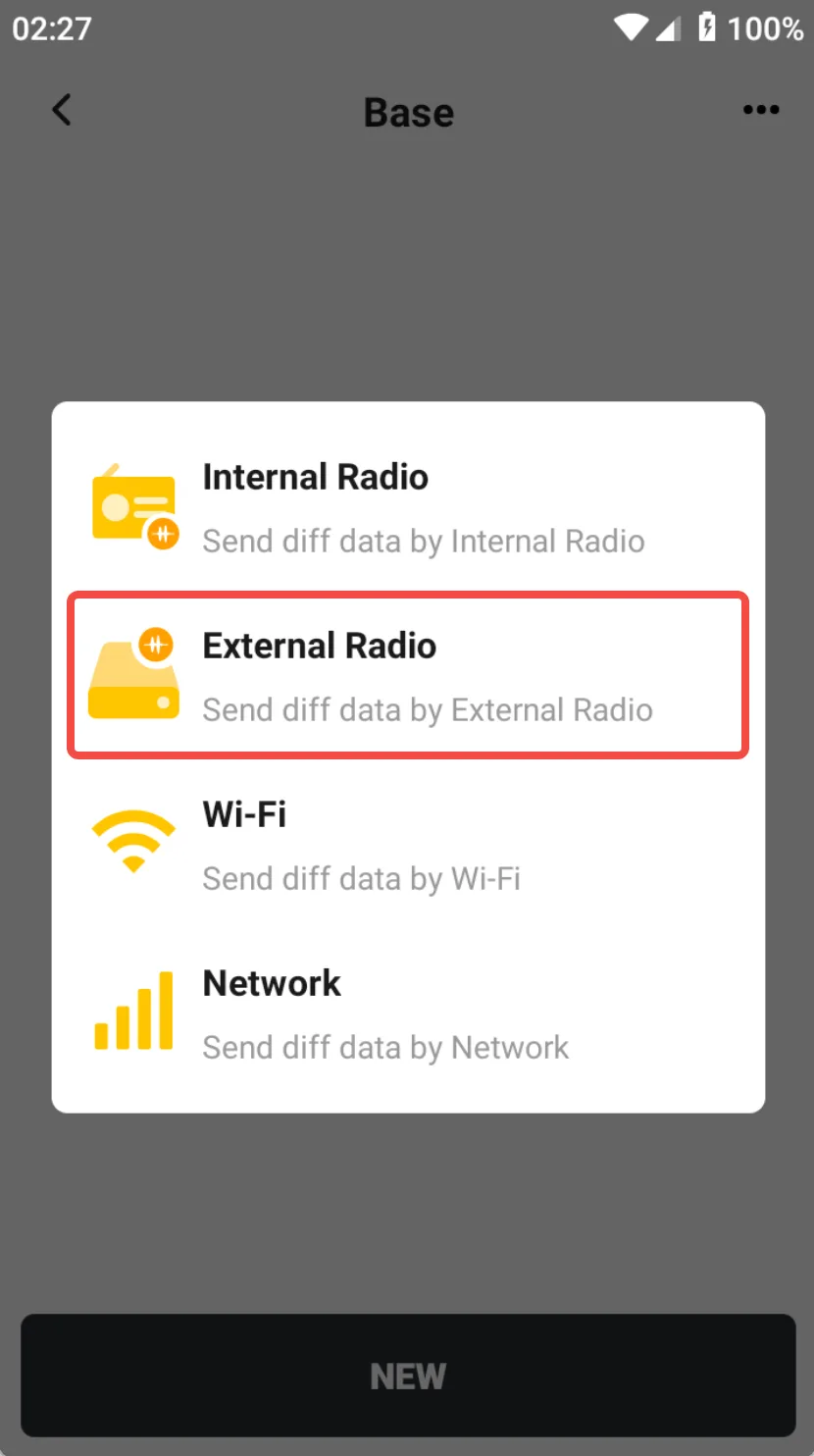
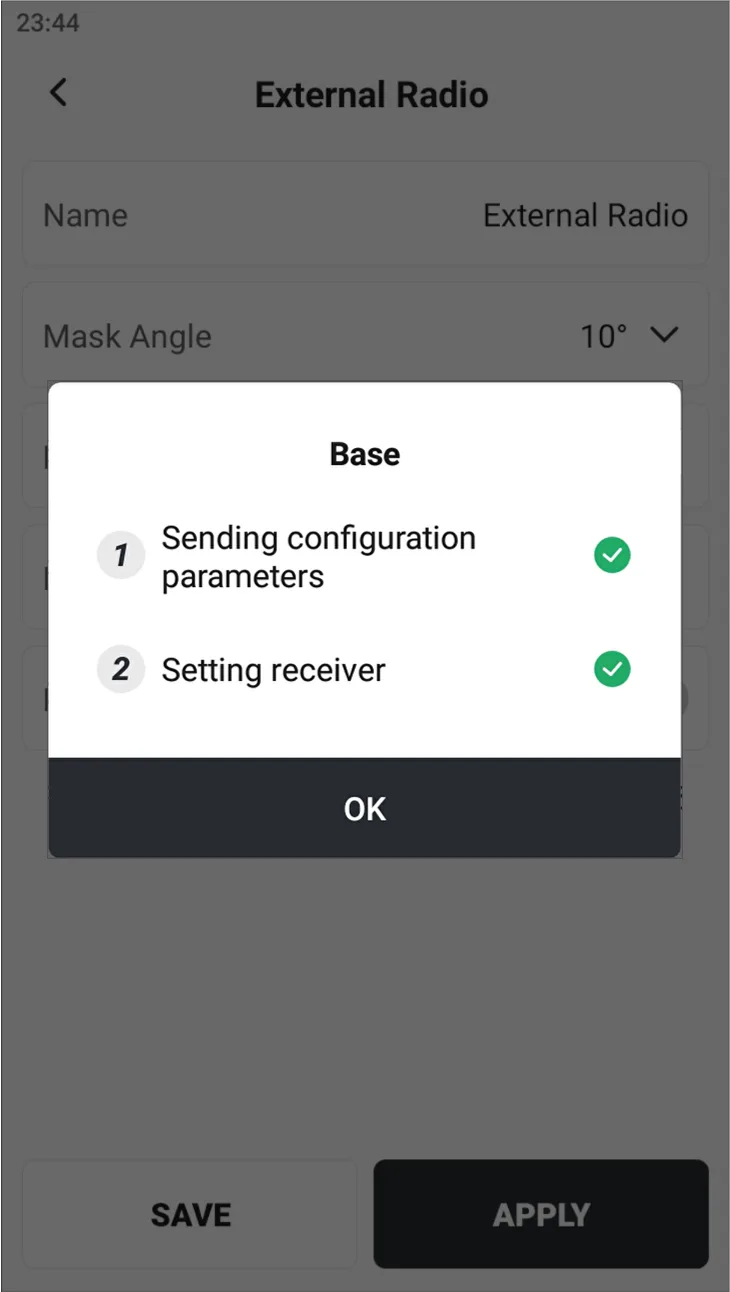
Click [Base] → [NEW], select [External Radio], enter relevant parameters, click [APPLY], and wait for the base station to be set successfully. You can also connect to the external radio device via Bluetooth for independent configuration, see Chapter 6.10 for details.
 |  |  |
Note:
- Considering the relatively large power of the external radio, the surveyor should not stay next to the external radio antenna for a long time.
- In order to ensure the transmission distance, the antenna of the external radio station should be raised as high as possible.
- Generally, external radio stations are powered by power banks, batteries or mains power;
- If you find that the communication distance of the external radio device becomes shorter, please check whether the power supply voltage is insufficient in time.
6.3.3 Wi-Fi
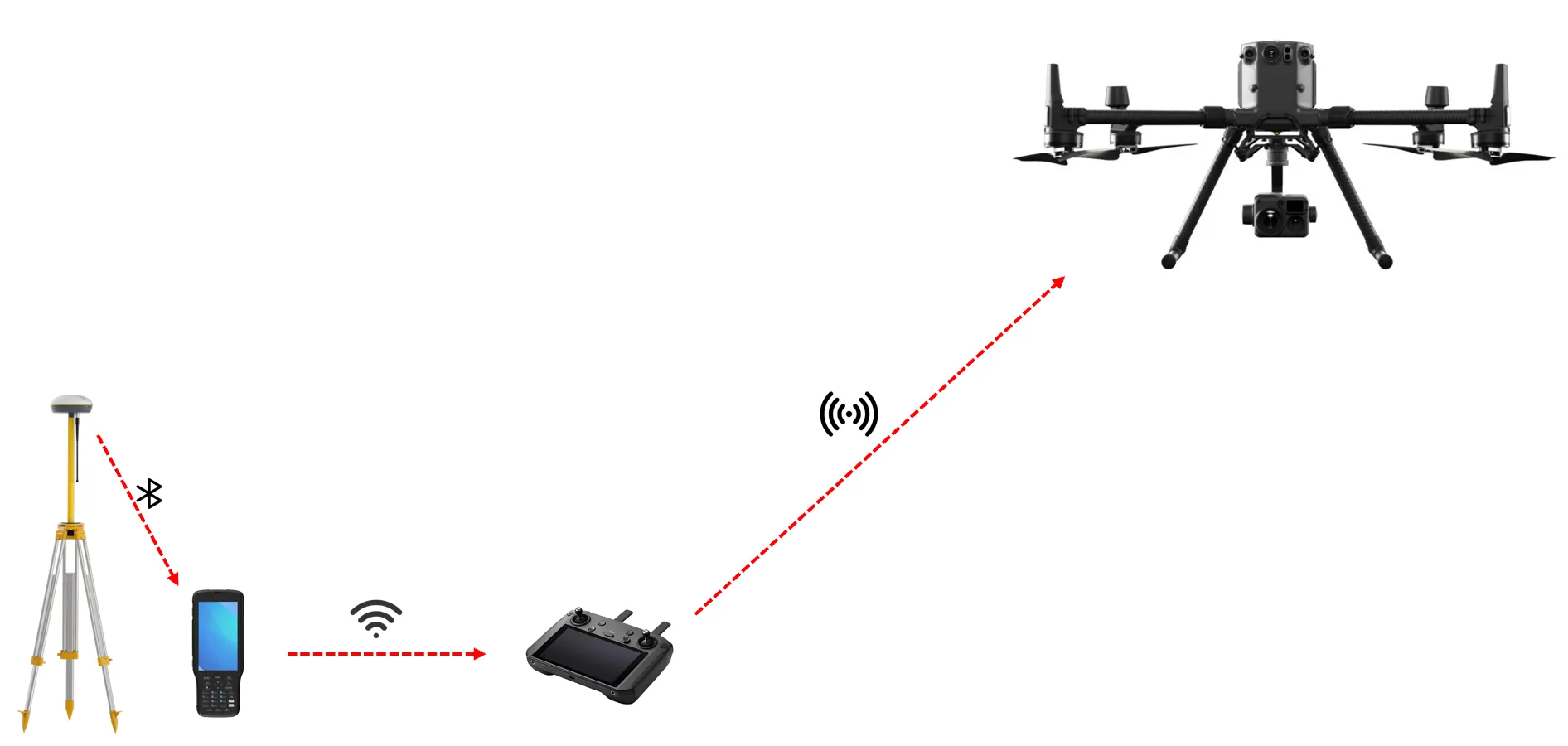
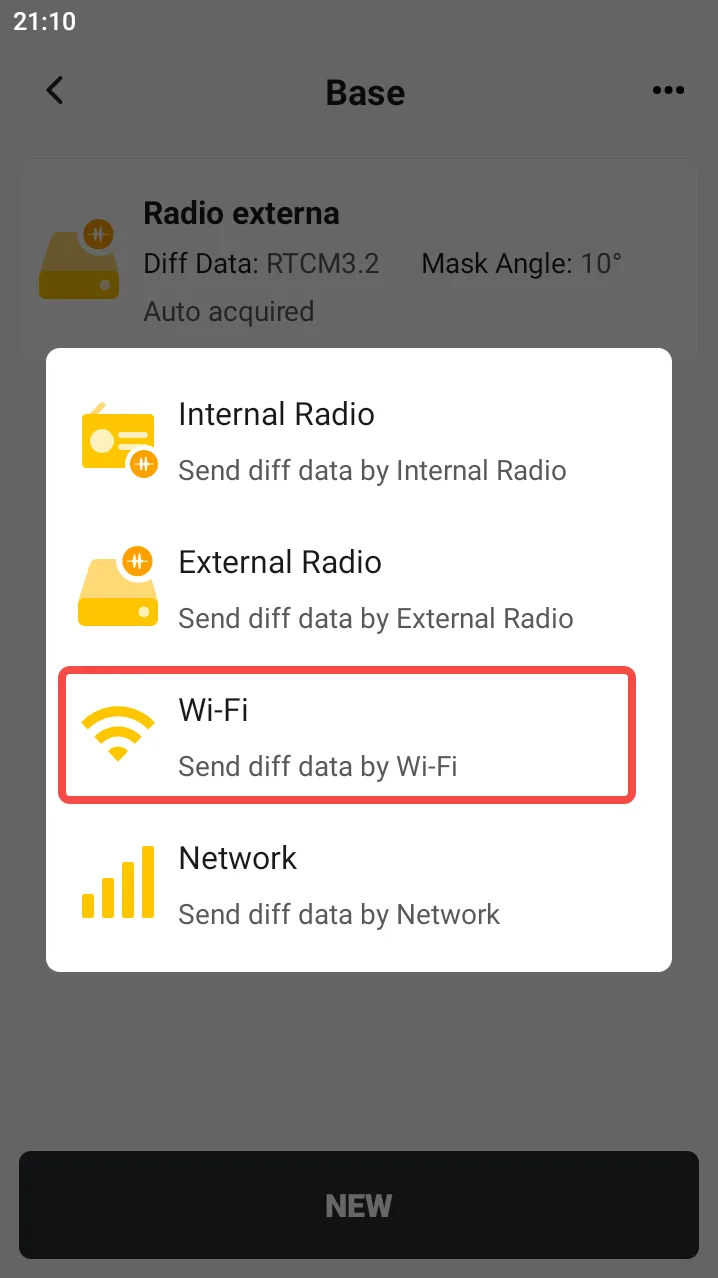
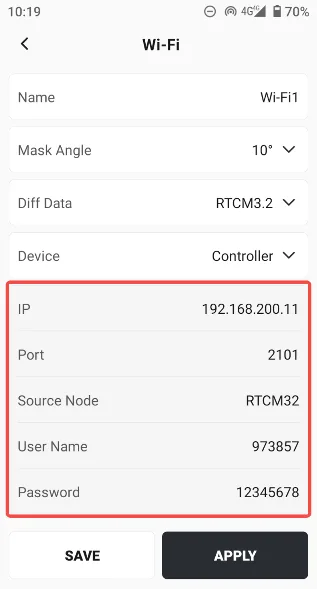
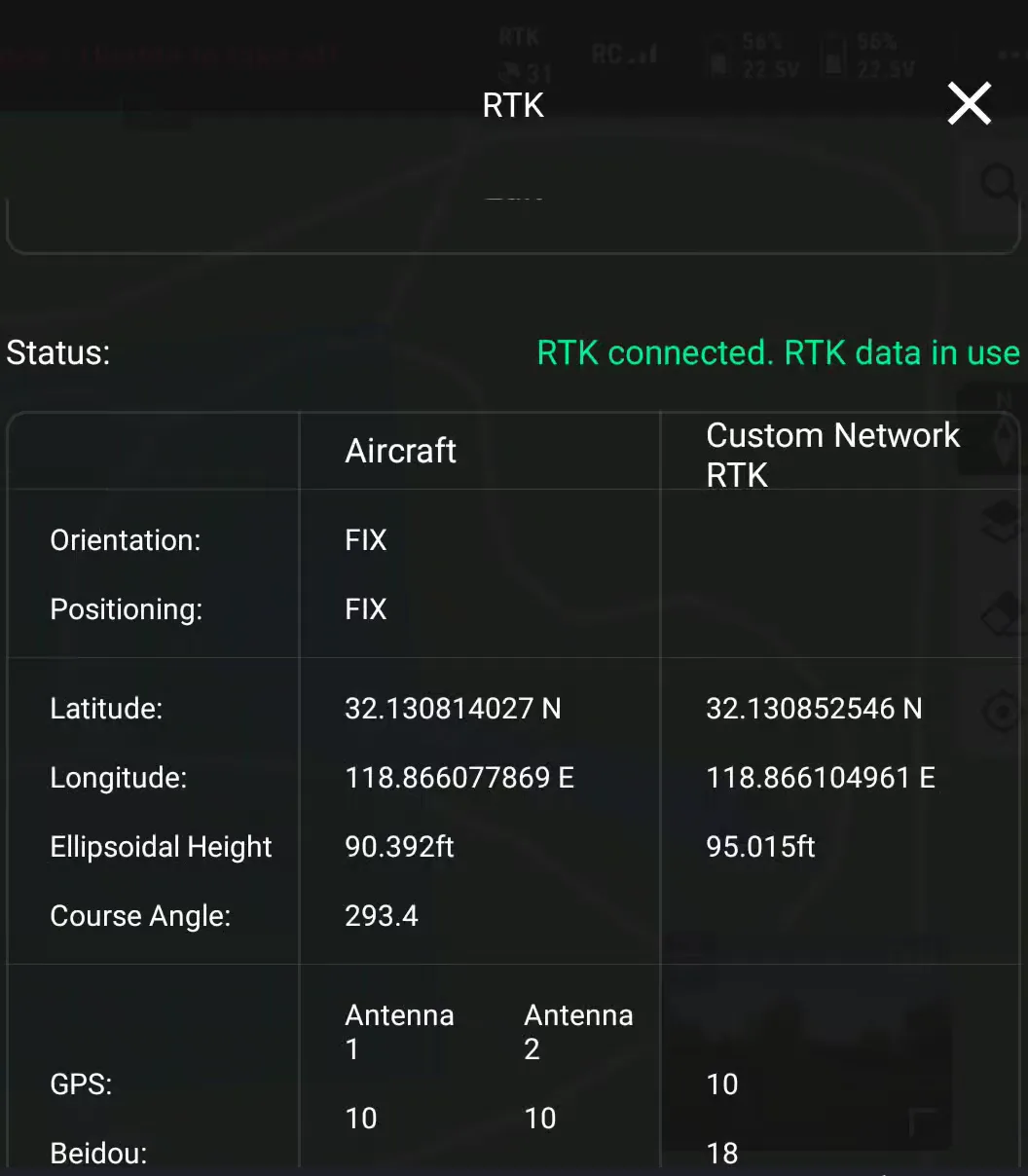
The RTK device establishes a local network with the drone controller, provides differential data to the controller, and sets the drone to [Custom Network RTK] to obtain a fixed solution.
If the base station model is V10 series, it supports establishing a LAN directly between the receiver and the drone controller. After configuration, it can be used without the RTK controller.
 |  |  |
Note:
- Both V1 and V10 series receivers support this function, and the V10 series receiver comes with a built-in hotspot.
- The drone controller and the base station need to be kept within the Wi-Fi communication range to prevent the LAN connection from being disconnected.
6.3.4 Network
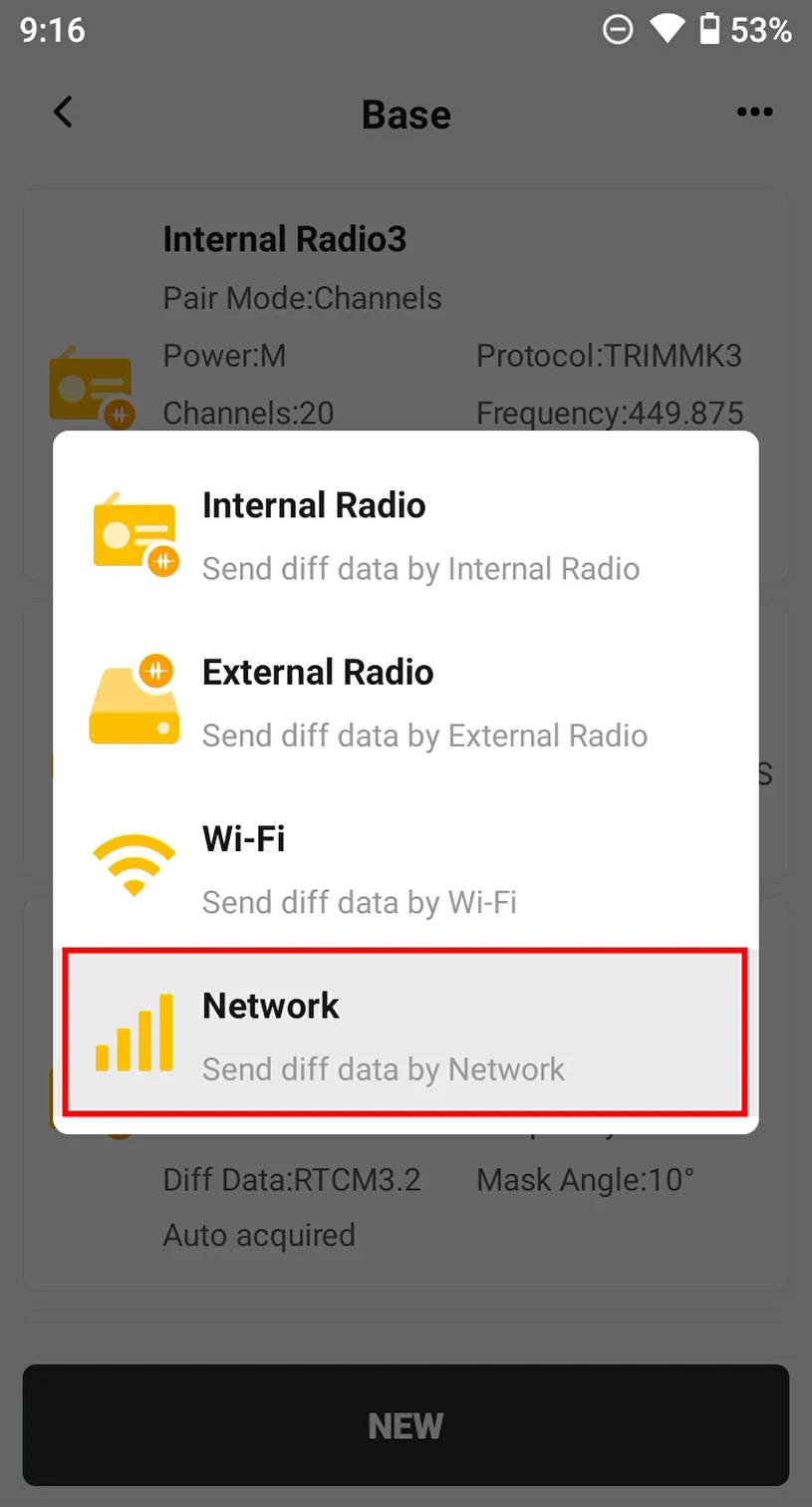
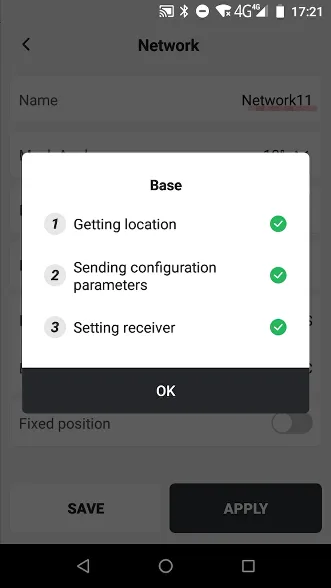
For environments with poor radio signals but the Internet, the network base station function can be used, and the base station can broadcast differential data to the rover station through the network.
There are two network modes to choose from: [FDDS] and [NTRIP]. FDDS is connected to the FJD server, and the configuration is as follows:
 | 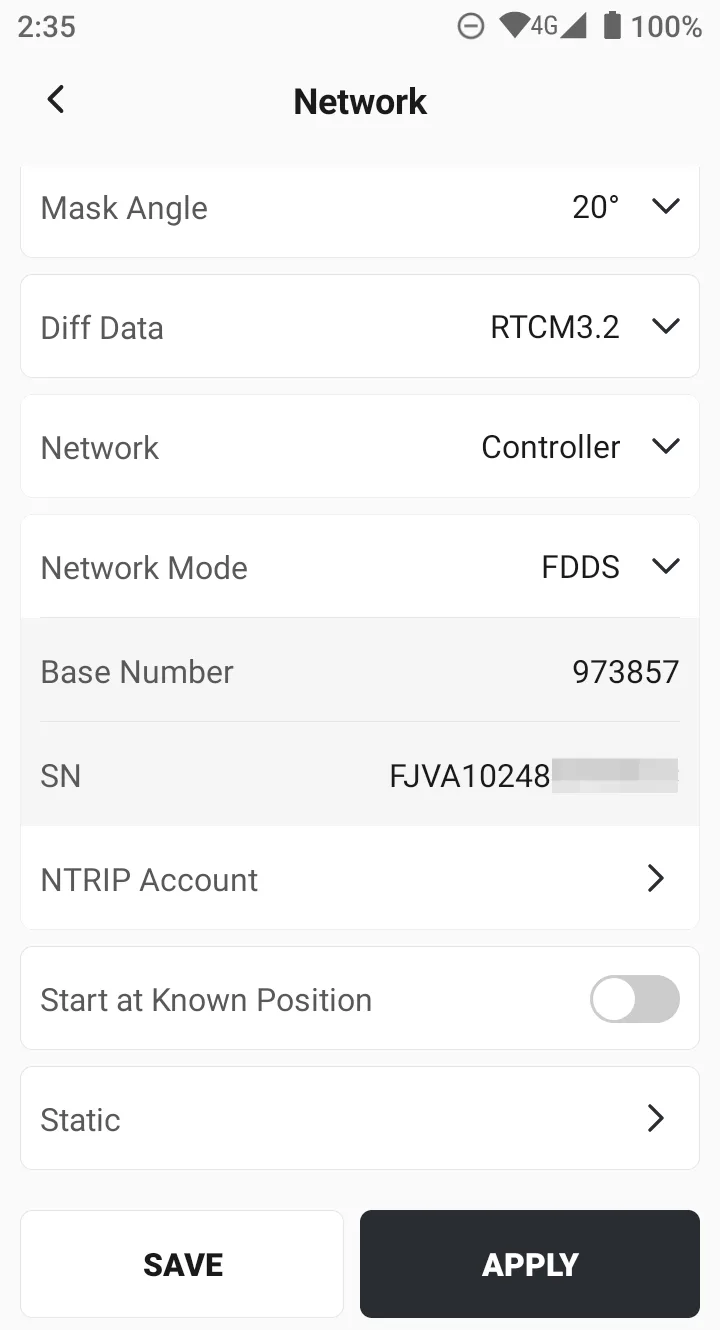 |  |
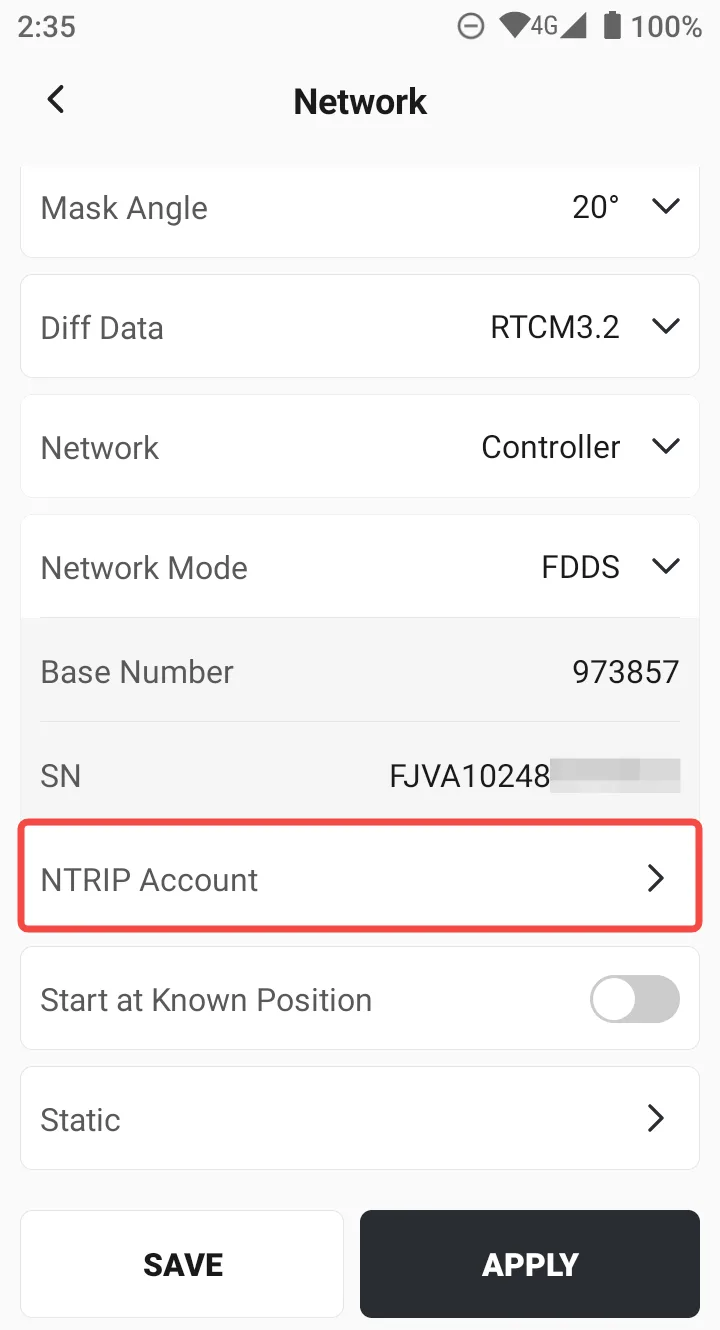
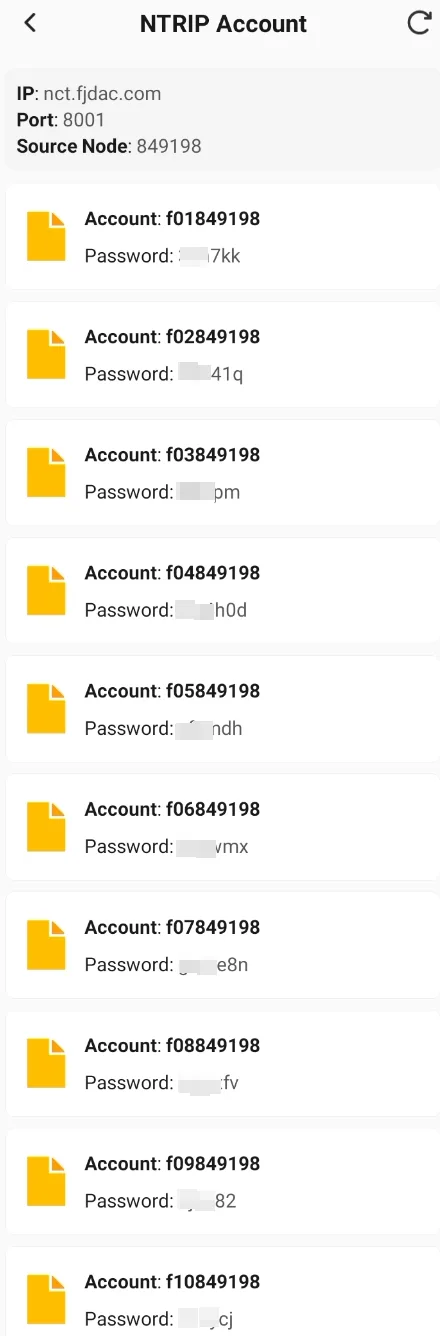
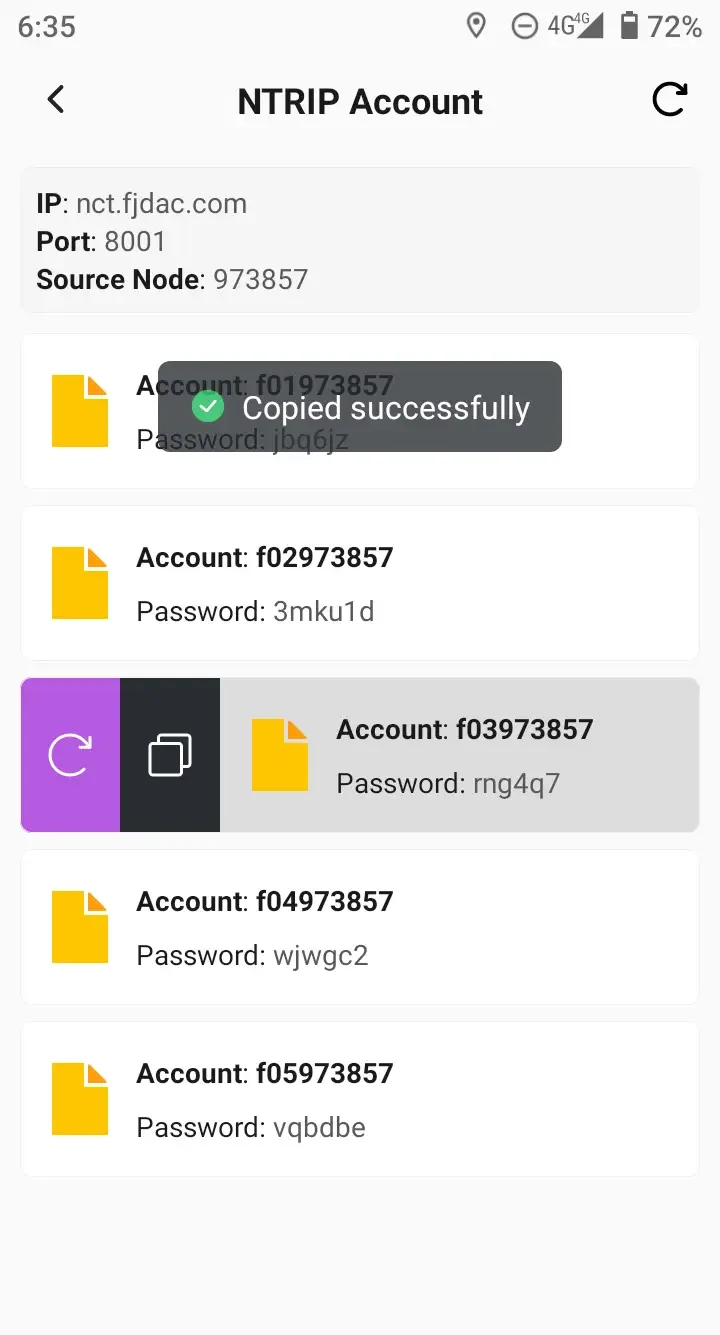
FDDS mode base stations can be used in conjunction with third-party RTK rover stations. One base station creates five Ntrip accounts by default. Click [Ntrip Account] to browse accounts, refresh and reset passwords, and copy with one click. The copied information is as follows:
- IP: nct.fjdac.com
- Port: 8001
- Source Node: 973857 (Also supports direct search, select [Nearest])
- Account: f03973857
- Password: rng4q7
 |  |  |
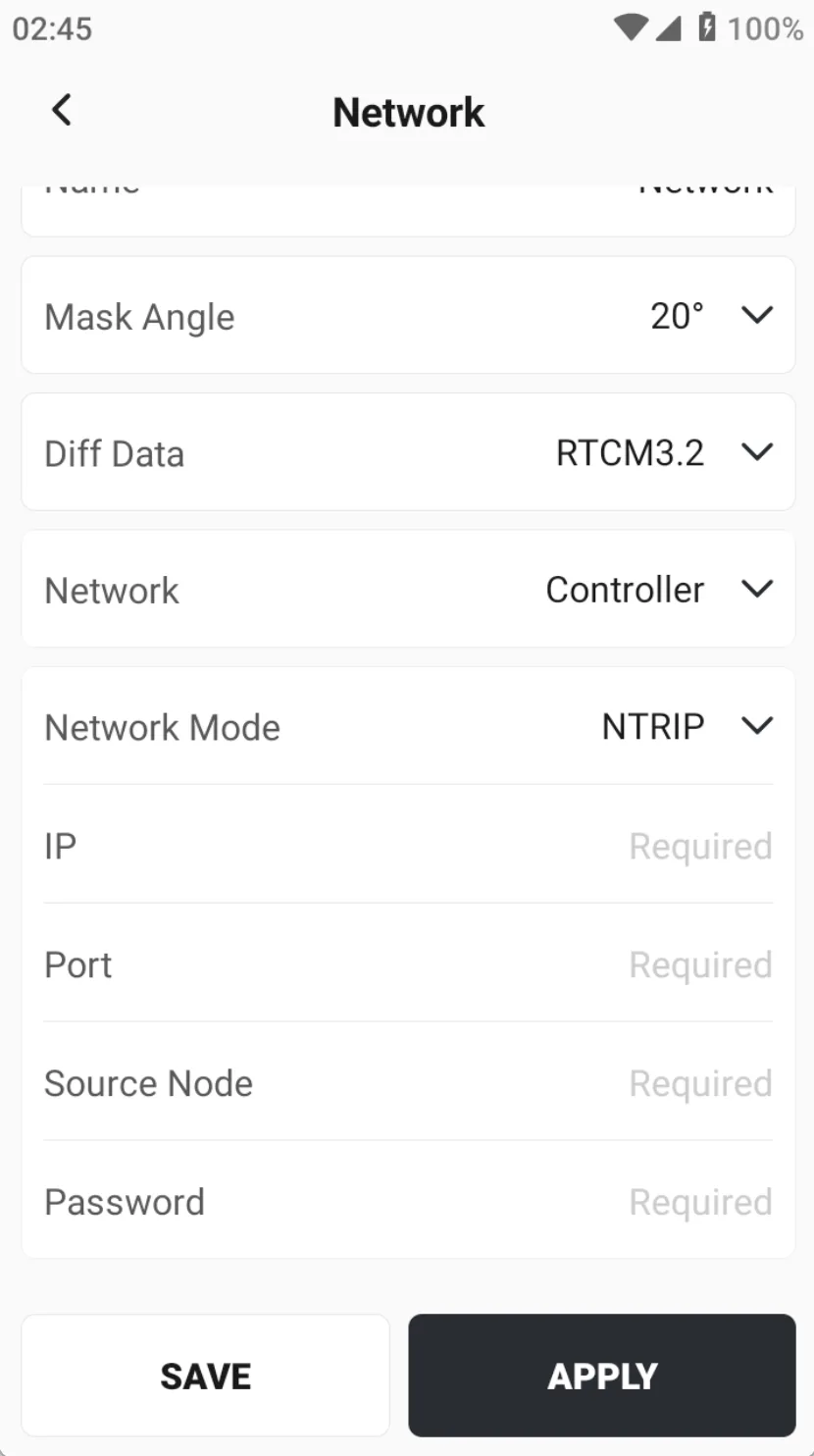
When the network mode selecting [NTRIP], the connection is Customize NTRIP Caster server, input information reference is as follows:
📌 Note:
|  |