
6 Settings
6.1 Connection
The connection setting module is used to configure and manage the connection with external measurement devices, including RTK receivers, extended Android devices, simulation, and external radios, etc. It supports multiple communication modes such as Bluetooth and Wi-Fi.
| Function | Device type | Connection mode |
| Communication settings | RTK | Bluetooth Wi-Fi |
| Android Device | UA80 D10 Android local | |
| Simulation | / | |
| External Radio | Bluetooth |
6.1.1 RTK connection
The RTK receiver is the core peripheral of the Trion Survey application, providing centimeter-level positioning services. The connection process is as follows:
1. Select [Settings] → [Connection], select RTK as the device type, select Bluetooth or Wi-Fi as the connection mode, select the receiver identification code (distinguished by the last 5 digits of the SN number) in the device list, and click [CONNECT]. When connecting for the first time, Bluetooth will have a pairing code, and the Wi-Fi password is 12345678.
2. If the receiver is not displayed in the list, please check the device power status and whether the communication mode is enabled, or manually click the Refresh button to update the available device list;
3. Automatically returns to the homepage after successful connection.
Note:
Check the SN number of the receiver at the bottom of the device. If it cannot be connected, try restarting the receiver or deleting the paired Bluetooth or Wi-Fi device in the Android system and reconnecting.
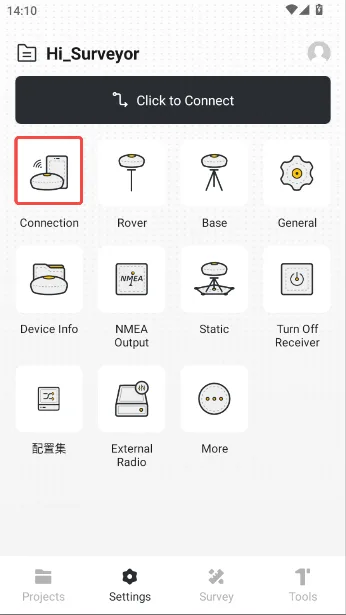 | 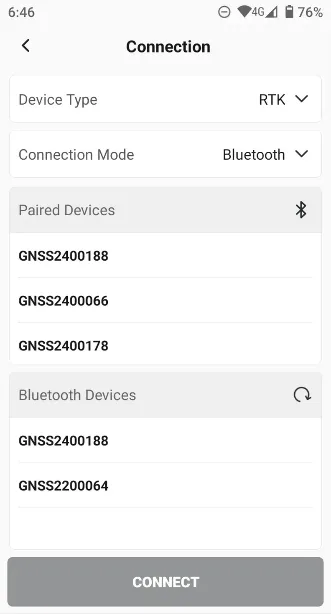 | 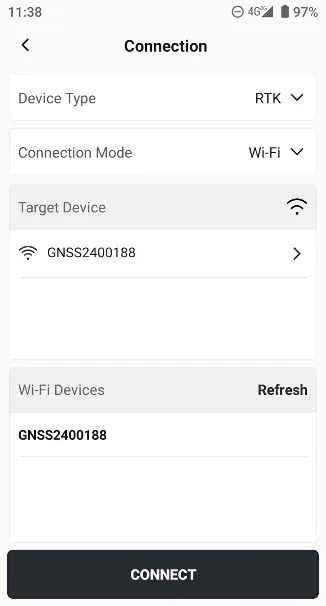 |
6.1.2 Android Device
The APP can obtain the location information of local Android devices, and is currently compatible with two tablet devices (UA80 and D10). An external positioning back clip can be used to obtain high-precision coordinates. Click Connect Mode and select the corresponding product model. | 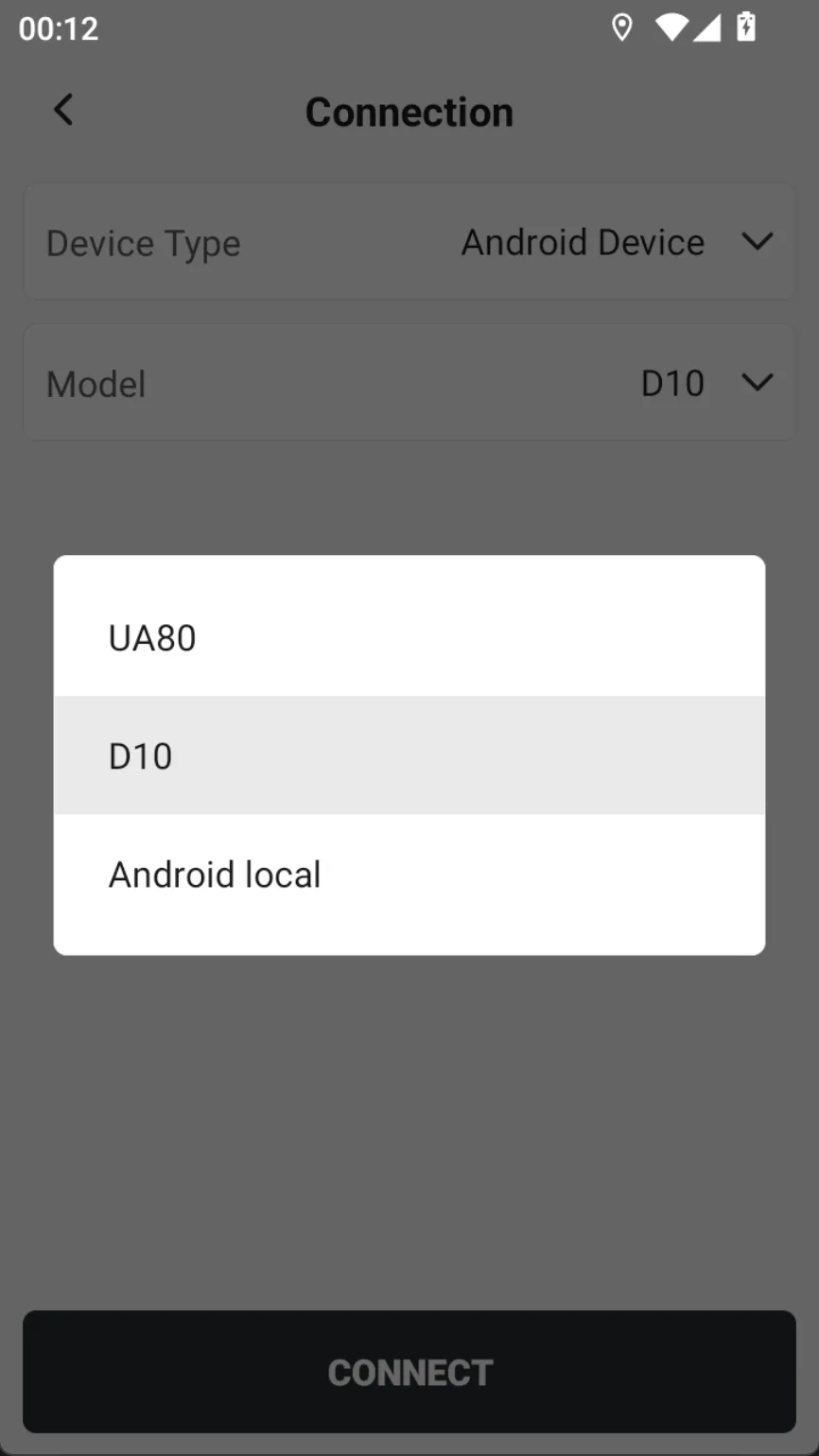 |
6.1.3 Simulation
| The simulation mode provides rich configuration parameters that can simulate realistic RTK device positions, including motion direction, speed, solution status, diff age and start point coordinates. | 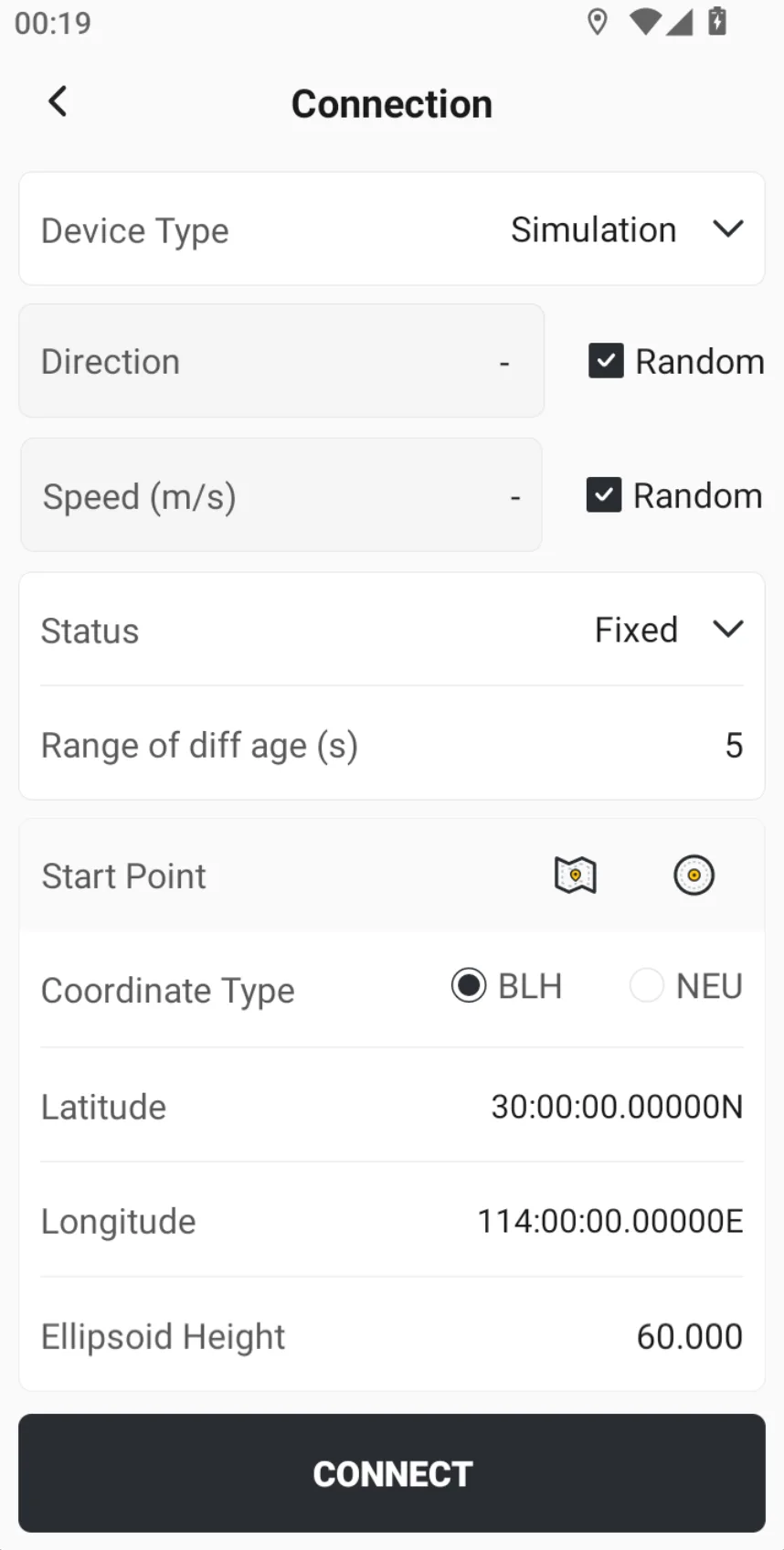 |
6.1.4 External Radio
Support connecting to external radio device via Bluetooth, see Chapter 6.10 for details.