
6.9 Config Set
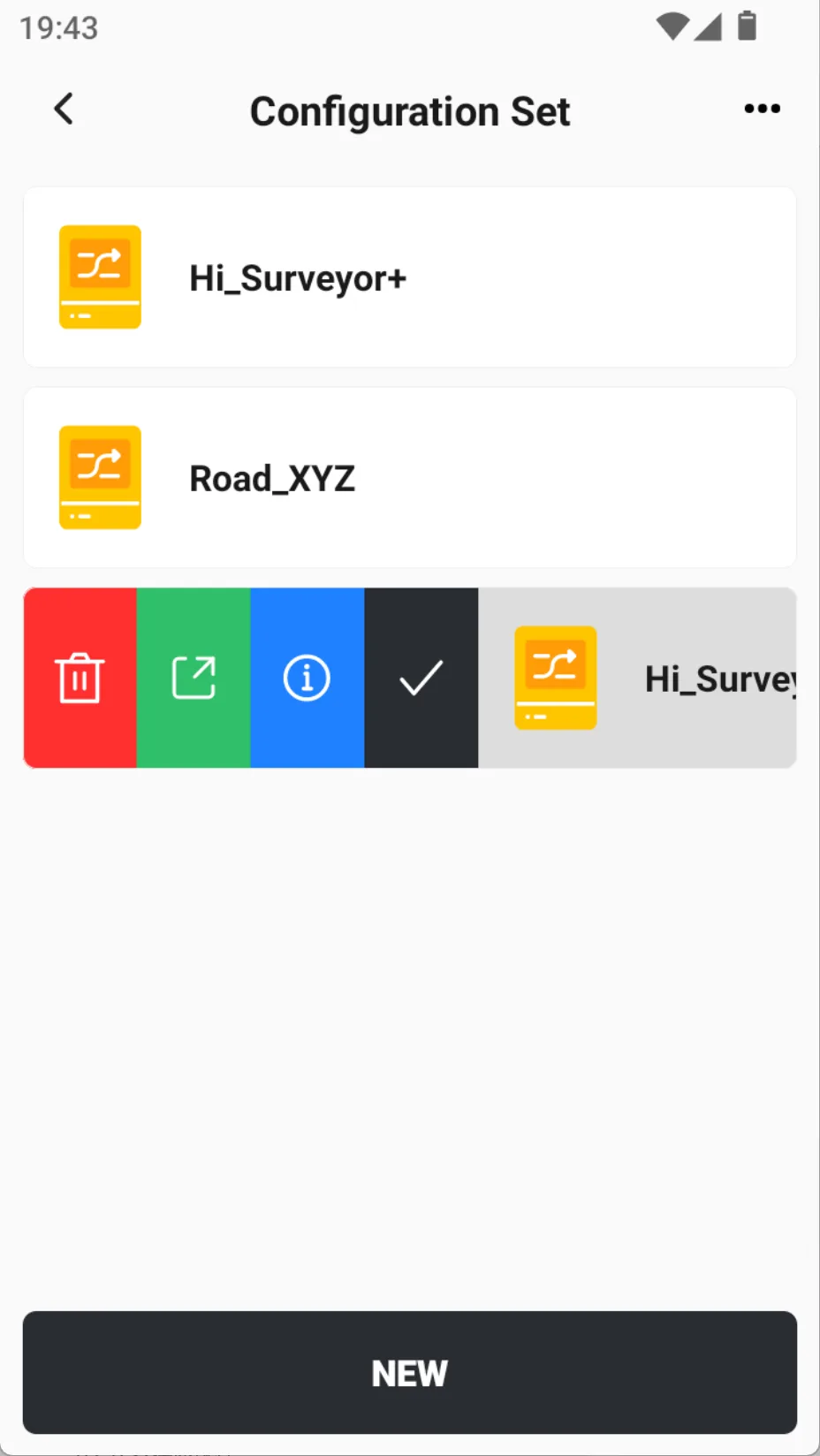
When field surveyors frequently switch between different projects, work intervals, or teams, it is necessary to quickly synchronize configuration information such as coordinate systems, codes, and communication parameters. Trion Survey's configuration set function supports users to independently package complete project configurations by name, making it easy to share between teams, migrate across devices, or quickly initialize new projects.
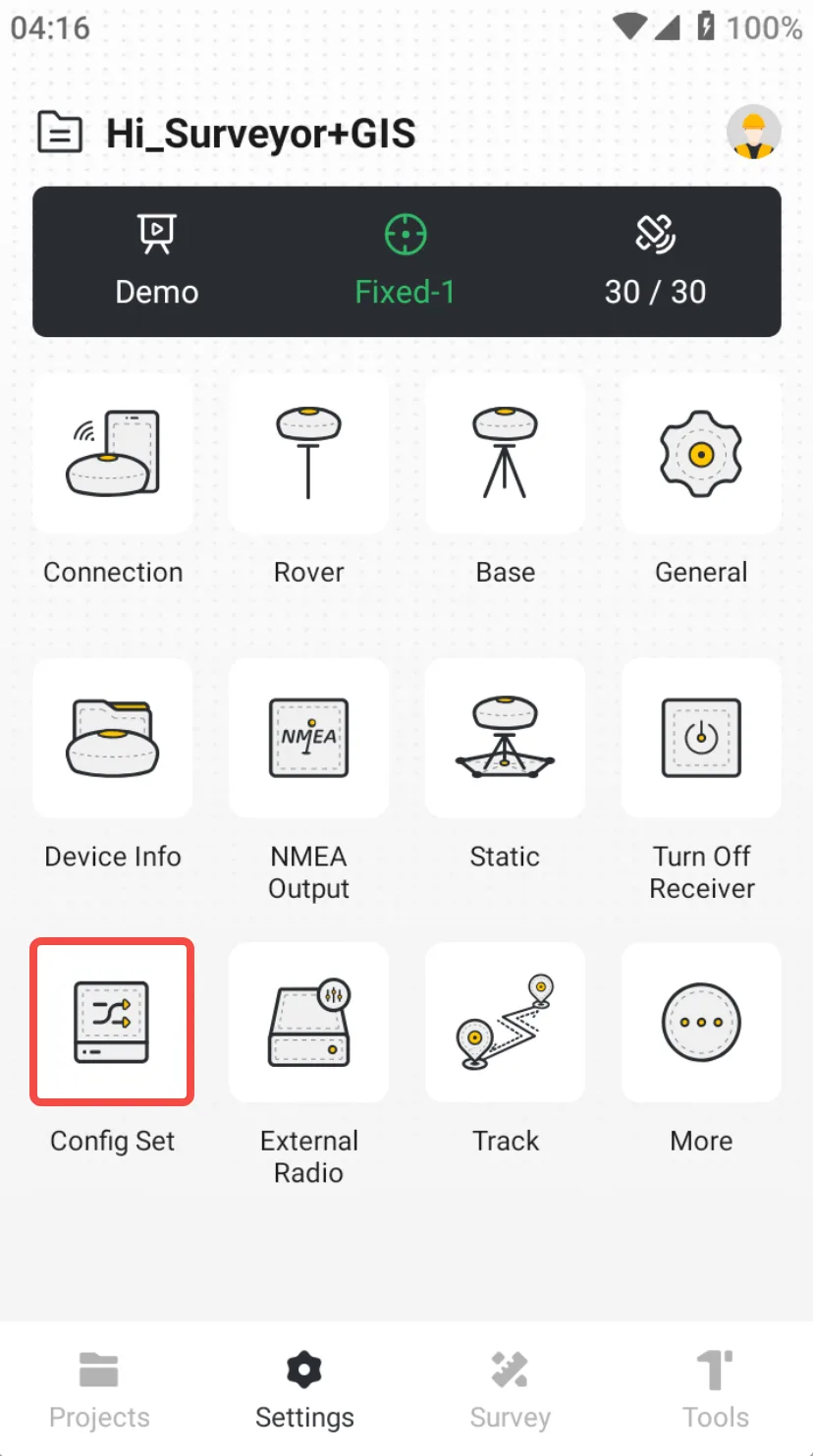
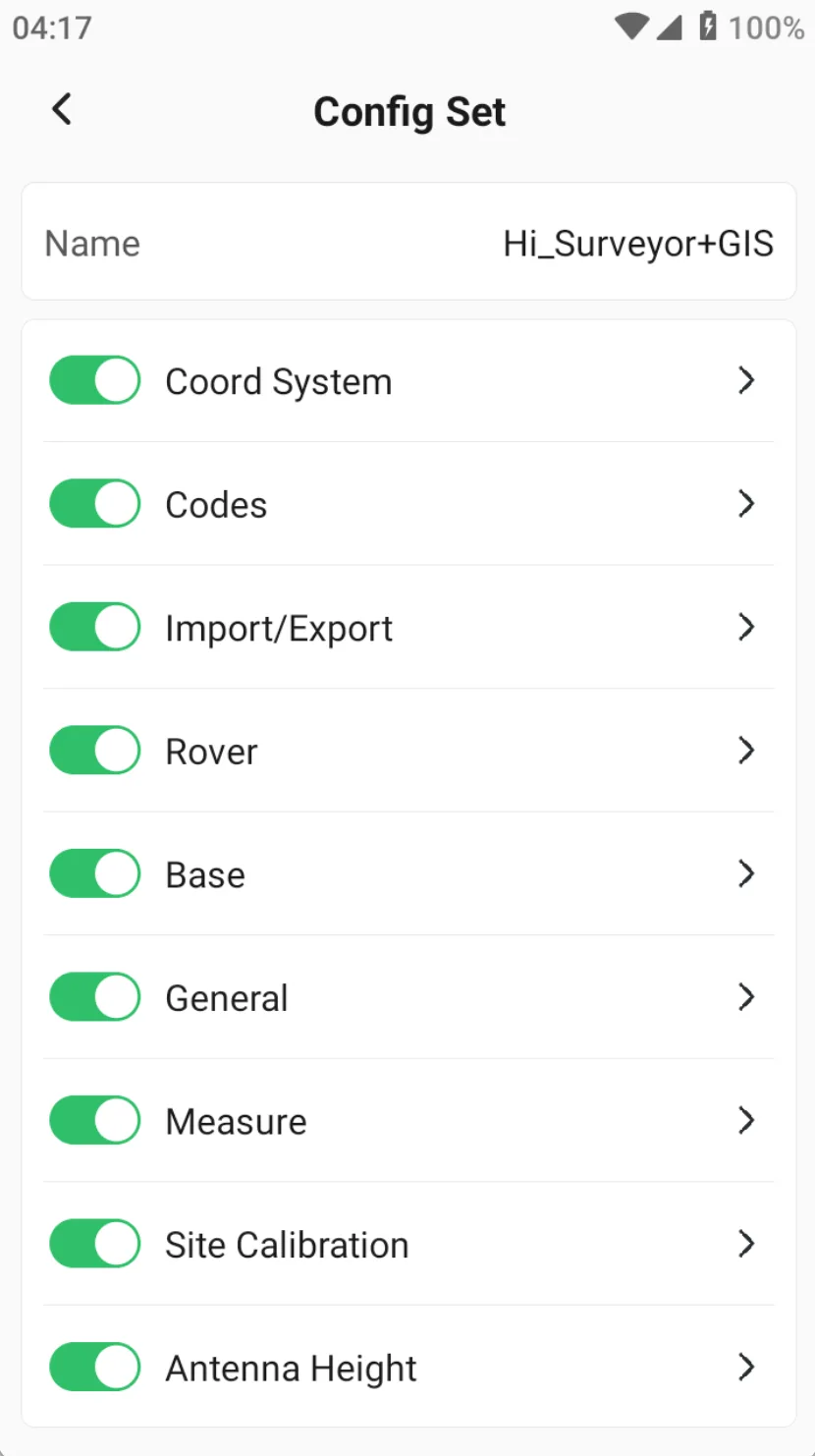
Click [Settings] – [Config Set] to enter the config set list. Click the [NEW] button at the bottom to immediately create a config set with the current project.
 |  |  |
| Name | Description |
| Coord System | Copy & edit the coordinate system of the current project |
| Codes | Copy & edit the codes of the current project |
| Import/Export | Select the format to add to the config set from the library |
| Rover | Select configuration from the list of Rover settings |
| Base | Select configuration from the list of Base settings |
| General | Include the general settings |
| Measure | Include the parameters: Measure, Stake, Road, and Show |
| Site Calibration | Copy the list, support preview and calculation |
| Antenna Height | Antenna height setting information during measurement |