
5.7 Surfaces
5.7.1 Surface introduction
[Surfaces] is used to centrally store and manage surface type data such as digital terrain models (DTM), providing basic data support for engineering applications such as [Stake DTM], [Volume], and cutting and filling analysis. [Surfaces] supports generating surface files in two ways: manually creating or importing from external files.
Users can directly create surface files by clicking the Add button at the bottom, or by clicking the [...] → [Import] button in the upper right corner to load third-party format surface files.
In the surface list, the system displays the key attribute information of the surface, including file type, 2D perimeter, minimum and maximum elevation, 2D area and 3D area, etc., making it easy for users to quickly understand the characteristics of each surface file.
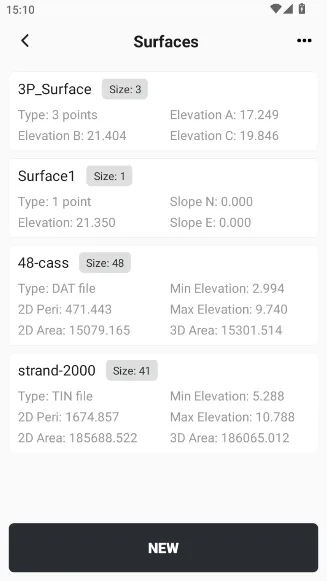 | 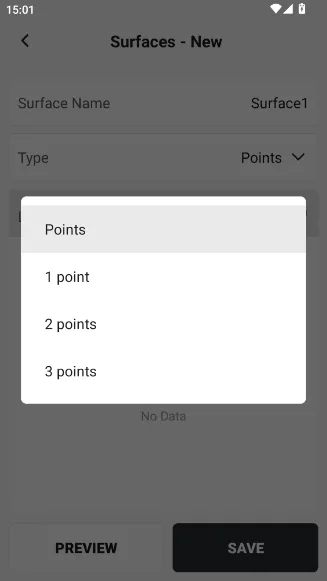 | 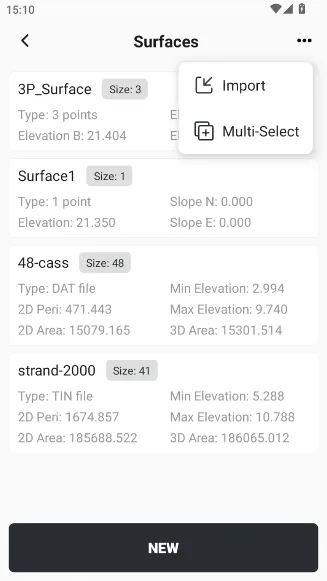 |
| Creation method | Type of surface | Description |
| New | Points | Select several points from Points to create a triangular mesh surface. Supports uploading boundary files and creating triangulation networks using coordinate points within the boundary. |
| 1 point | Create a surface with one point and a slope of N/E, which extends infinitely and has no preview function | |
| 2 points | Create a surface with two points and a slope perpendicular to the forward direction, which extends infinitely and has no preview function | |
| 3 points | Create a surface with three points, which extends infinitely and has no preview function | |
| Import | *.dat text file | Create a triangular mesh from points in a *.dat text file (format: point name, code, easting, northing, elevation) |
*.sjw/*.dxf/*.dwg/ *.xml/*.sfc | Load existing triangle mesh files |
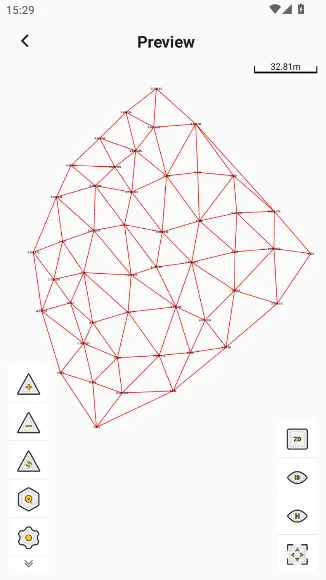
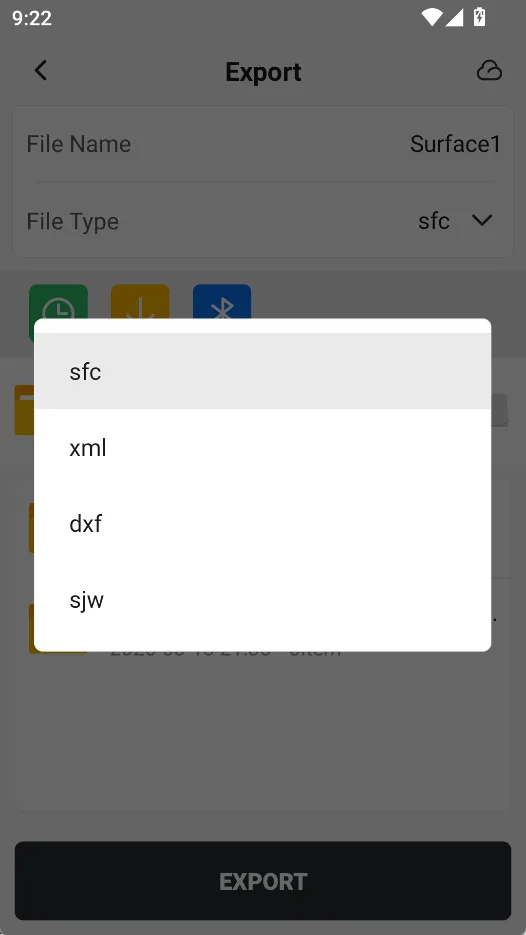
Click on the surface file card to choose from [Delete], [Preview], [Export] and [Details]. Except for the three types of surfaces that cannot be previewed, other surface files can be previewed. Click the [Export] button to export the surface file as *.sjw, * .dxf file, or as Trion Survey custom surface file format *.sfc.
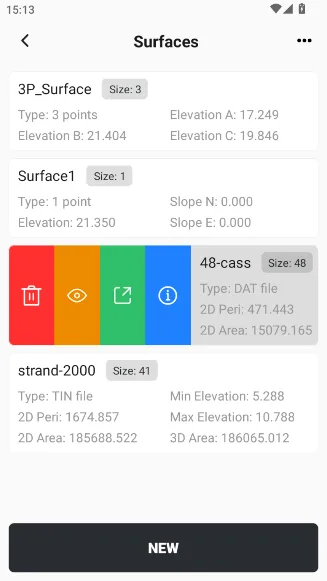 |  |  |
5.7.2 Surface file preview
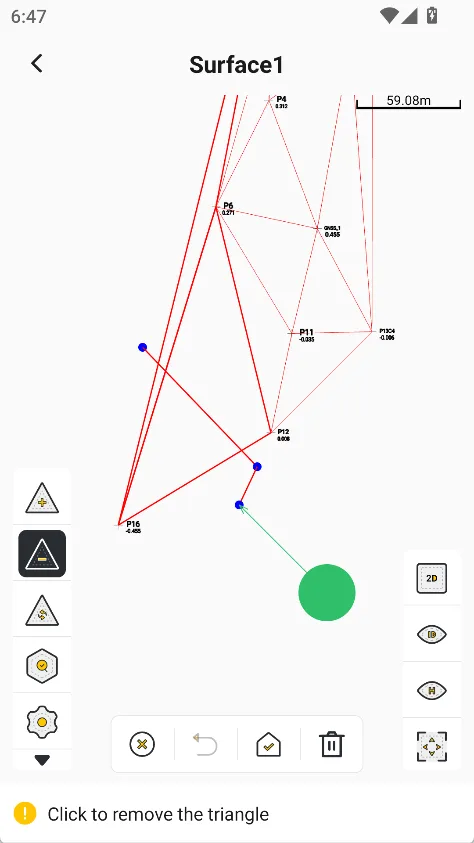
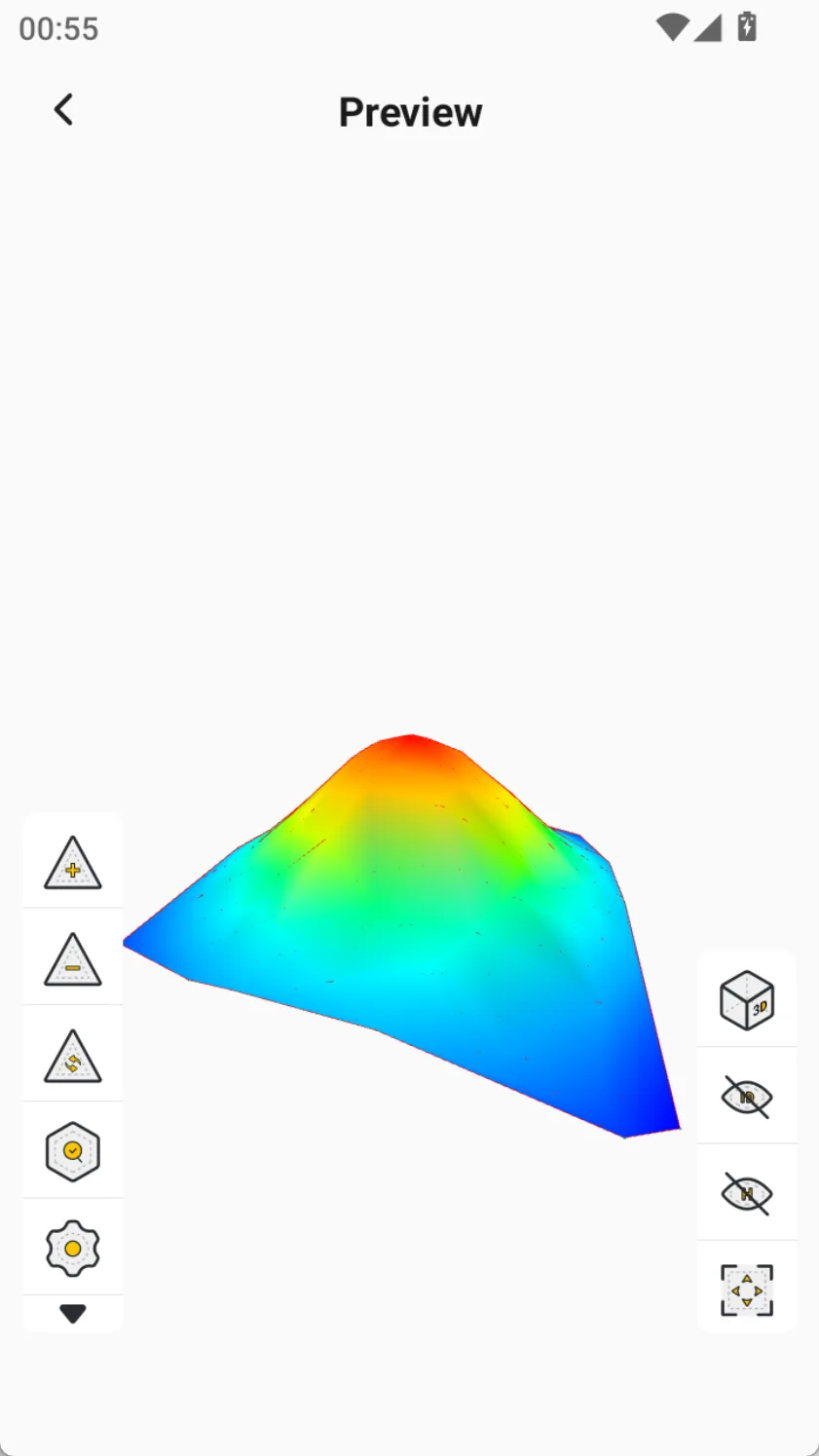
One-point surface, two-point surface, and three-point surface types (all of which are infinitely extended theoretical surfaces) do not support preview, while other surface file types support 3D visualization preview. The preview interface provides rich interactive tools, allowing users to edit surfaces, check accuracy, and customize display styles.
| Toolbar | Description |
| Add triangle | Select three points to create a triangle |
| Delete triangle | Remove the existing triangle element, support multiple selection, and the triangle that intersects the polyline drawn by the capture button will be selected. |
| Reset triangle | Undo editing in the preview interface, restore the shape of the file before preview, and prevent data loss after misoperation. |
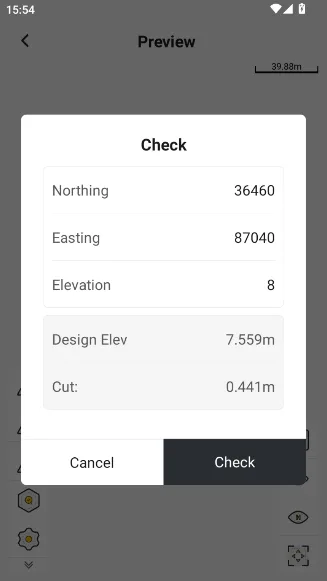
| Check | Enter a coordinate point to check its cut/fill value. |
| Settings | Set the outline color of the triangle; set the fill color of the triangle, solid color fill or change according to elevation. |
| View switching | Switching between 2D and 3D views |
| Point ID label | Click to show/hide the point IDs |
| Elevation label | Click to show/hide the point elevation |
| Full map display | Click to display the whole surface file |
 |  |  |