8.5 Serial Port
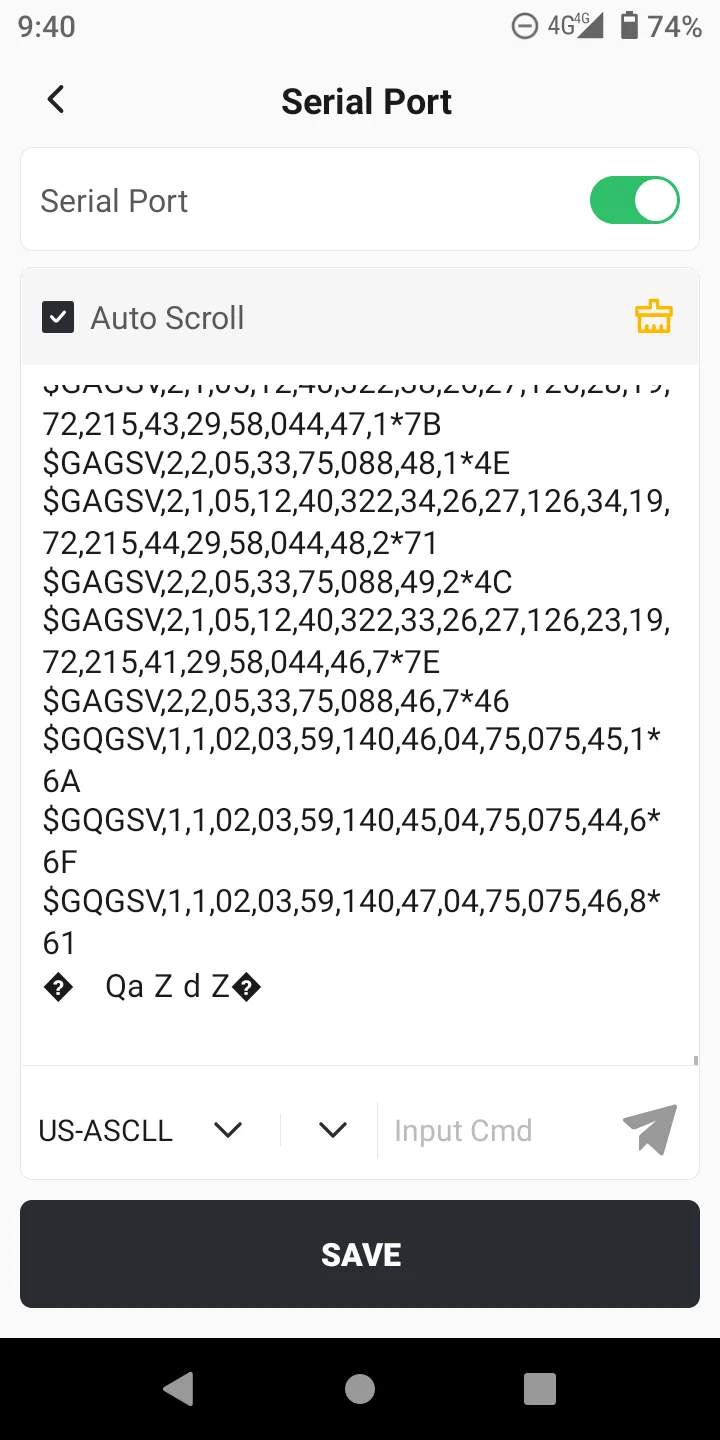
The intelligent serial port is used to view the message data of the current GNSS receiver and display it in the APP window, which can be saved with one click. It is often used as a debugging tool for professionals.
Click [Tools] → [Serial Port], open the page, the function description is as follows:
1. Switch: Turn on the serial port, default is off, can be manually turned on.
2. Message format: Optional US-ASCLL and HEX.
3. Auto Scroll: When there are many messages, the scrolling will be automatically refreshed by default. You can also uncheck it and manually swipe to view them.
4. Clear: The data in the window can be cleared and re-recorded.
5. Send: Configuration commands can be sent manually.
Note: Non-professionals, please do not modify the receiver configuration through instructions to avoid inaccurate positioning data caused by configuration changes. Please operate with caution.