
6.10 External Radio
The original external radio of base station supports APP to read and set information after establishing a connection through Bluetooth. Compared with setting up through the base station, independent connection can obtain more reference information and configuration options.
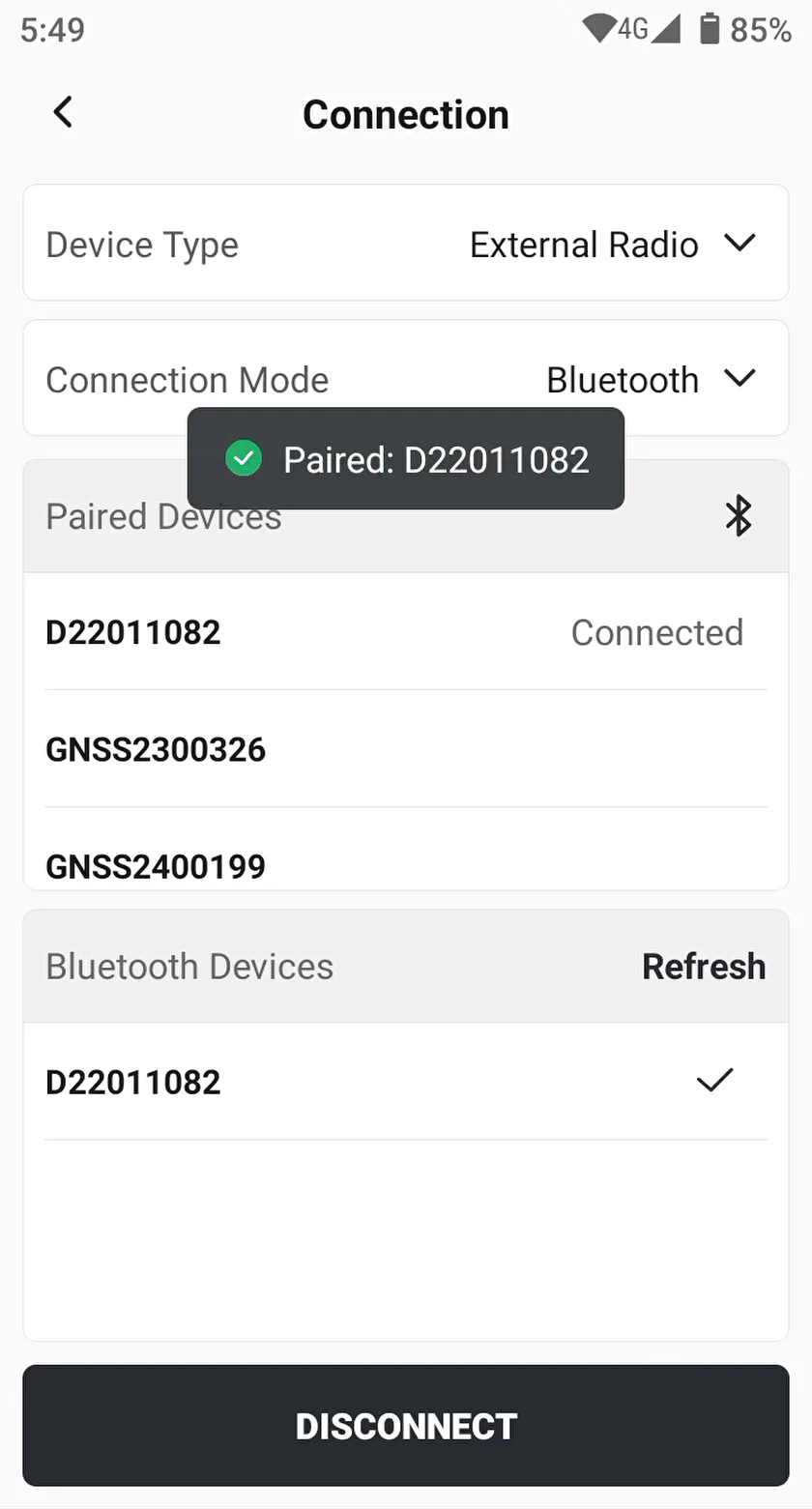
Click [Connection], select [External Radio] as the device type, then select the serial number starting with "D" in the Bluetooth devices list for pairing and connection. After the connection is successful, click [Settings] - [External Radio] to enter the settings page.
 | 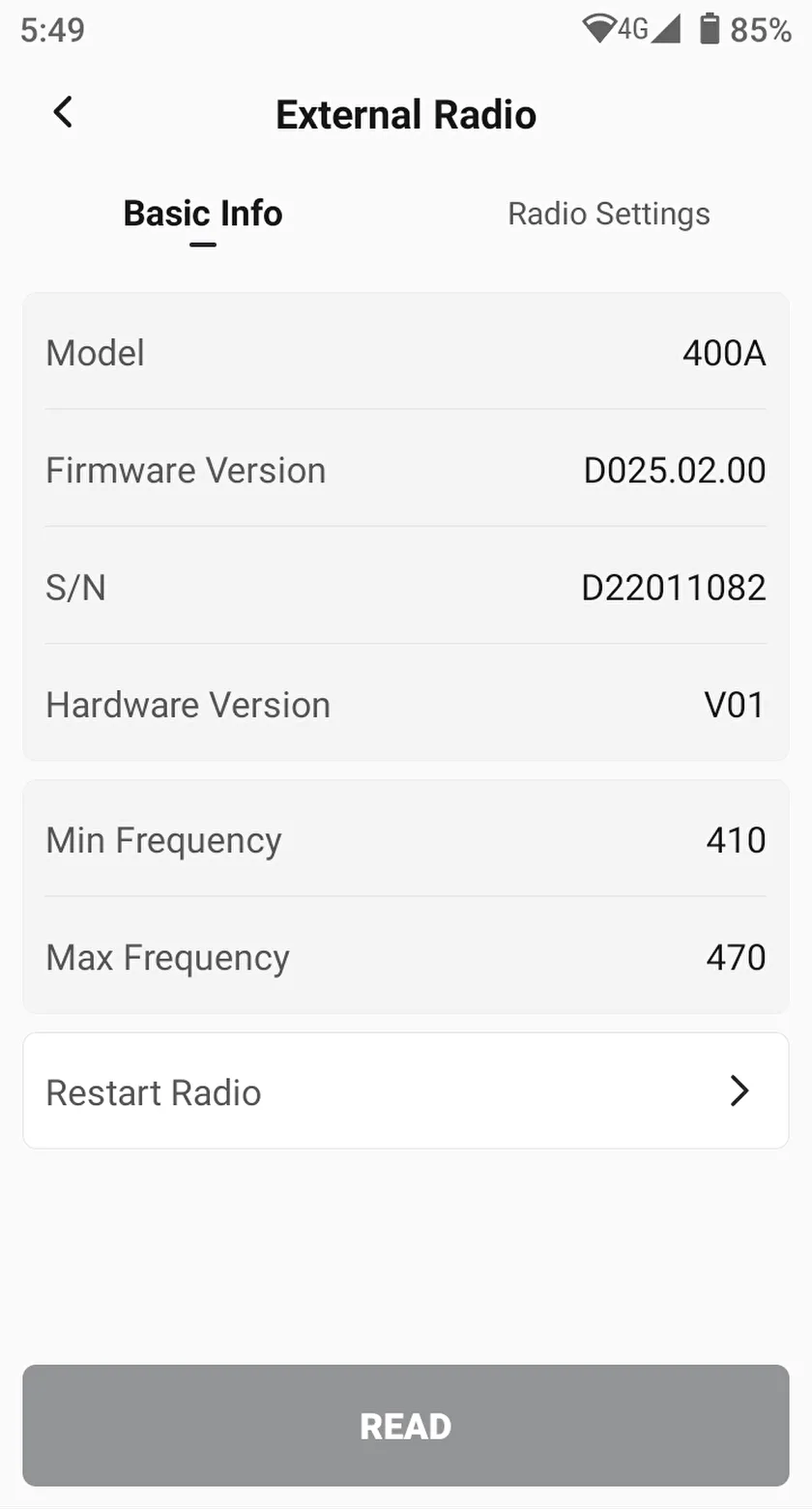 | 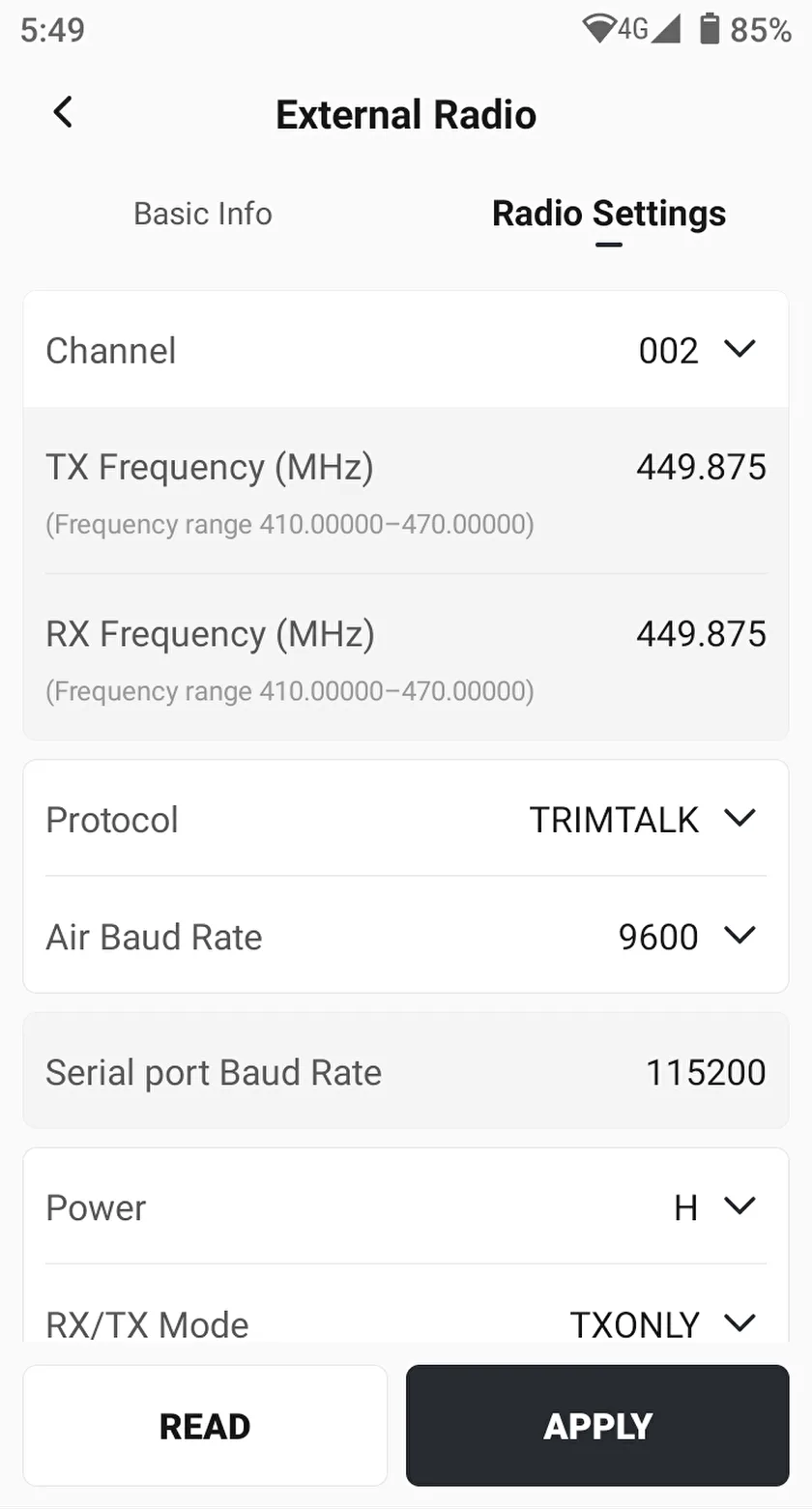 |
The first time you open the page, the [Basic Info] and [Radio Settings] values are empty. Click [READ] button at the bottom to obtain the information. The configuration method is similar to that in the base station settings.
Note:
1. There are three ways to configure the External Radio now: by base station settings, by directly pressing the button on the external radio station, and by the [External Radio] .
2. After connecting to the [External Radio] via Bluetooth, you need to click [READ] to obtain information. After modifying the configuration, you need to click [APPLY] to save the information.
3. External radio specification is 400MHz.
4. If you find that the external radio signal received by the rover station becomes weaker or the differential age increases, please check the input voltage of the external radio.