
7.9 Stake Slope
The slope layout function is a part of road layout. By specifying the road mileage to match the slope, the slope can be directly laid out. The base line corresponding to the extracted slope layout function cannot use the smooth curve defined in road layout, only straight lines/polylines or arcs can be used. Therefore, the extracted slope layout is aimed at small-scale slope use.
7.9.1 Stake Slope interface
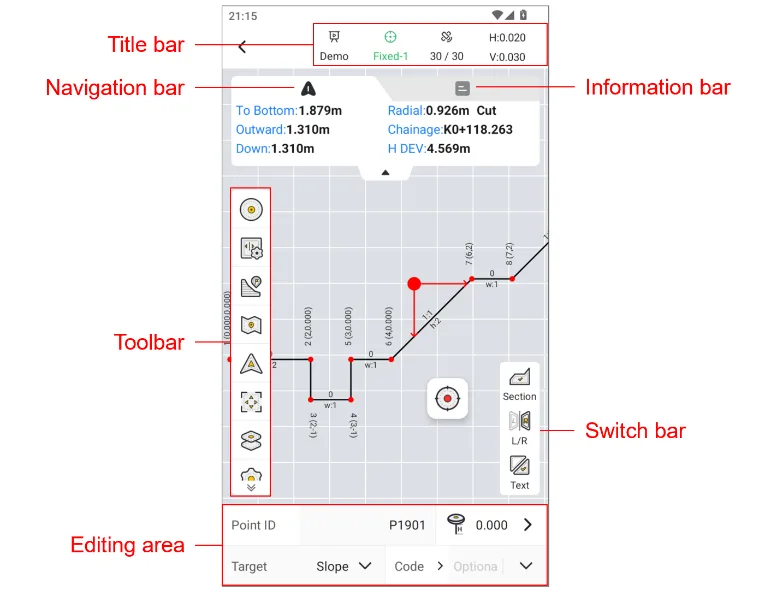
7.9.2Stake Slope toolbar
| Icon | Name | Description |
 | Points | Click to open the point library and view or modify the measured points. |
 | Base line | Click to select the slope base line and basis point elevation. |
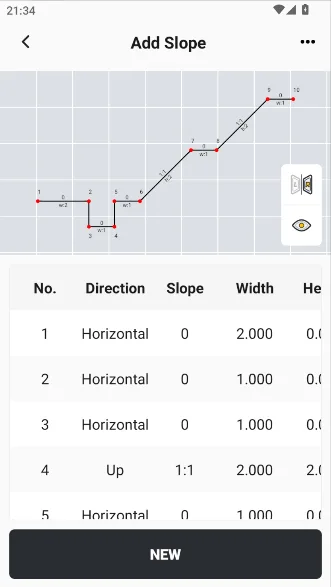
 | Slope | Click to select the slope file. |
 | Map | Click on the optional street or satellite map, the default is to turn off the map mode. |
| Default Centered Follow | Default: The map will not automatically zoom during measurement and stakeout, and manual operation is required. The interface will not update when the position changes. Centered: The current position and target point are always displayed in the interface. If you manually drag the map, wait a few seconds and it will automatically return to the centered mode. Follow: The map rotates as the stakeout direction changes, and the current position is always in the middle of the interface. |
 | Full screen | Click the rear view to zoom in and show all points. |
 | Layer | Click to open the layer management page, where you can load vector layers on the default map. |
 | Settings | Measurement settings entrance, see Chapter 6.4.4 for details. |
 | section | Click to switch between section view and plane view. |
 | L/R | Click to switch the display of left and right slope mirroring. |
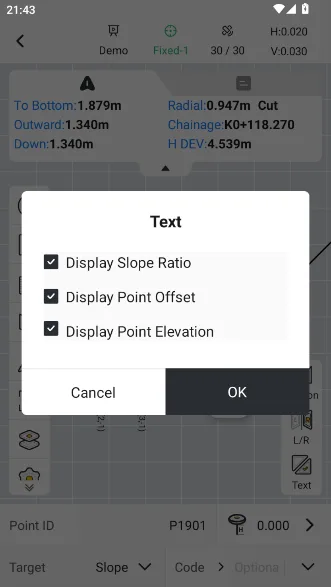
 | Text | Set the slope ratio, feature point offset and elevation to show/ hide. |


 | 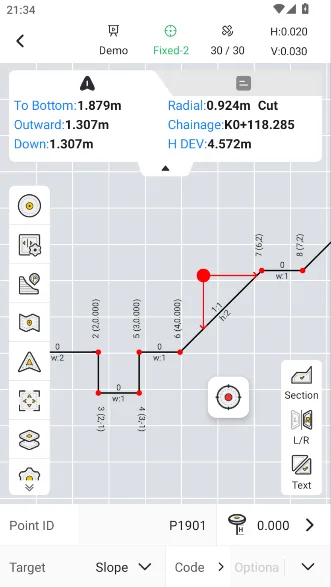 |  |
The relative relationship between the current position and the corresponding slope on the navigation bar is described as follows:
| Name | Description | Reference figure |
| To bottom | The vertical distance from the current position to the foot of the corresponding slope, the upward slope is called the foot of the slope, and the downward slope is called the top of the slope. | 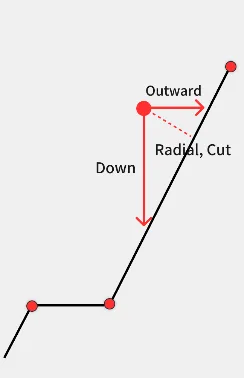 |
| Outward | The horizontal distance from the current position to the corresponding slope is called outward distance to the right and inward distance to the left. | |
| Down | The vertical distance from the current position to the corresponding slope is called downward distance or upward distance. | |
| Radial | The distance from the current position to the corresponding slope perpendicular line shows under excavation/over excavation. | |
| Chainage | The chainage of the base line corresponding to the current position. | |
| H DEV | The plane distance from the current position to the base line follows negative left and positive right. |