• 简体中文
  • English
  • 日本語
  • 繁體中文
  • Türkçe
  • Русский
  • Español
  • Français
  • Deutsch
  • Português
  • 한국어
  • Magyar
  • Italiano
logo
Trion Survey
Documentation
Trion Survey
  • User Manual
    • 1 Introduction
    • 2 Software Overview
    • 3 Personal Center
    • 4 TPM Cloud Service
    • 5 Projects
      • 5.1 Projects
      • 5.2 Coord System
      • 5.3 Codes
      • 5.4 Edit Road
      • 5.5 Points
      • 5.6 Lines
      • 5.7 Surfaces
      • 5.8 CAD Files
      • 5.9 Images
      • 5.10 Scan Tasks
      • 5.11 Import
      • 5.12 Export
    • 6 Settings
      • 6.1 Connection
      • 6.2 Rover
      • 6.3 Base
      • 6.4 General
      • 6.5 Device Information
      • 6.6 NMEA Output
      • 6.7 Static
      • 6.8 Turn Off Receiver
      • 6.9 Config Set
      • 6.10 External Radio
      • 6.11 Track
    • 7 Survey
      • 7.1 Measure & Draw
      • 7.2 Measure
      • 7.3 Stake Points
      • 7.4 Stake Lines
      • 7.5 Stake Road
      • 7.6 Stake DTM
      • 7.7 Site Calibration
      • 7.8 Base Shift
      • 7.9 Stake Slope
      • 7.10 Stake CAD
      • 7.11 Edit CAD
      • 7.12 GIS Survey
      • 7.13 Visual Measure
      • 7.14 Scan
      • 7.15 Industry Apps
        • 7.15.1 Pipe Survey
        • 7.15.2 Measure to Scan
        • 7.15.3 Leveling Survey
        • 7.15.4 Line Navigation
        • 7.15.5 AKG Survey
        • 7.15.6 Manage Lots
    • 8 Tools
      • 8.1 Volume
      • 8.2 Area
      • 8.3 Coord Transformation
      • 8.4 COGO
      • 8.5 Serial Port
      • 8.6 PPK Calculation
      • 8.7 RSSI
      • 8.8 Unit Converter
      • 8.9 Grid to Ground
      • 8.10 SemiDyna
      • 8.11 FTP Share
      • 8.12 Compass
    • 9 Appendix
  • Quick Start
  • Release Notes
    • v2.1.6
    • v2.1.8
    • v2.1.9
    • v2.1.9.9
  • Changelog
  • Video Tutorials
  • FAQ
Contents
  • 8.11 FTP Share
Trion SurveyUser Manual8 Tools8.11 FTP Share
On this page
  • 8.11 FTP Share

8.11 FTP Share

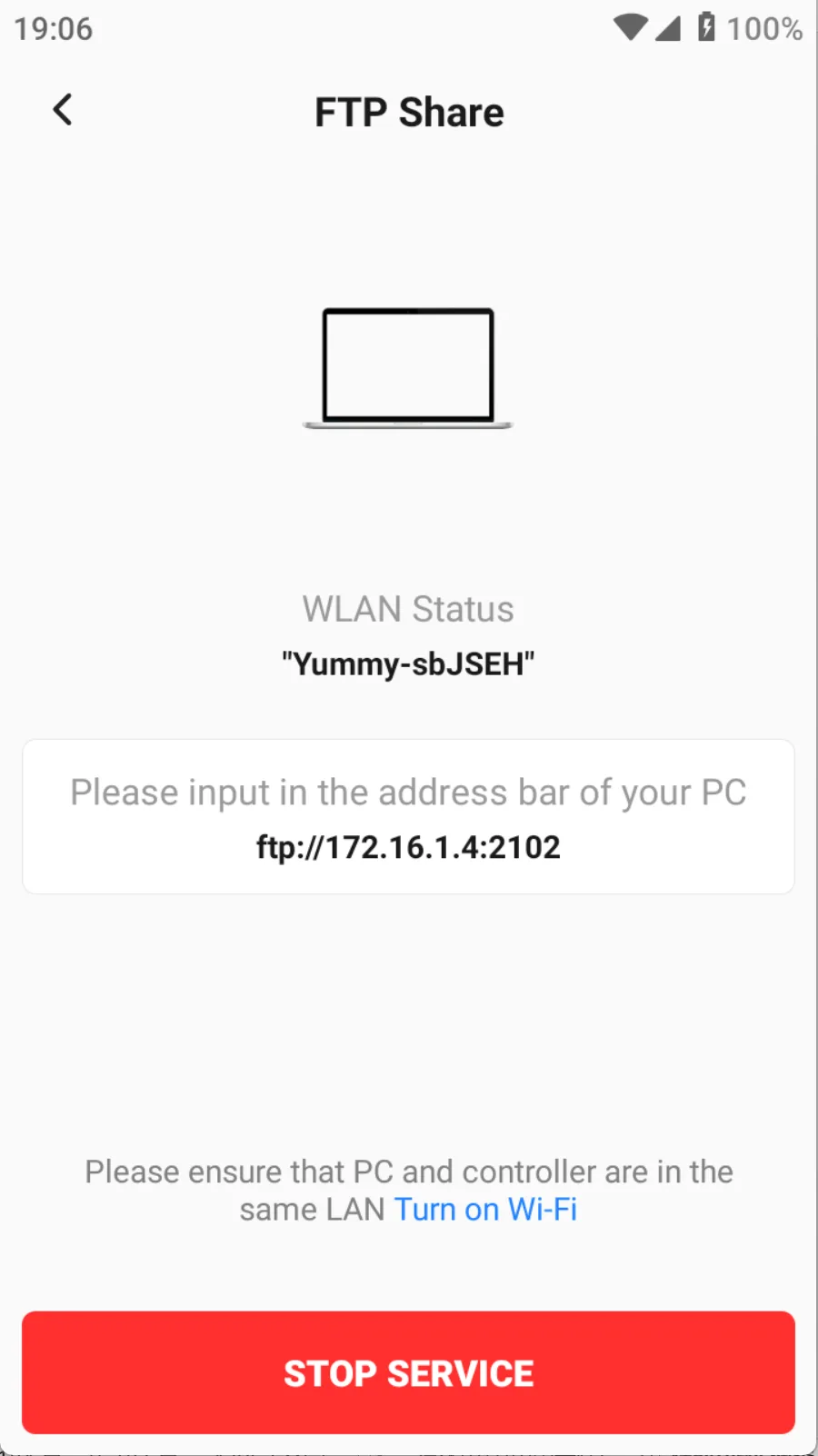
In order to enable PCs to access the memory of the controller wirelessly, Trion Survey supports FTP transfer. When the controller starts the service and the PC is connected to the controller hotspot, it can access the memory of the controller by entering the FTP address in the file manager address bar.
  • 8.11 FTP Share