
6.7 Static
Static is an offline data acquisition method. The receiver records the original GNSS observation data at a fixed position for a long time for subsequent high-precision post-processing and calculation. Compared with real-time RTK positioning, static acquisition has the following characteristics:
| Features | Description |
| High precision | Through long-term observation and accumulation, combined with post-processing and calculation, cm-level or even mm-level accuracy can be obtained. |
| Offline processing | It does not rely on real-time differential signals, does not require a reference station or network connection, and can be observed for a long time in areas without communication coverage. |
| Multiple uses | It can be used to establish control networks and as an auxiliary reference for PPK rover measurement. |
6.7.1 Static settings
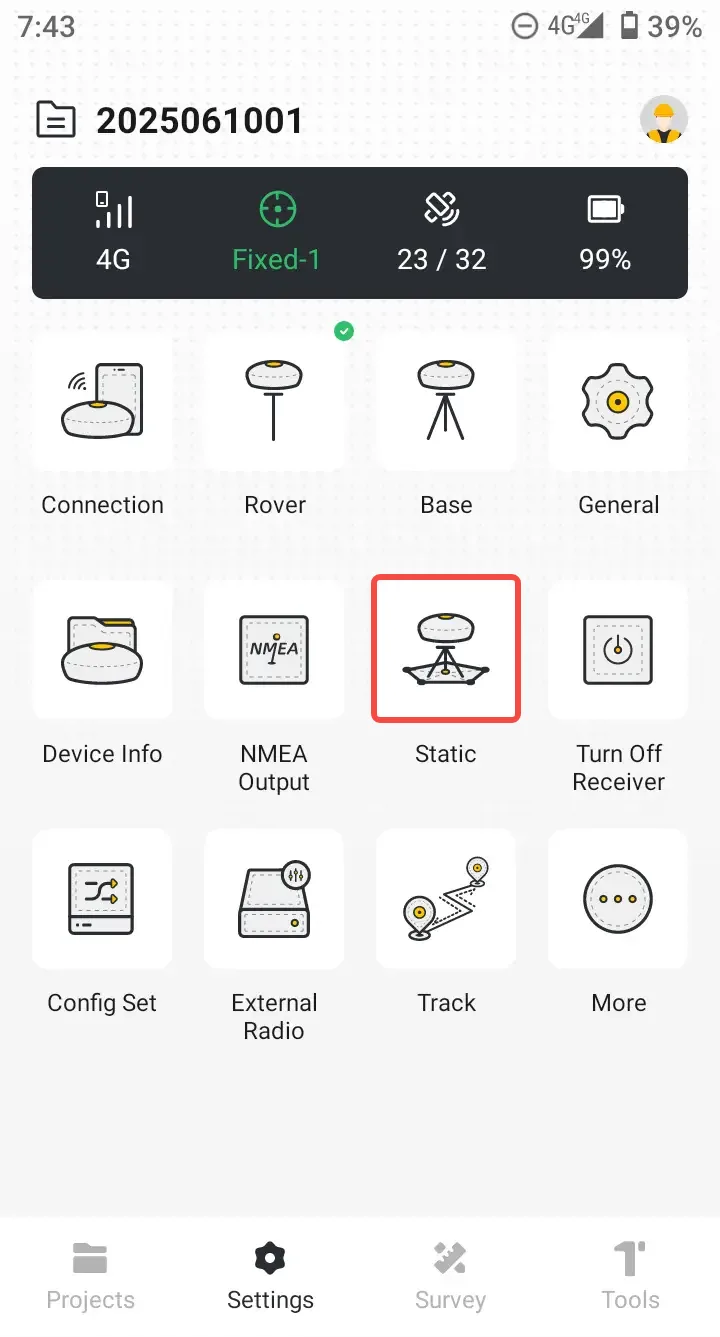
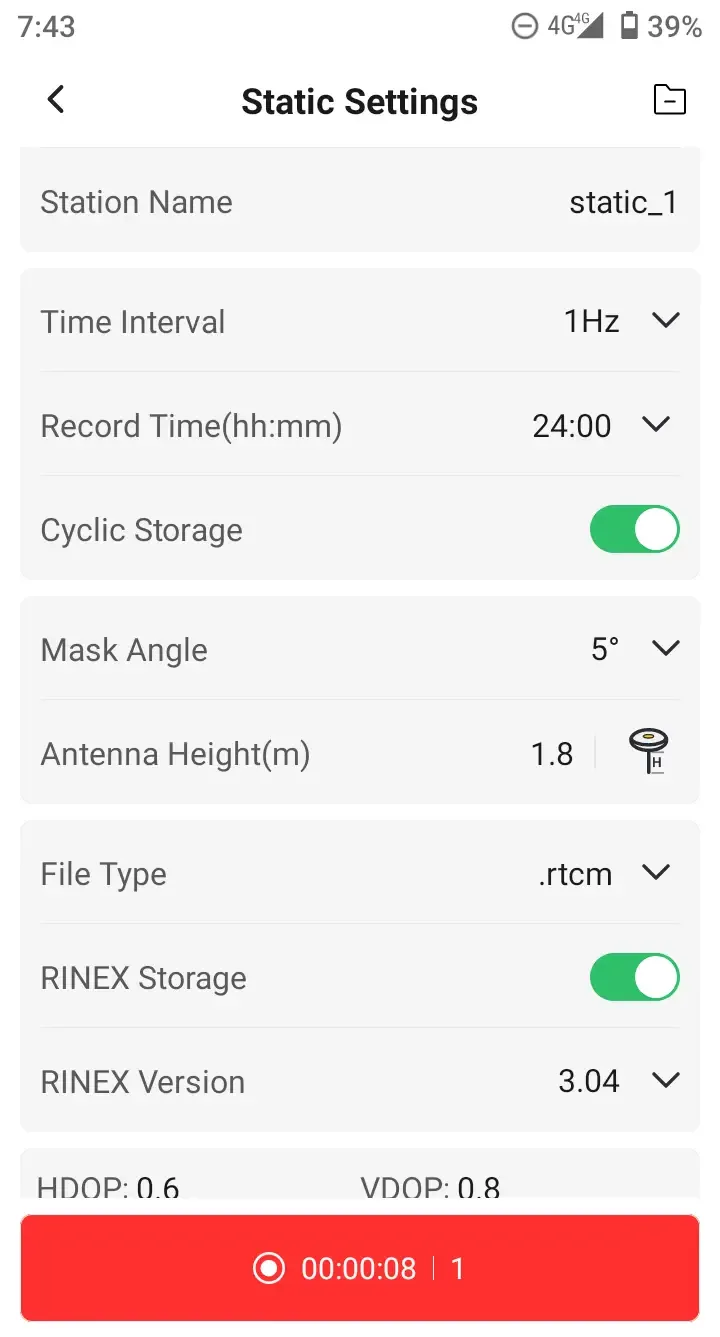
Connect the receiver with storage function, select [Settings] → [Static], and open the setting page.
| Name | Description |
| Station Name | Enter the name of the observation point |
| Time Interval | Sampling rate, depending on the device, can be selected as 20Hz, 10Hz, 5Hz, 1Hz, 2s, 5s, 10s, 15s, 30s. |
| Record Time | The input format is hh:mm, min 10min and max 24h. |
| Cyclic Storage | Optional, the file length is the record time. |
| Mask Angle | Default 5 °, optional 10 °, 15 °, 20 °, 25 °, 30 ° |
| Antenna Height | Input antenna height, and there are four optional antenna measurement methods |
| File Type | List optional file formats, default *.rtcm. |
| RINEX Storage | Optional, Configure whether the V10 series receiver records RINEX format files at the same time. RINEX versions can be selected as 2.10, 2.11, 3.02, 3.04. |
| Turn Off Radio | To save power, turn off the radio during static collection. |
| DOP Value | Real-time display of HDOP, VDOP, PDOP values of the current satellite system. |
Note:
1. Static collection and PPK, NMEA output functions cannot be enabled simultaneously.
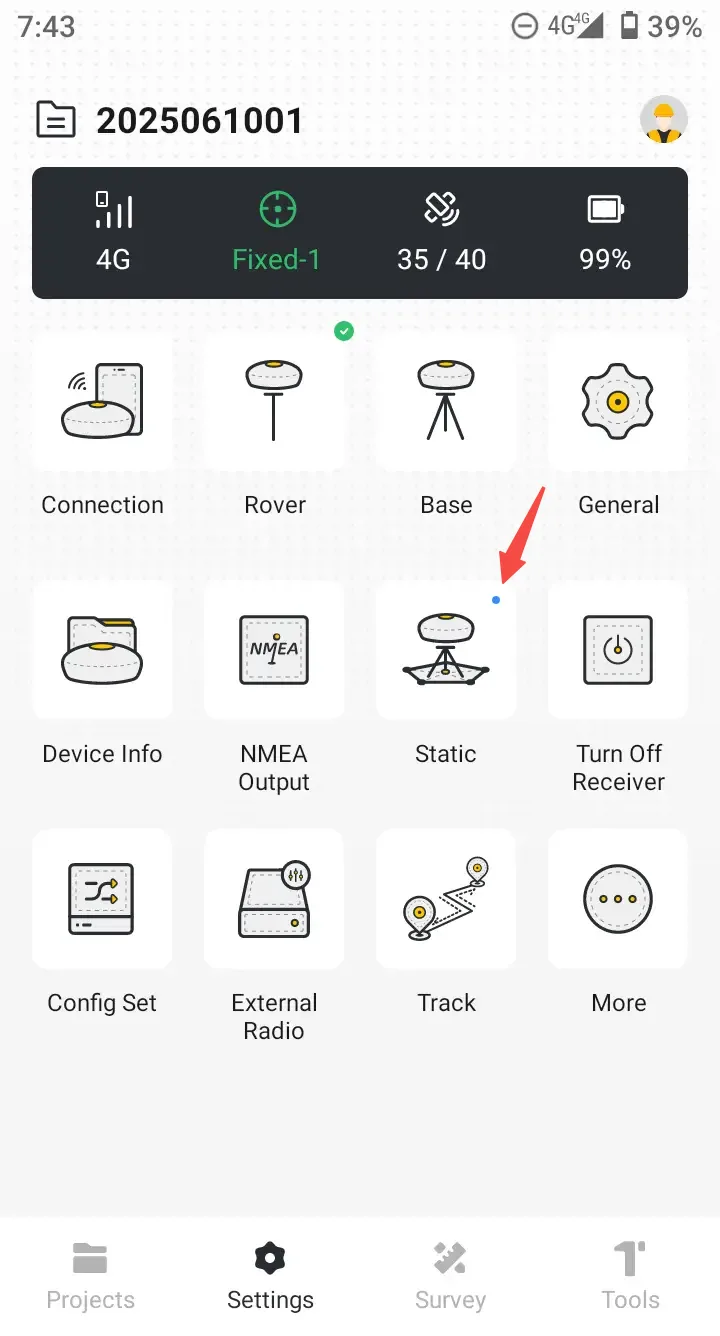
2. After enabling static collection, return to the main page and you will see a blue breathing light in the upper right corner of the icon.
 |  |  |
6.7.2 Static files
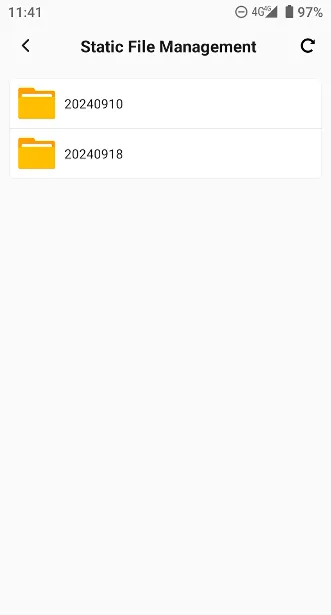
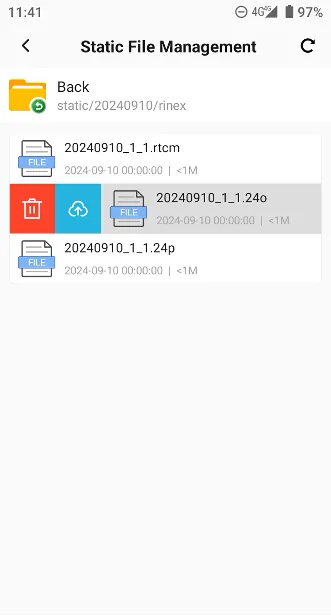
Click the folder icon in the upper-right corner to access the static data in the receiver's memory, with the option to delete and upload to Cloud Drive. Note that uploading to Cloud Drive can only be performed if the receiver is connected to Wi-Fi.
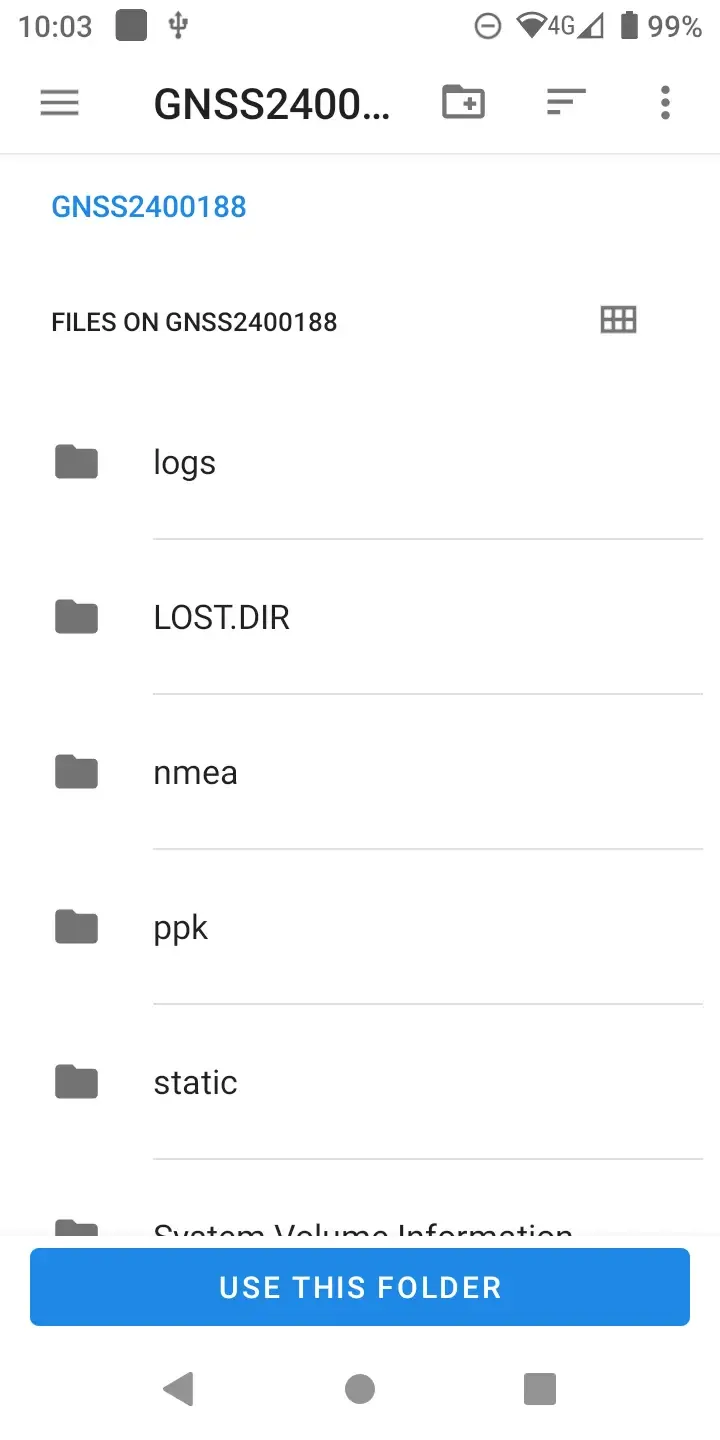
When the receiver is connected to the controller via a Type-C cable, the controller's OTG function can be used. In the controller's file manager, you can access the receiver's memory, select and copy files to the controller's memory.
 |  |  |