
7.7 Site Calibration
RTK site calibration, also known as RTK reference station correction, is a process of converting the WGS84 coordinates obtained by RTK measurement into a local plane Cartesian coordinate system. The calculation results of site calibration will be saved to the coordinate system.
7.7.1 Overview
The transformation parameters calculated during the site calibration process (whether seven parameters, four parameters, or elevation correction model) are saved to the coordinate system configuration of the current project. This means that once the calibration is completed, all measurement data taken in the project will automatically apply these parameters for coordinate transformation. Therefore, users need to understand the following key information:
| Title | Description |
| Scope of application | The calibration parameters are effective for all measurements and stakeout operations within the project. Regardless of the measurement mode, the system will use the same conversion parameters. This ensures data consistency, but also means that if the calibration parameters are not selected properly (for example, using control points outside of Scope of Work for calculation), systematic errors will occur for the entire project's results. |
| Update timing | If it is necessary to update or improve the calibration parameters, the user should: 1. Perform site calibration again using more reliable or more evenly distributed control points; 2. Choose the appropriate parameter calculation method (plane adjustment, seven parameters or four parameters) to ensure that the parameter model is compatible with the conditions of the working area; 3. After confirming that the new parameters have been saved to the coordinate system, new field measurements can be continued. |
7.7.2 Calibration method
The default calibration method is TGO Horizontal & Plane Fitting, with the following options.
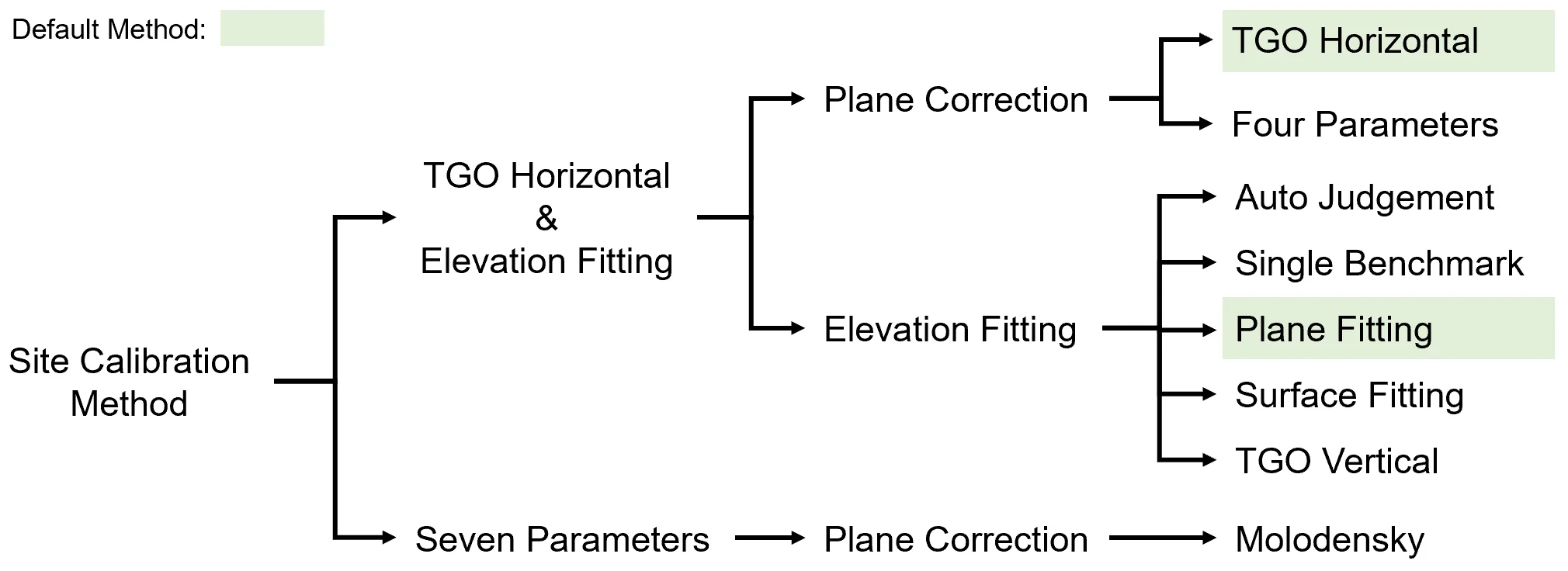
| No. | Method | Description |
| 1 | Plane Correction Model | This is to correct the curvature of the earth's surface and other factors that affect the measurement results. The plane correction mode can use different parameters, such as four parameters, seven parameters, etc. |
| 1.1 | TGO Horizontal | By considering observation errors, random errors, and other uncertainties, more reliable coordinates are obtained. |
| 1.2 | Four Parameters | Four parameters are a plane correction mode used to convert local coordinate systems (such as UTM coordinate systems) to global coordinate systems (such as WGS84 coordinate systems). These four parameters usually include translation, rotation, and scale factors. |
| 2 | Elevation Fitting method | Used to convert the actual measured elevation value to the elevation value on the ellipsoid. |
| 2.1 | Automatic judgement | Automatically determine parameters or conditions. |
| 2.2 | Single Benchmark | It is used to weight the observed values according to their accuracy, so as to obtain more accurate results. |
| 2.3 | Plane Fitting | A method of estimating plane equations to fit a set of points. Plane fitting can use least squares or other mathematical techniques to find the best fit plane. |
| 2.4 | Surface Fitting | Similar to plane fitting, but considering more complex surfaces, such as quadratic surfaces or other nonlinear shapes. |
| 2.5 | TGO Vertical | A method for processing elevation data. It takes into account the curvature of the earth to obtain more accurate elevation measurements. |
7.7.3 Operation process
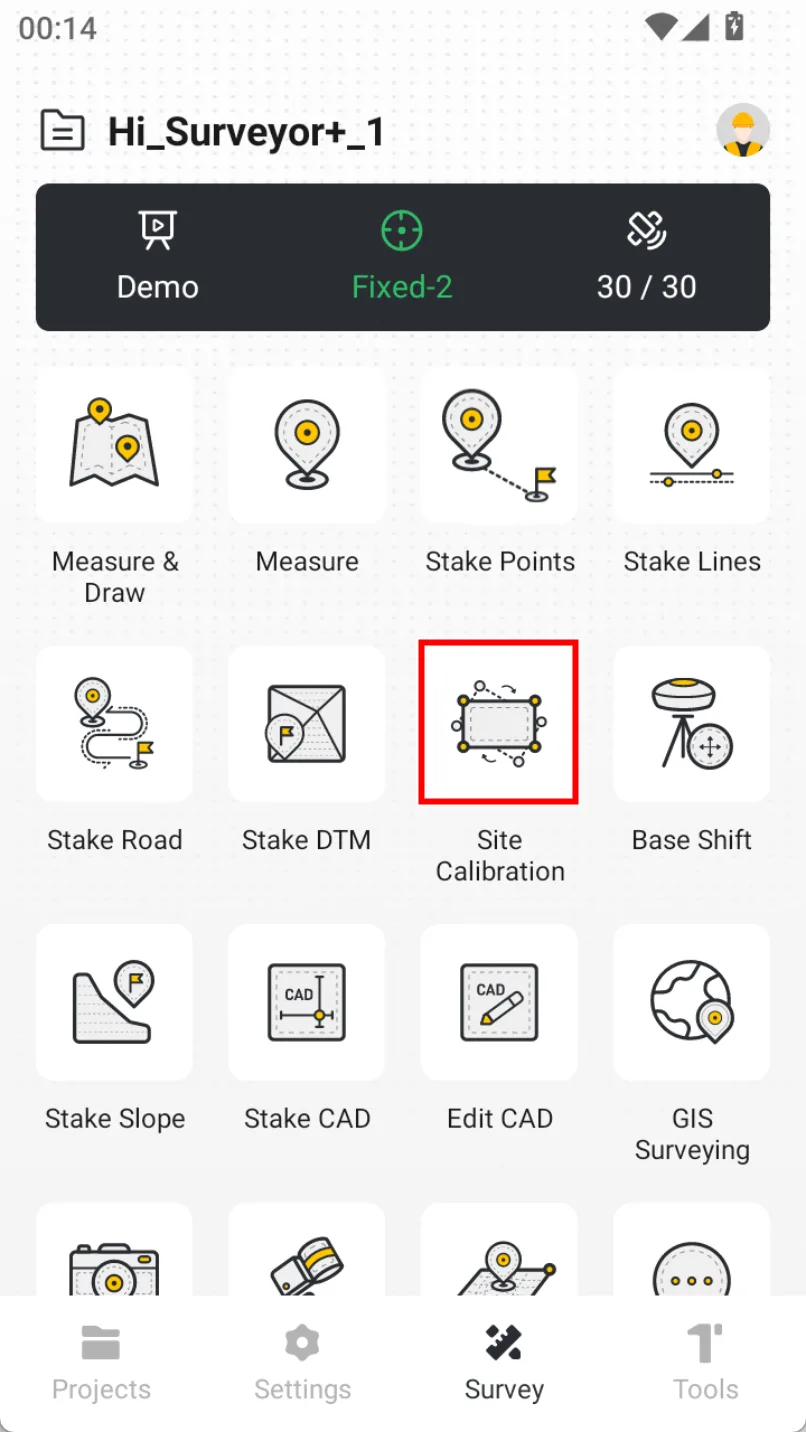
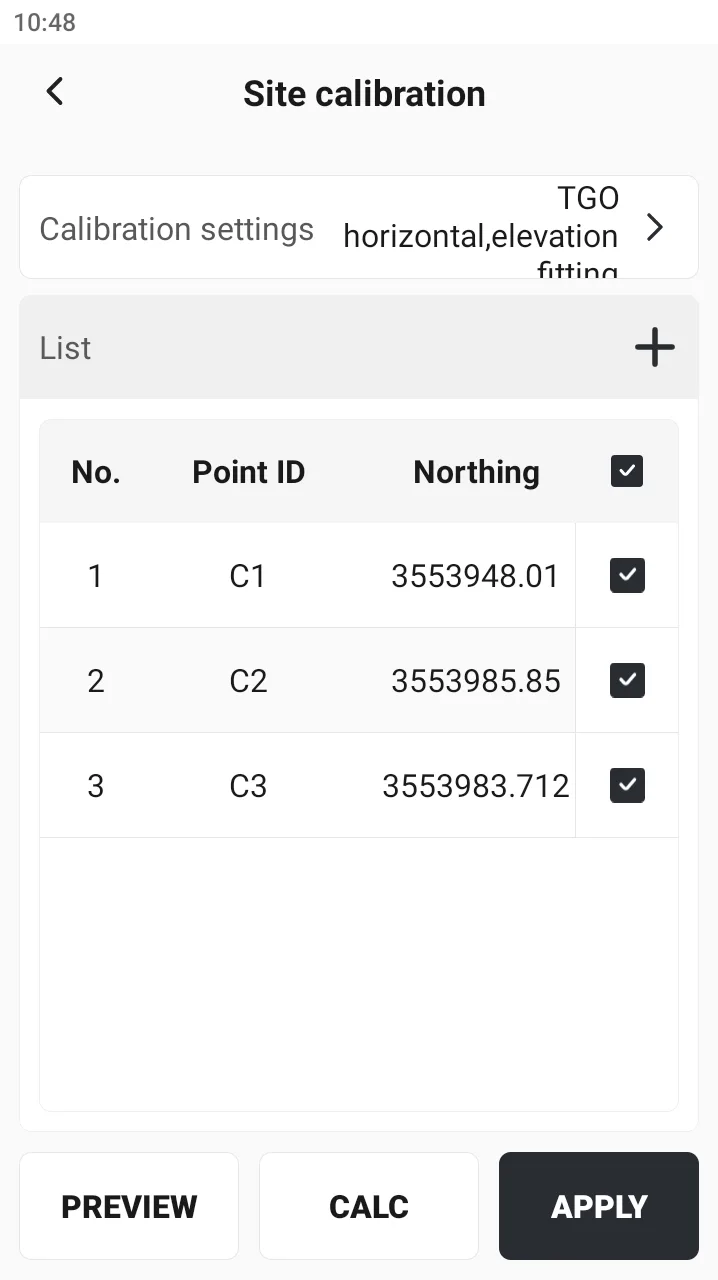
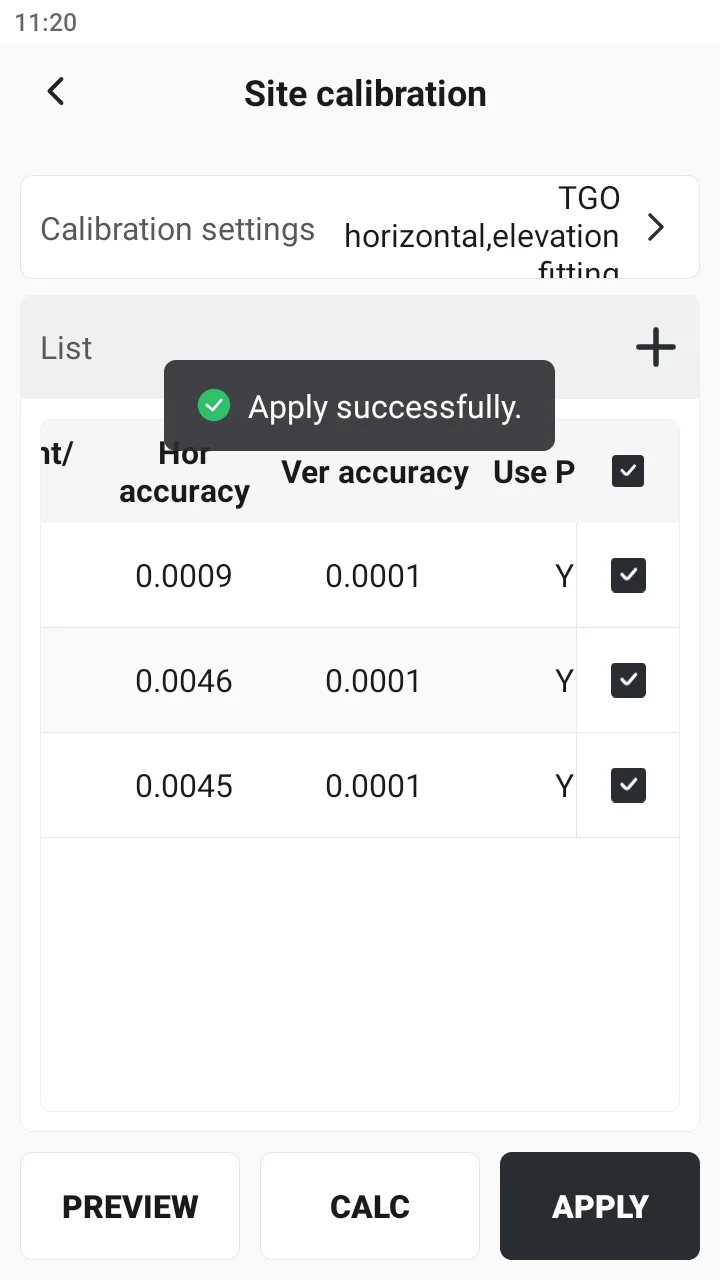
After measuring the control points (known points), select [Site Calibration], click [+] in the upper right corner, and match the measurement points with the control points one by one. Click the [Auto Match] icon to automatically add control points and measurement points with the same name. Add two or more pairs of control points, check them, and click [CALC] → [APPLY]. After completion, you can perform field operations such as point measurement, point stakeout, or line stakeout.
 |  |  |
Notes:
- The known points should be distributed as far as possible at the edge of the work area, which can control the entire measurement area and avoid short sides controlling long sides. For example, if four points are used for correction, the work area should preferably be within the polygon connecting the four points.
- Avoid linear distribution of known points, otherwise it will seriously affect the correction accuracy, especially in the elevation direction.
- If only plane coordinates are needed and elevation coordinates are not, it is recommended to use at least 2 known points for correction; if horizontal residuals of known points need to be checked, then at least 3 points are needed; if horizontal residuals and vertical residuals of known points need to be checked, then at least 4 points are needed.
- Before Site Calibration, please check the ellipsoid parameters and projection parameters.
- Do not mix the levels of known points, for example, known points measured by GNSS and national high-level known points. If used together, the error of verification probably be very large.
- If an area is relatively large and has many control points, it needs to be calibrated by partition. It is not recommended to have more than ten or more points in one area participate in the calibration.
- One area only needs to be corrected once.