
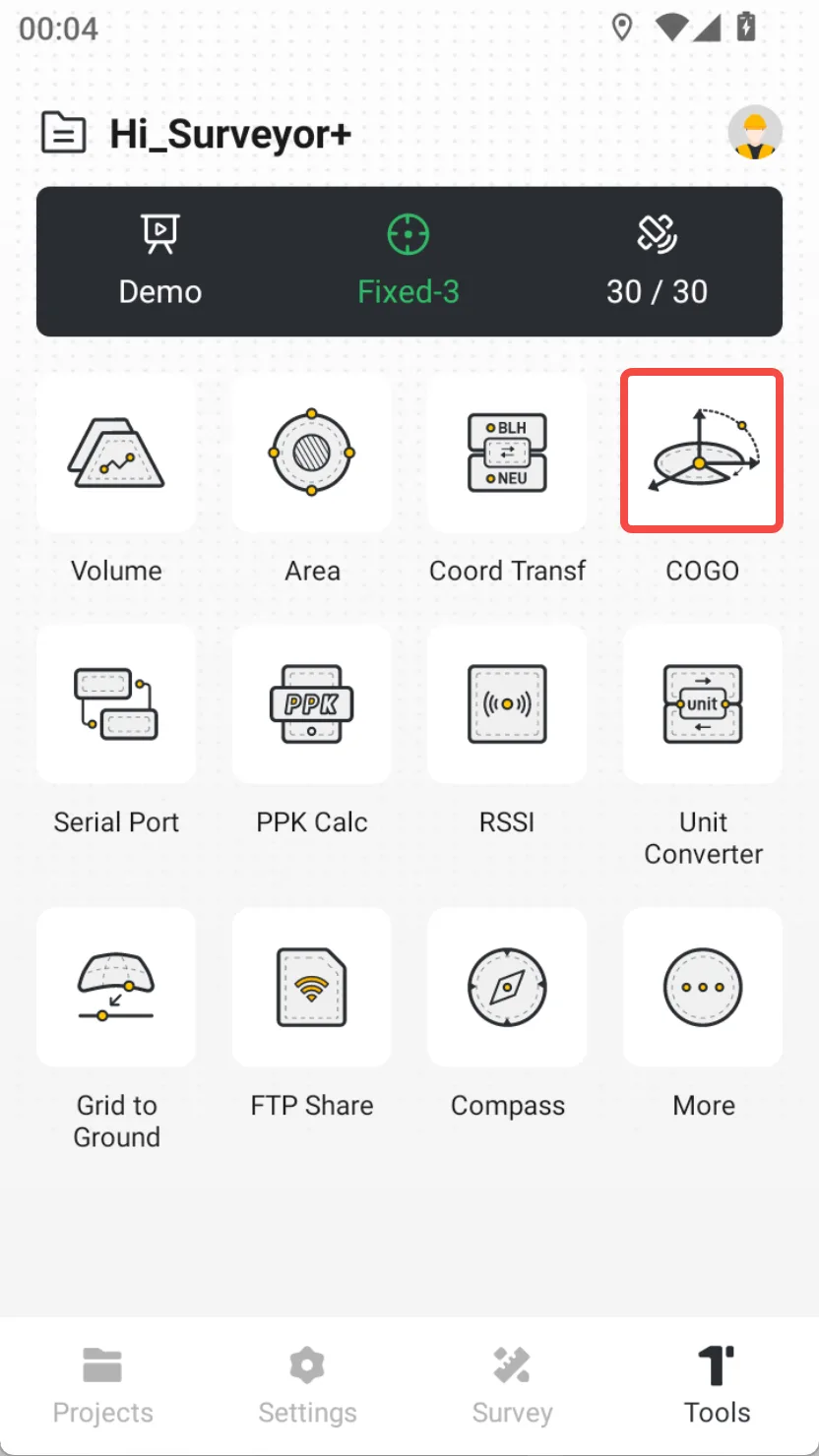
8.4 COGO
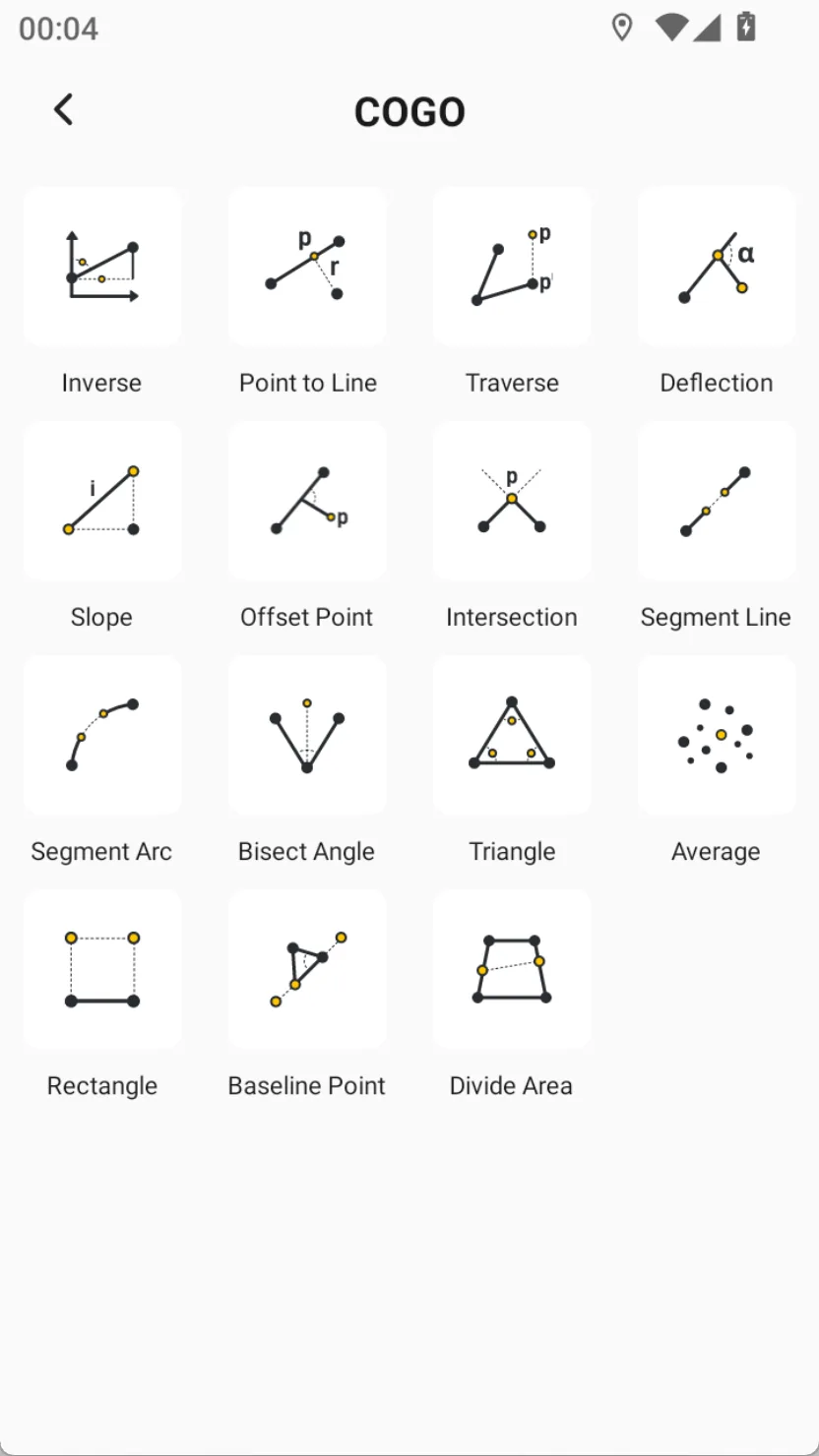
Coordinated Geometry, a coordinate geometry language, refers to a commonly used tool calculator in surveying and mapping controllers. Currently, COGO calculation tools support 10+ commonly used calculation functions, all of which support preview and allow for intuitive viewing of results on the map.
The COGO tool page has image definitions that vividly describe the known conditions and calculation results of the tool.
Currently, Trion Survey supports the following COGO tools:
 |  |
8.4.1 Inverse
Description: Solve their relative relationship through two known points. Calculation result: 1. Azimuth angle α 2. 2D distance L 3. Height difference H 4. Slope distance S 5. Slope i 6. Northing difference △ N 7. Easting difference △ E | 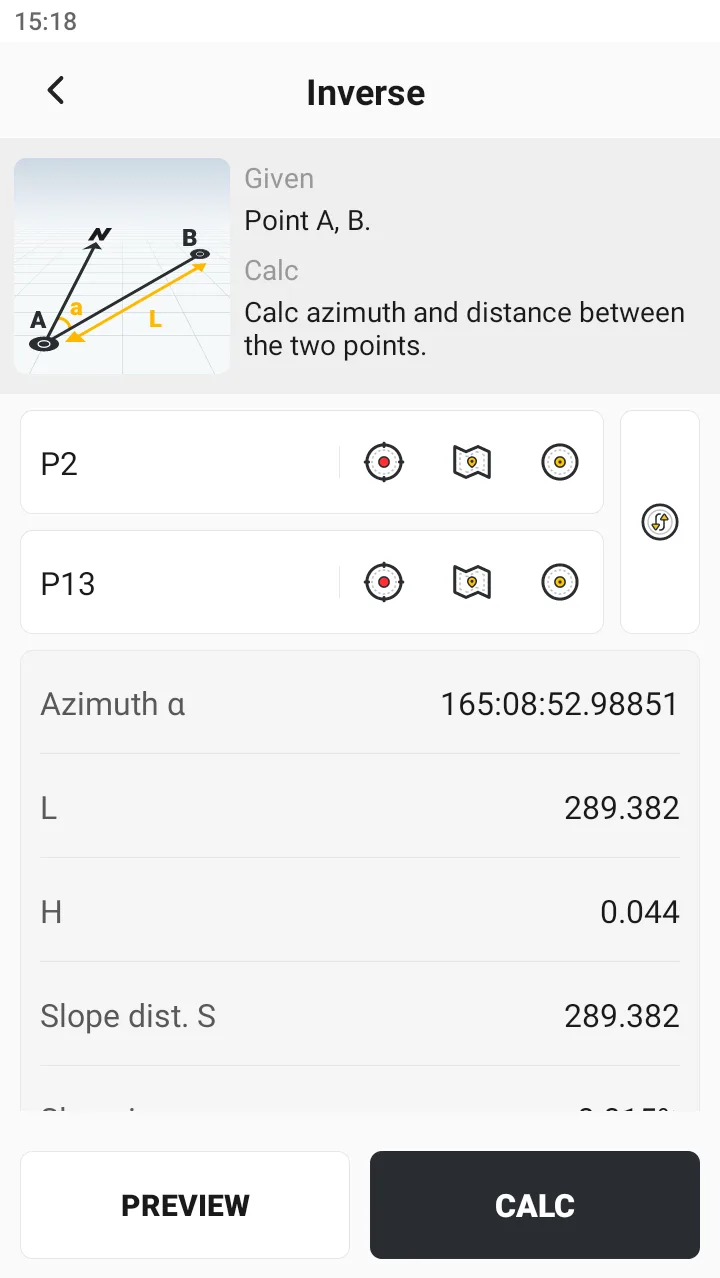 | 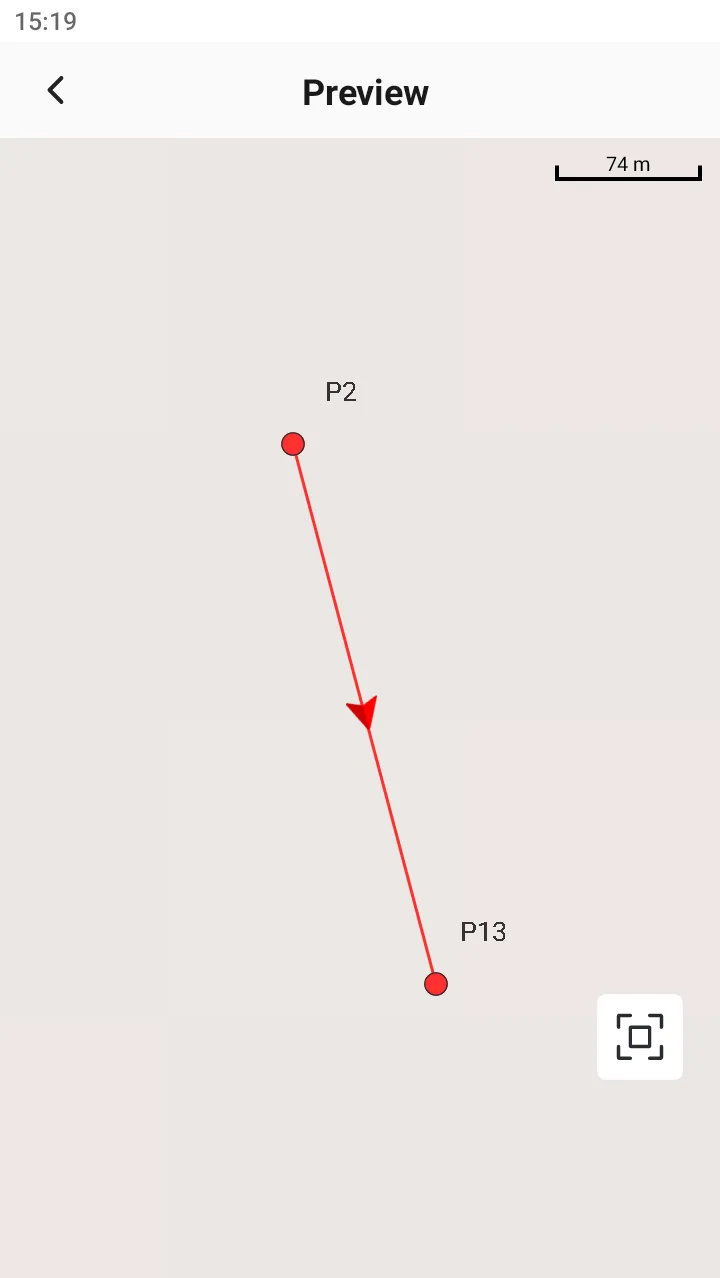 |
8.4.2 Point to Line
Description: Solve their relative relationships through three known points. Optional arc. Calculation result: 1. Point C longitudinal offset L 2. cross offset r 3. P-coordinates of the vertical foot Explanation: Support the vertical foot P on the forward/reverse extension line of AB. | 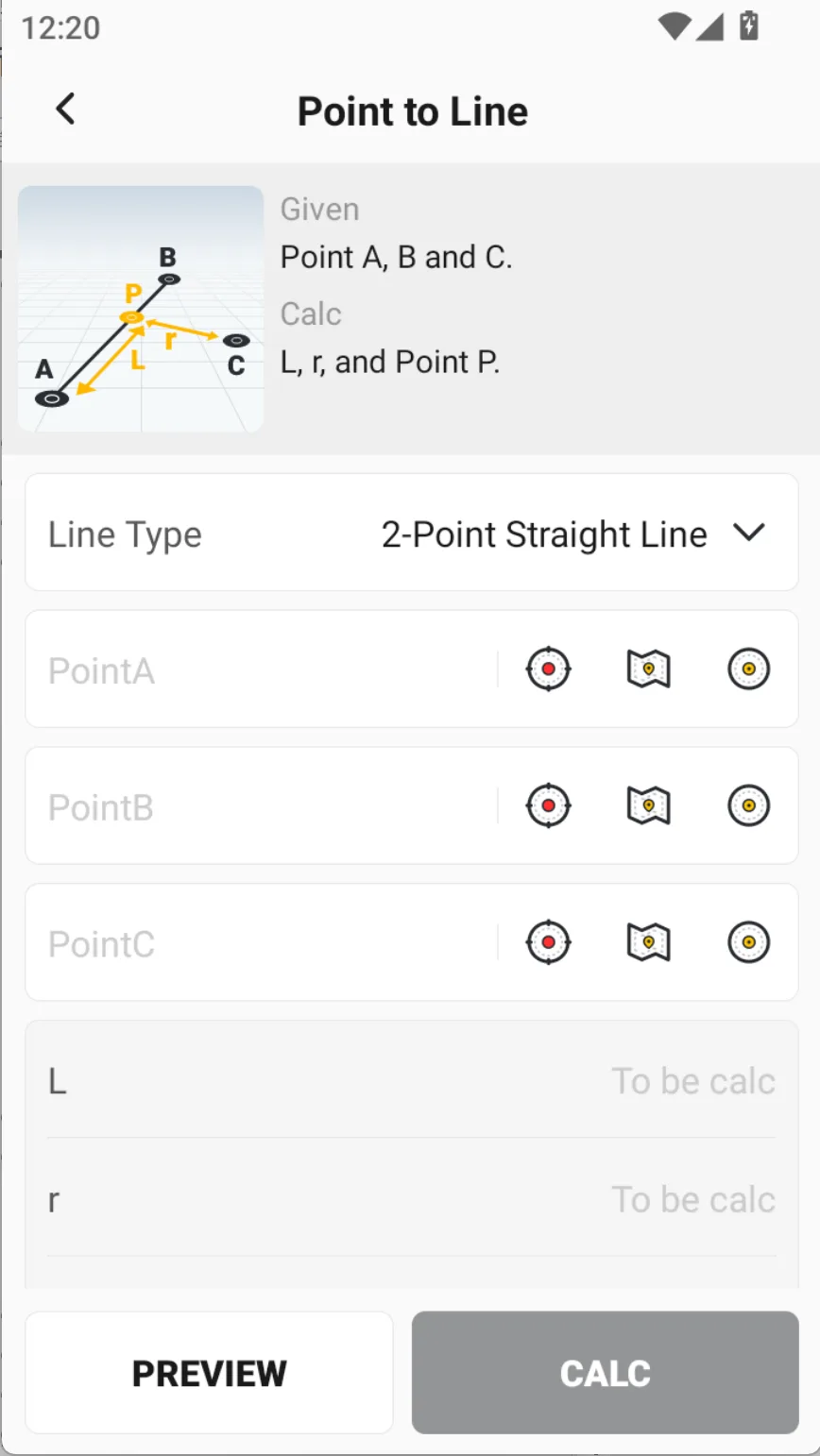 | 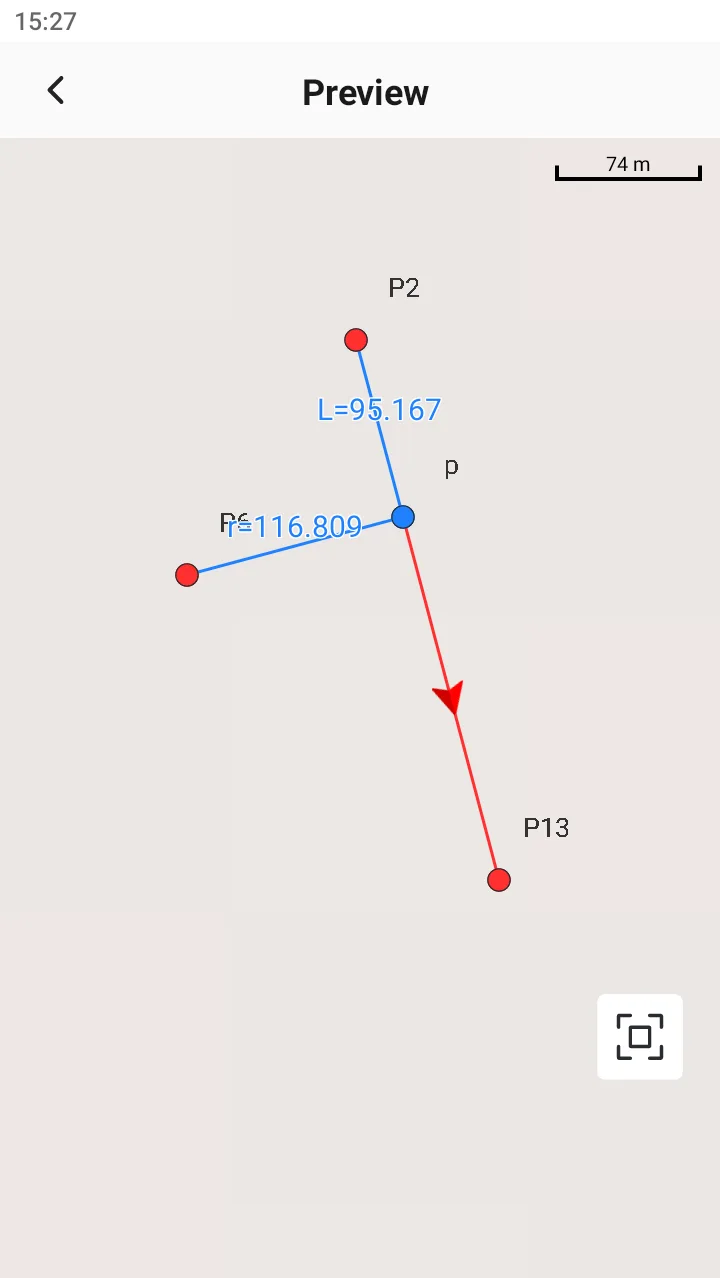 |
8.4.3 Traverse
Description: Similar to wire measurement. Given a point and its relative relationship with the target point, the coordinates of the target point can be solved. Calculation result: Target point P coordinates | 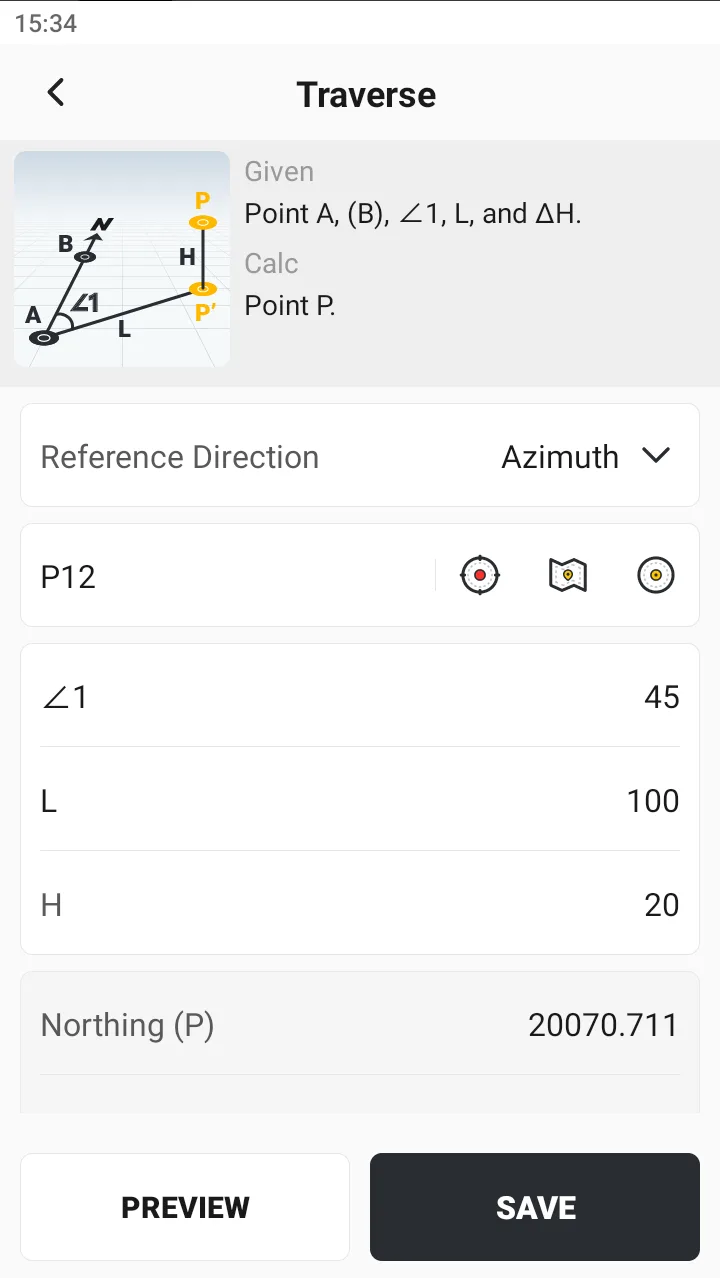 | 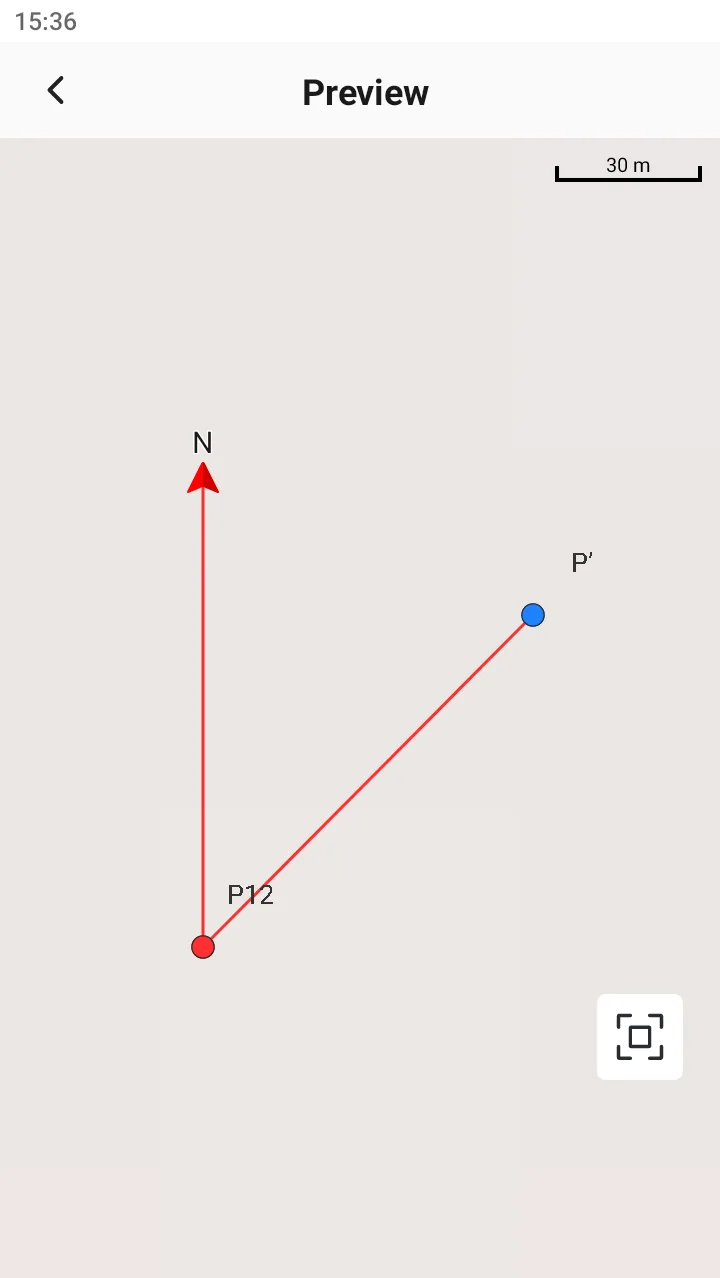 |
Explanation: The angle of rotation from the reference direction is clockwise, and the reference direction can be selected from the north direction or two-point orientation. | ||
8.4.4 Deflection
Description: Given three points, solve for the relative deflection angle. Calculation result: Deflection angle α Explanation: Angle range: -180 ° < α ≤ 180 °. | 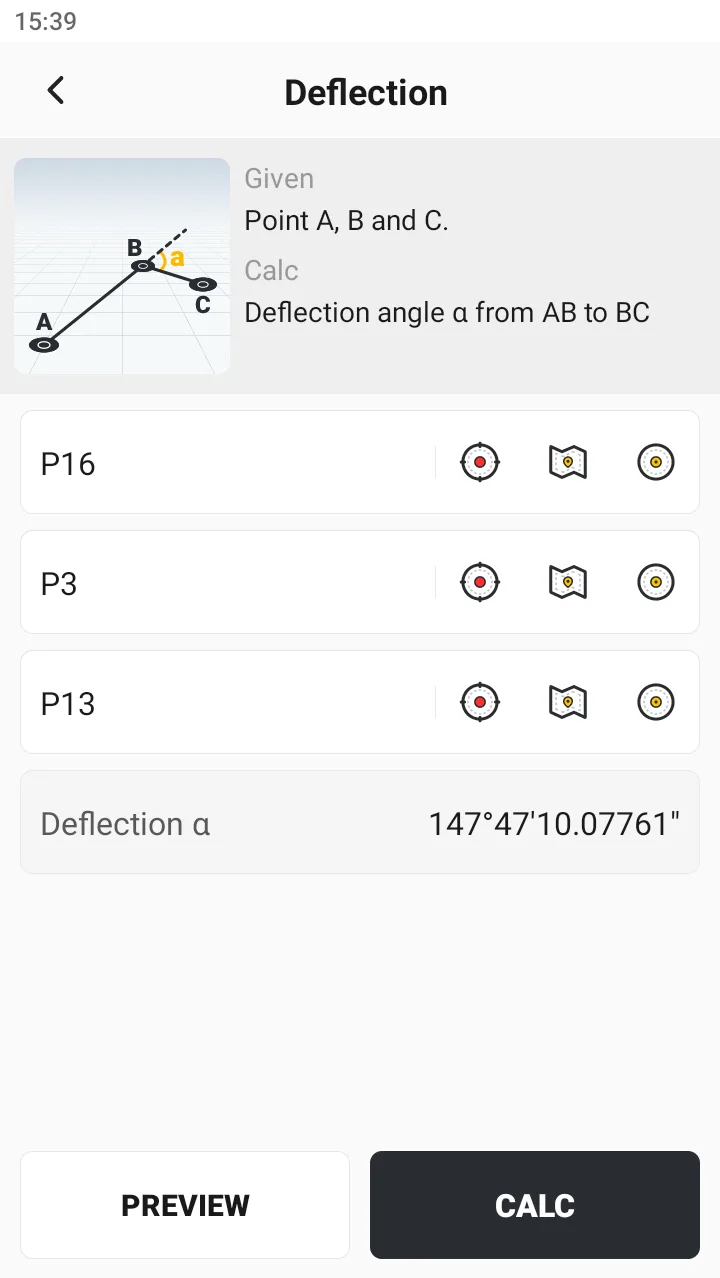 | 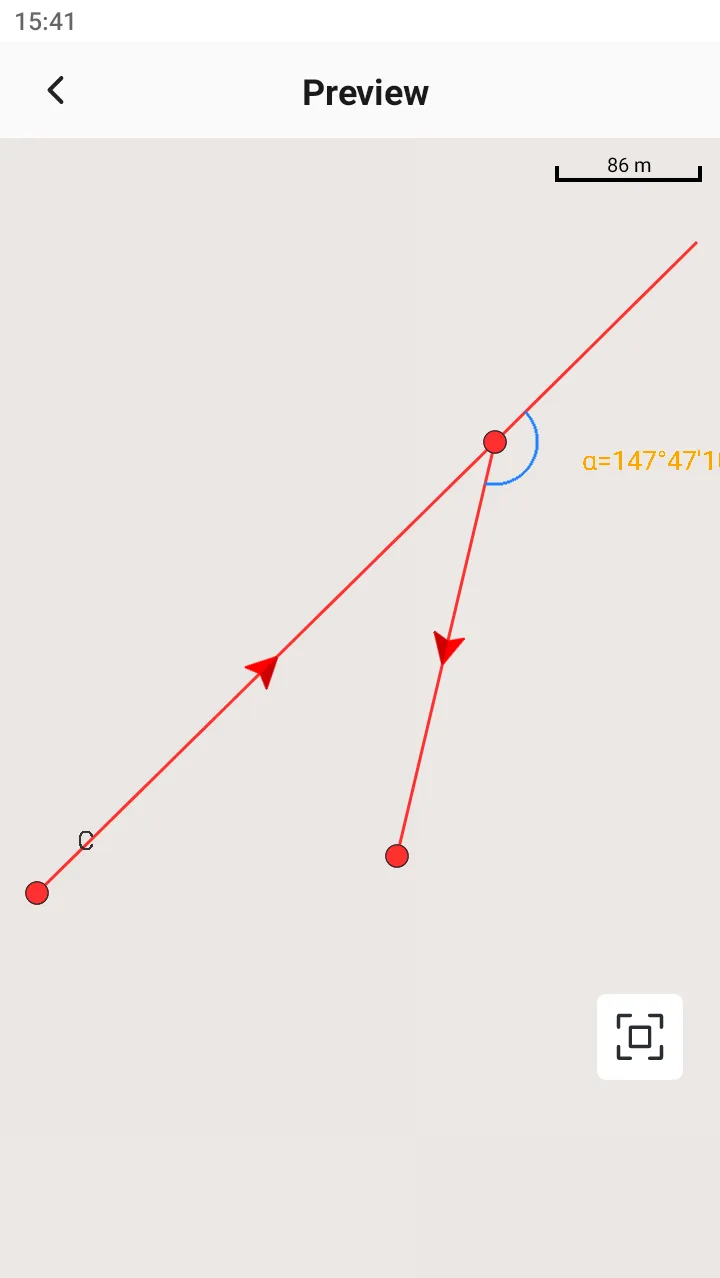 |
8.4.5 Slope
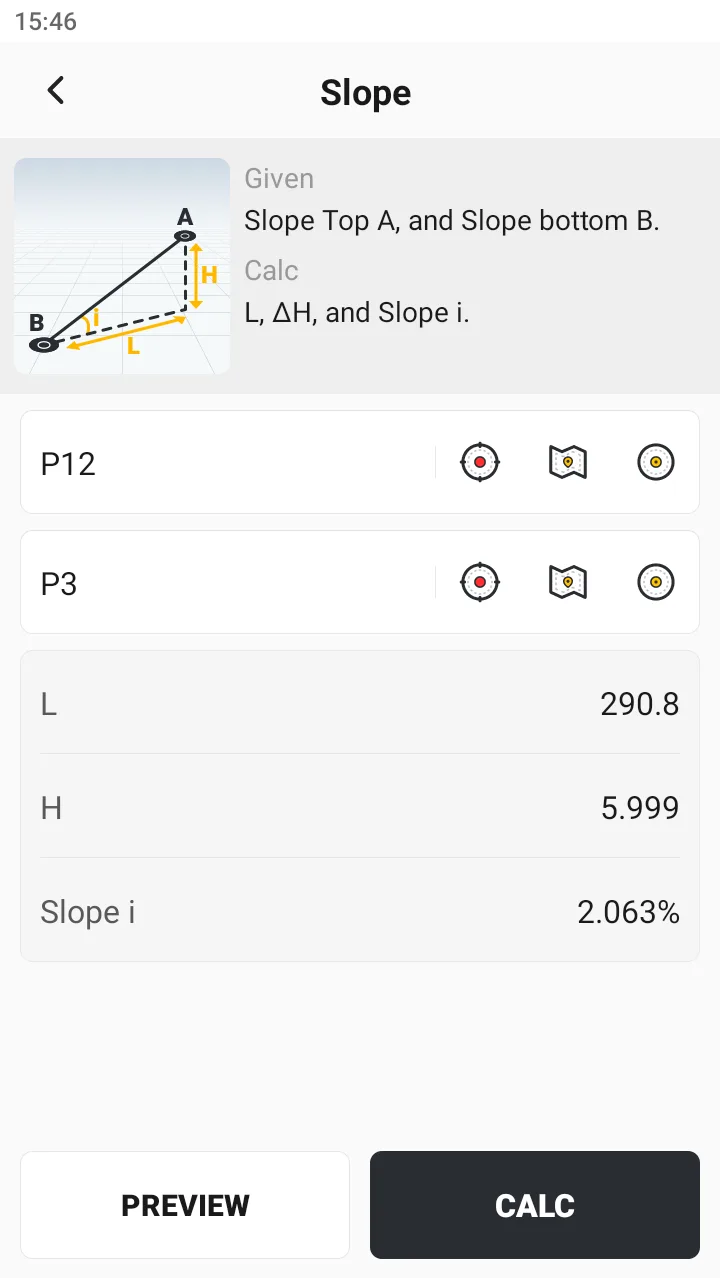
Description:
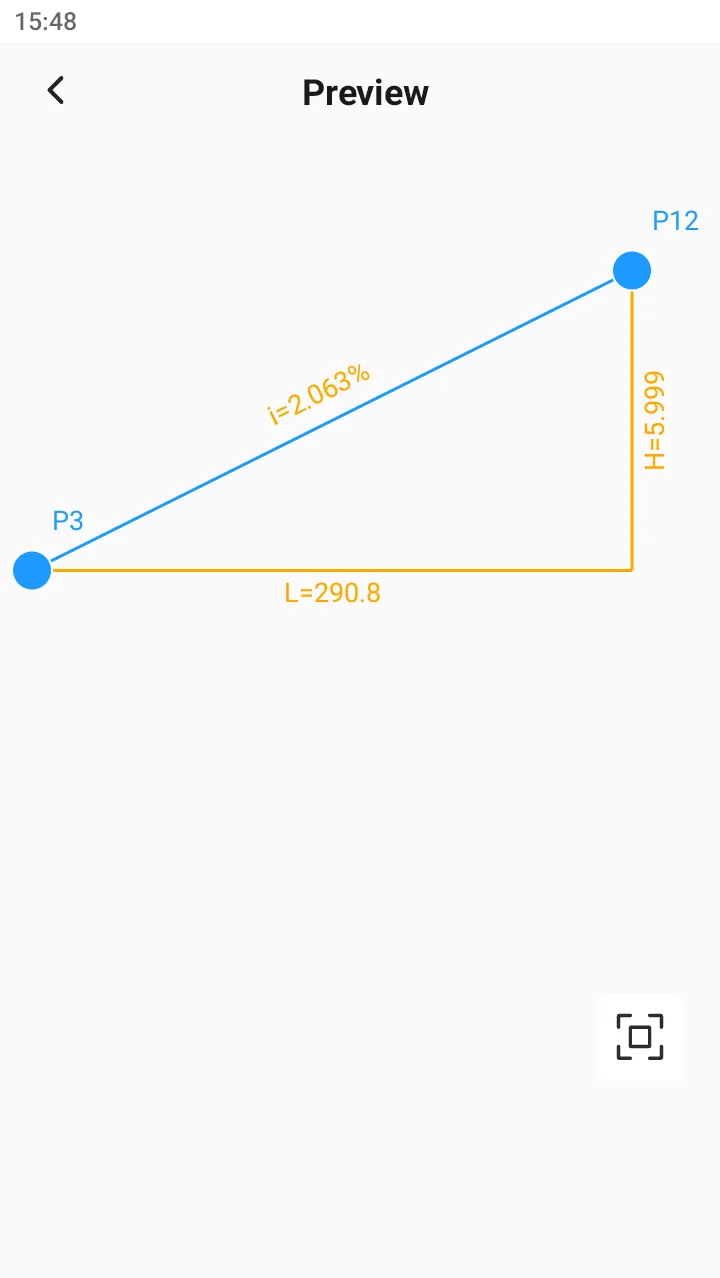
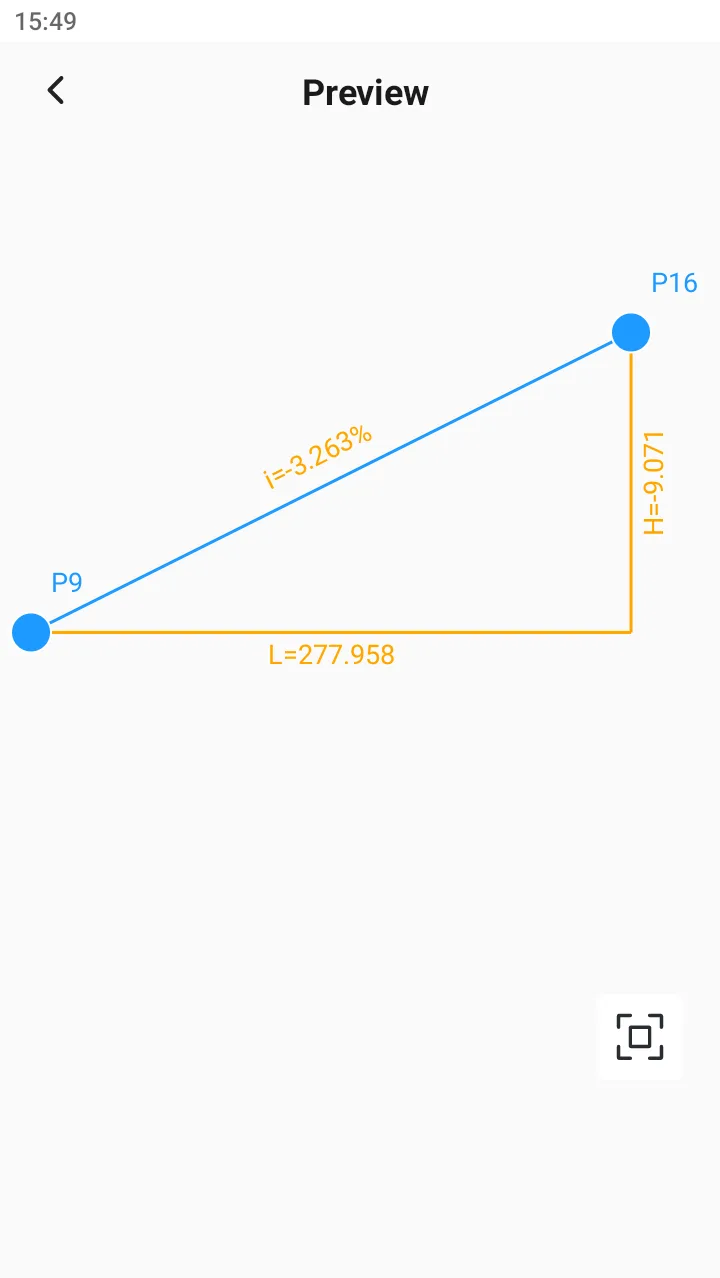
Given two points, calculate the slope value of the line connecting the two points.
Calculation result:
1. 2D distance L
2. Height difference H
3. Slope i
Explanation:
1. There are four ways to represent the slope, which can be configured in the general settings. The default is the commonly used percentage method.
A. Percentage, i = H/L * 100%
b. Degree, i = arctan(H/L)
C. Mil, i = angle/0.06, or i = angle/0.05625
D. Fraction, i = H: L
2. If the input elevation at the bottom of the slope is greater than the elevation at the top of the slope, the slope and elevation difference are displayed as negative values.
 |  |  |
8.4.6 Offset Point
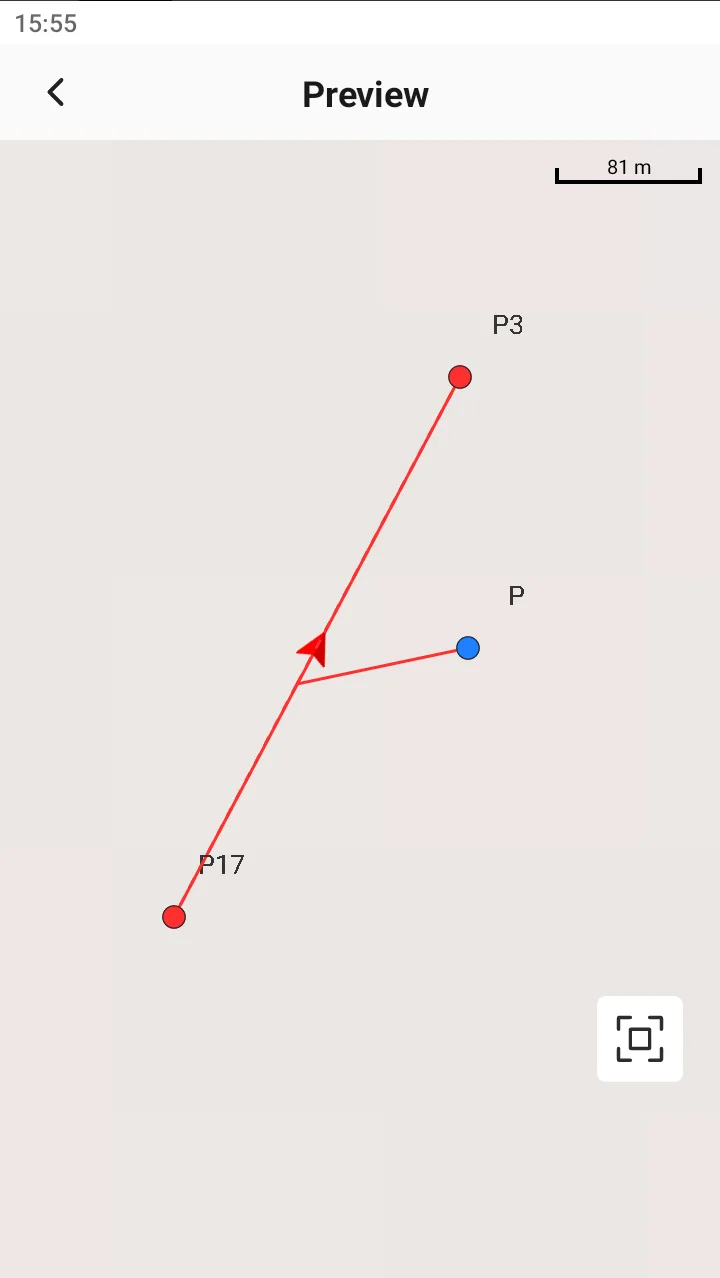
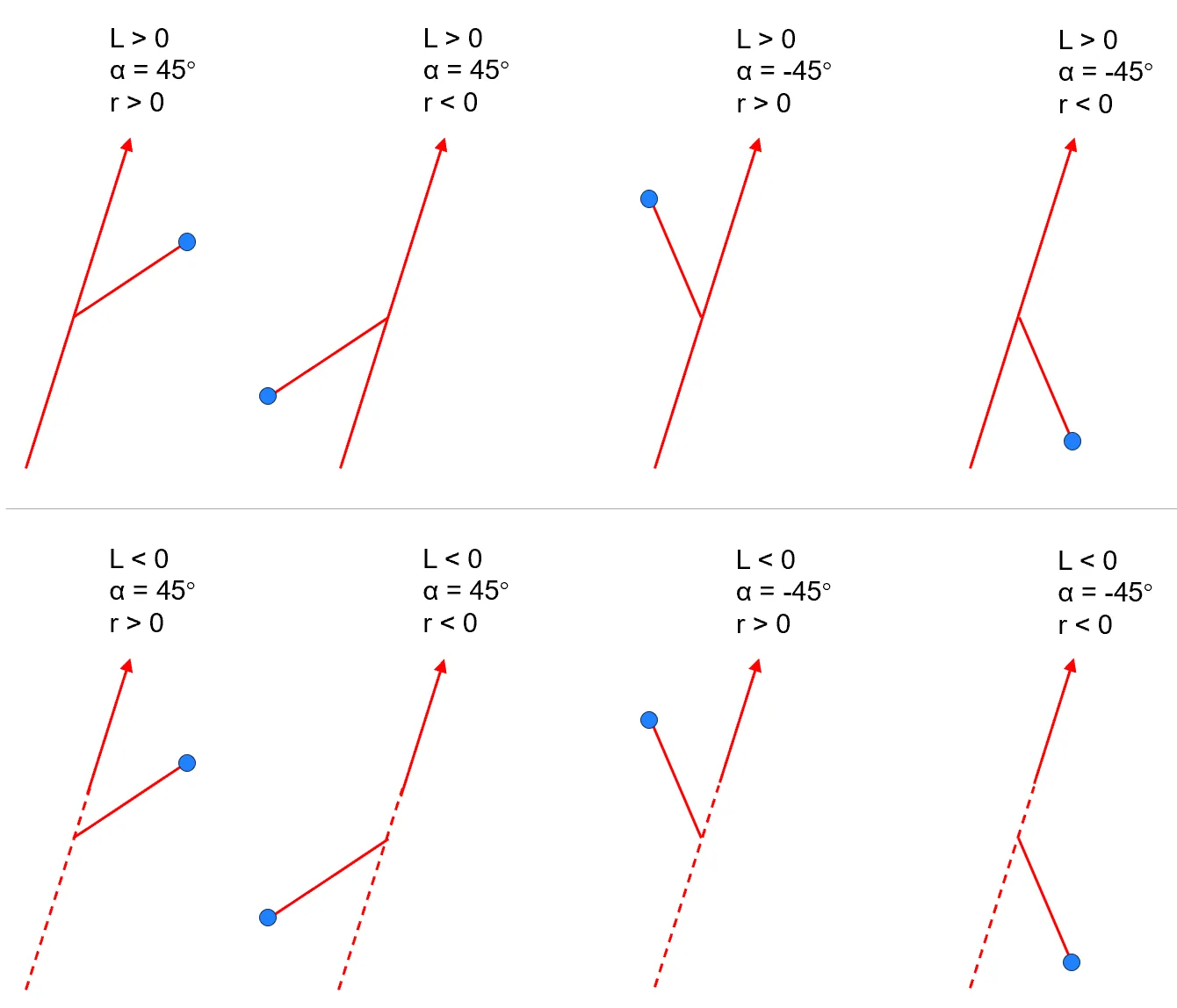
Description: Given two points and the relative relationship between the third point and the line connecting these two points. Optional arc. Calculation result: Point P coordinates Explanation: 1. When the distance L along the line is less than 0, the starting deflection point is on the reverse extension line; 2. Deflection angle: The angle format is unified with the whole, -180 ° < α ≤ 180 °, default is 90 °, when α > 0, it is the right turn angle along the line, and vice versa; 3. Offset distance: When r > 0, it extends outward along the deflection position, and when r < 0, the direction is opposite. | 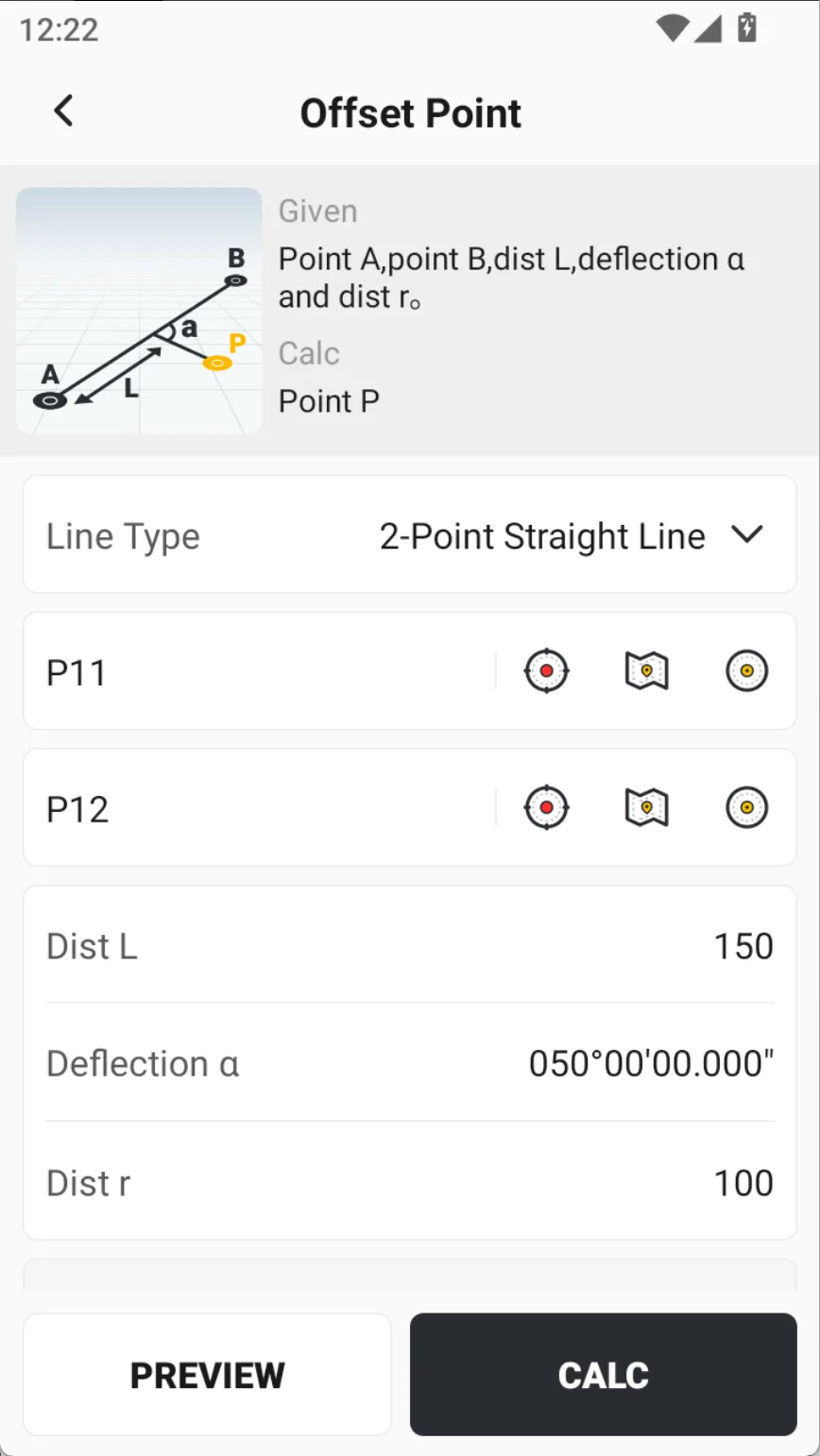 |
Preview |
Different conditions, different results |
8.4.7 Intersection
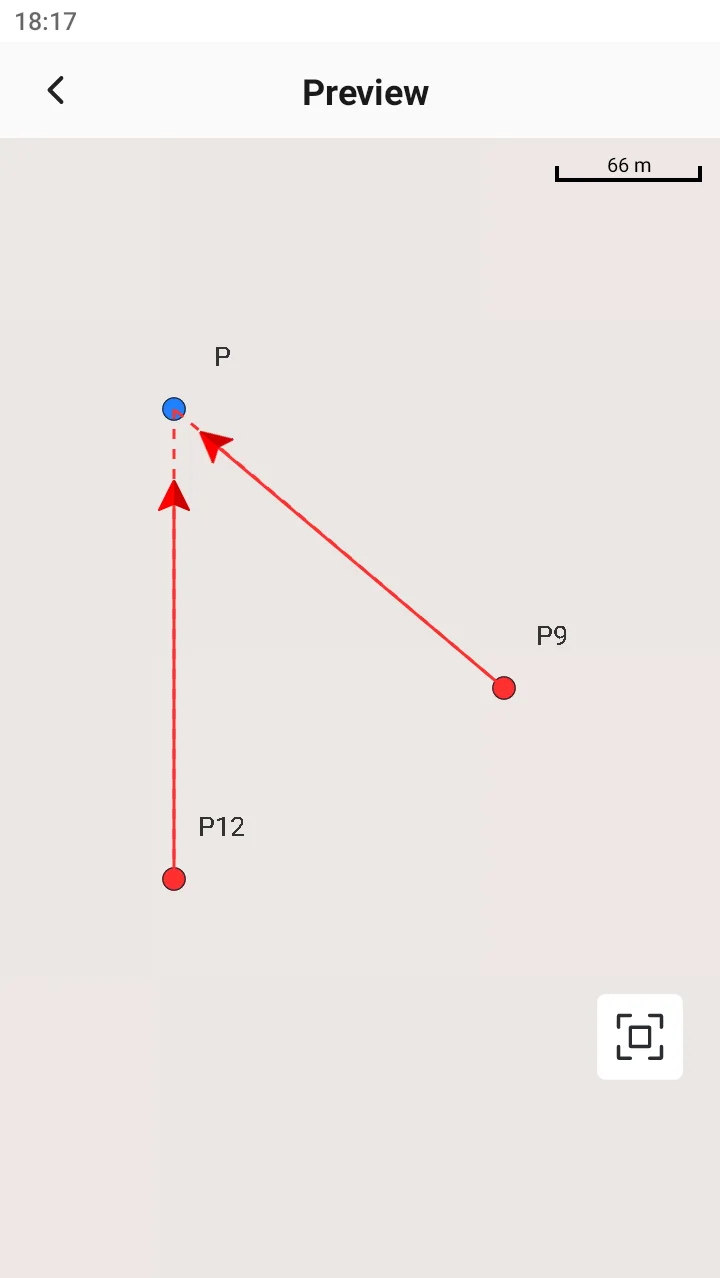
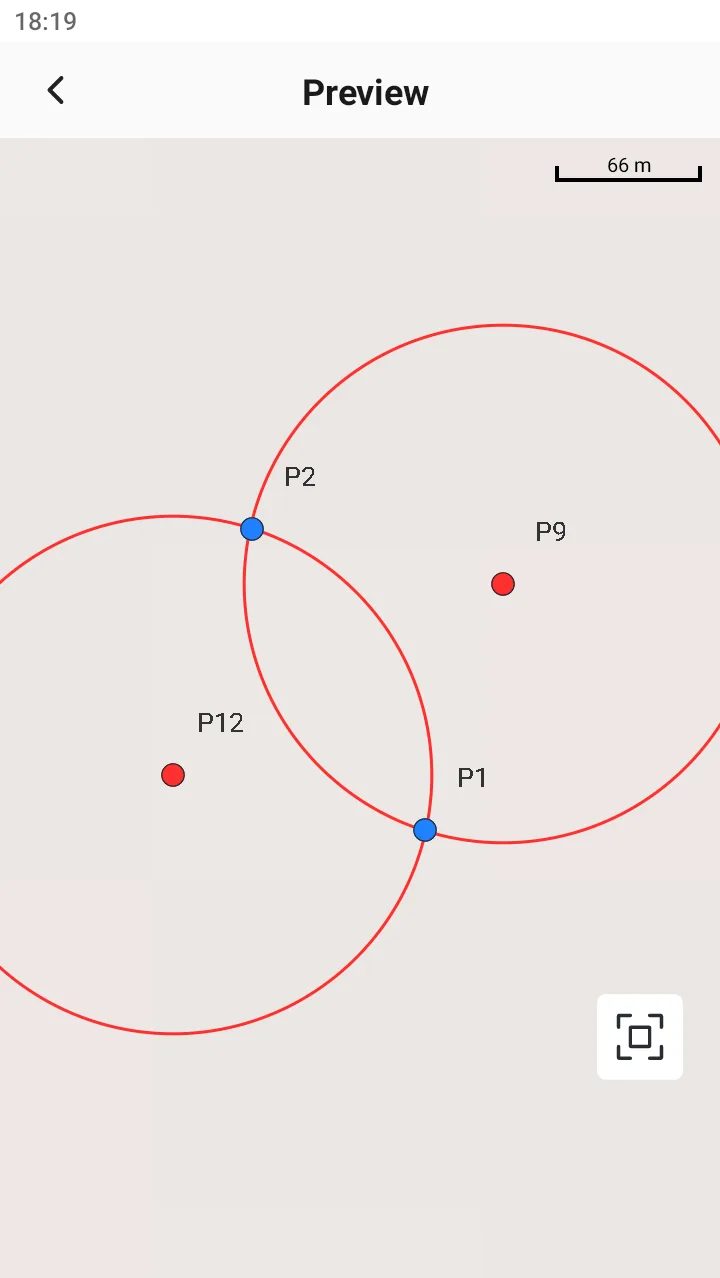
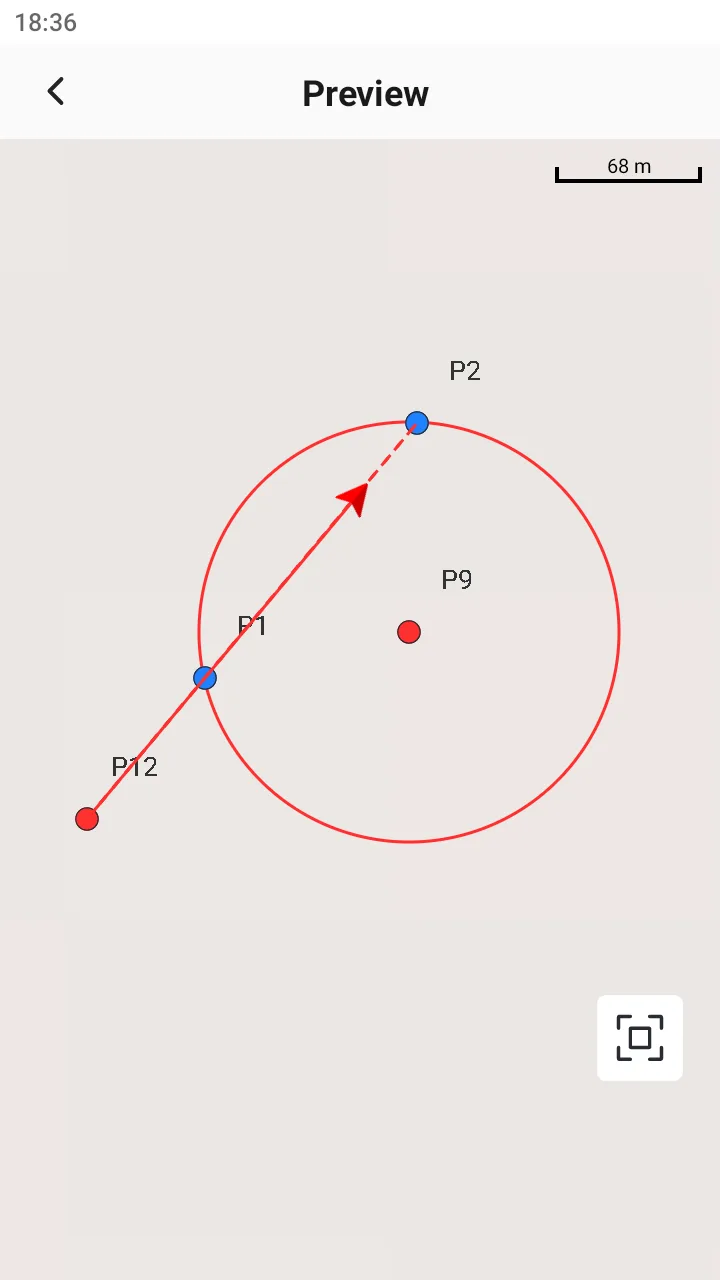
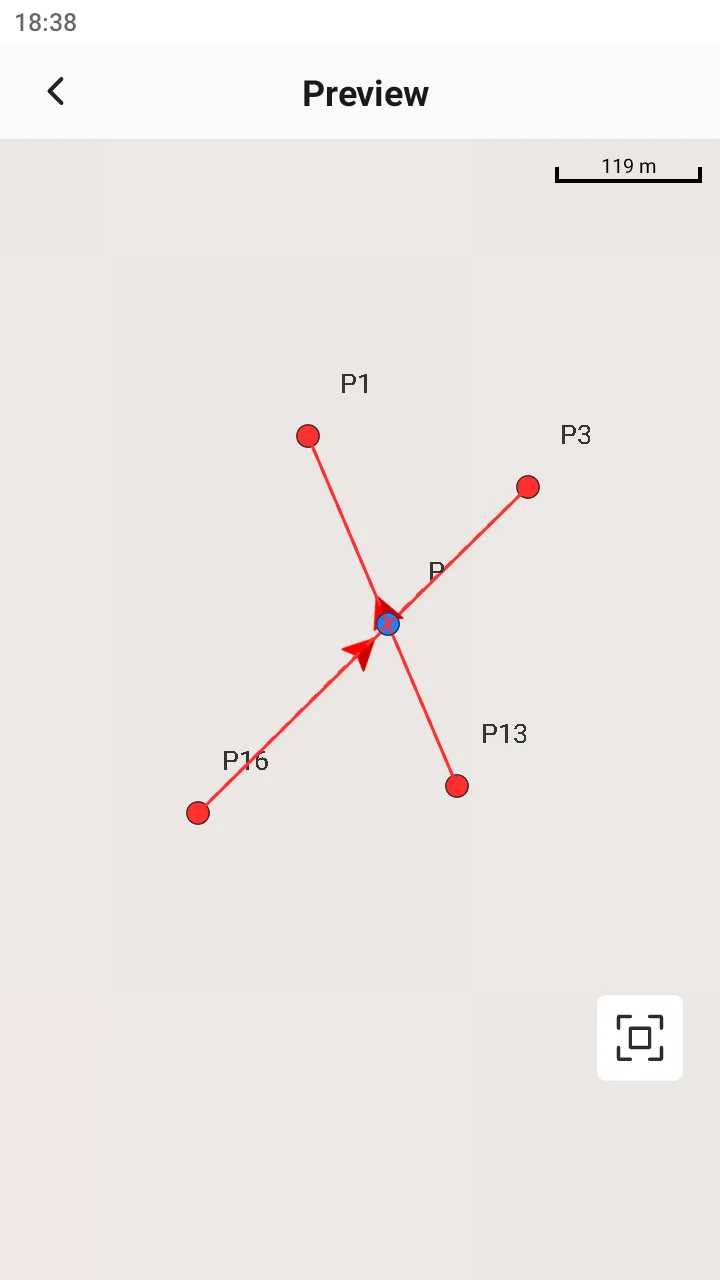
Description: Intersection provides four methods. After selecting a method, the graphic and text definitions on the page will switch accordingly. Intersection methods can be selected: two bearings, two distances, bearing & distance and four points. Calculation result: Intersection P coordinates. If there are two intersections, the coordinates of the two intersections can be saved. Explanation: 1. Azimuth conditions can be set to offset, left negative and right positive; There are three types of intersection results: 1 intersection, 2 intersections, and no intersection. 3. Four kinds of results preview images are shown as follows: | 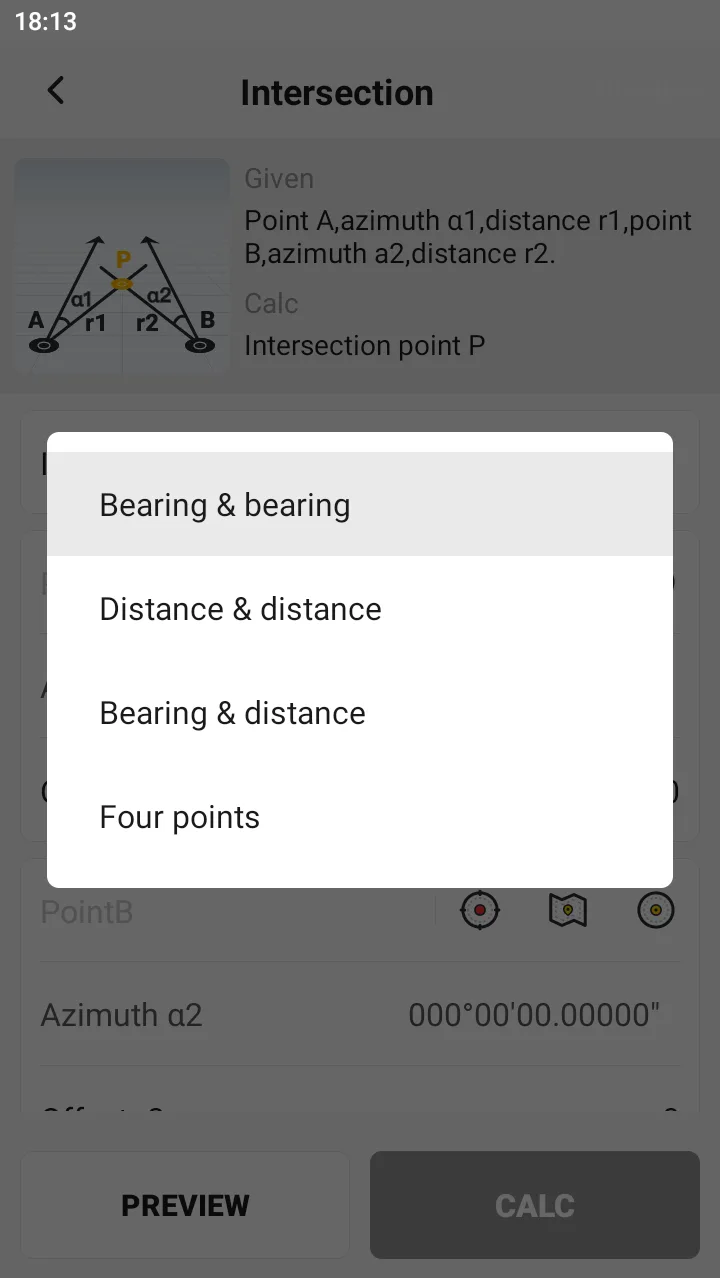 |
 |  |  |  |
8.4.8 Segment Line
Description:
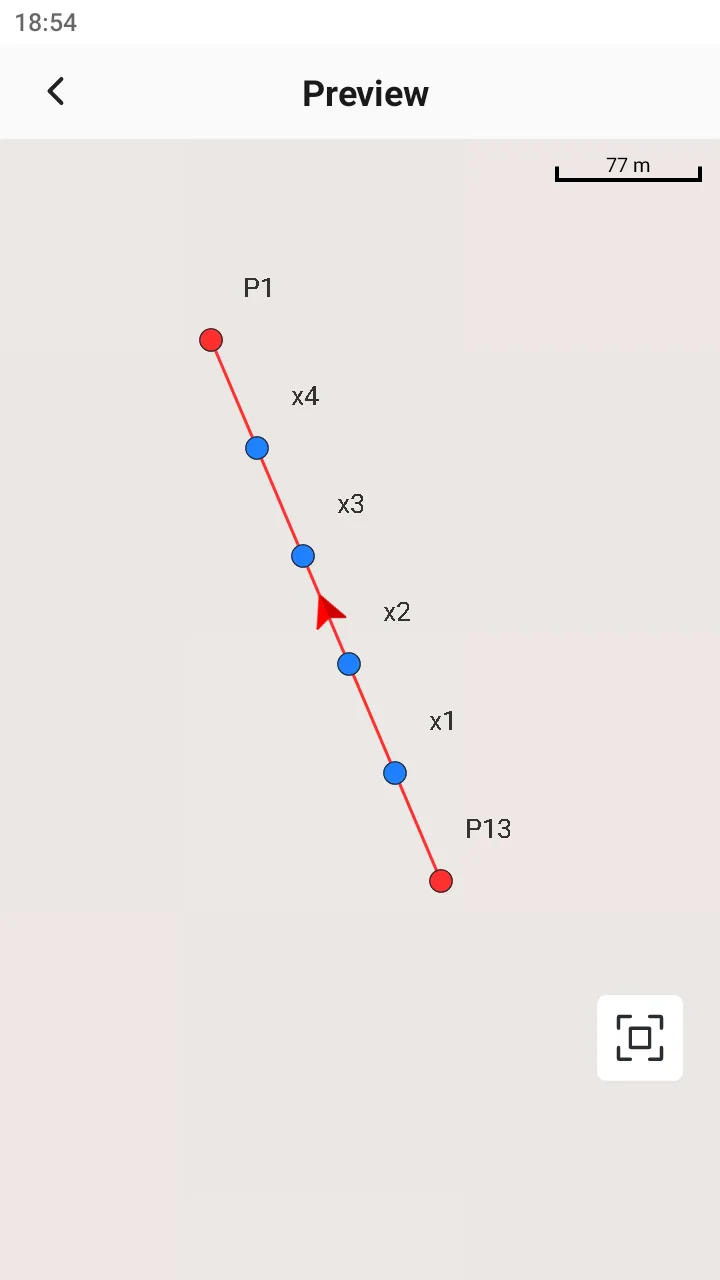
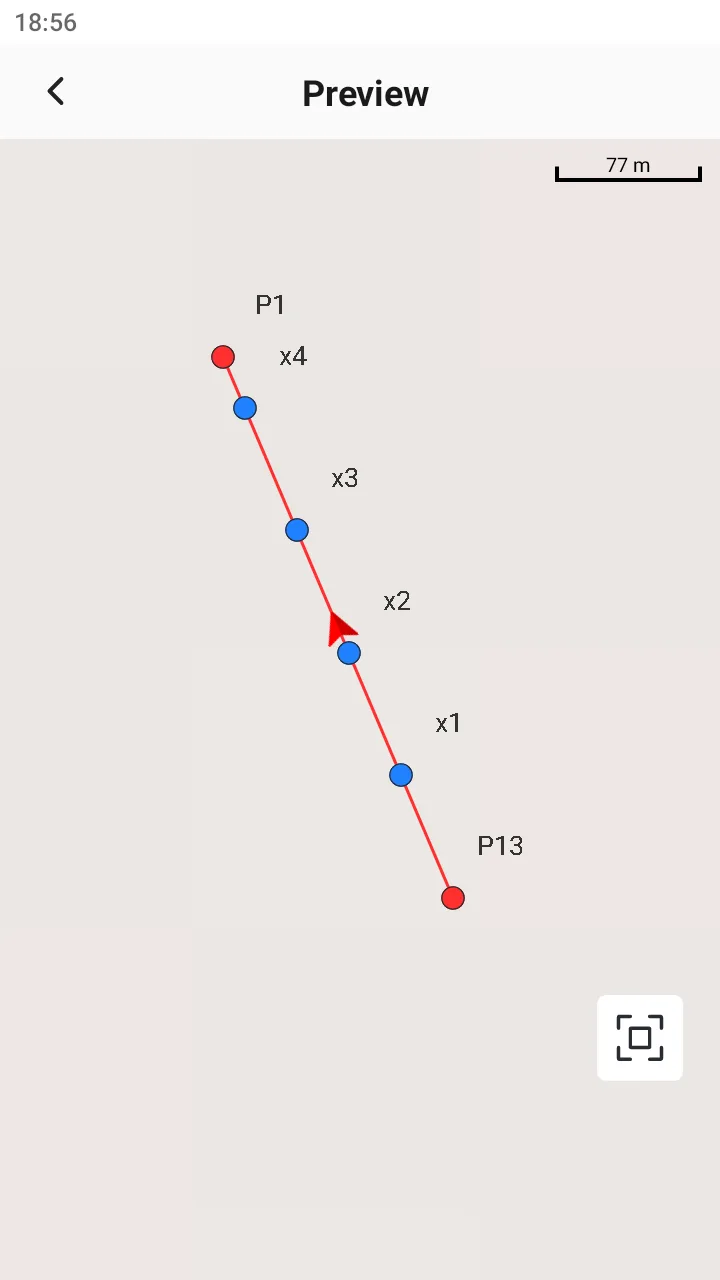
Given a line and the number of segments or the length of the segments it is divided into, find the segmentation node.
Calculation result:
Coordinates of segmented nodes.
Explanation:
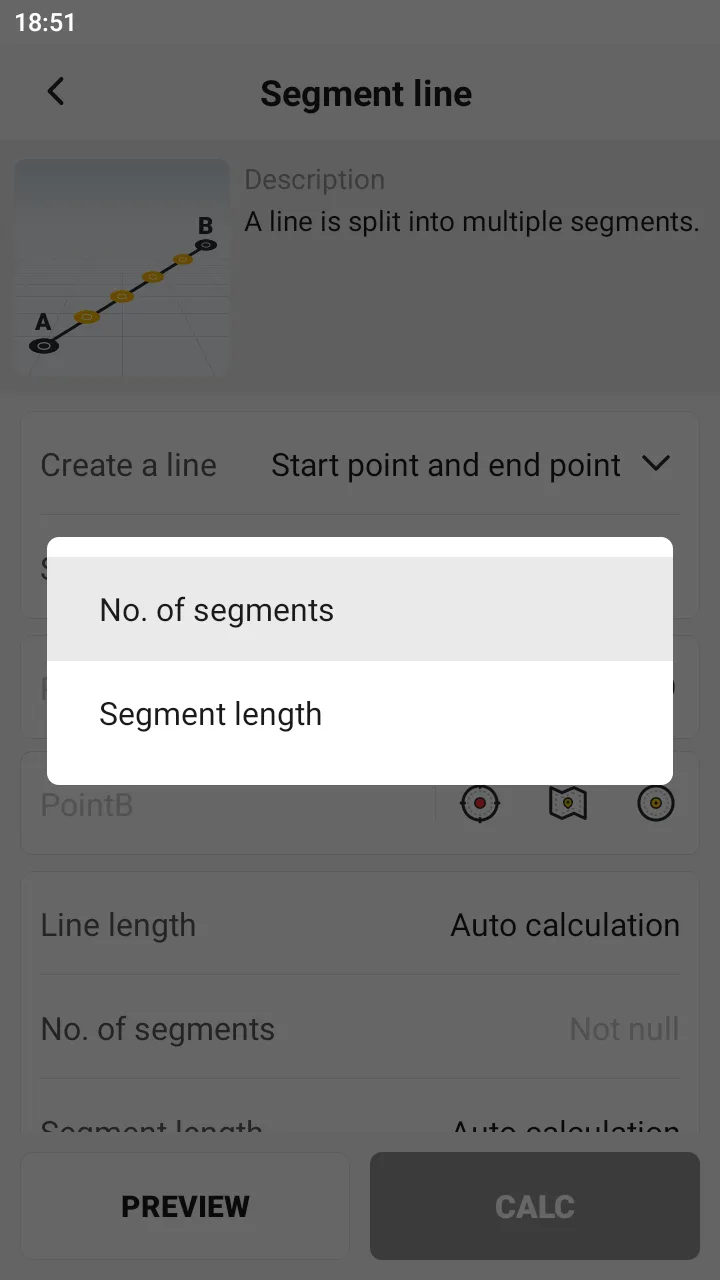
1. There are two ways to create a straight line, consistent with line library:
A. Start point + end point
B. Start point + azimuth + length
2. There are two types of segmentation methods:
A. Segment Nums, input range [2,1000];
B. Segment Length, input range [0.001, line length].
When automatically naming, if there are duplicate names, add (1) after them.
 |  |  |
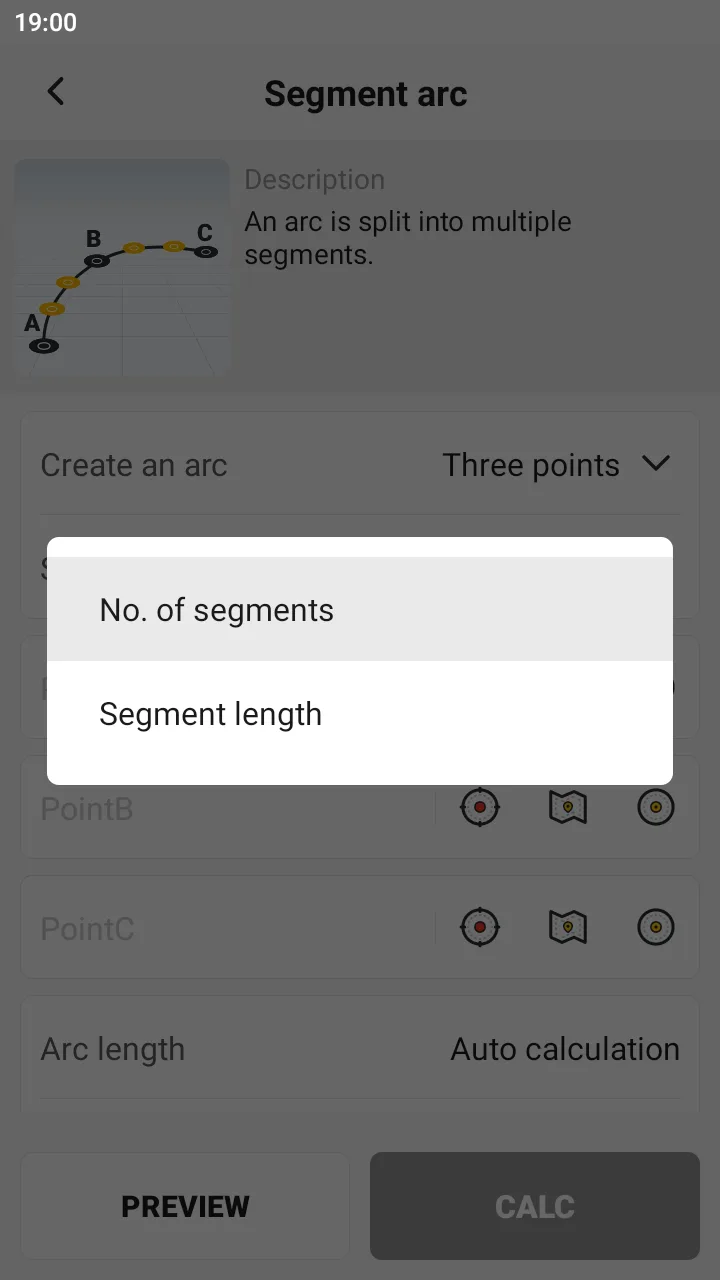
8.4.9 Segment Arc
Description:
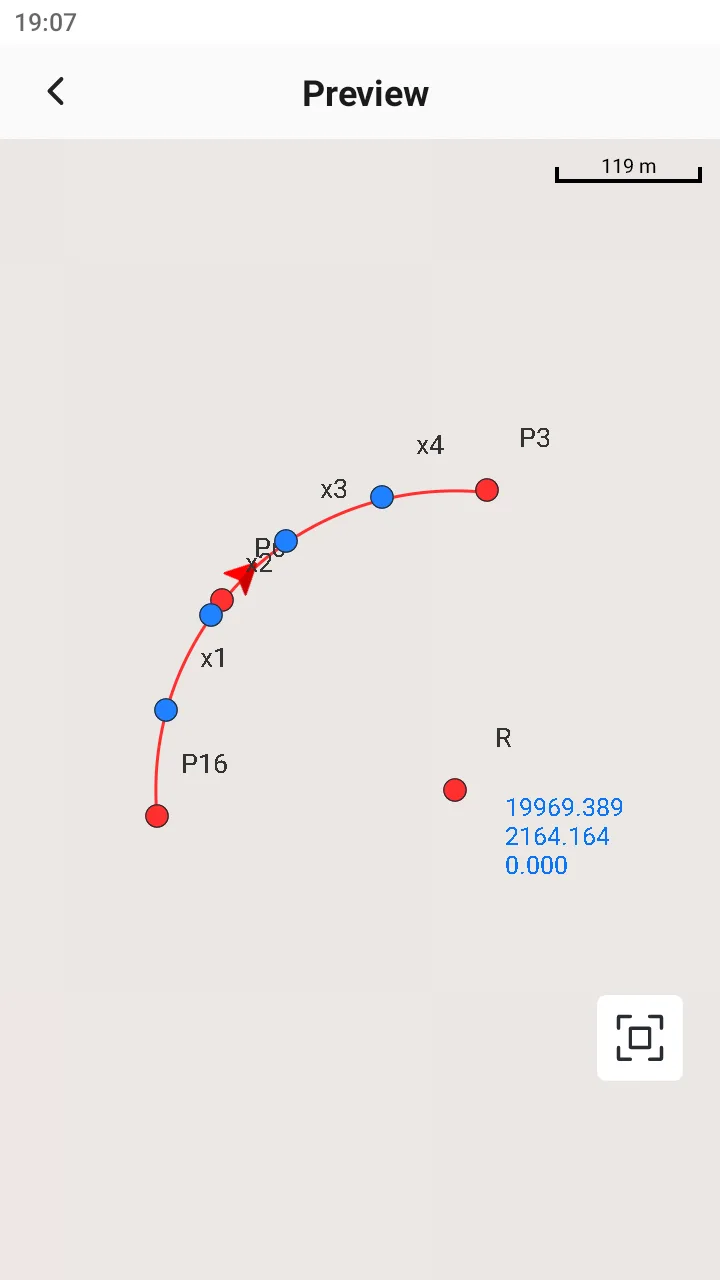
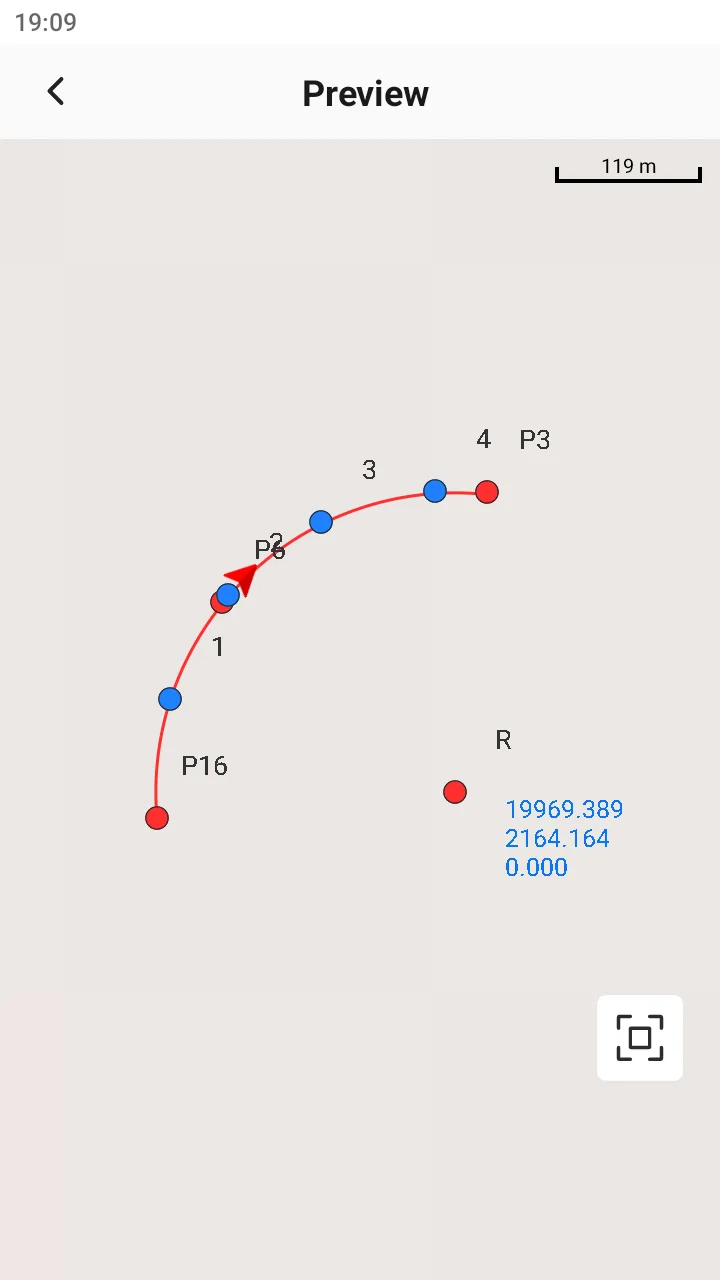
Given an arc and the number of segments or segment length it is divided into, find the segment nodes.
Calculation result:
Coordinates of segmented nodes.
Explanation:
1. There are three ways to create an arc, consistent with line library:
A. Three points
B. Two points + radius
C. Start point + azimuth + length + radius
2. There are two types of segmentation methods:
A. Segment nums, input range [2,1000];
B. Segment length, input range [0.001, arc length]
3. When automatically naming, if there are duplicate names, add (1) at the end;
4. The preview shows the arc center point and arc center coordinates only, not saved.
 |  |  |
8.4.10 Bisect Angle
Description:
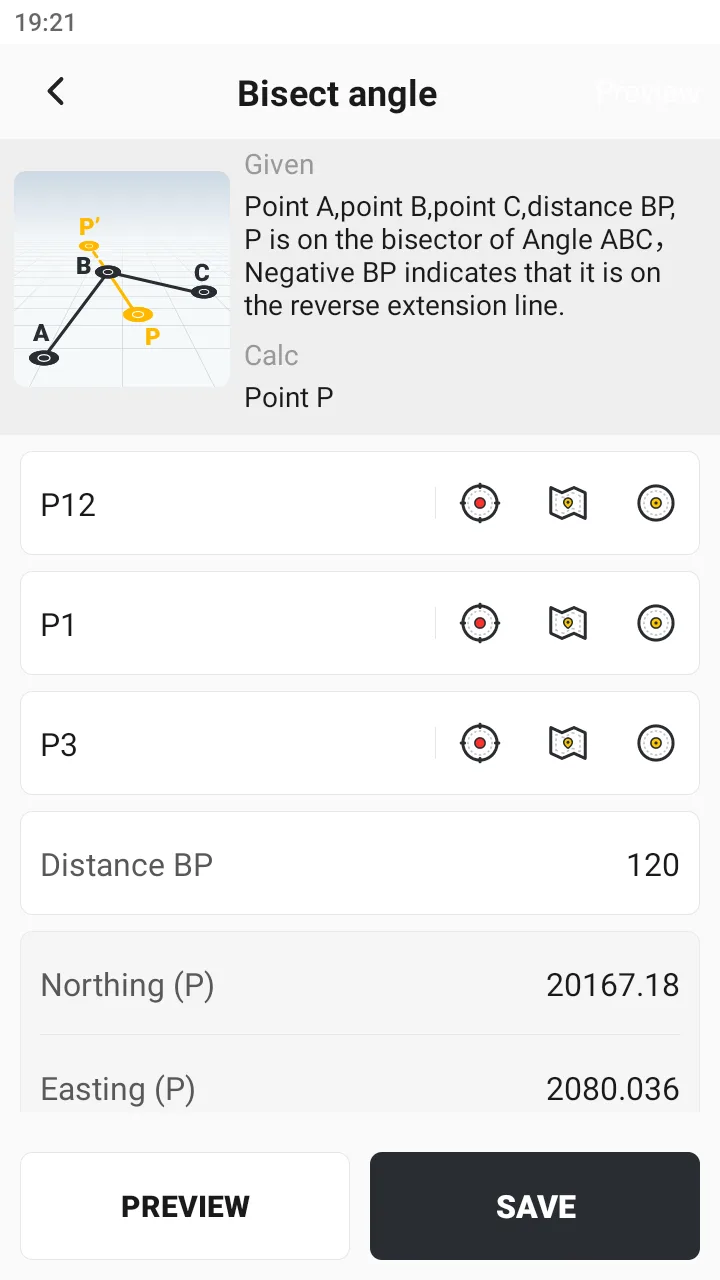
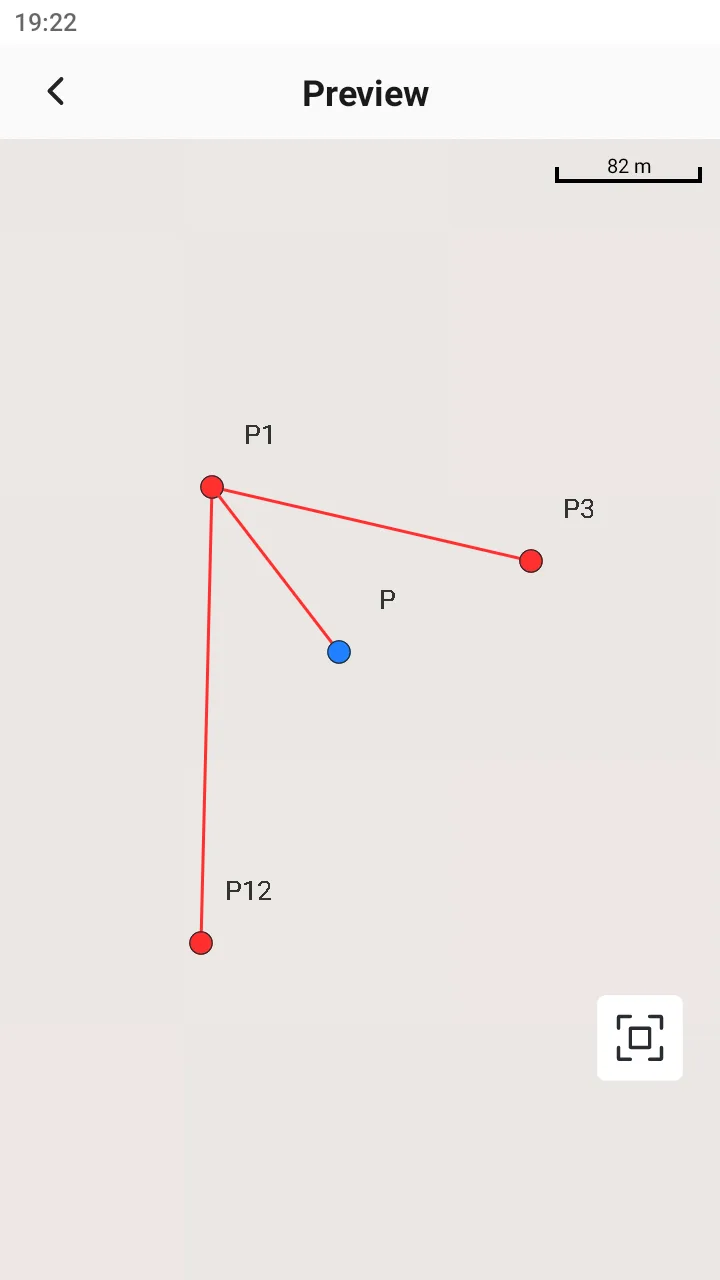
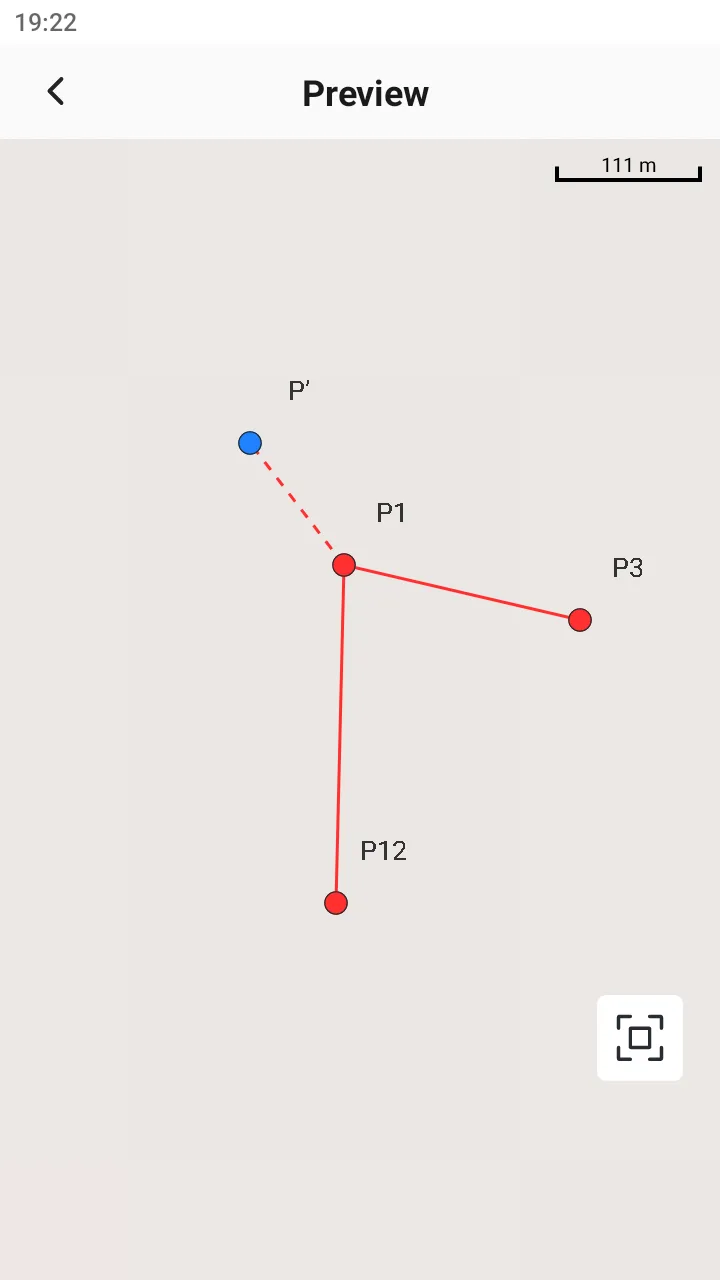
Given points A, B, and C, the BP distance, P is on the ABC angle bisector, and BP is negative, indicating that it is on the reverse extension line.
Calculation result:
Point P coordinates.
Explanation:
P is on the angle ABC bisector. It should be noted that when BP is positive, it is displayed as P on the preview chart. When BP is negative, it is displayed as P 'on the preview chart.
 |  |  |
8.4.11 Triangle
Description: Given three points, solve for the side length, interior angle, perimeter, and area of the triangle. Calculation result: 1. Three side lengths 2. Three internal angles 3. Perimeter 4. Area | 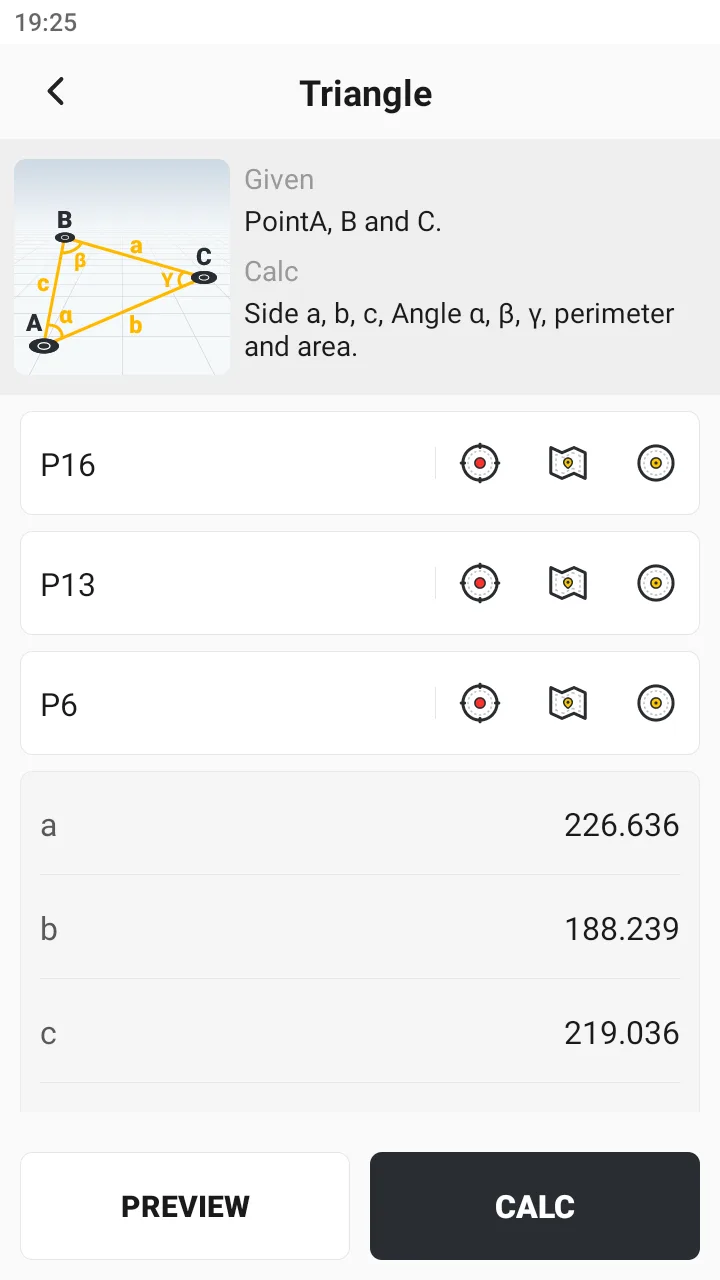 | 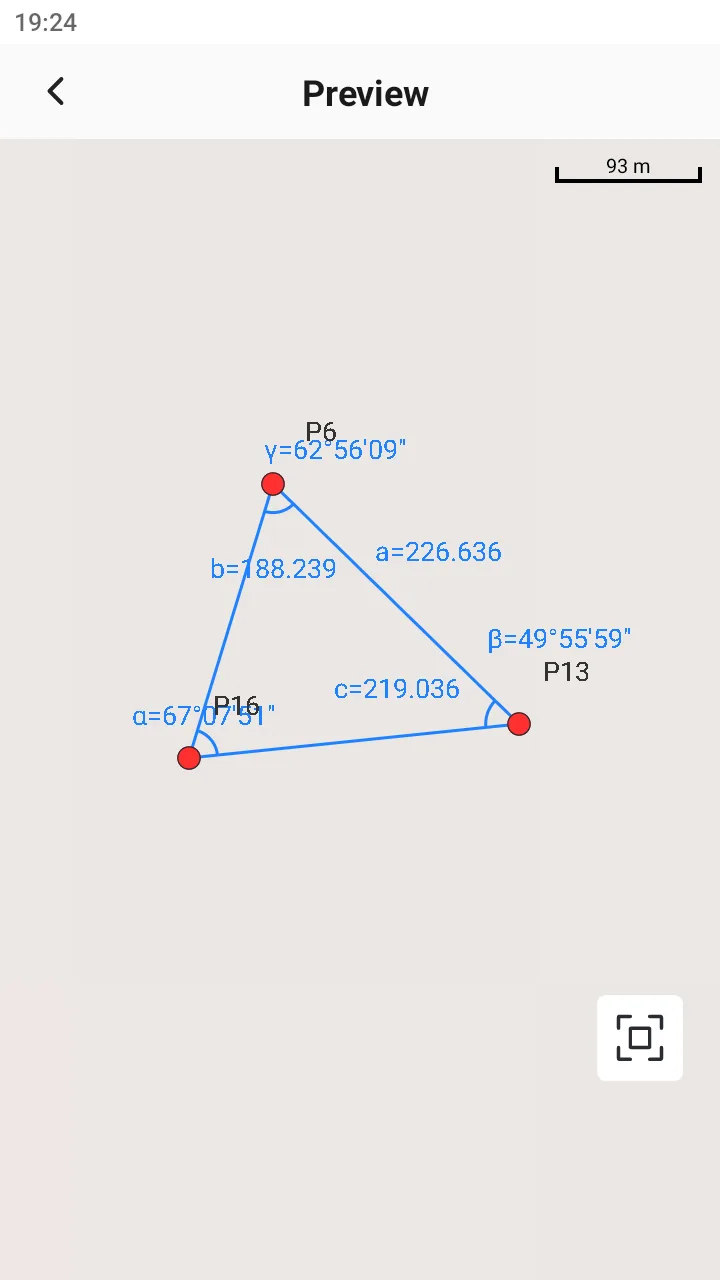 |
8.4.12 Average
Description: Given several points, find the average. Calculation result: Mean coordinates | 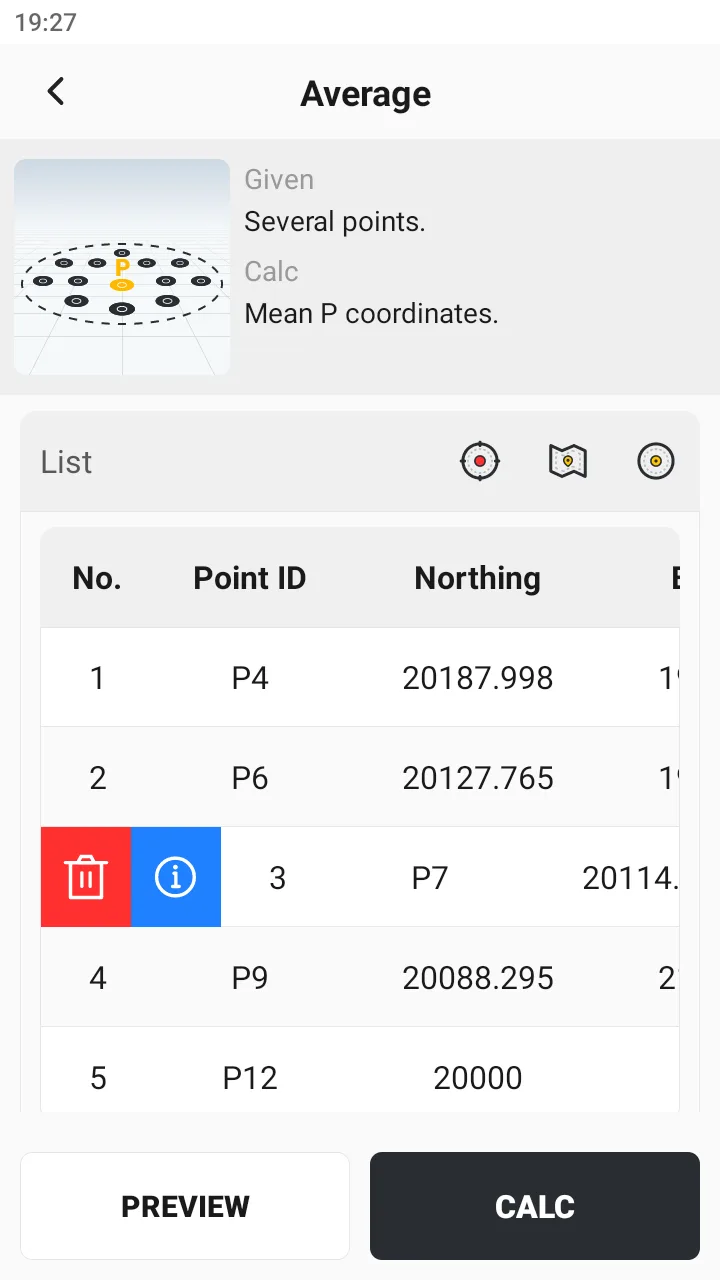 | 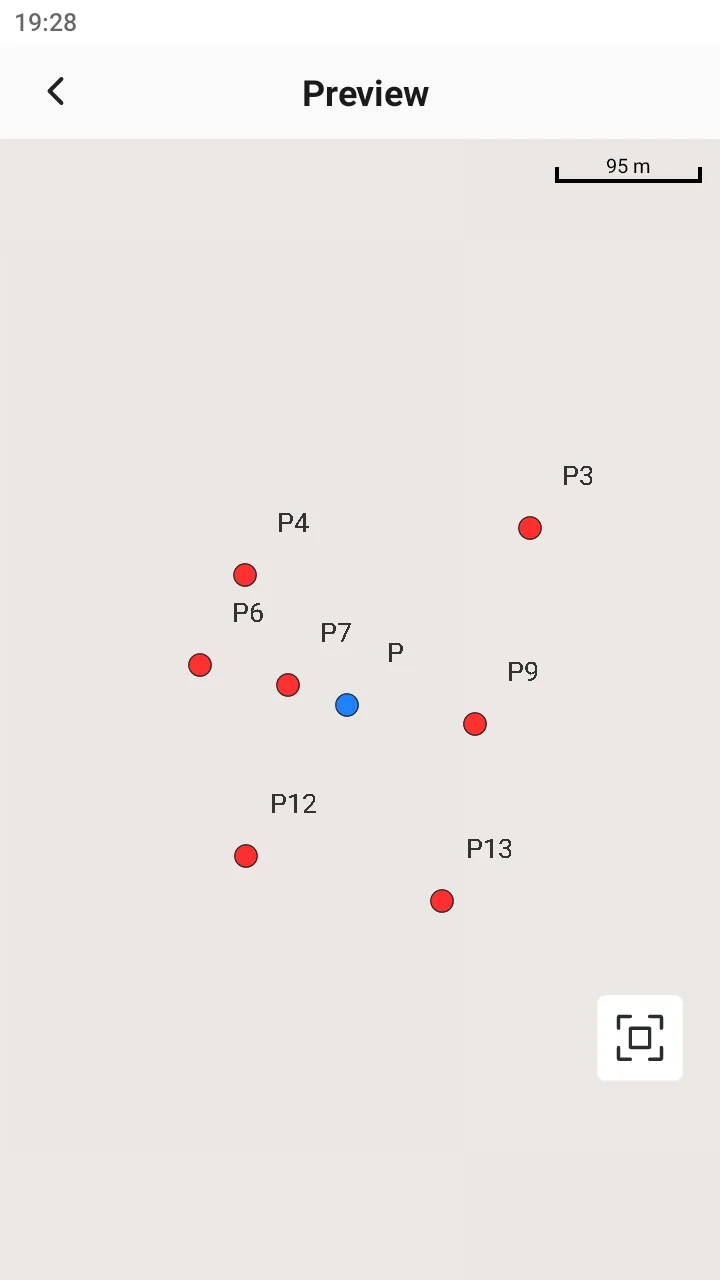 |
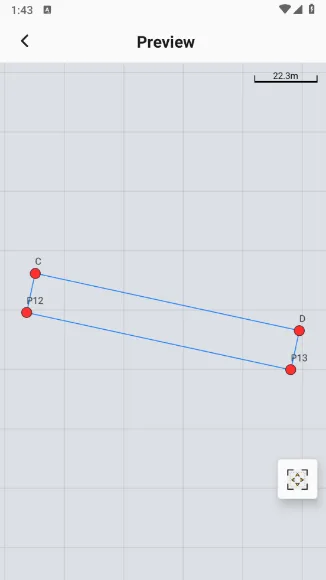
8.4.13 Rectangle
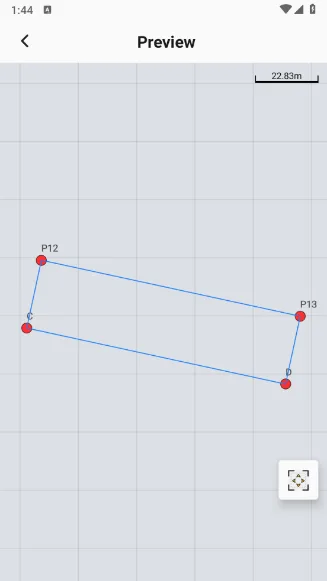
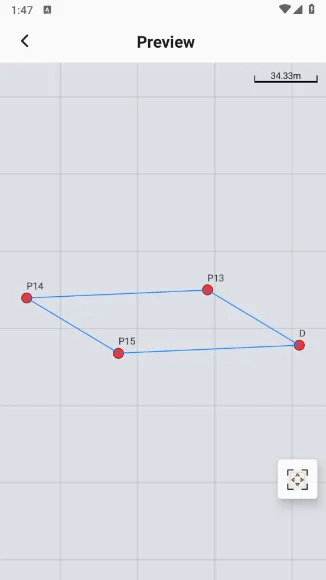
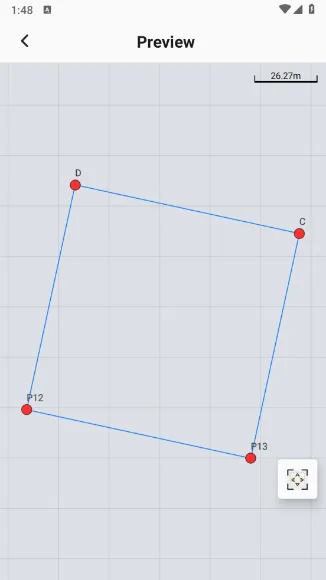
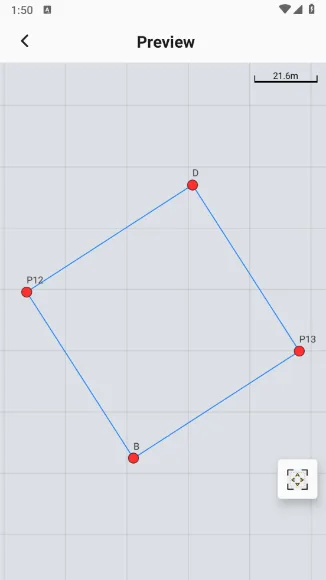
Description: Given the coordinates of 2 or 3 points, form a rectangle according to actual needs and calculate the coordinates of the remaining rectangle nodes. Method optional: Calculate 2 points + distance, 3 points (vertical), 3 points (parallelogram), 2 points (square), and 2 points (diagonal). Calculation result: Coordinates of remaining nodes in the rectangle. Explanation: The ABCD nodes of the rectangle are defined by rotating counterclockwise. | 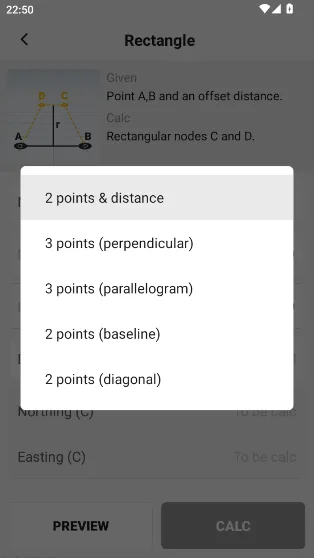 |
 |  |  |
 |  |
8.4.14 Baseline point
Description: Given two points, slope, and two distances Calculation result: Three points on a straight line. Explanation: 1. The plane coordinates of point C and point B are the same. 2. The four points C ', C, A, A' are on the same straight line. | 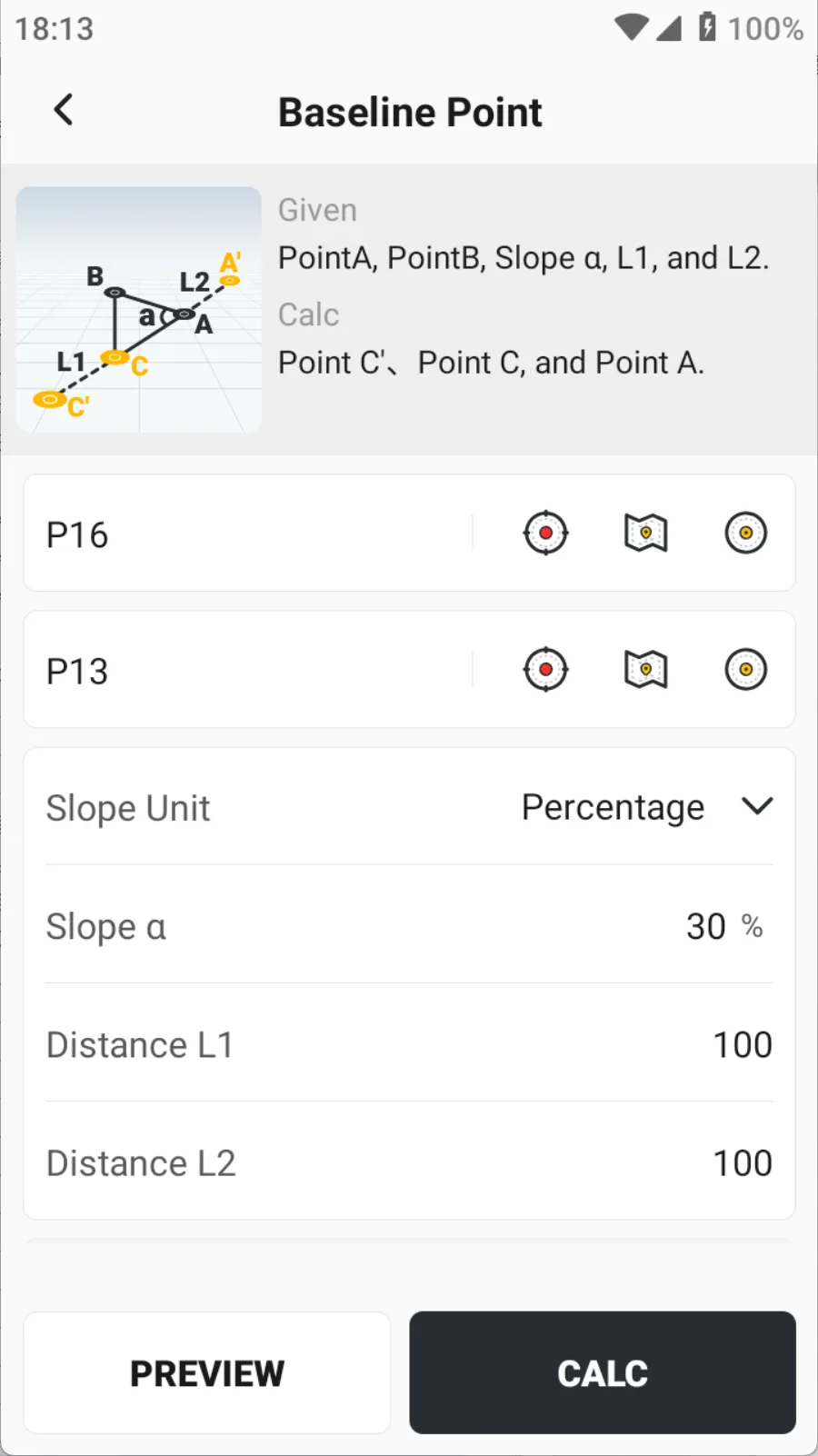 | 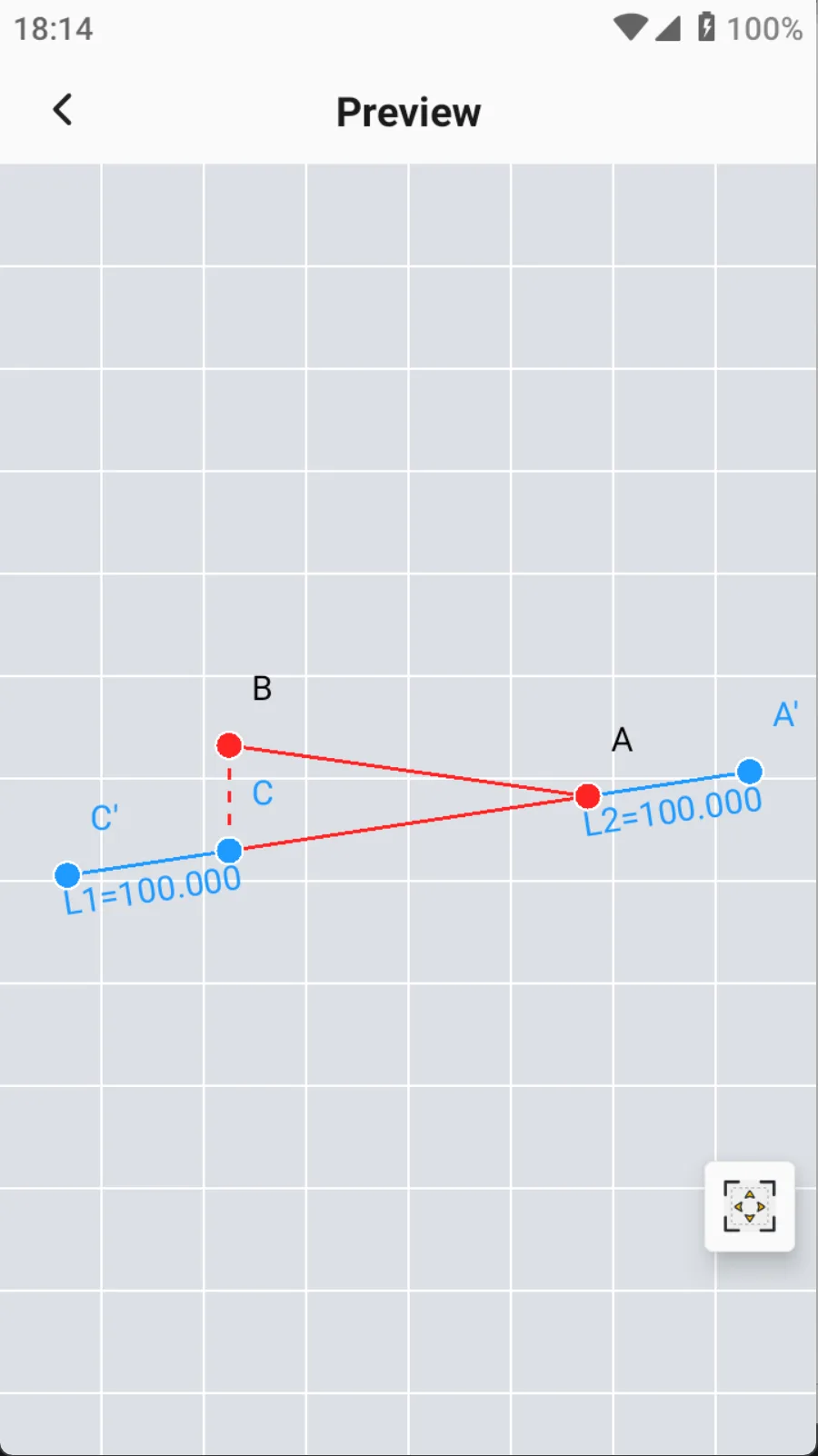 |
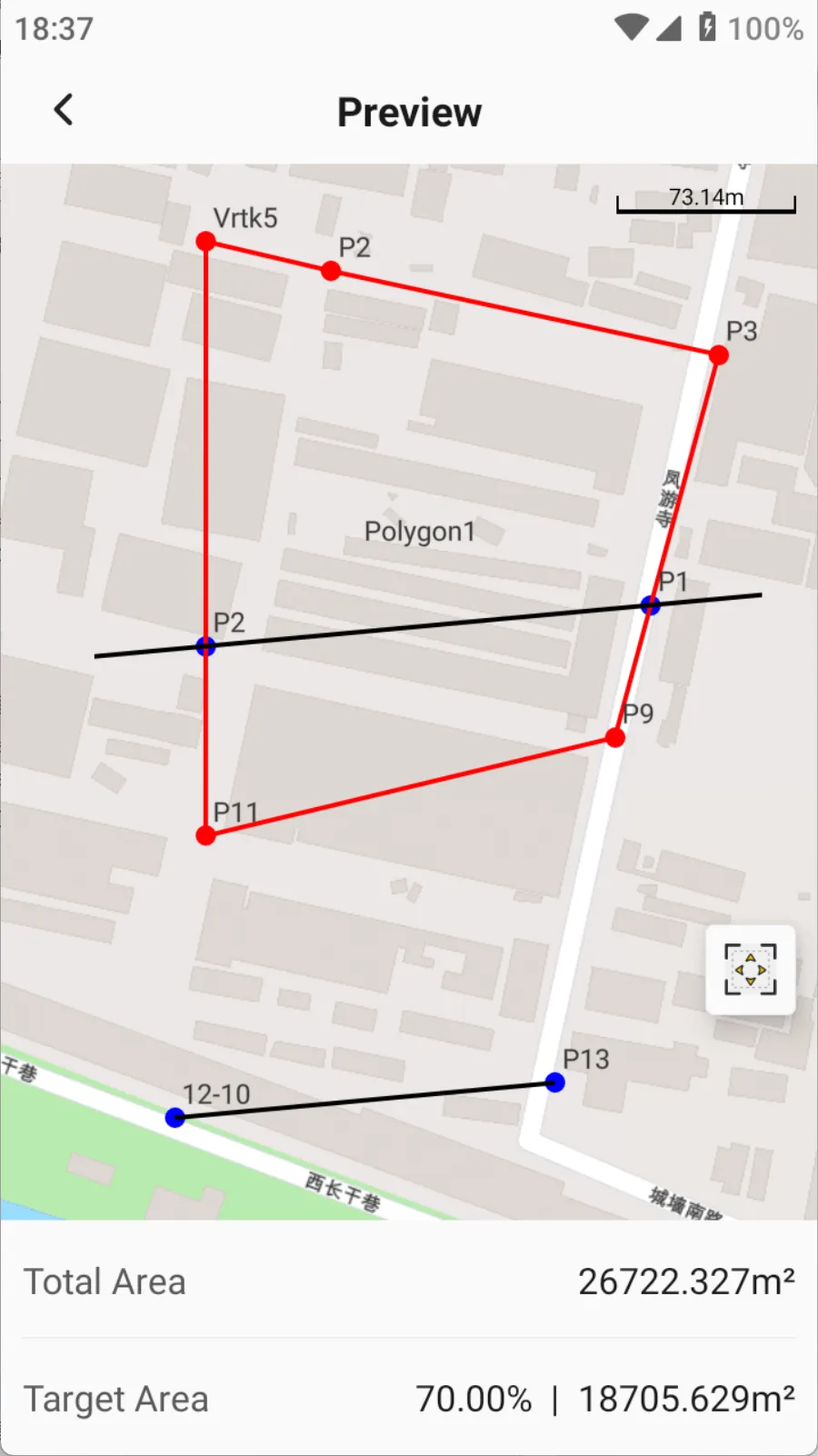
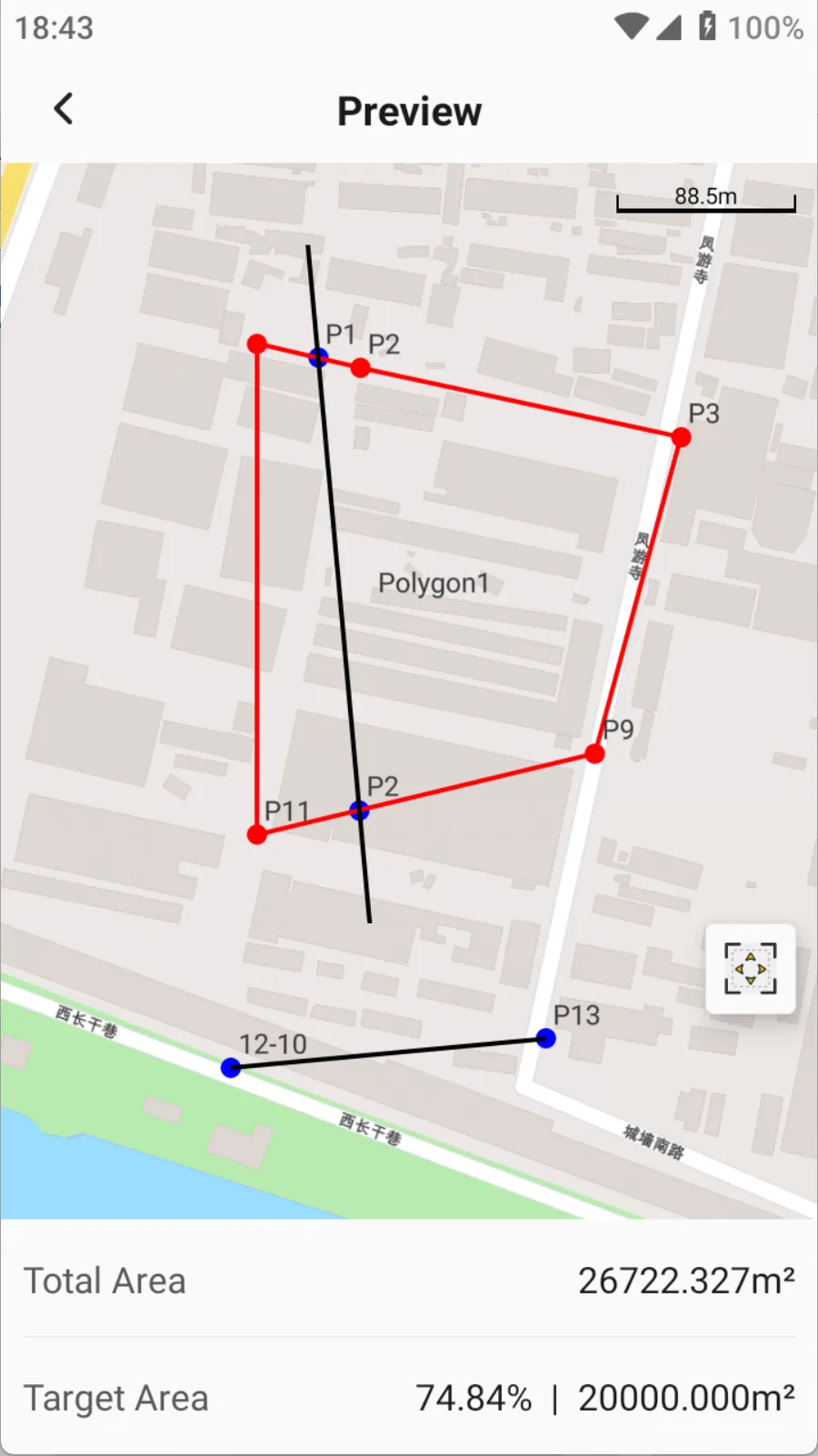
8.4.15 Divide Area
Description: Given a polygon and some points, there are three different segmentation methods. Calculate the intersection of the segmentation line and the polygon. Calculation result: Intersection coordinates. Explanation: 1. Support convex polygons; 2. The target area can be a percentage or a specific value. | 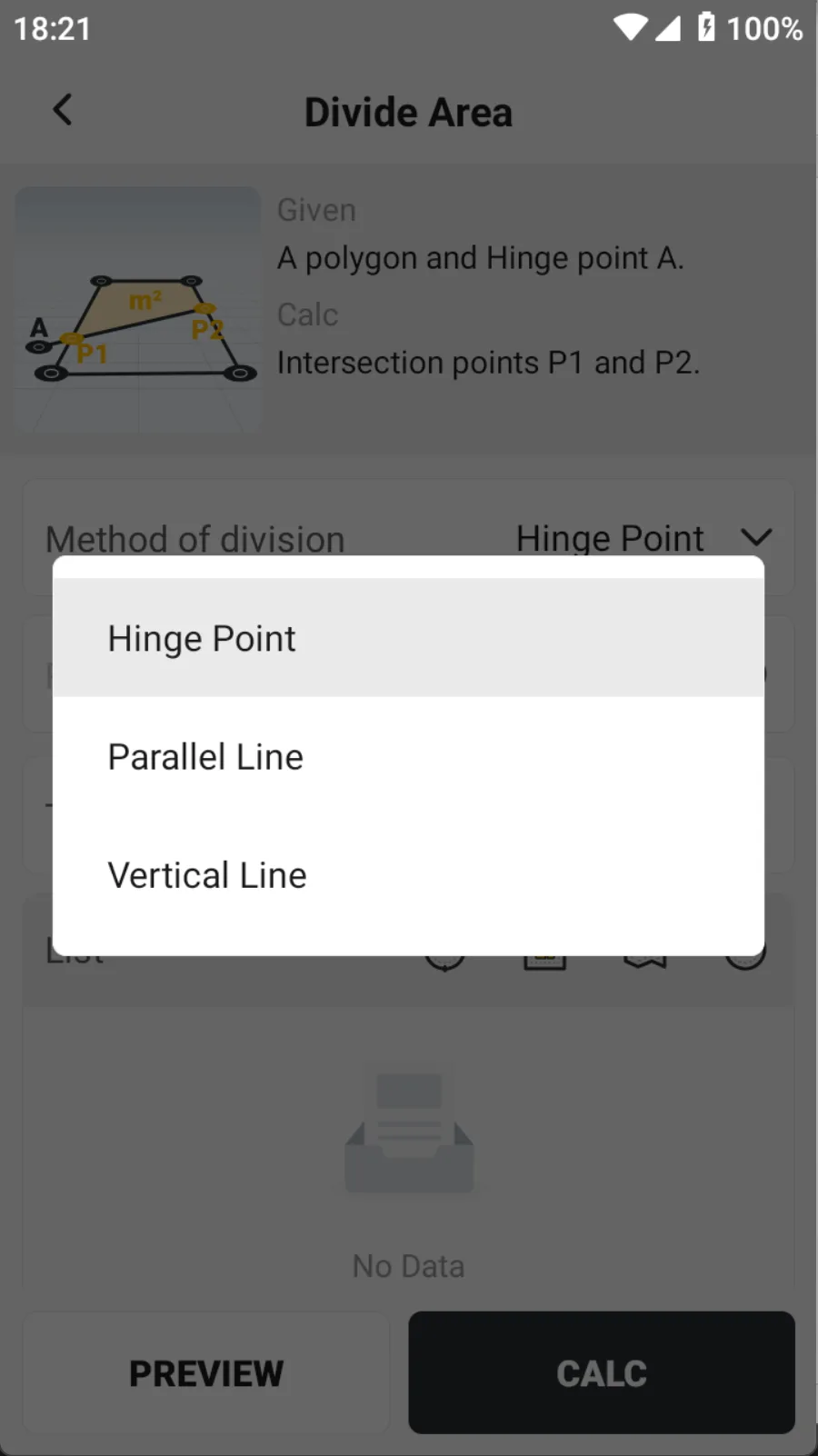 |
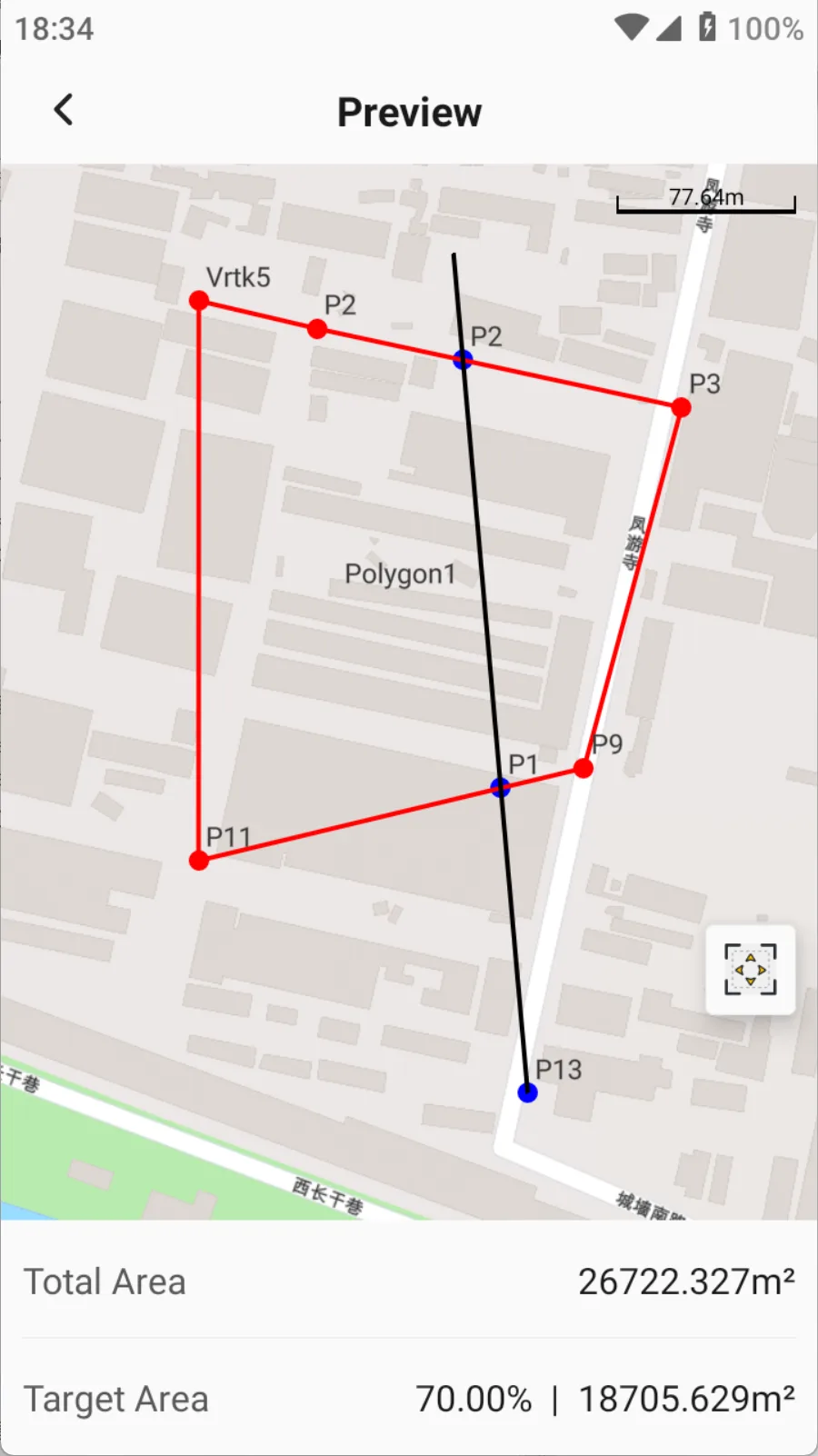 |  |  |
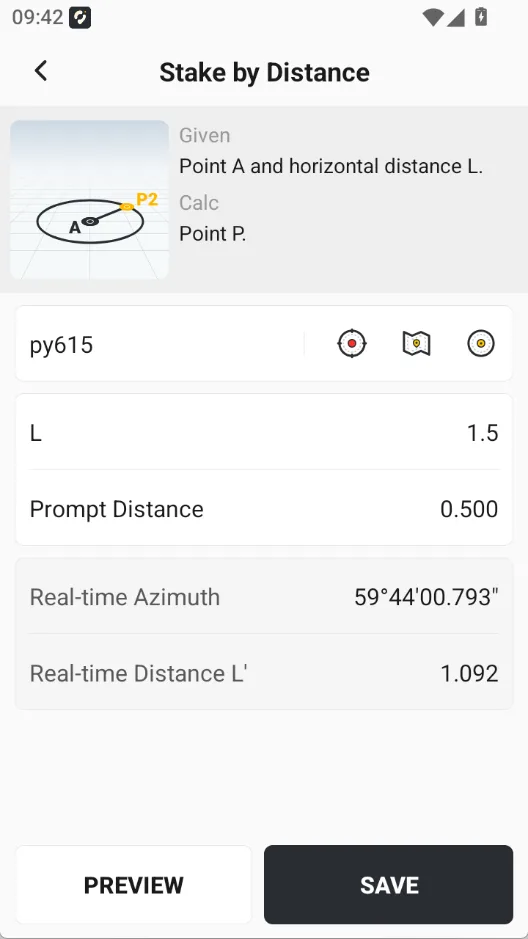
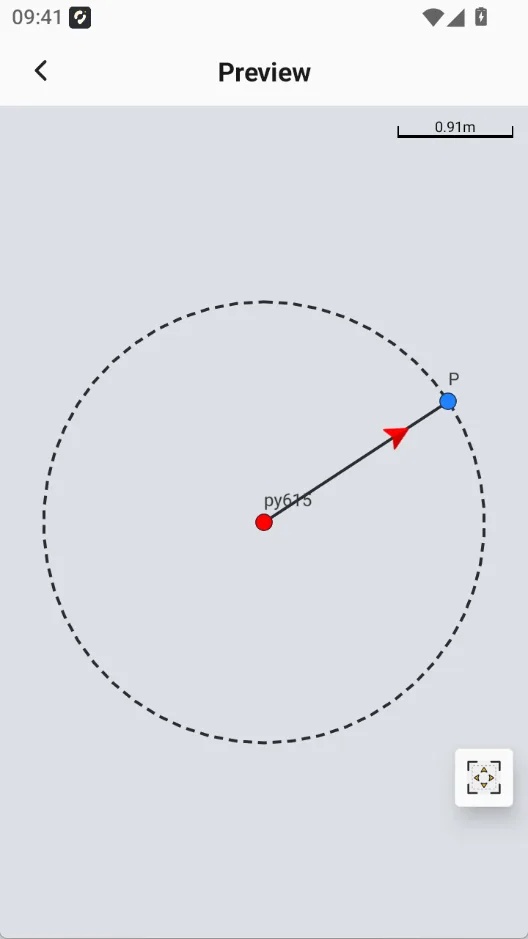
8.4.16 Stake by Distance
Description: Given point A and a custom distance L. result: With point A as the center and a circle of radius L, you can lay out any point on the circle.
|  |  |