
5.5 Points
5.5.1 Point list
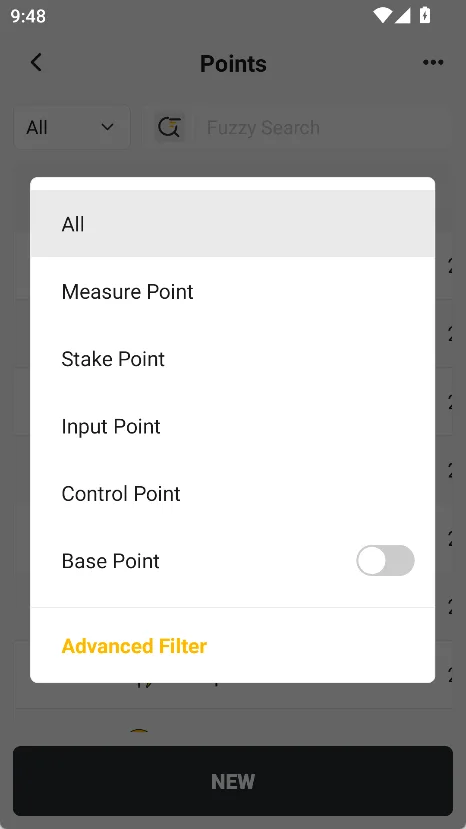
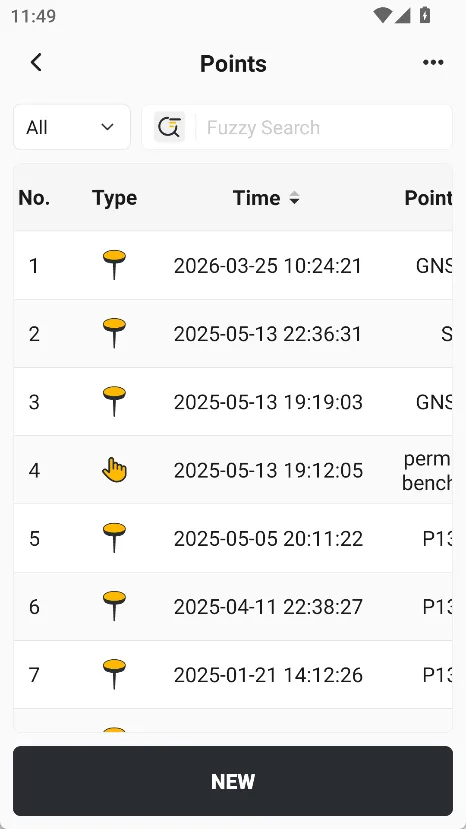
Points is used to centrally manage and maintain various coordinate point data in projects. The system supports various point types such as measure points, stake point, input point, control points, and base points to meet the work needs of different fields and industries. Enter Points, all points are in the point list, and can be filtered through the first row button.
| Label | Description |
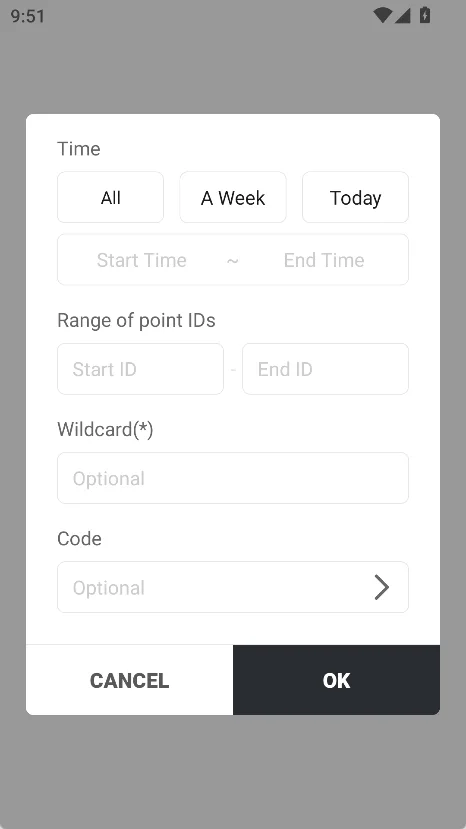
| Point type | All points are displayed by default. Click to bring up a dialog box for point type selection, where you can quickly filter by type. The default base station point is hidden. Click Advanced Filtering to open the pop-up window, set the display/hide of points in the list, and select time, roll range, roll Wildcard, and code. |
| Search box | Real-time fuzzy search can be performed on roll call and coding. Click the search icon to switch to precise search. |
| Sorting | Click the arrow to the right of the list title (point ID, code, time) to reorder. |
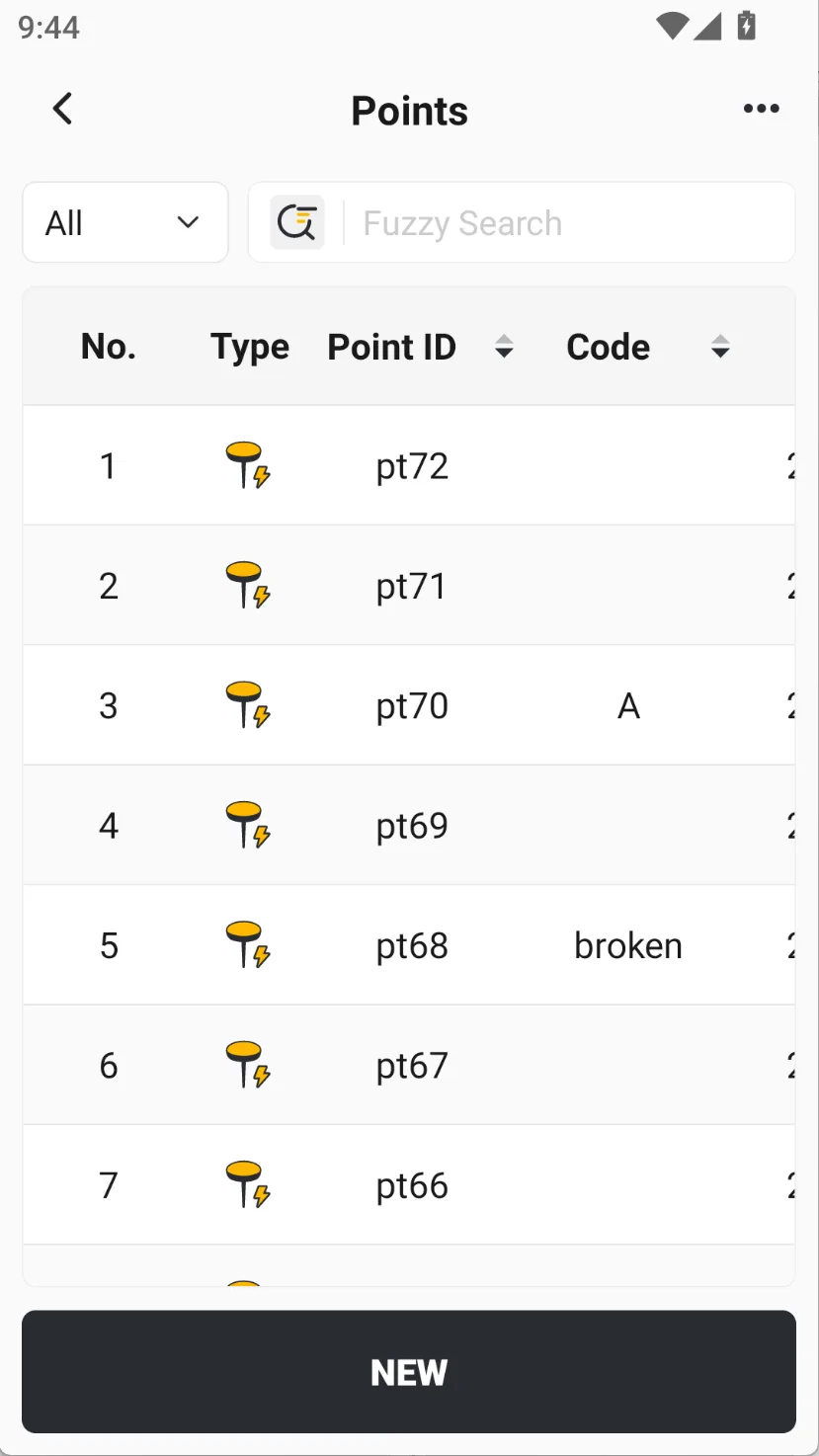 |  |  |
The point list displays the attributes of points in the form of a table, including:
| No. | Northing (N) | Ellipsoid height (H) | Counts (refer to stake) |
| Type | Easting (E) | Status | 2D Dist |
| Point ID | Elevation (U) | Diff age | 3D Dist |
| Code | Latitude (B) | HRMS | |
| Time | Longitude (L) | VRMS |
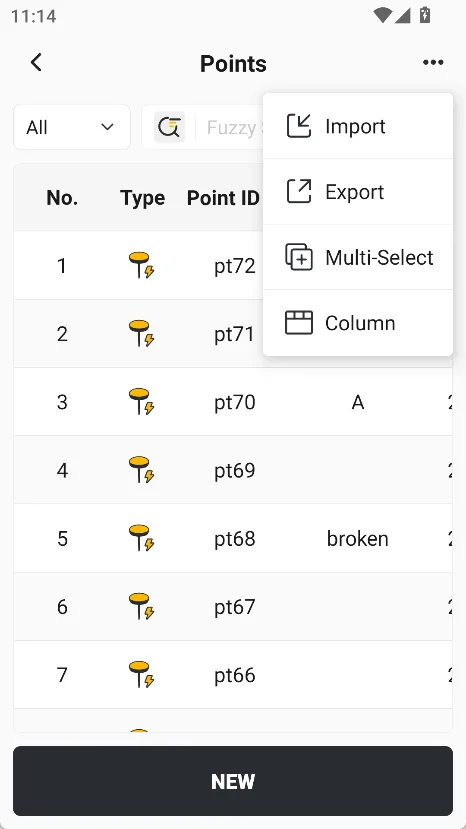
Click on the top right corner [...], a pop-up menu will appear, and you can choose [Import], [Export], [Multi-Select], and [Column].
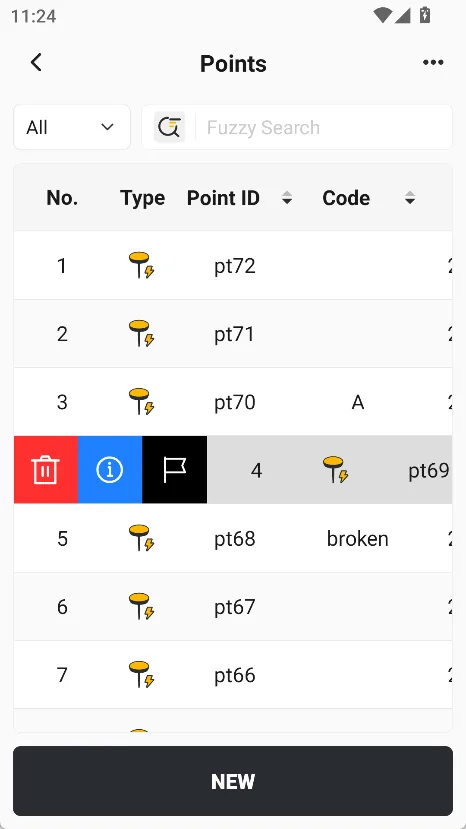
Click on a point, the line slides sideways, and three operation buttons appear: [Delete], [Details] and [Stake]. Click [Details] to view and modify the detailed properties of the point, including [General], [Quality] and [Media] information. If you click on a control point, you also support one-click jumping to the measurement page and complete the point measurement with the name of the control point.
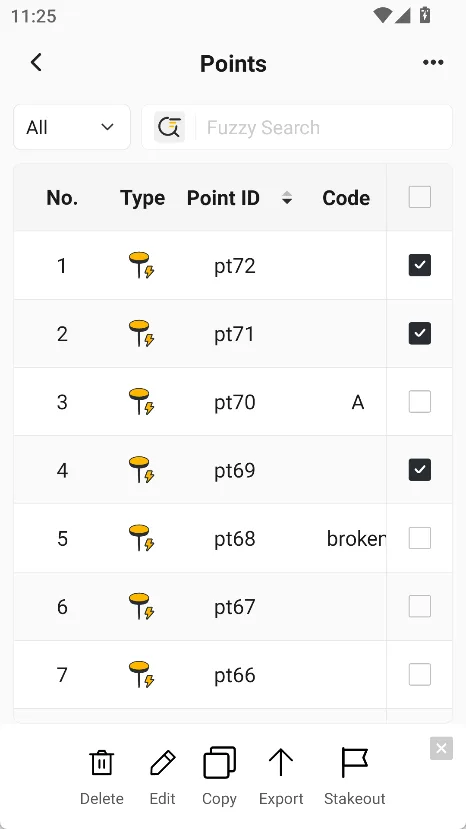
Click [Multi-Select] or long press a certain point to enter the multi-select interface. Select multiple points to achieve batch deletion, export or stake.
 |  |  |
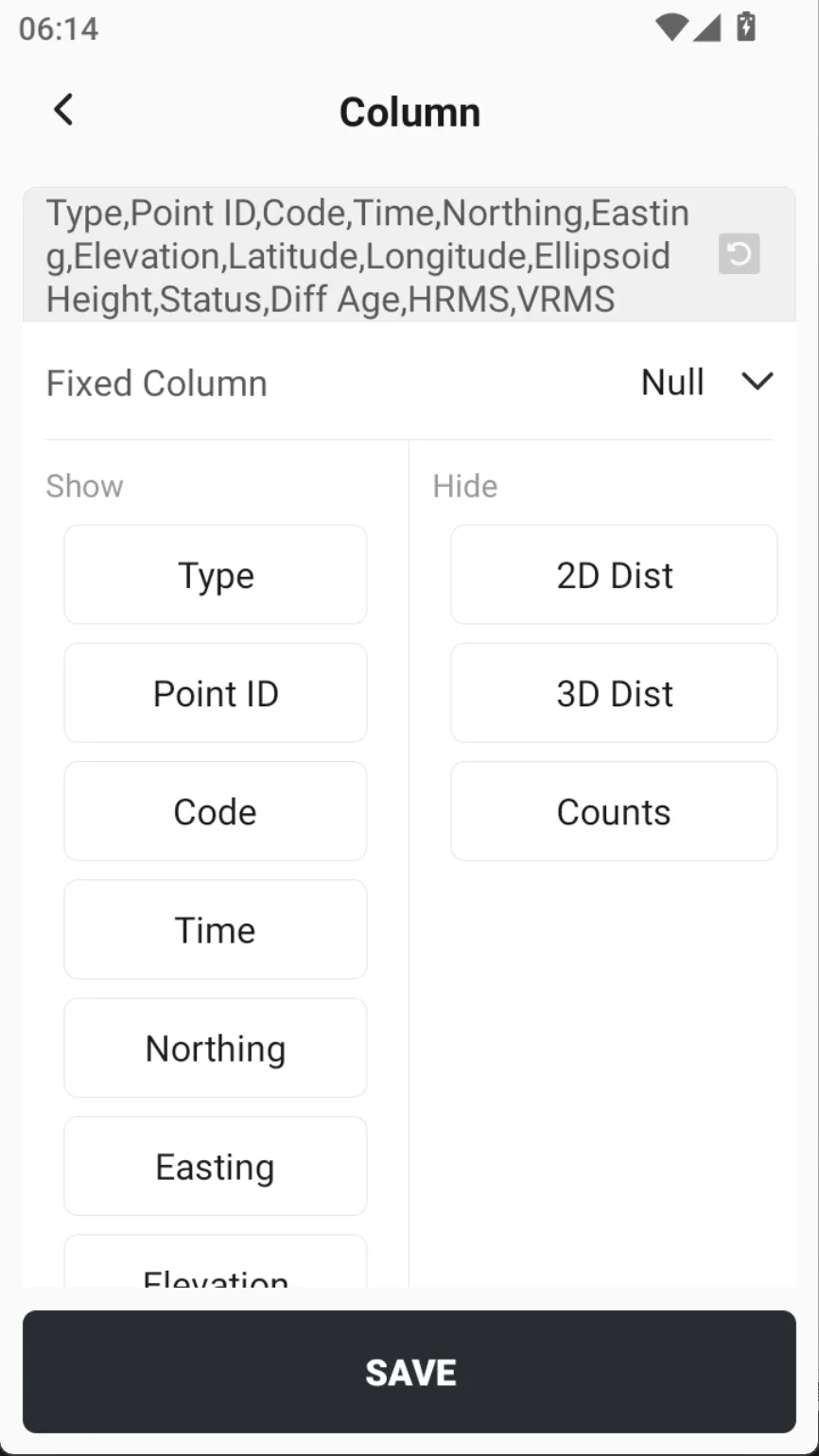
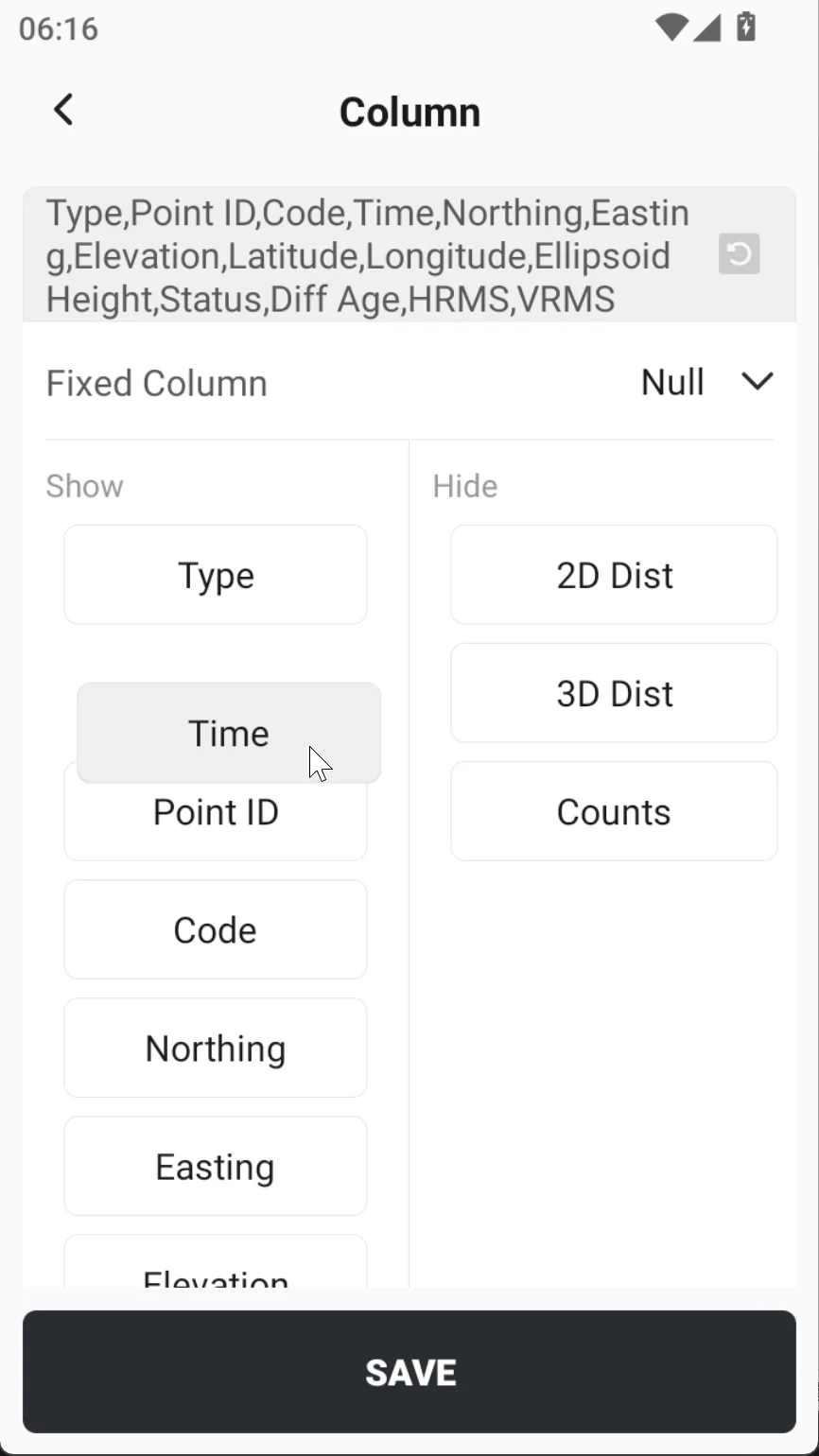
Click [Columns] in the upper right corner to customize the table display content, and long press the field to support sorting.
 |  |  |
5.5.2 Point Details
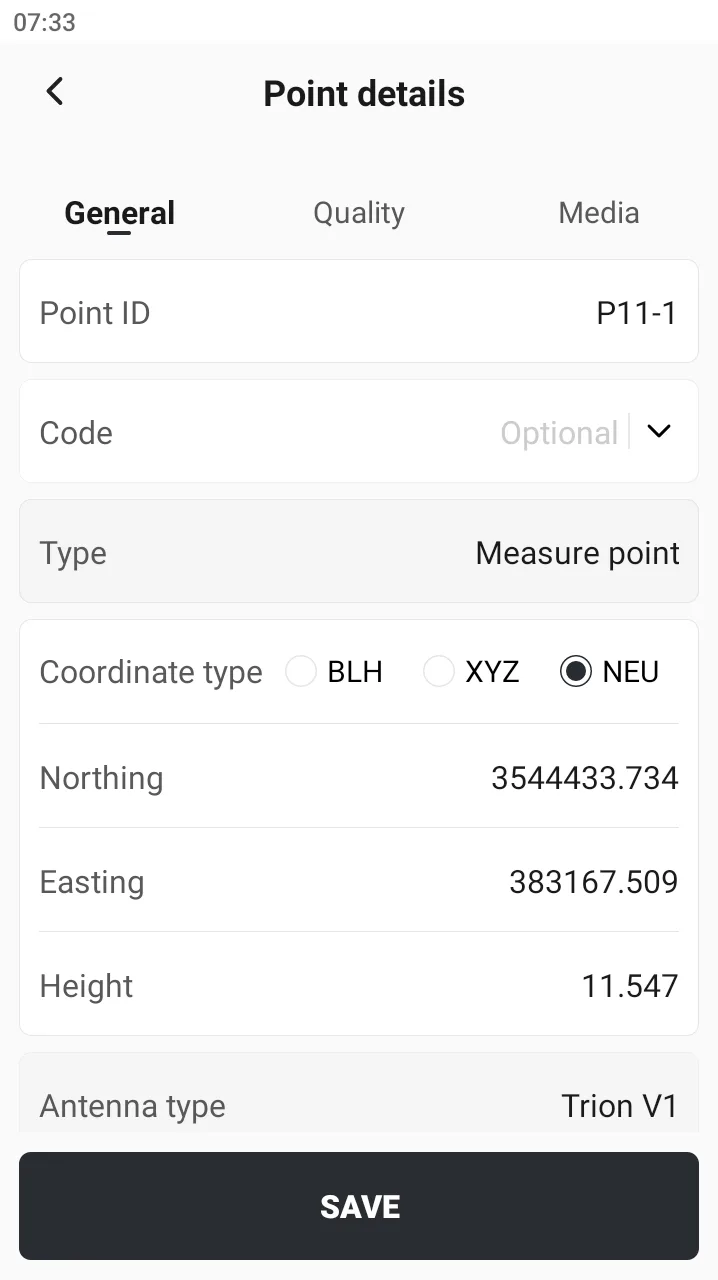
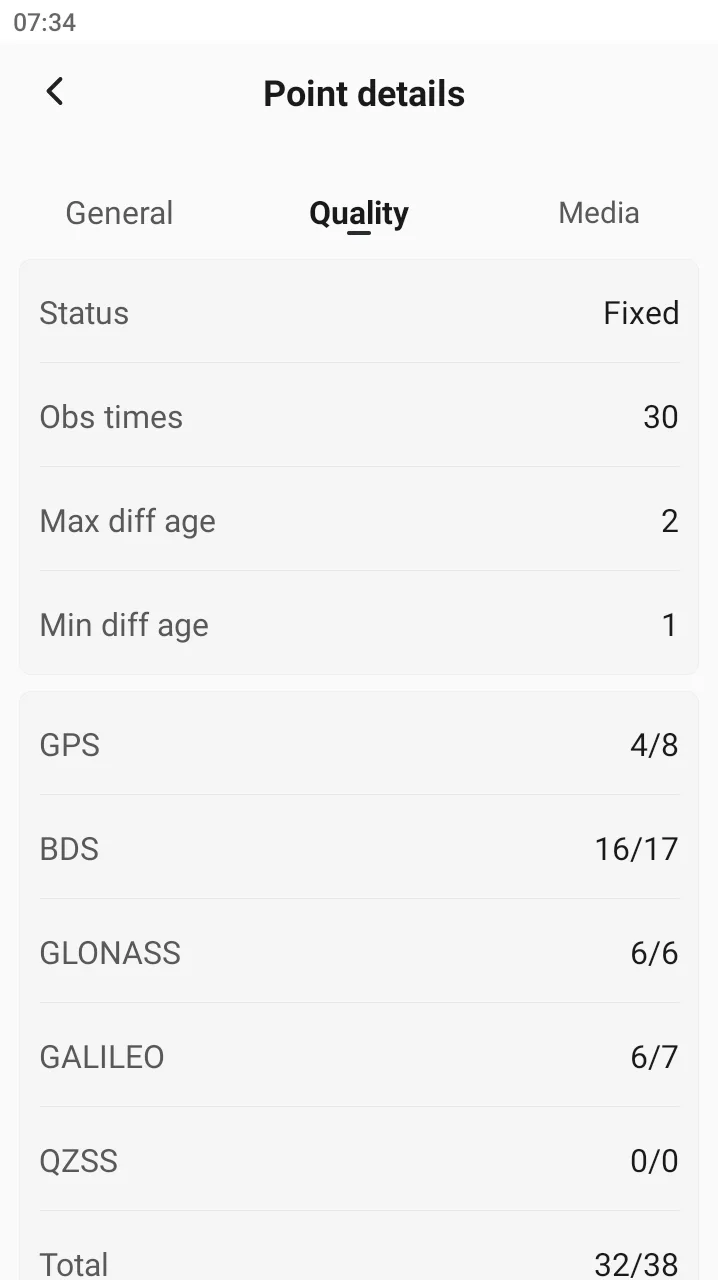
View [Point details], the general information has different editable attributes depending on the type of point. Point coordinate type display supports WGS84 ellipsoid information, target ellipsoid information, and NEU switching. Quality information cannot be edited. Media information displays photos, videos and audio files at the same time.
 |  | 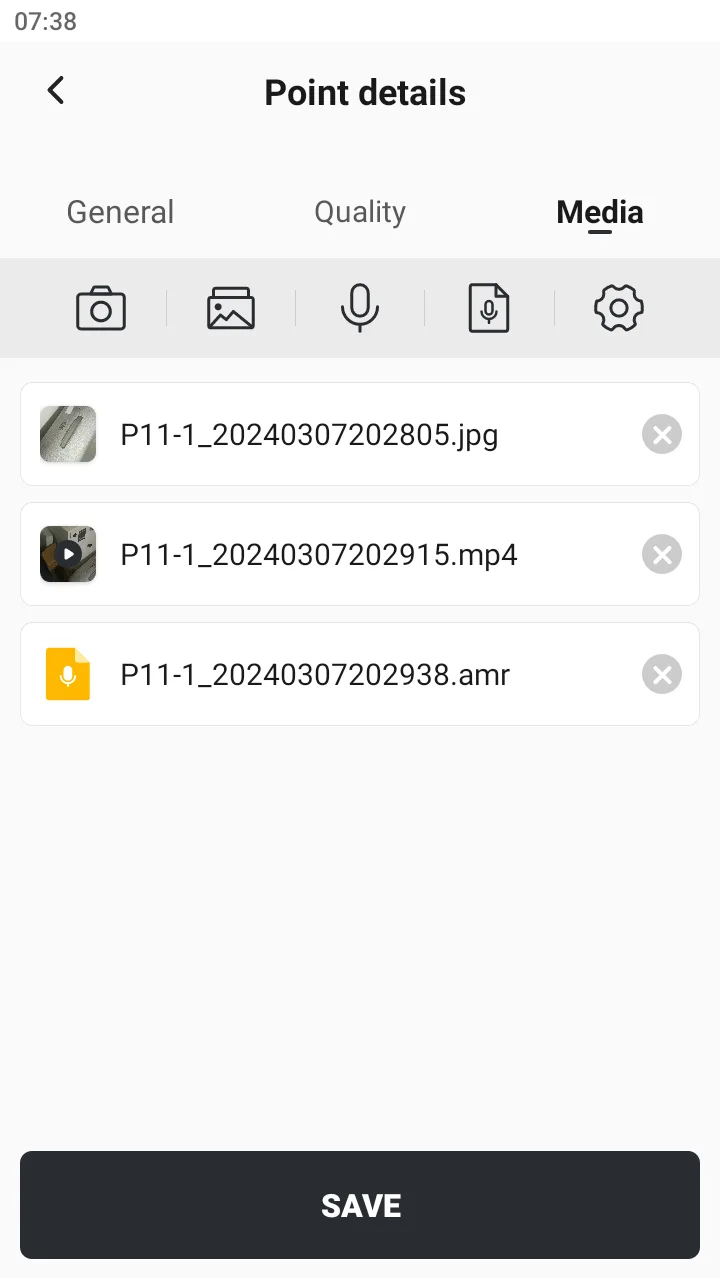 |
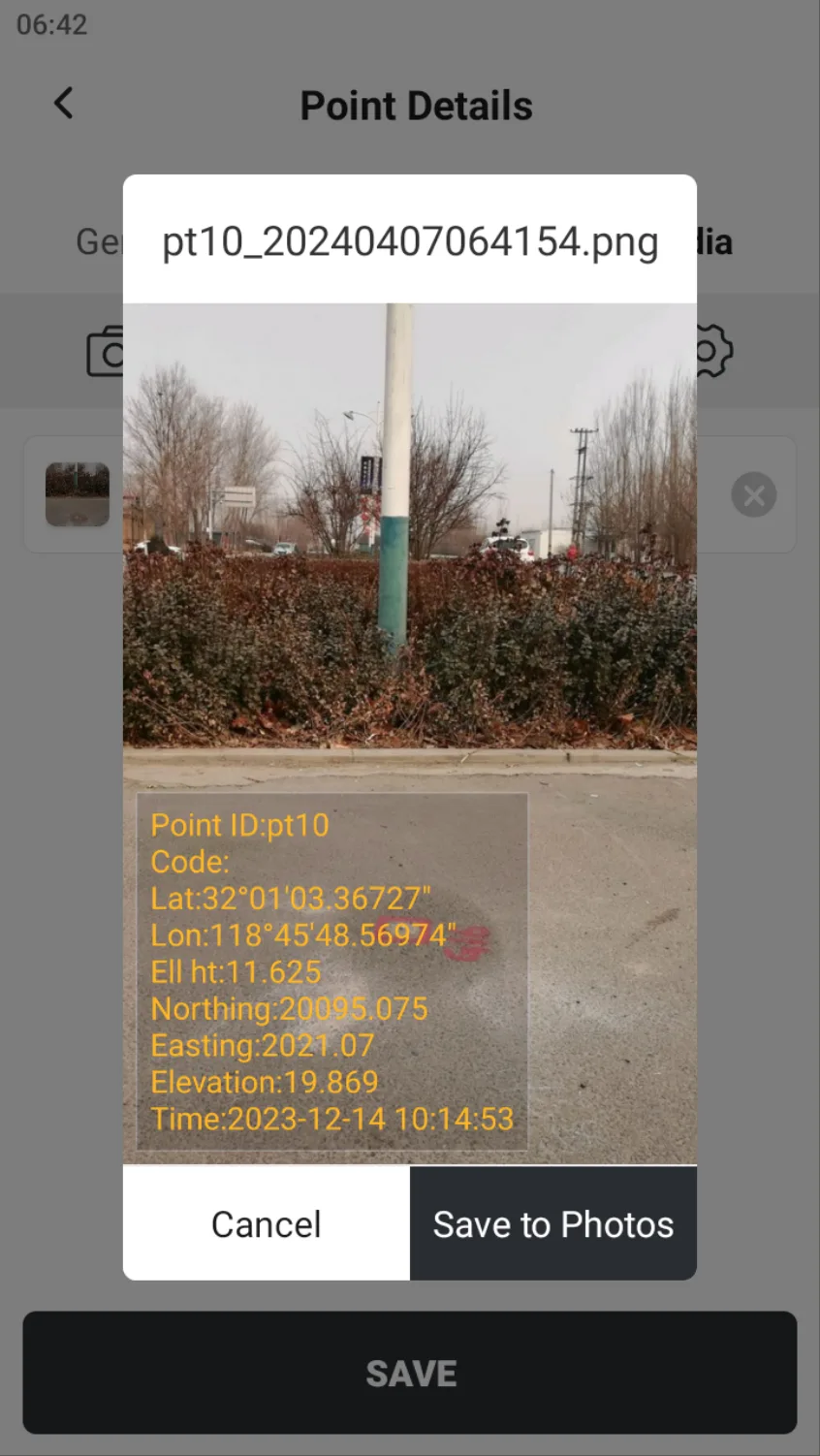
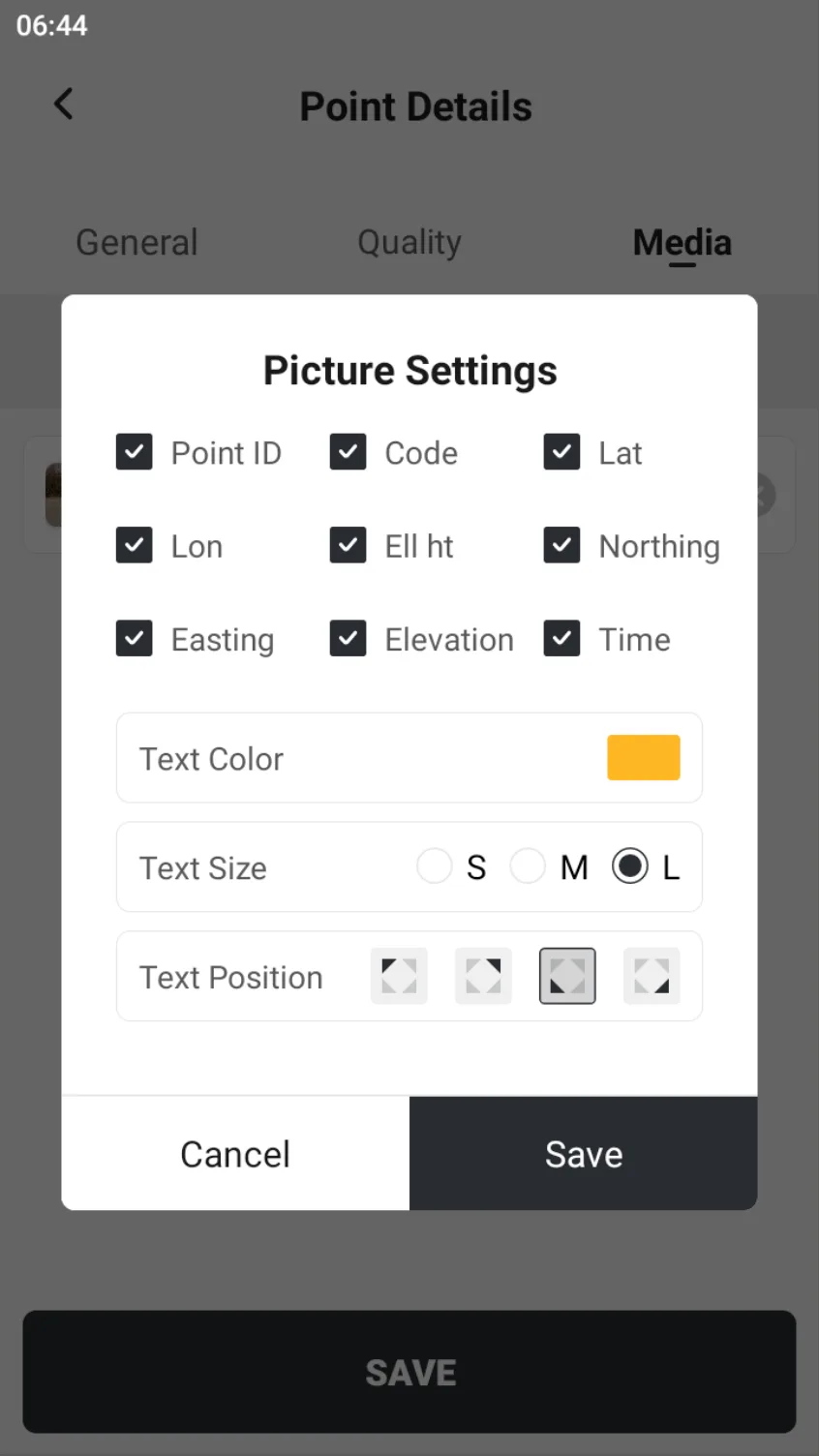
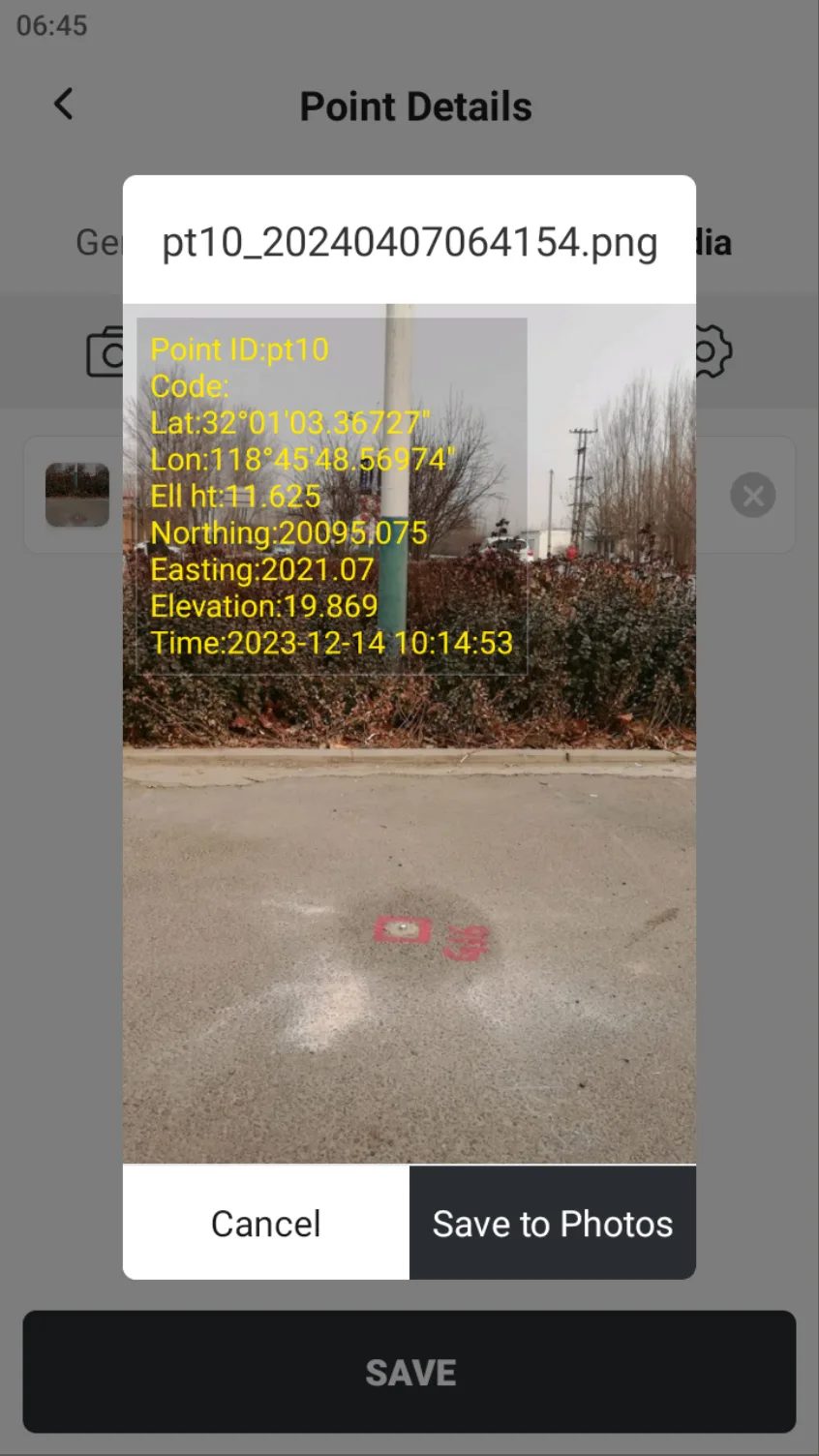
Media information supports adding photos, videos and audio files to the point. Click the list thumbnail to preview. Click the setting button to set the basic information displayed when previewing the photo. Click the bottom button [Save to Photos] to save the photos with watermark information to the system photos.
 |  |  |