
v2.1.6 Release Notes
1. Basic Information
| Product Name | FJD Trion Survey |
| Version | v2.1.6.8 |
| Release Date | 2025-12-30 |
| Controller | FJD E200 / E600 / E800 / UA80 / D10 |
| Platform | Android 8 or above |
| Update Method | OTA / Google Play |
| Recommended Related Products | FJD Trion V1 / V1t: v5.0.3.4 FJD Trion V10a / V10i / V10L: v10.2.6.6 FJD Trion V4e / V4e Pro: v1.0.0.21 |
2. Overview
| New Features |
|
| Improvements |
|
| Bug Fixes |
|
3. New Features
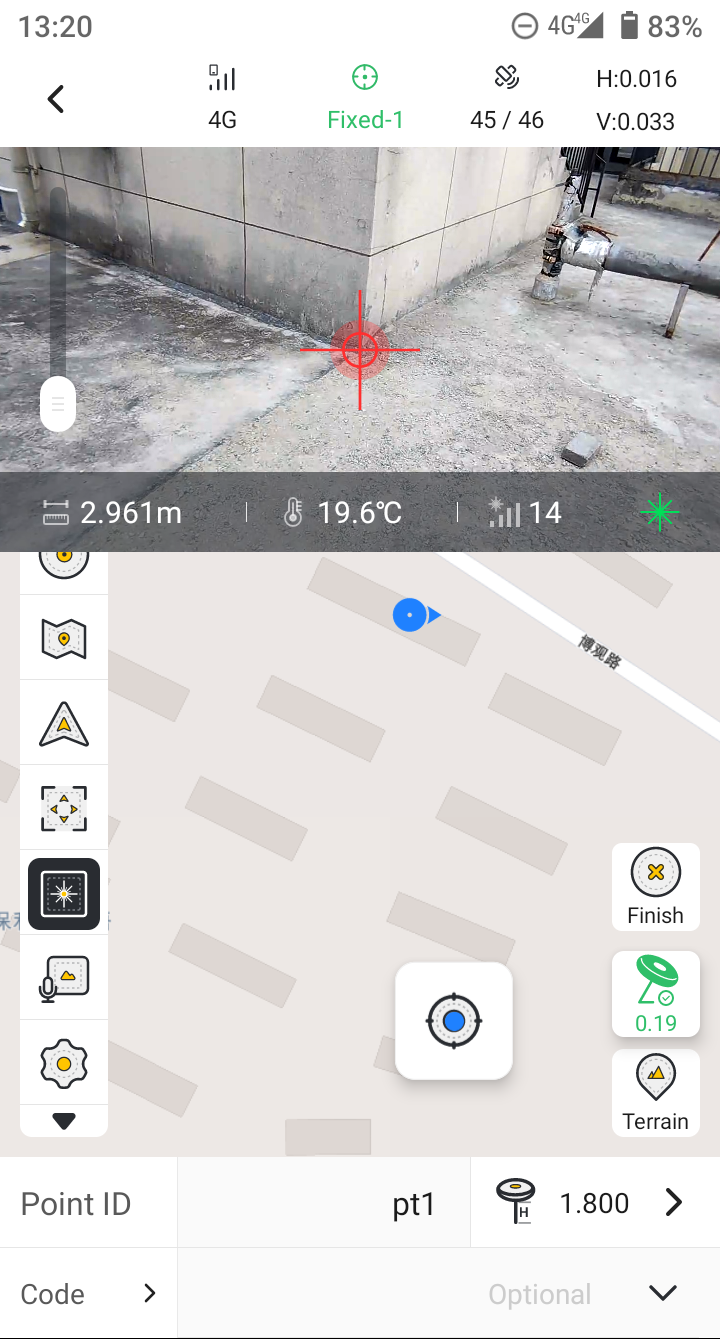
3.1 Laser measurement/stakeout functions are now available.
Starting from Trion Survey v2.1.6, full support is introduced for V10L Laser RTK measurement and stakeout across all modules. Details are as follows:
| Usage | Tap the laser icon to enable the laser. Shake the device or take a few steps to complete initialization, then you can begin laser-based measurements. | ||
| IMU Status | IMU performance is critical. You can now view the IMU accuracy reference factor, with an effective range of (0, 1.1]. A smaller value indicates higher accuracy. | ||
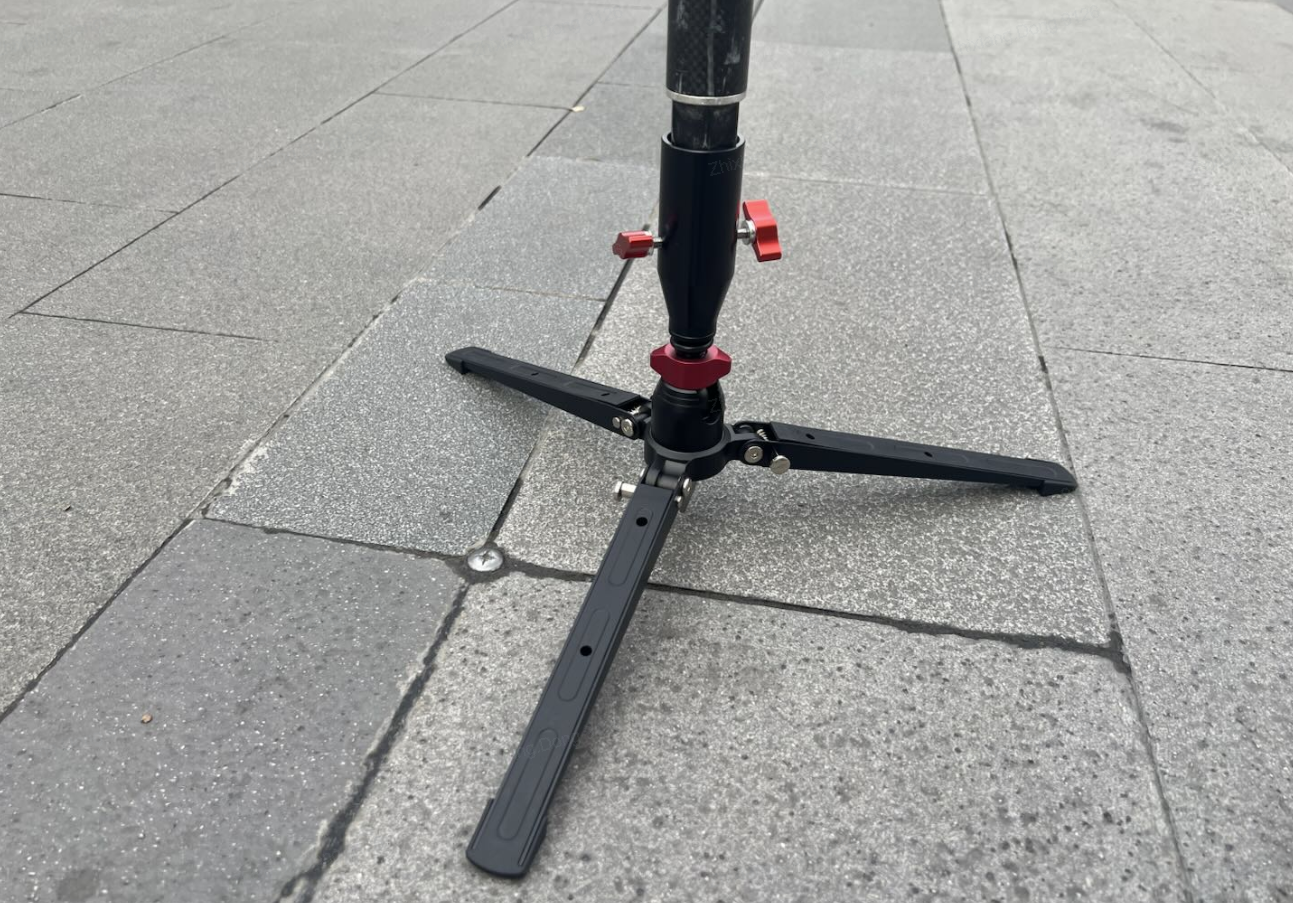
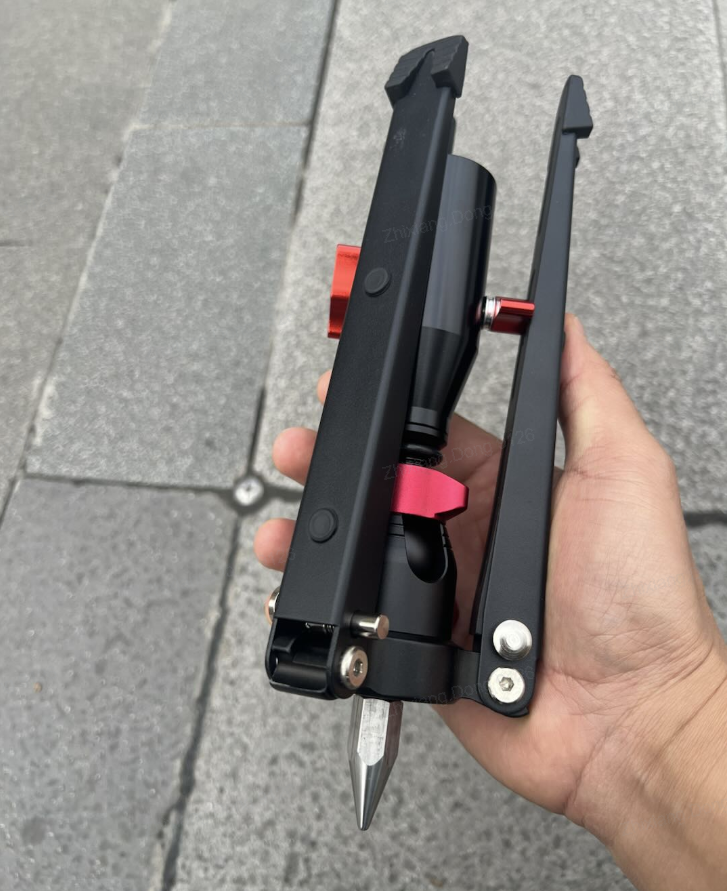
| Stability Recommendation | To improve measurement precision and reduce errors caused by hand movement, we recommend using a pole stabilizer, which is compatible with existing survey poles.
| ||
| Measurement Accuracy | 2 cm @ 5 m, 4 cm @ 15 m | ||
| Antenna Height | The antenna height parameter becomes invalid once laser measurement is enabled. | ||
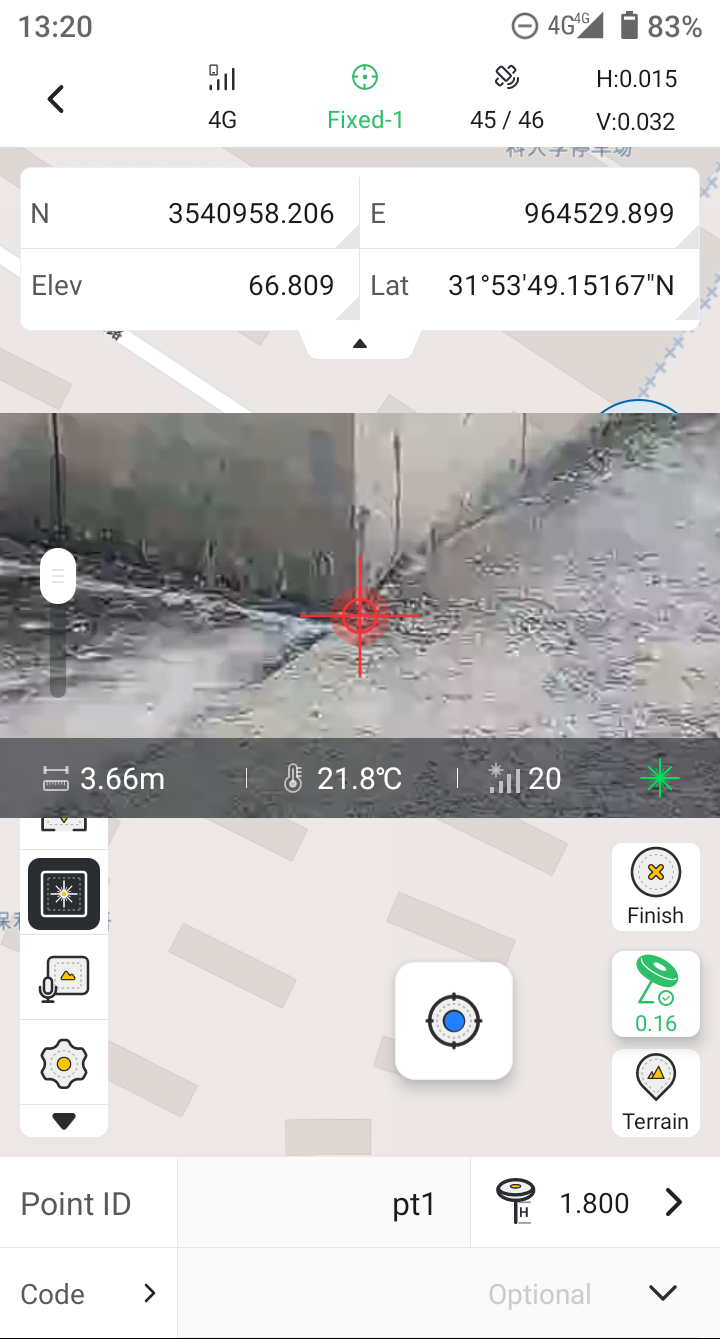
| Point Details | The laser distance and signal quality are now recorded in the point detail view. | ||
| Preview Window | The preview window can be freely moved. The zoom bar is on the left, and the bottom section displays the following information:
|
 |  | 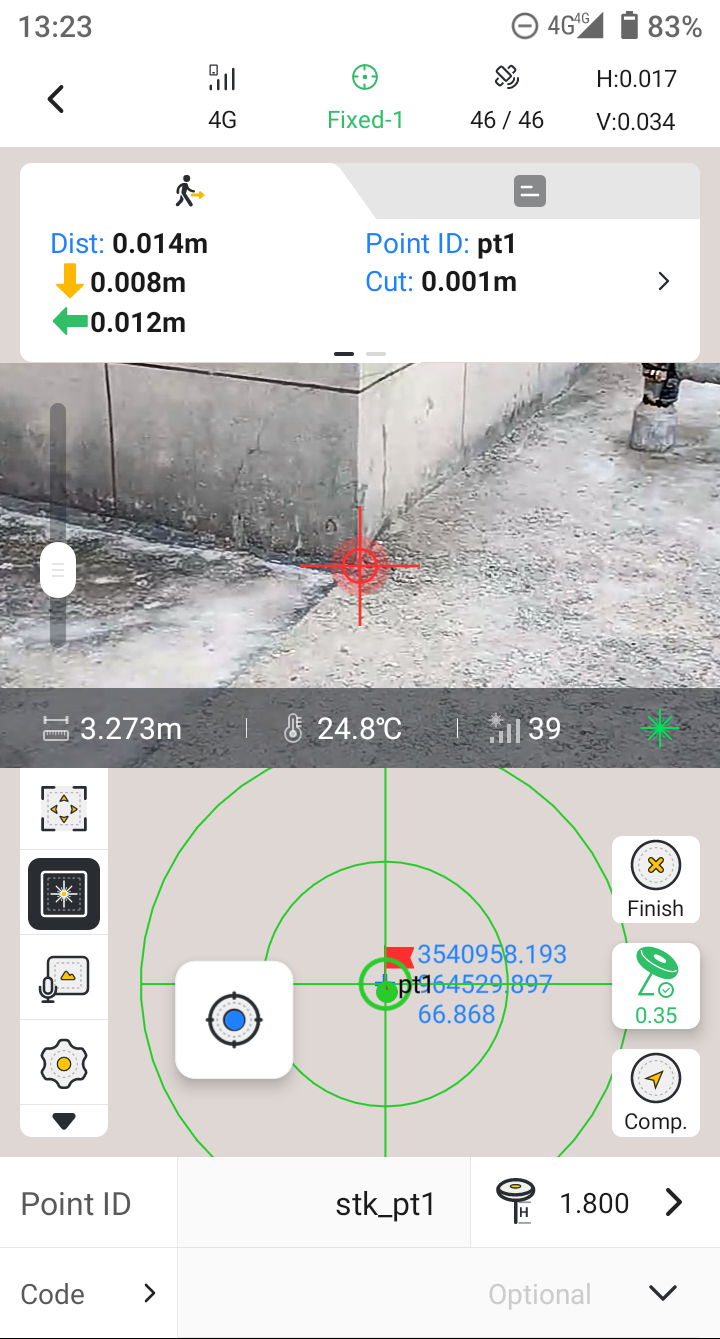 |
3.2 Supports connection for V4e / V4e Pro mini RTK receivers.
The FJD Trion RTK family welcomes a new member — the V4e Series mini RTK. You can now connect the V4e series to Trion Survey and perform full professional surveying workflows. Details are as follows:
- Model Variants in the V4e Series:
- V4e — IMU: ☒ Laser: ☒
- V4e Pro — IMU: ☑ Laser:☑
- For V4e Pro, we recommend keeping the tilt angle within 30° during measurements. The electronic bubble is enabled by default, allowing you to monitor the tilt angle in real time.
- The V4e Series Mini RTK doesn't include a built-in radio or SIM card. To obtain a fixed solution, the receiver must rely on the controller’s network connection to receive correction data. Supported modes include NTRIP, FDDS, and TCP.
- Laser Range of V4e Pro: 3m
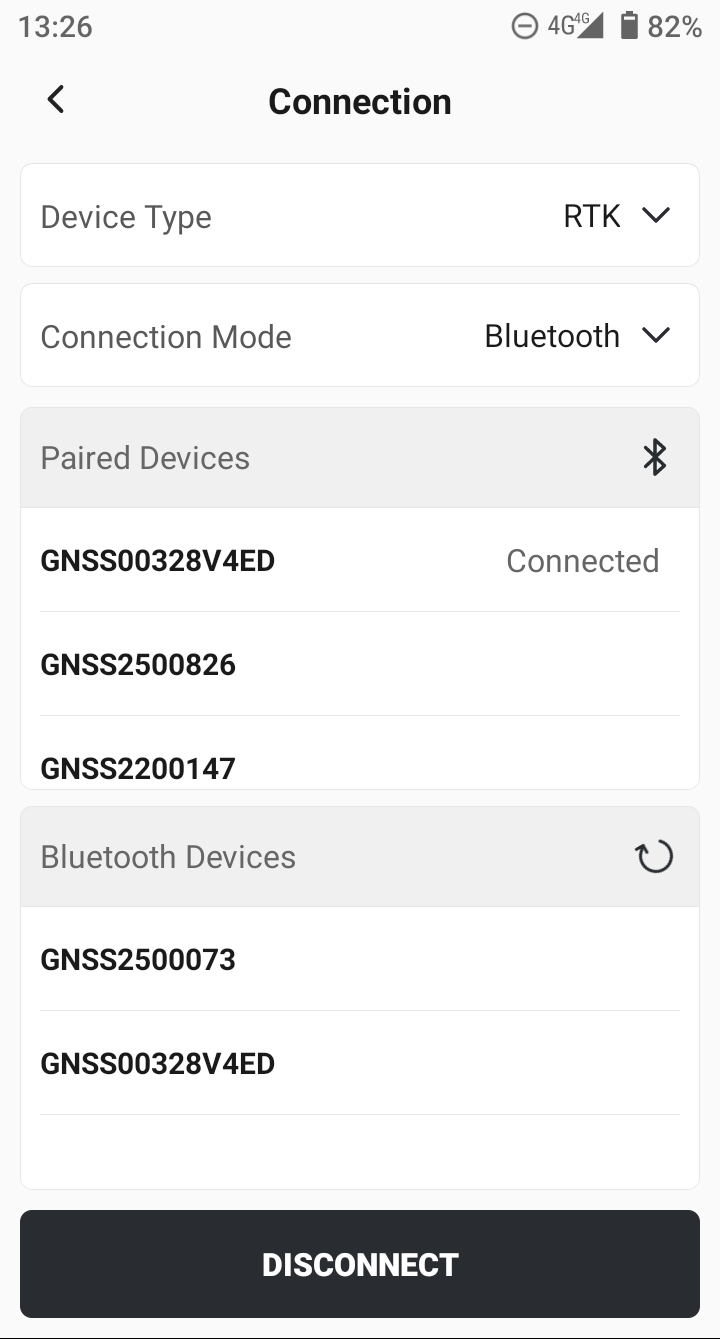 | 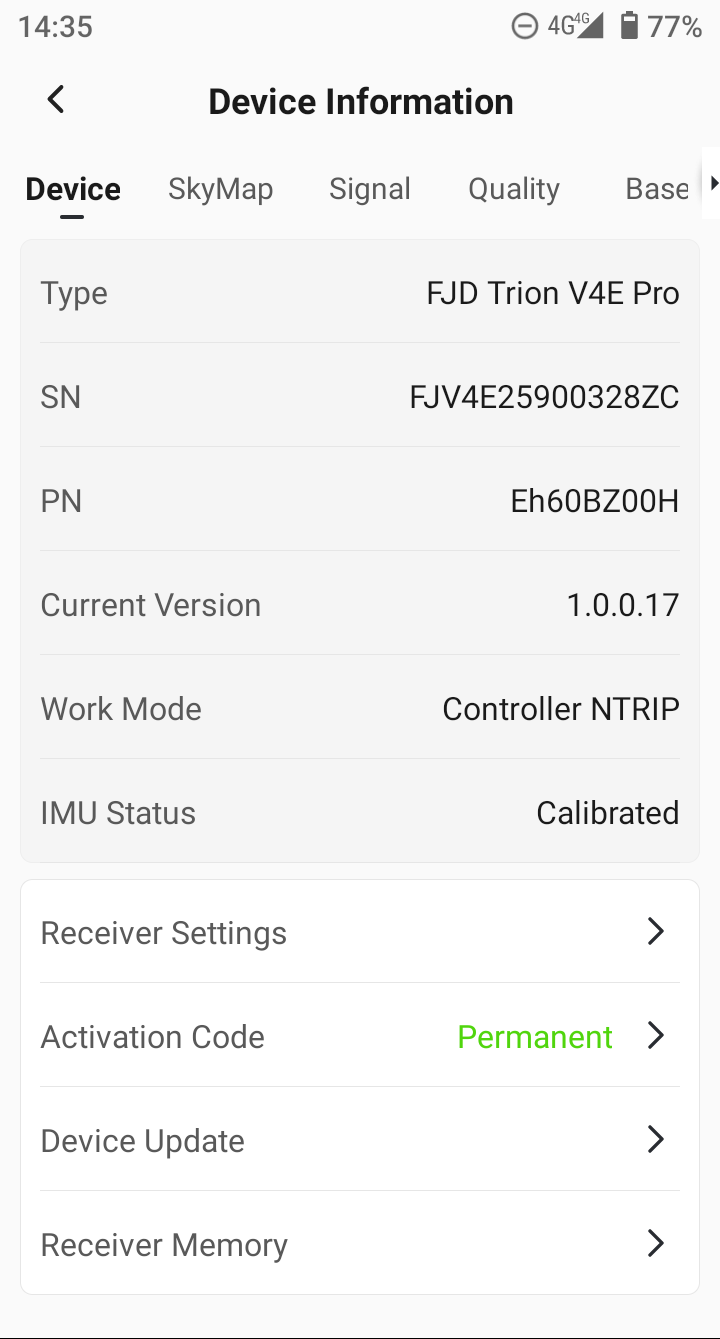 | 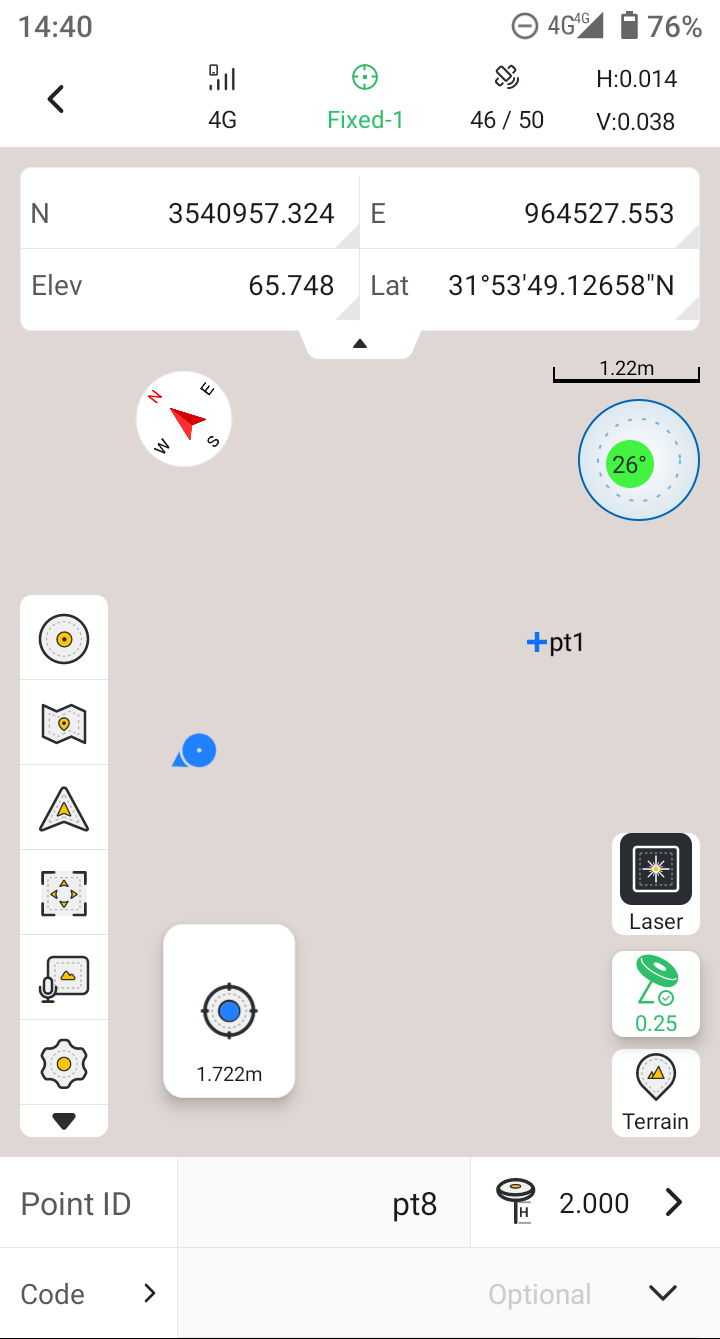 |
3.3 Added Sun, Shadow, and Known Point Direction as reference directions for staking.
Based on the existing two stakeout reference directions — Forward Direction and True North — the new version introduces three additional practical reference directions。Tap the icon on the stakeout panel to jump directly to the settings page.
| Sun Direction | The stakeout panel continuously displays movement distances relative to the direction of the sun and its perpendicular axis. |
| Shadow Direction | The opposite of the sun direction, using the user’s own shadow as the reference bearing. |
| Known Point Direction | Select any known point from the point library to use its bearing as the reference direction. |
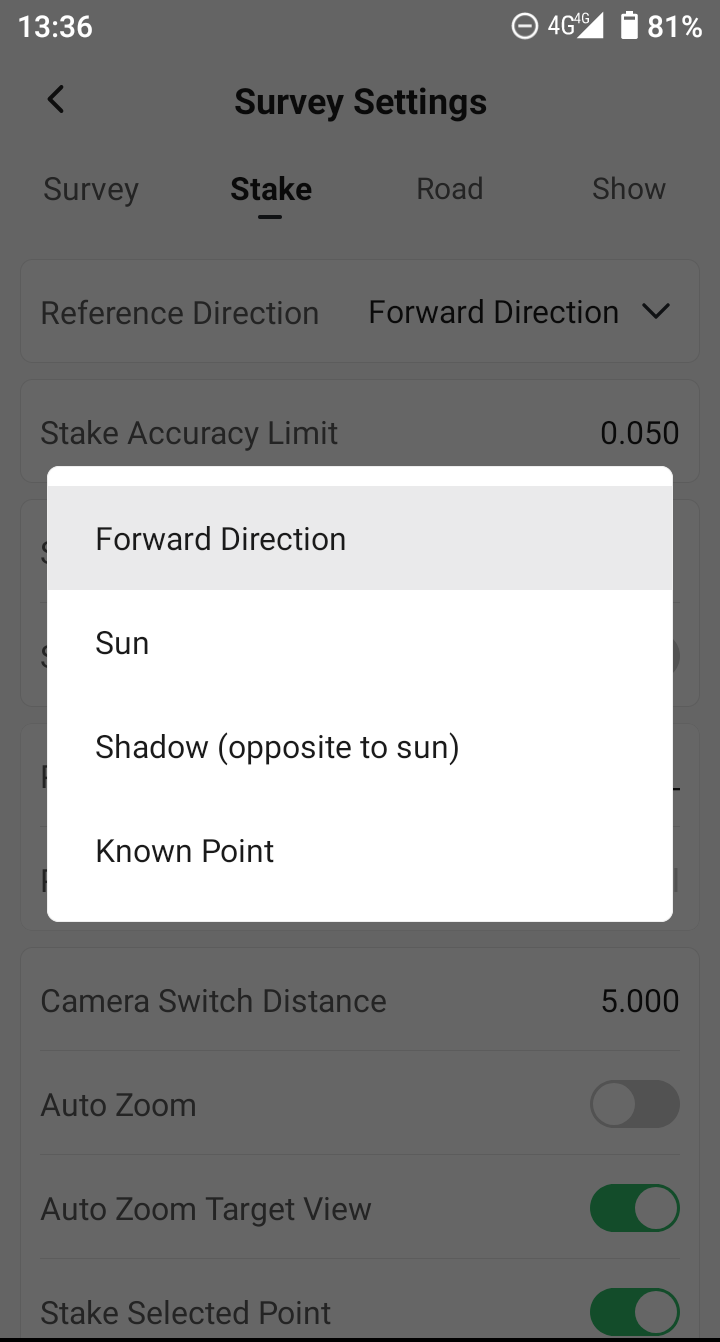 | 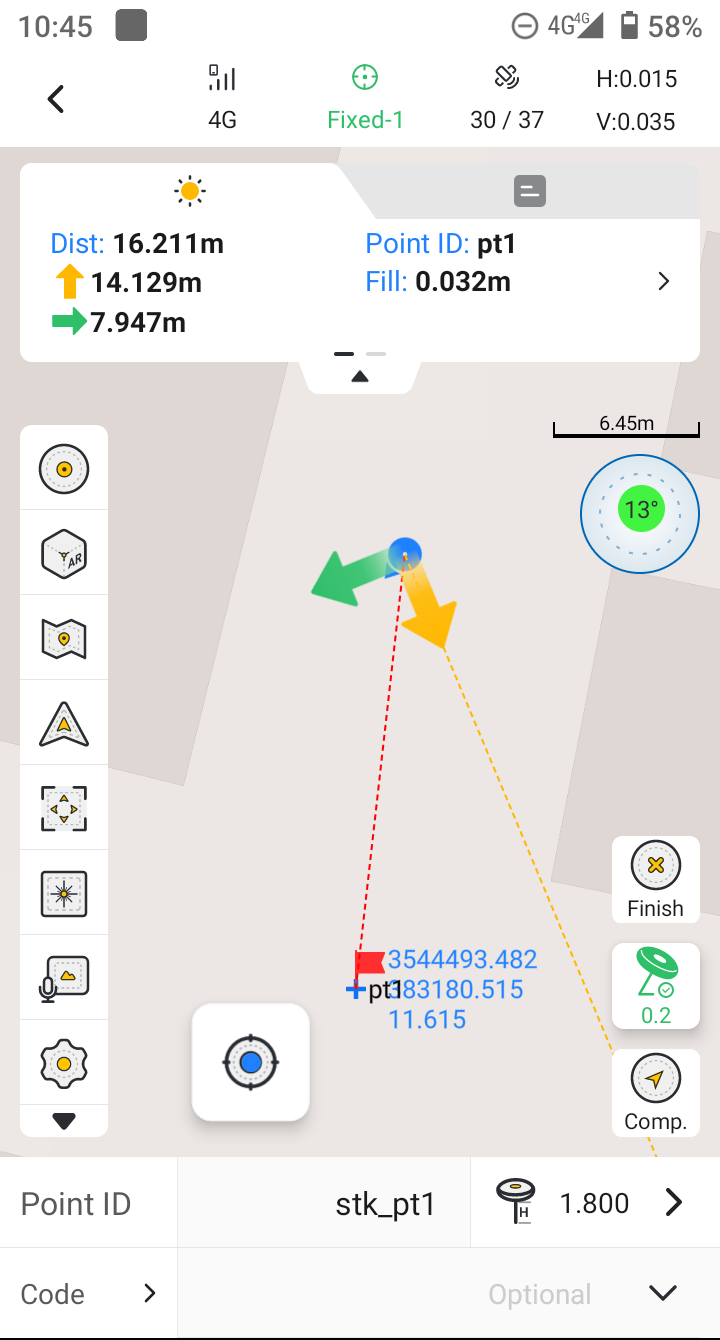 | 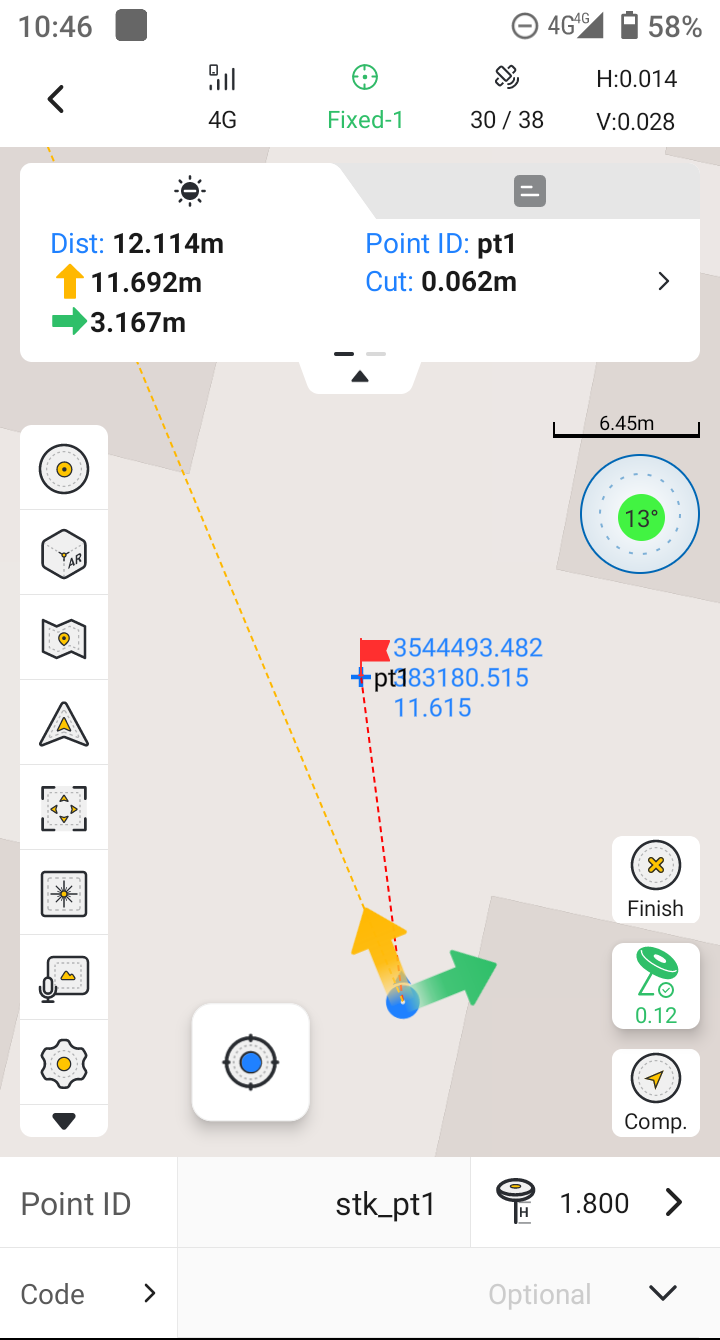 | 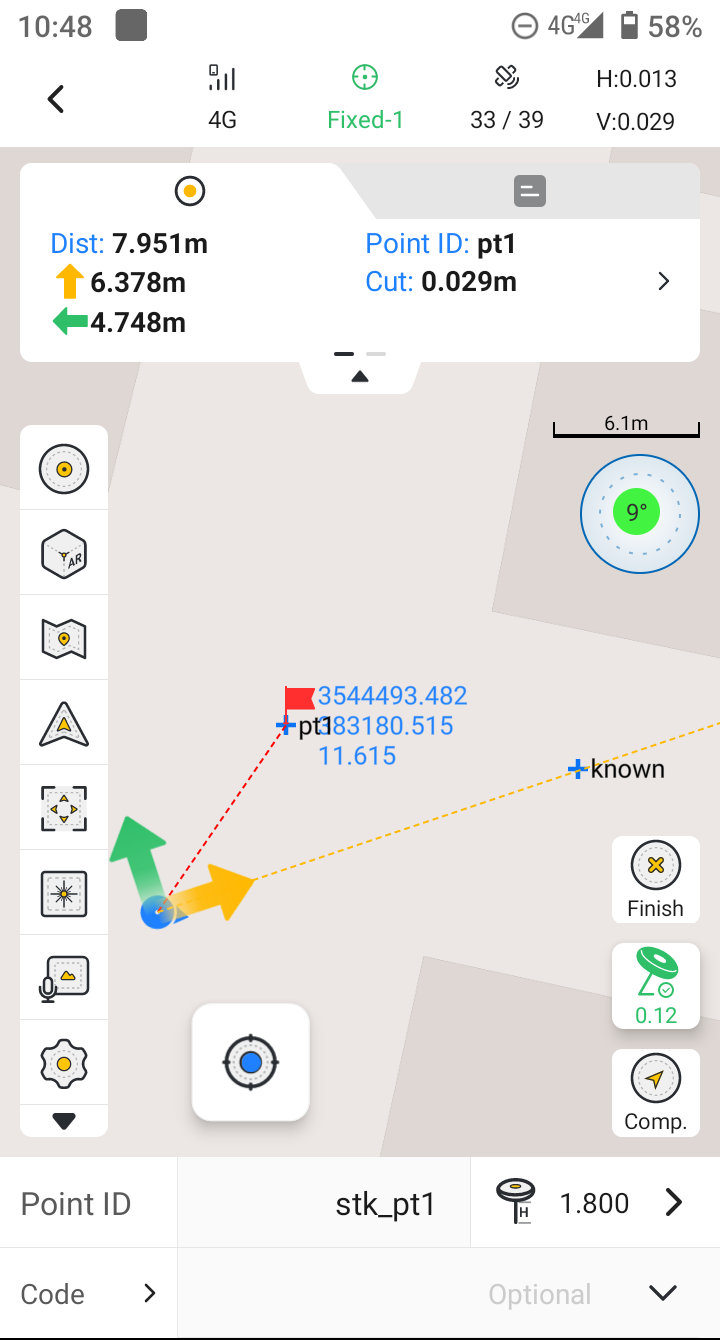 |
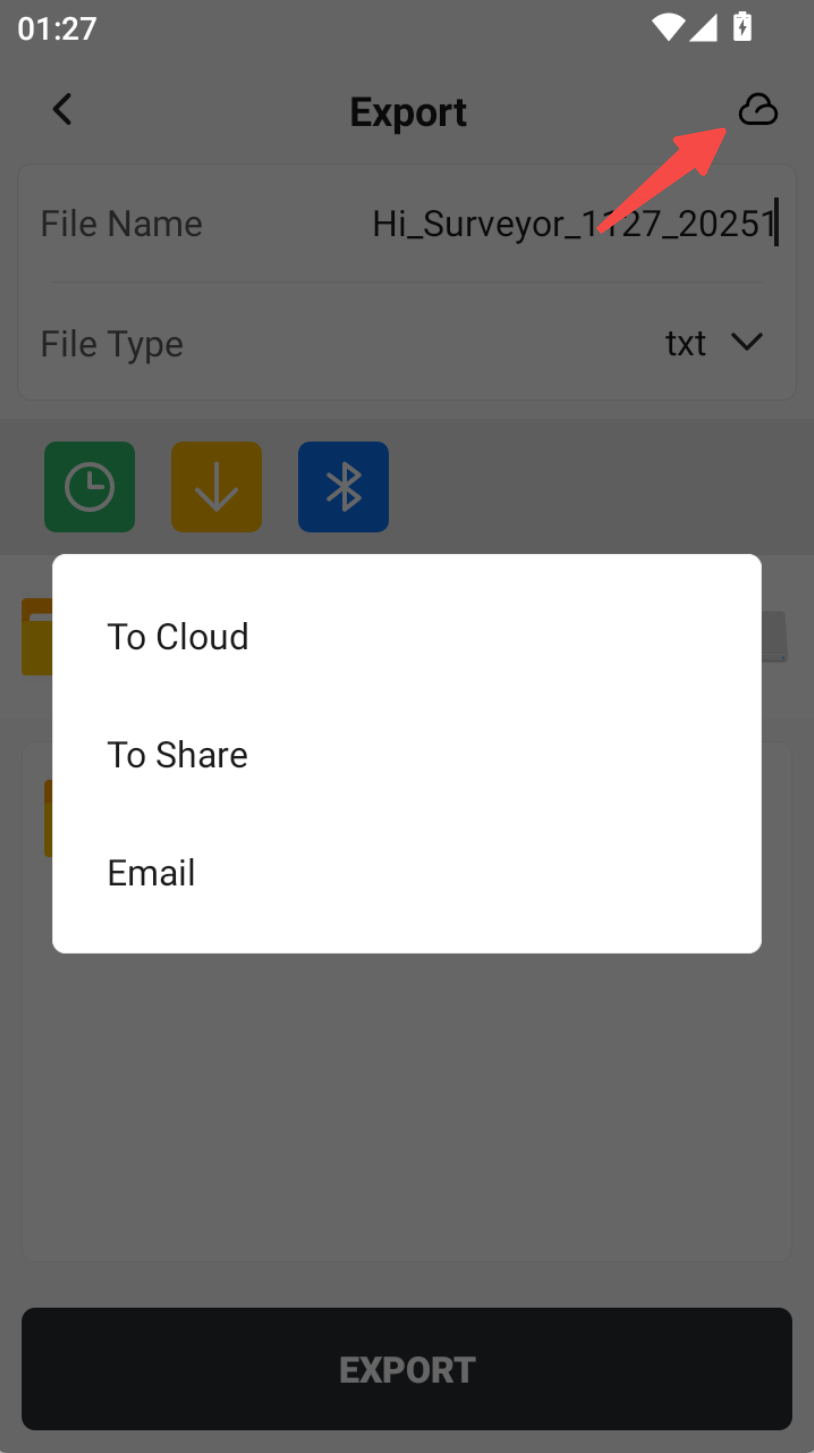
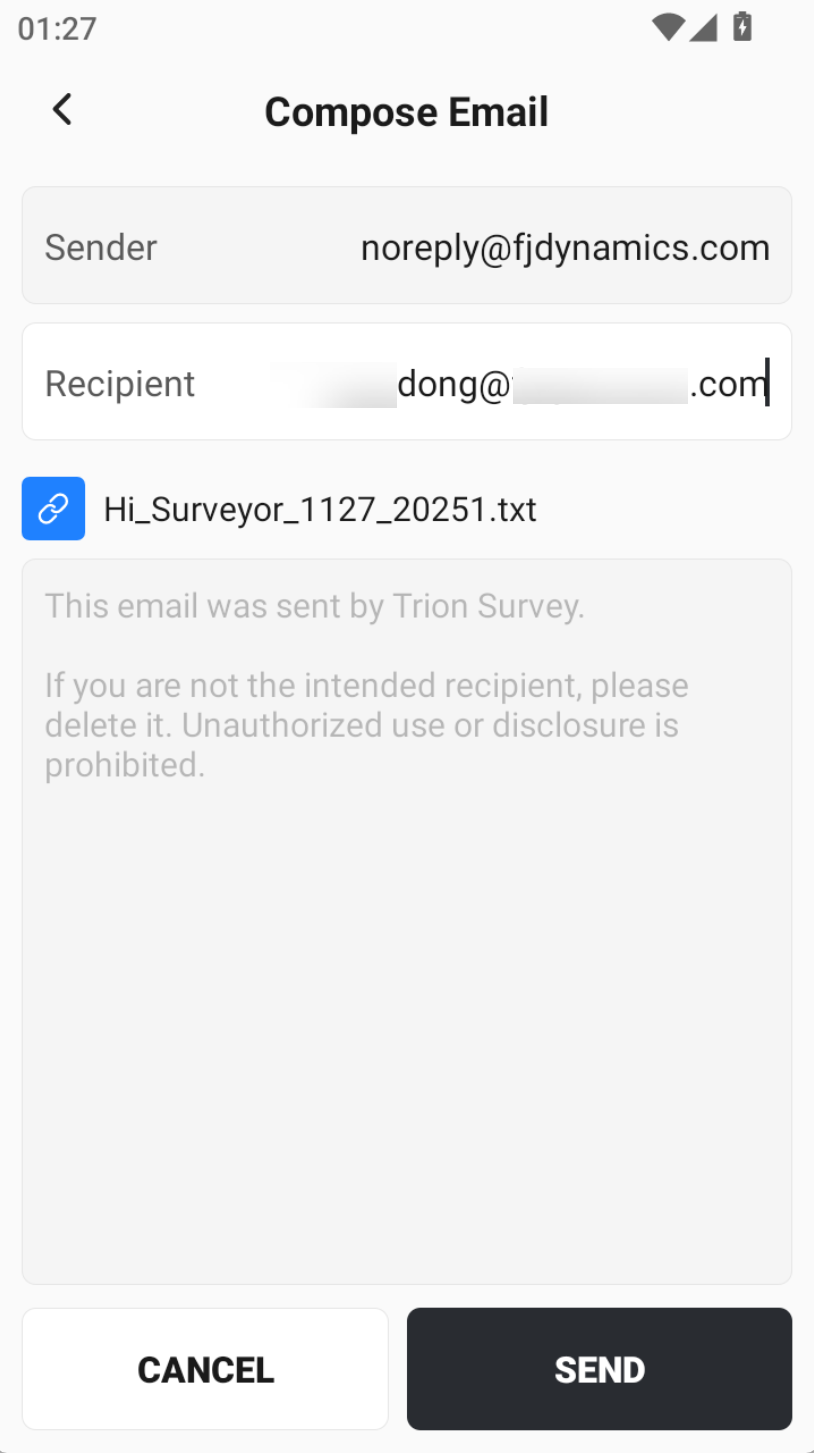
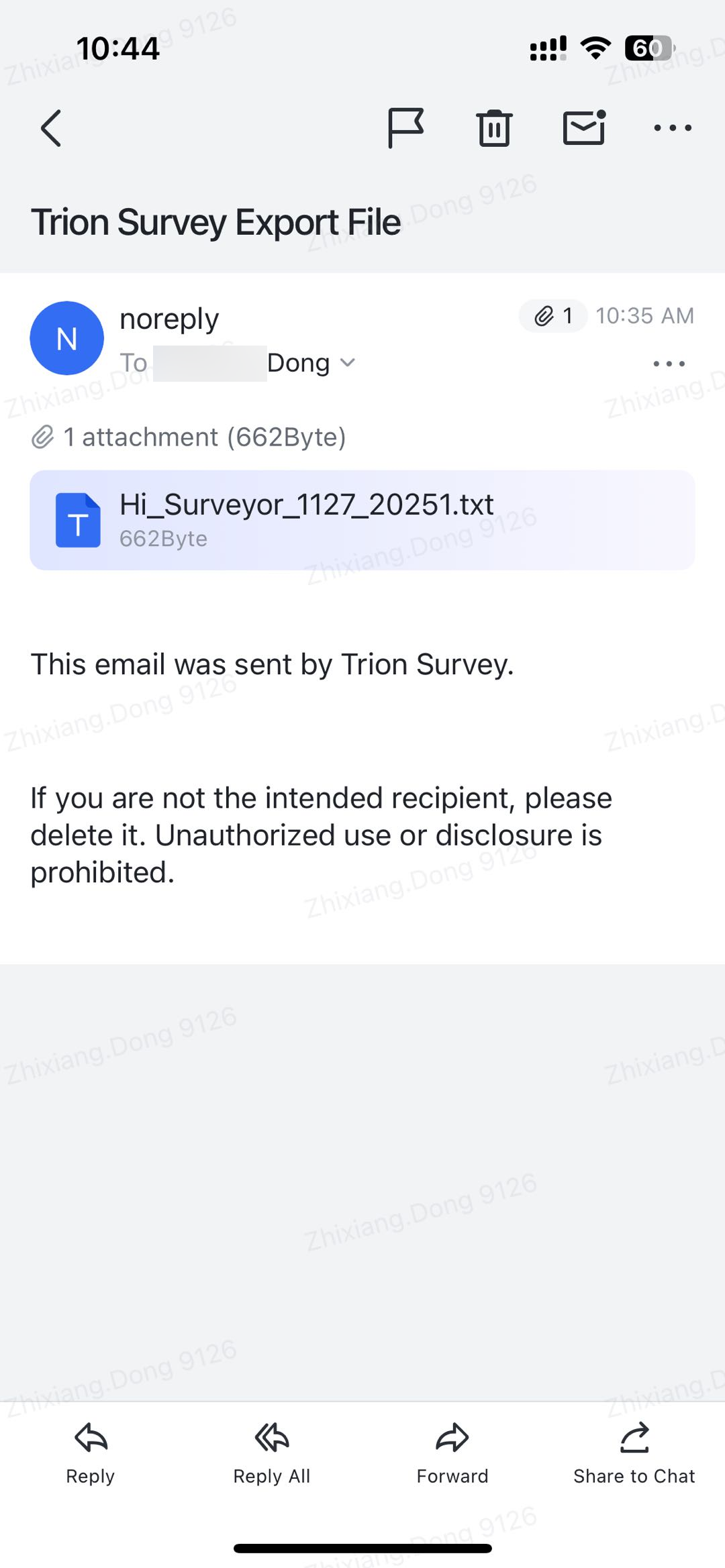
3.4 Export now supports sharing via email.
If the controller has network access, exported data can already be uploaded to Cloud Drive or shared via a generated sharing code. In this version, you can also send exported files directly to a designated email address as an attachment. Please note the following:
- Need log in Trion Survey
- Email subject cannot be modified: Trion Survey Export File
- Sender address is fixed: noreply@fjdynamics.com
- Only one recipient email address is supported
- Attachment size must not exceed 20 MB
- Recipient management and email signatures are not supported at this stage. Additional email-related features will be introduced in future updates.
 |  |  |
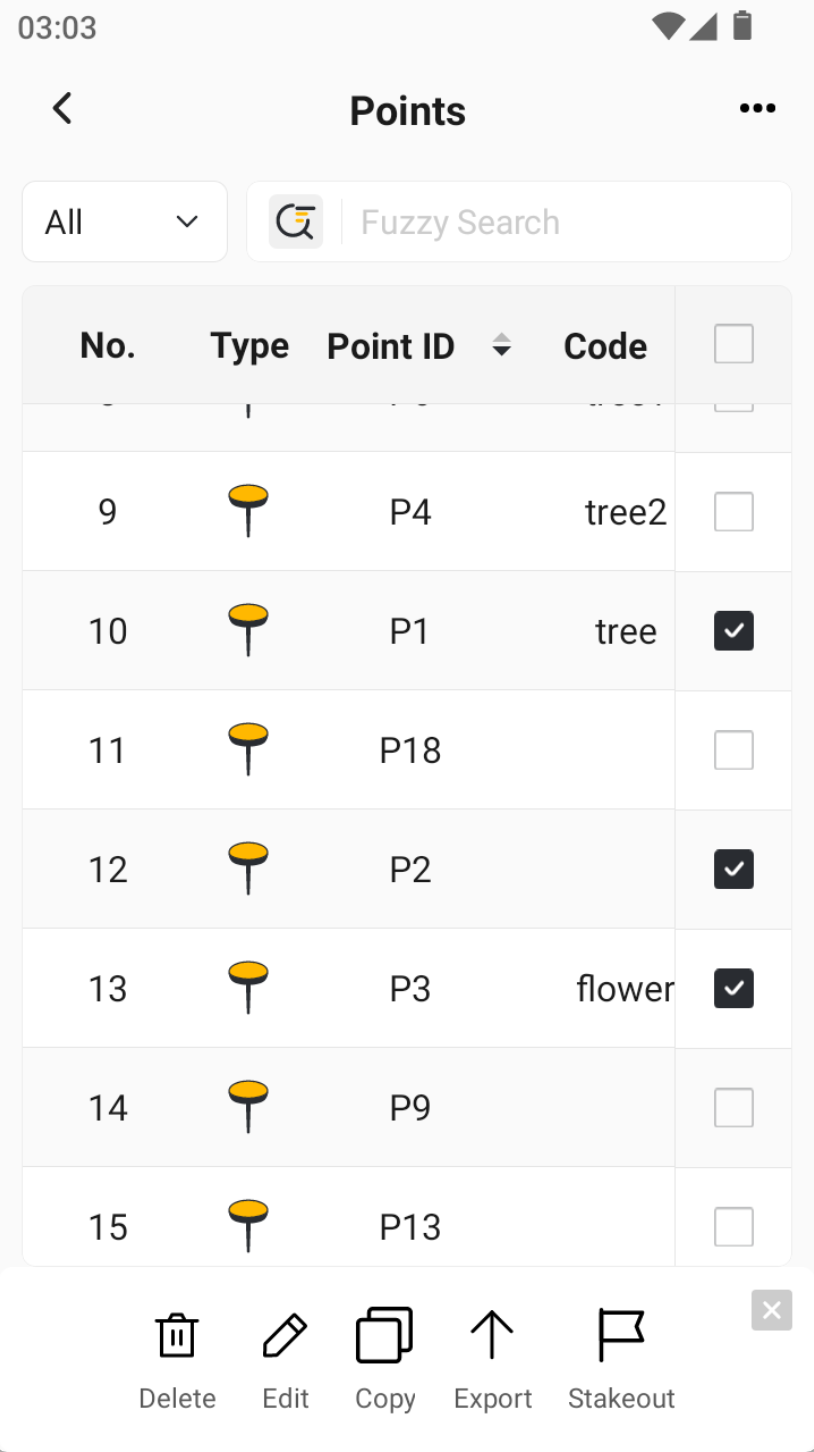
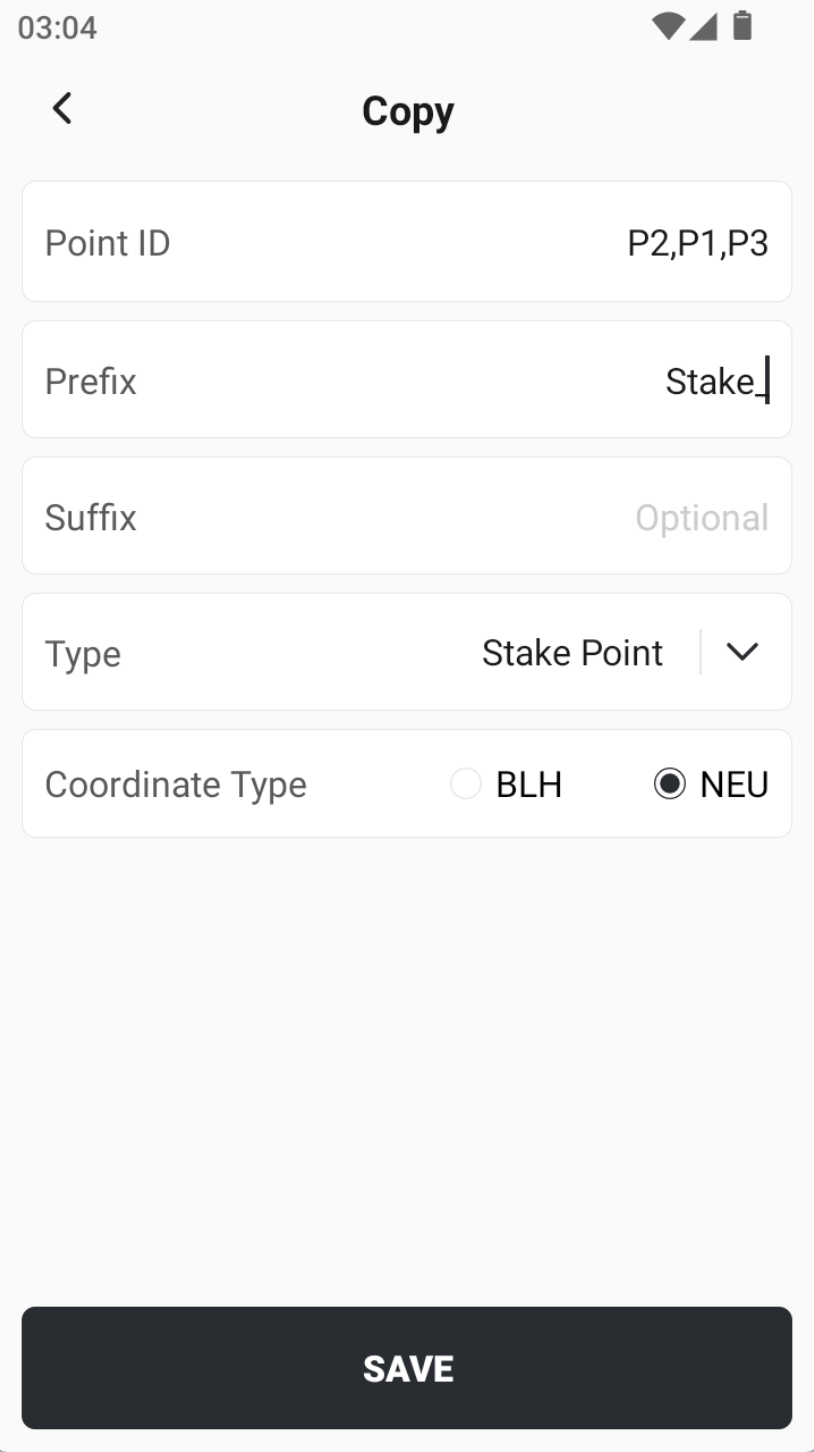
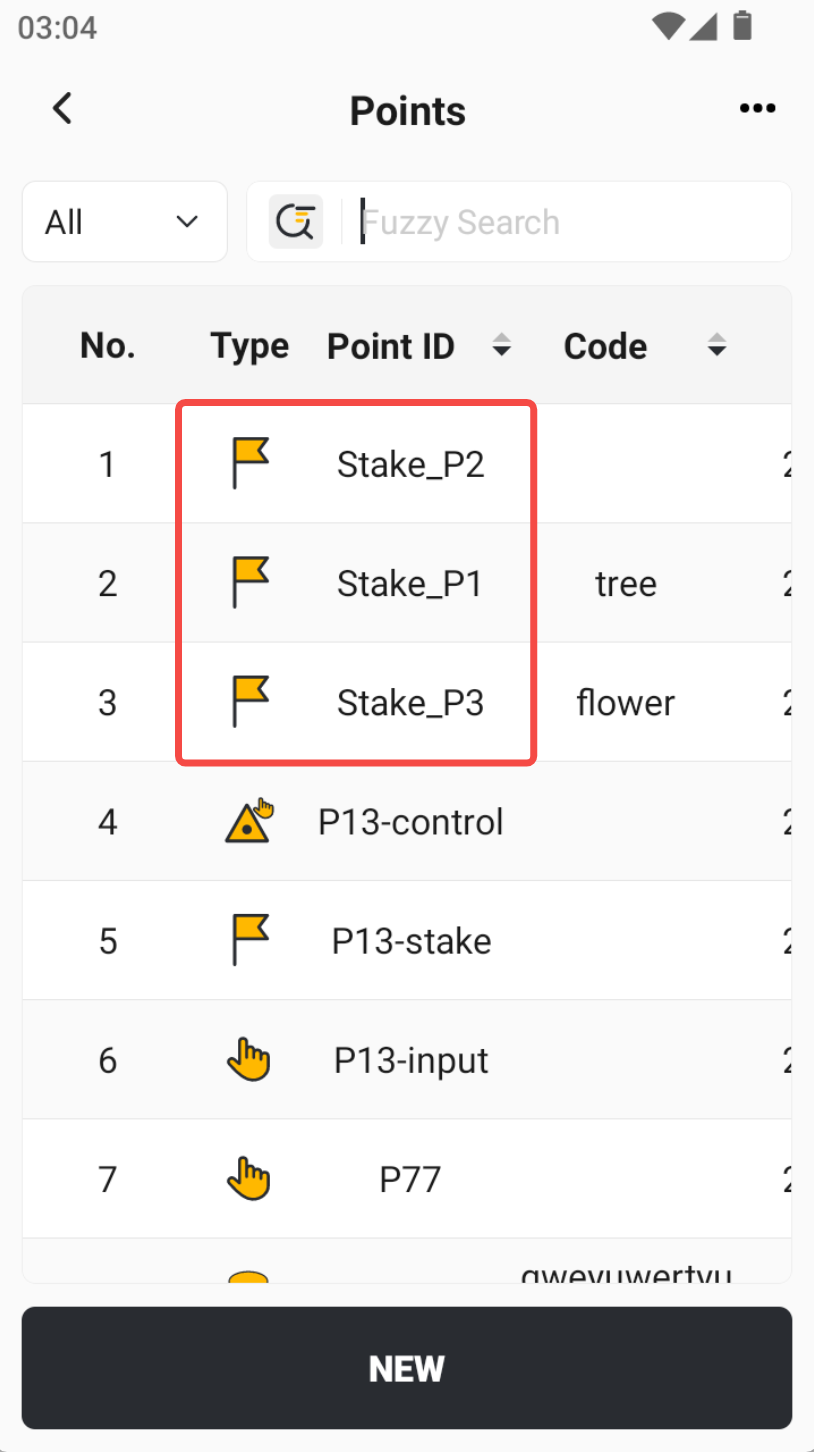
3.5 Added point copy functionality.
After selecting multiple points in batch, you can now perform Copy in addition to Delete, Edit, Export, and Stakeout. Usage details are as follows:
- You may add a prefix and/or suffix to the copied points (optional).
- The point type of the copied points can be selected: Input Point, Stakeout Point, or Control Point.
- The coordinate format for the copied points can be chosen: BLH or NEU.
 |  |  |
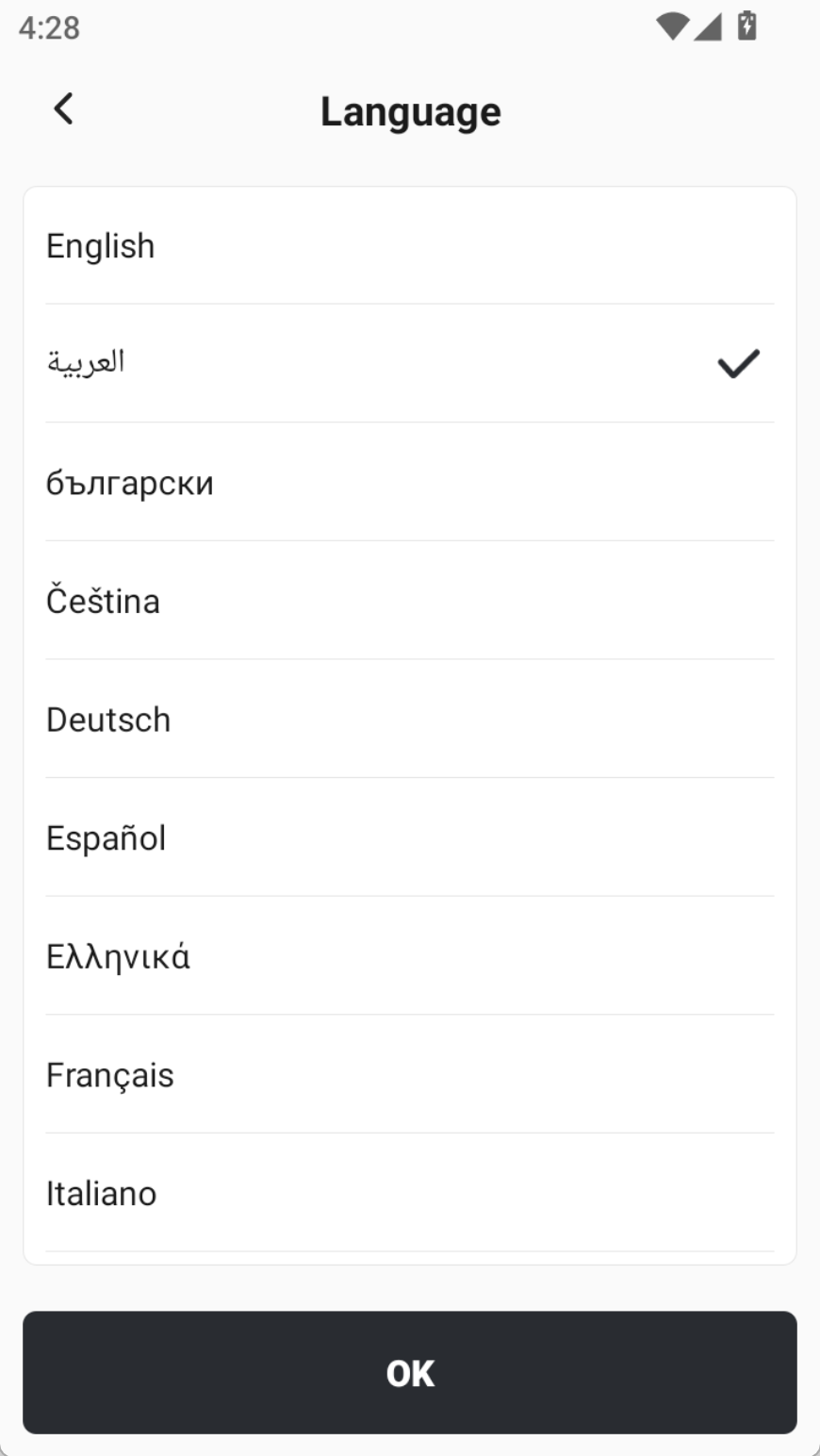
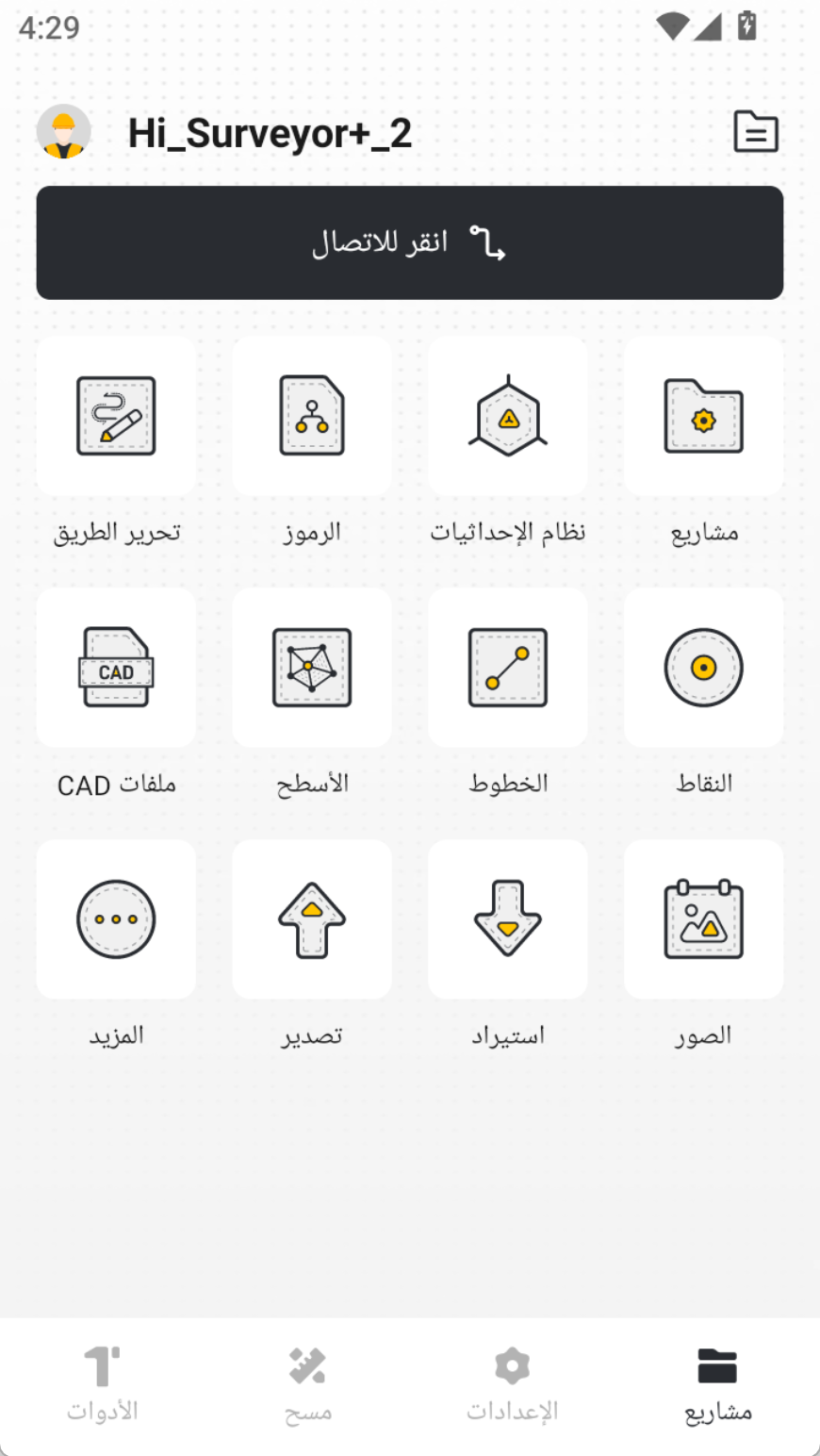
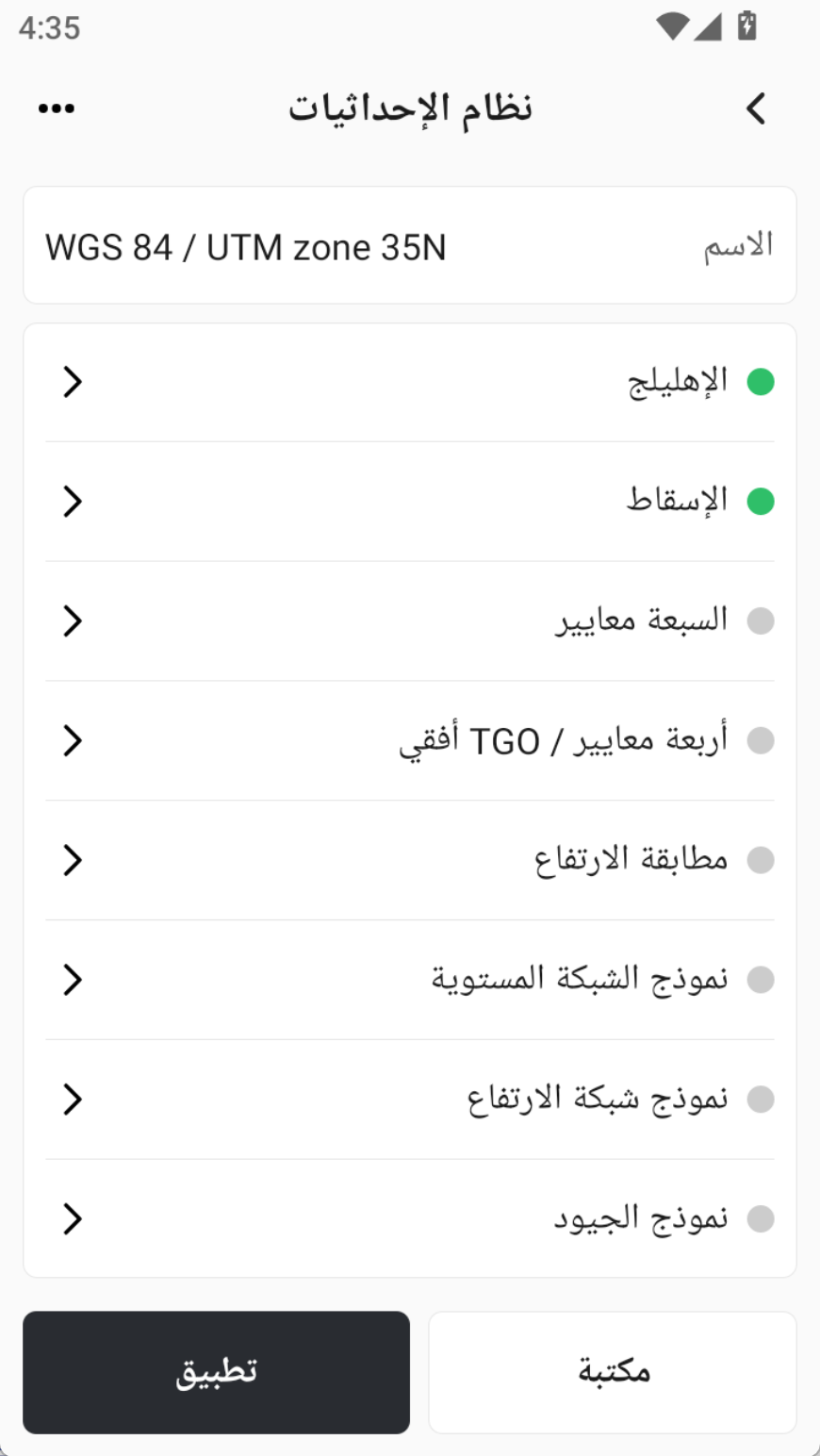
3.6 Added Arabic language support.
Arabic is now available as an optional language. With this addition, Trion Survey now supports a total of 18 languages.
 |  |  |
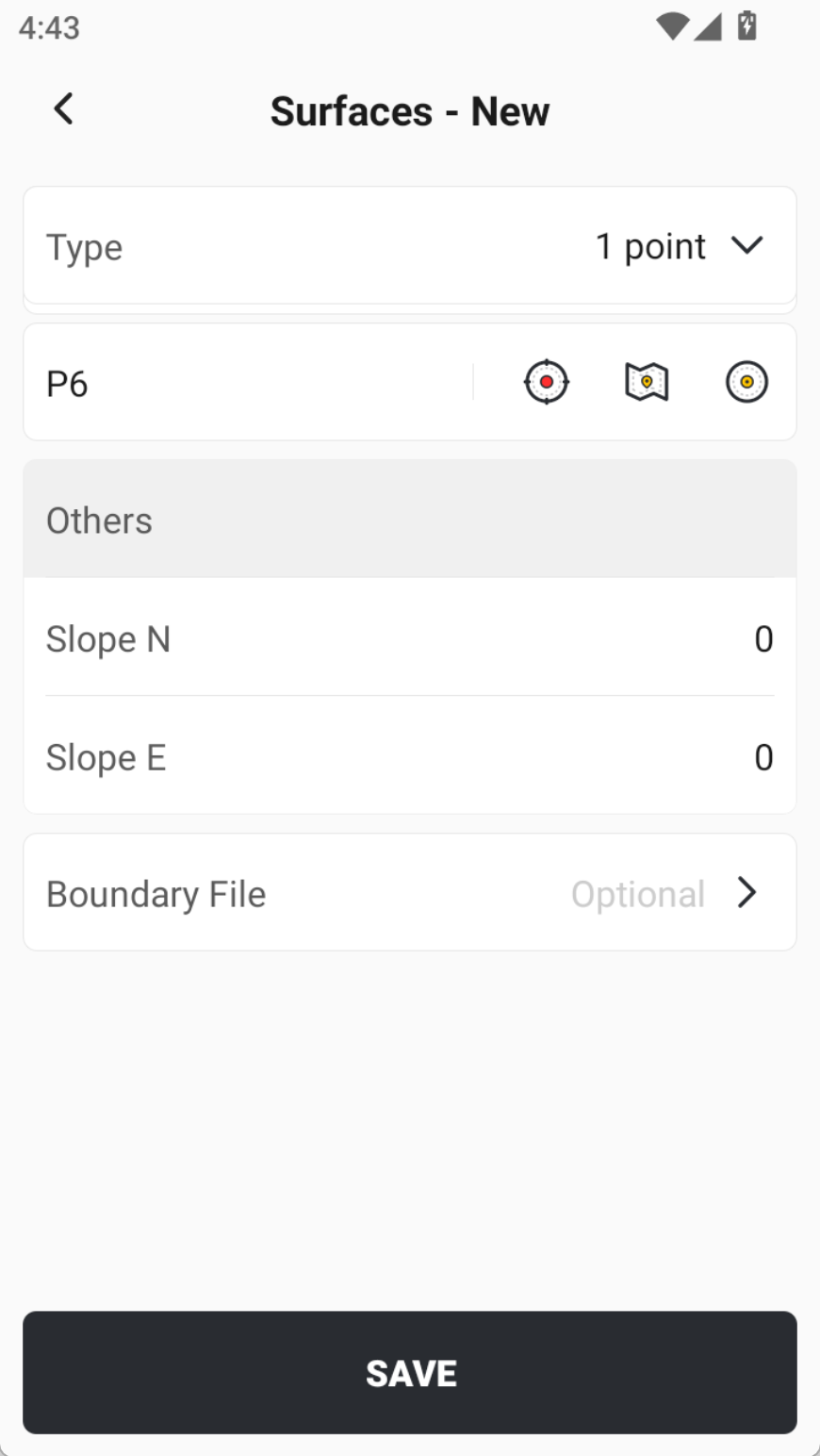
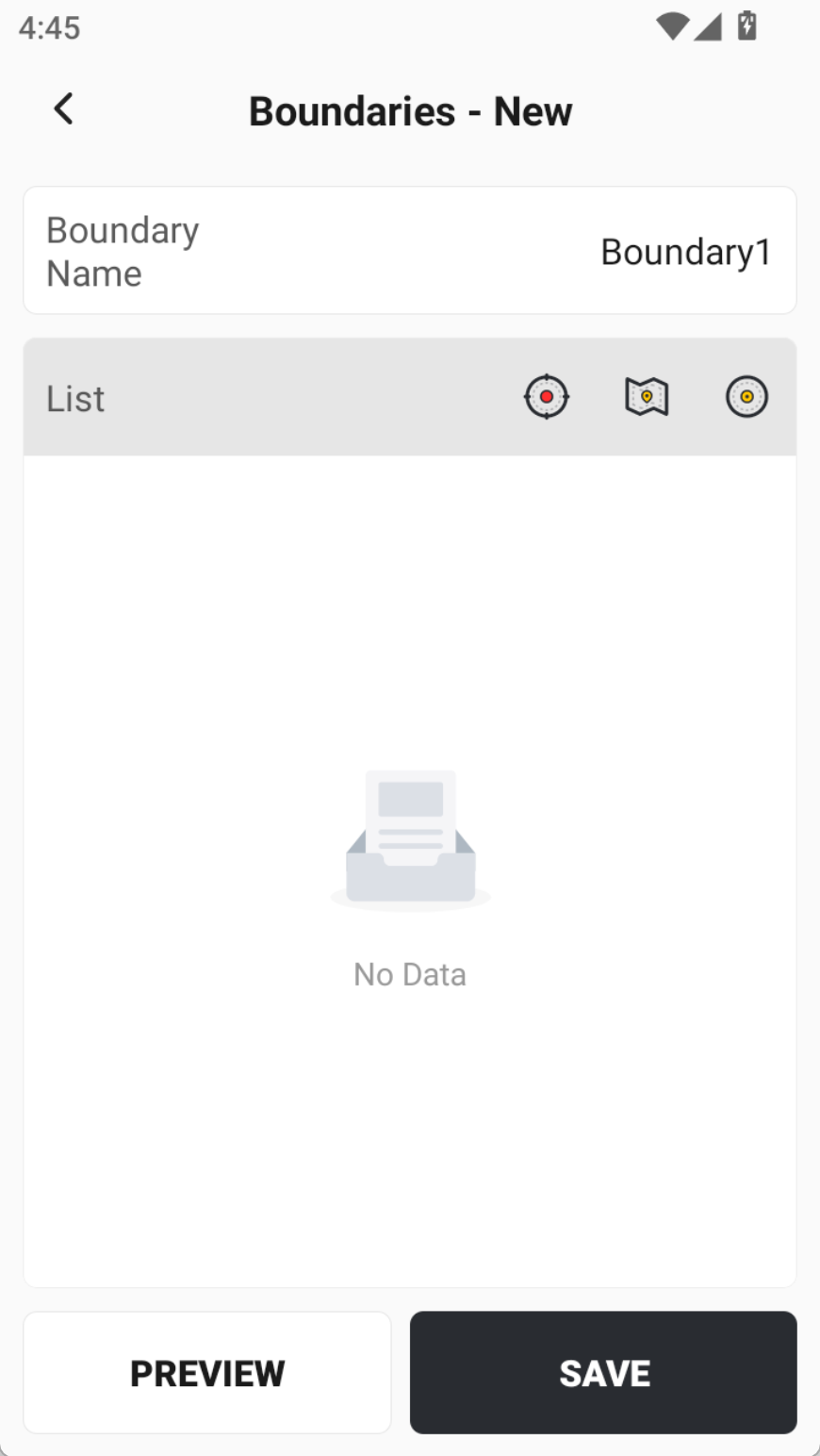
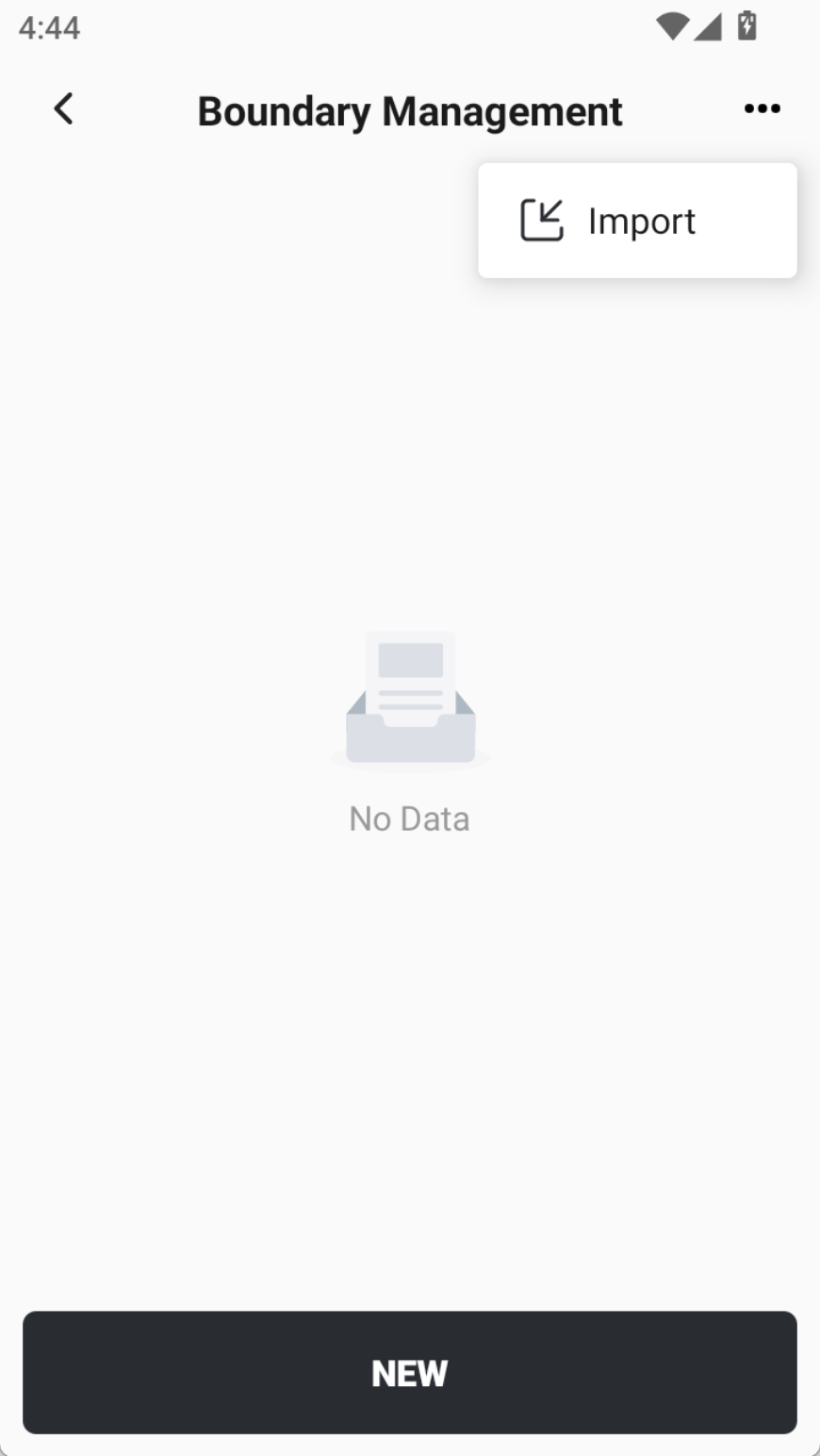
3.7 When creating 1-Point Area / 2-Point Area / 3-Point Area, support for creating boundary files; boundary files support import in DXF/DWG formats.
When creating a new area file, if you select 1-Point, 2-Point, or 3-Point method, you can now add a boundary to the area.
The boundary can be created in two ways:
- Select multiple points from the point library to form a closed polygon, or
- Import a DXF/DWG file directly.
 |  |  |
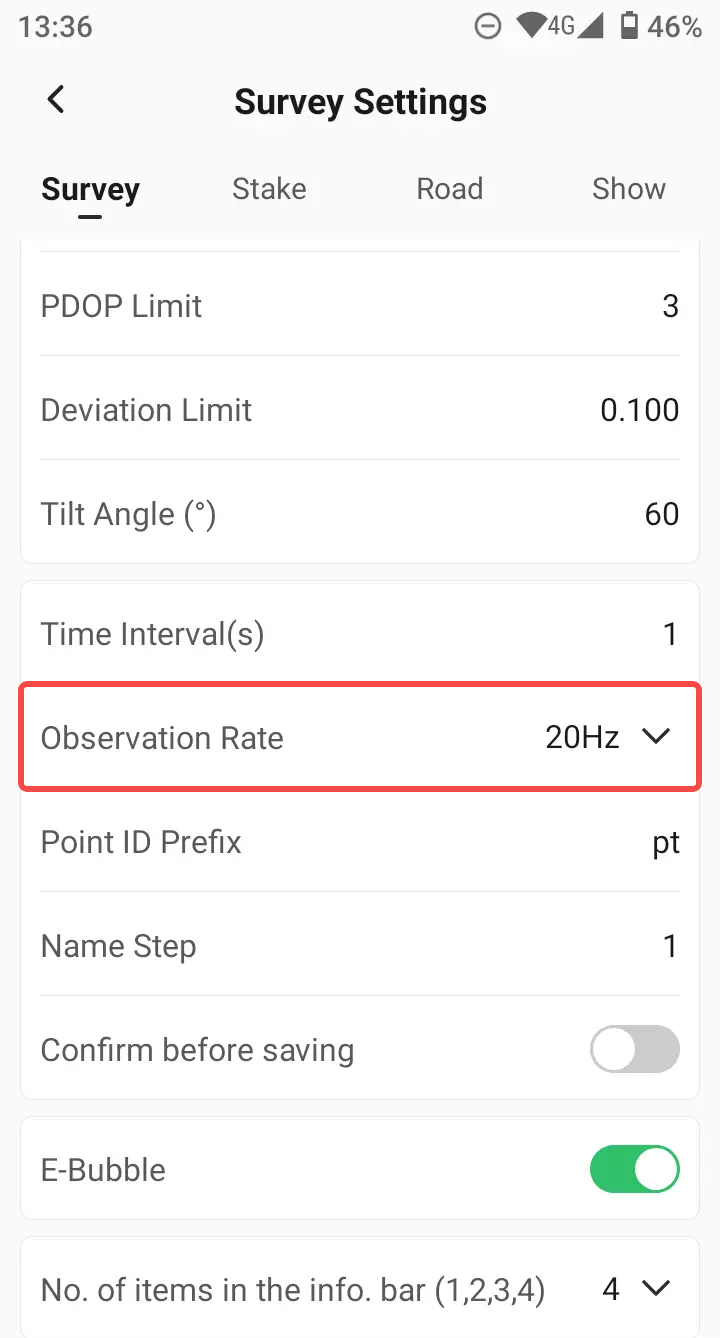
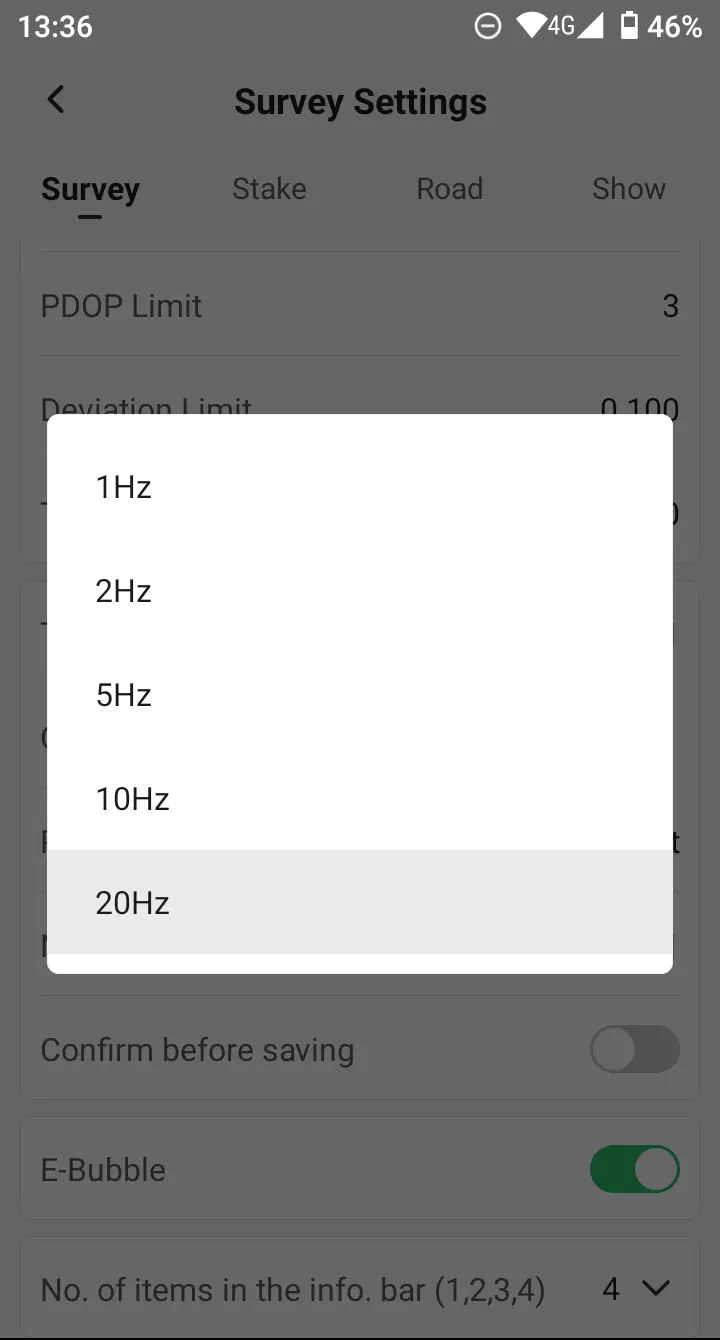
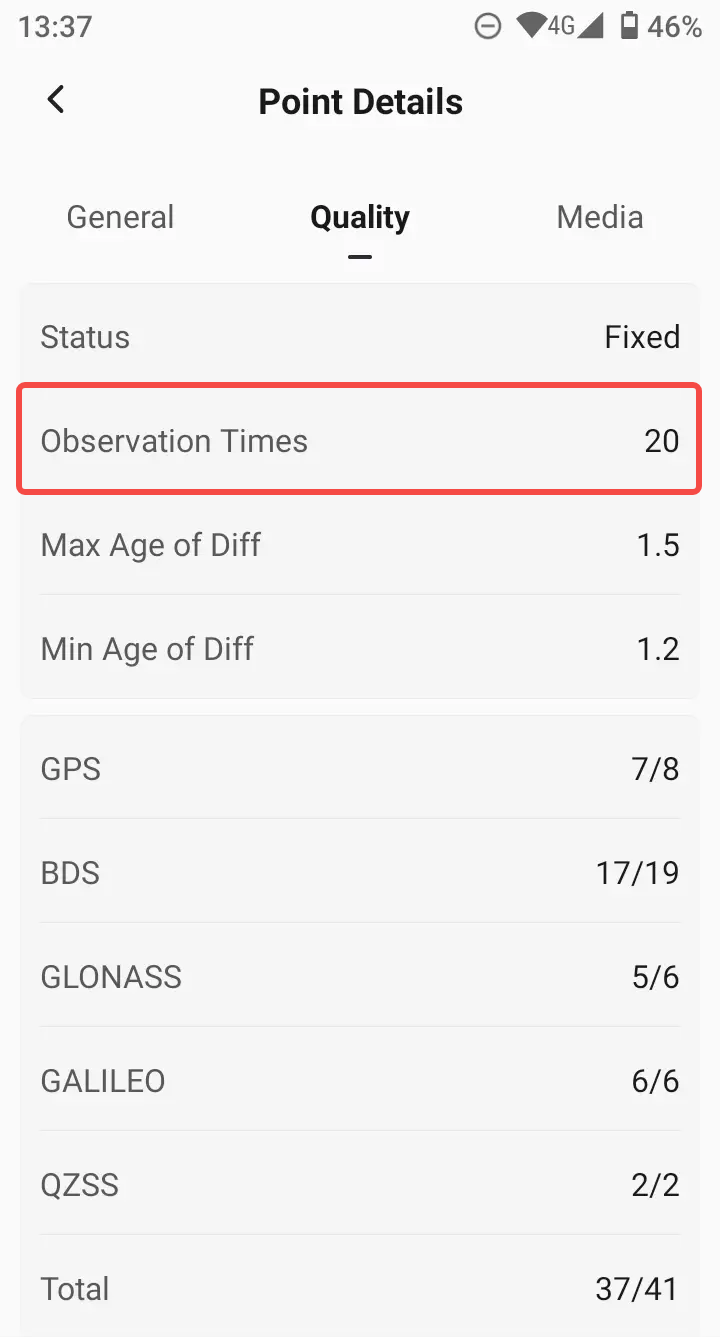
3.8 Added observing frequency settings; users can select 1, 2, 5, 10, 20Hz (dependent on specific receiver model).
During measurement and stakeout, custom Observation Rate is now supported.
 |  |  |
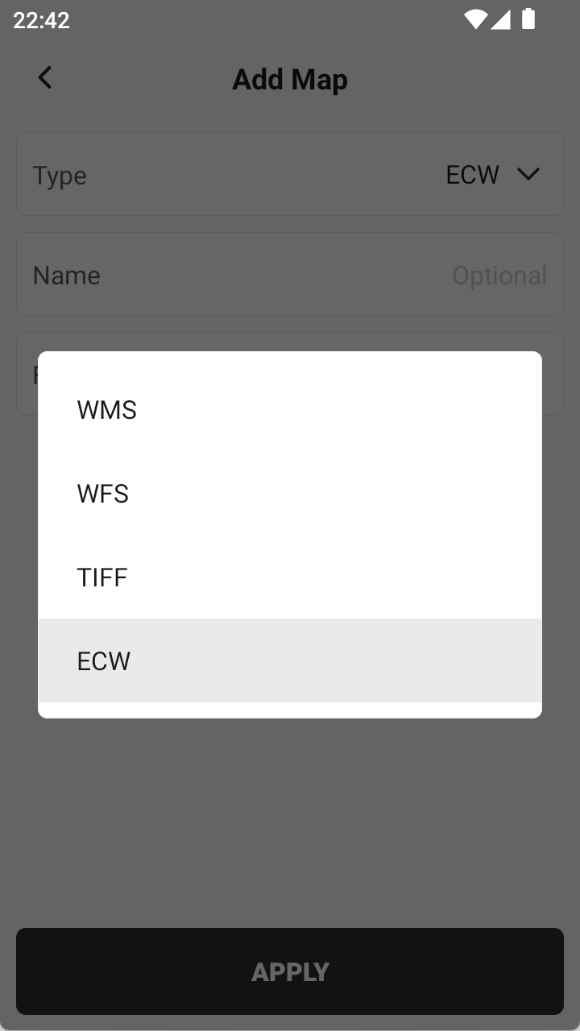
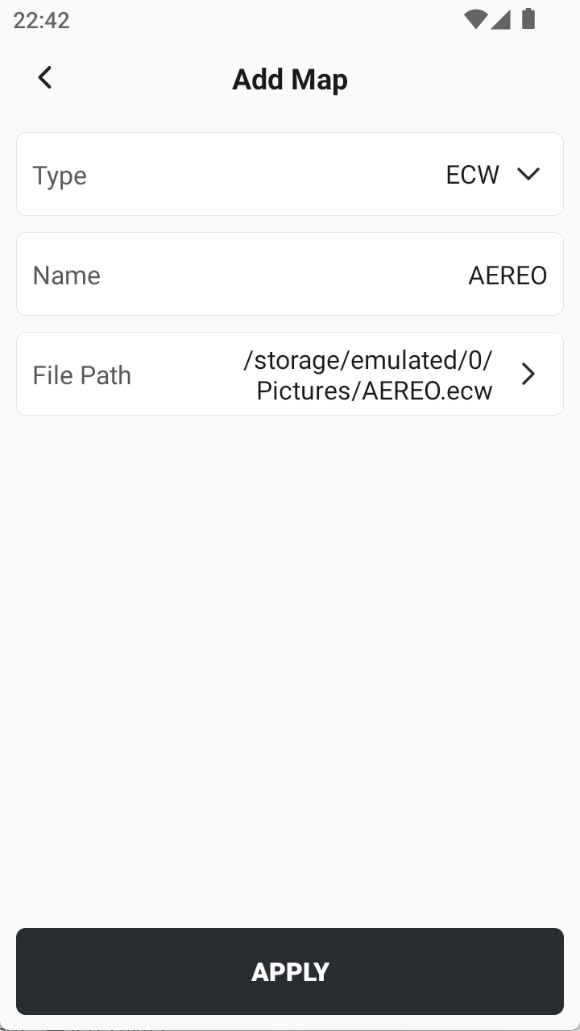
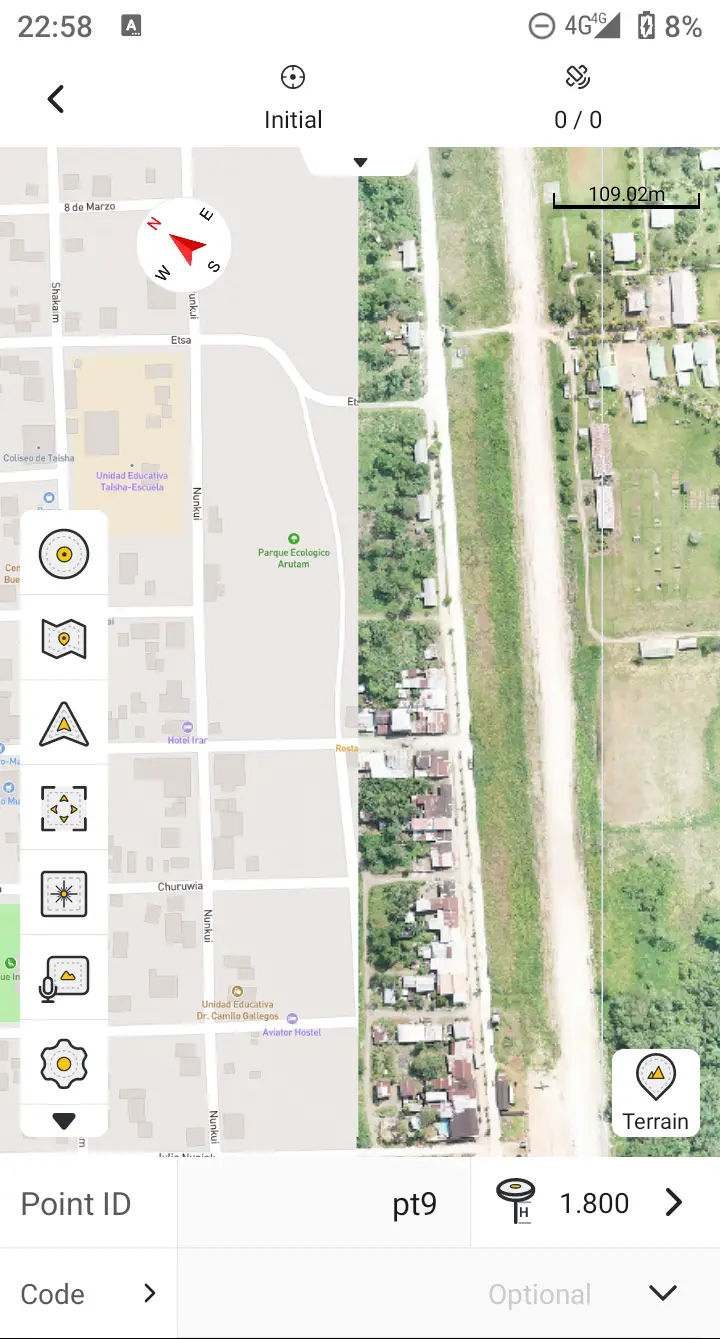
3.9 Supports adding ECW format image maps to load as a base map for surveying. Note: Currently only supports files within 1 billion pixels.
ECW is commonly used raster formats featuring high compression ratios and fast loading performance. When adding maps to Trion Survey, the currently supported file formats include WMS / WFS / TIFF /ECW. Please note:
- Only ECW files up to 1 billion pixels are supported at this stage.
- For larger ECW files, you may convert them to TIFF using external conversion tools before importing them into the app.
 |  |  |
3.10 Added 4 predefined coordinate systems for Morocco.
The following four coordinate systems are commonly used locally. They have been added to the predefined list to allow new users to select them quickly:
- MOROCCO MERCHICH Maroc zone 1.cds
- MOROCCO MERCHICH Maroc zone 2.cds
- MOROCCO MERCHICH Maroc zone 3.cds
- MOROCCO MERCHICH Maroc zone 4.cds
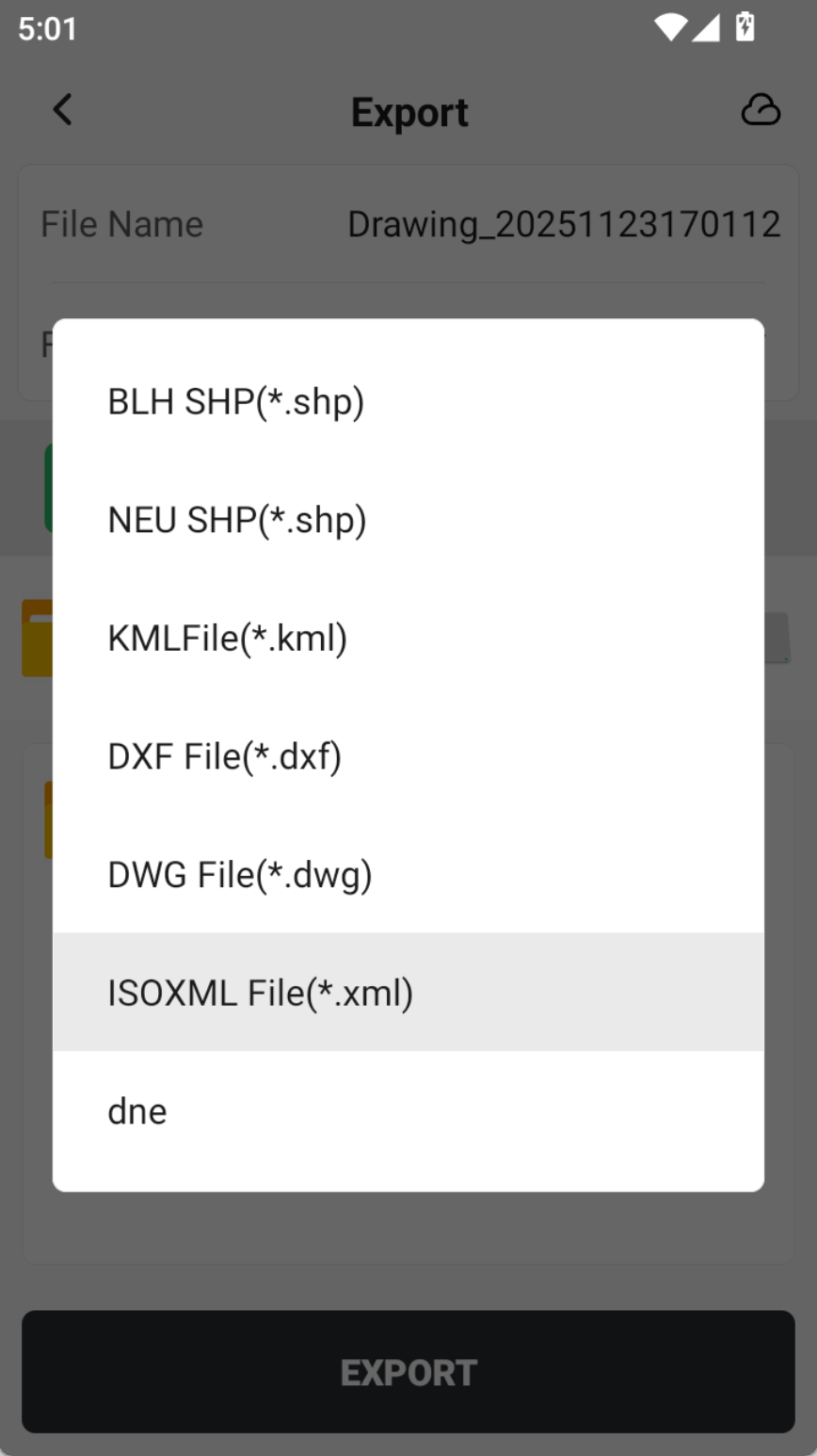
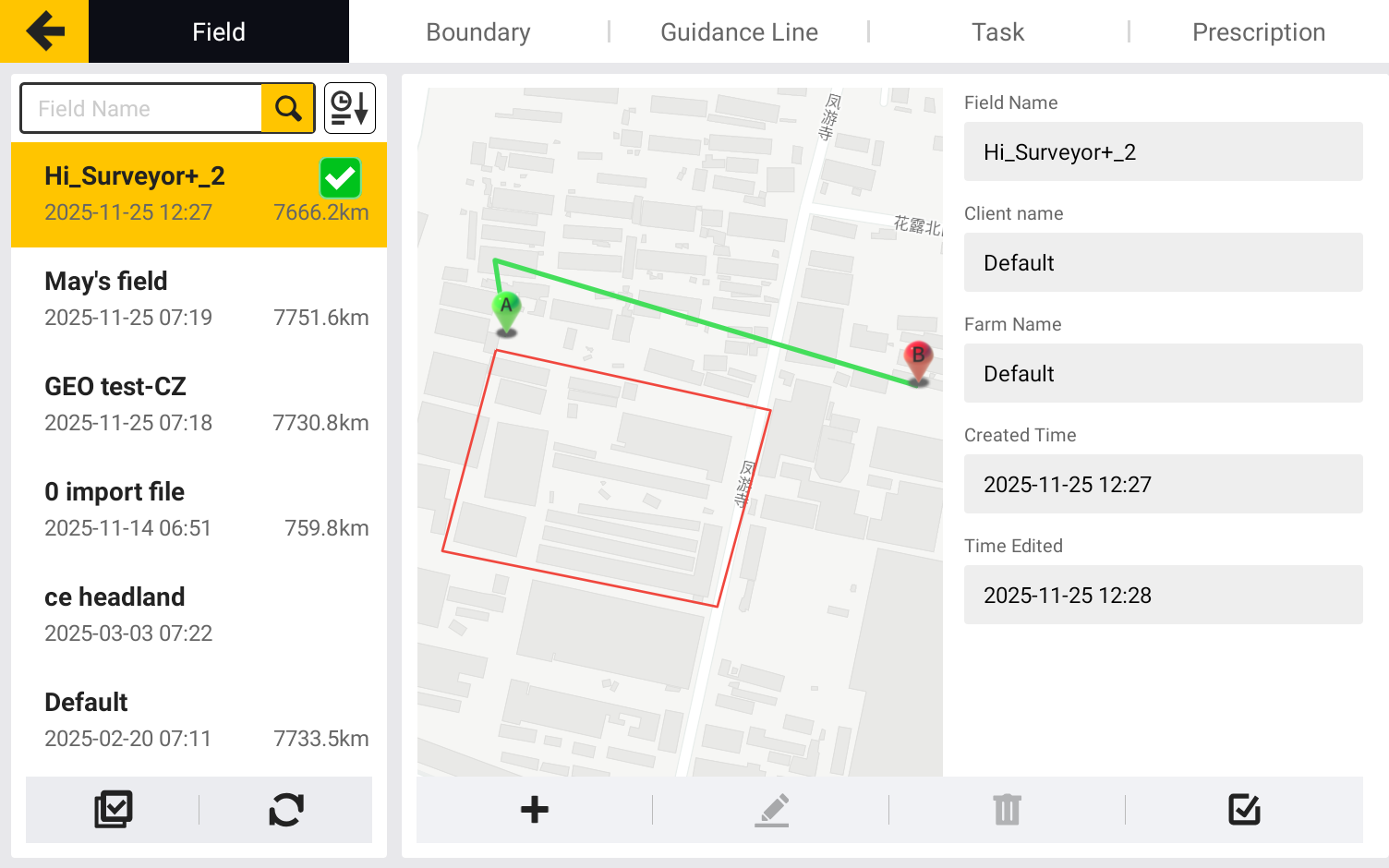
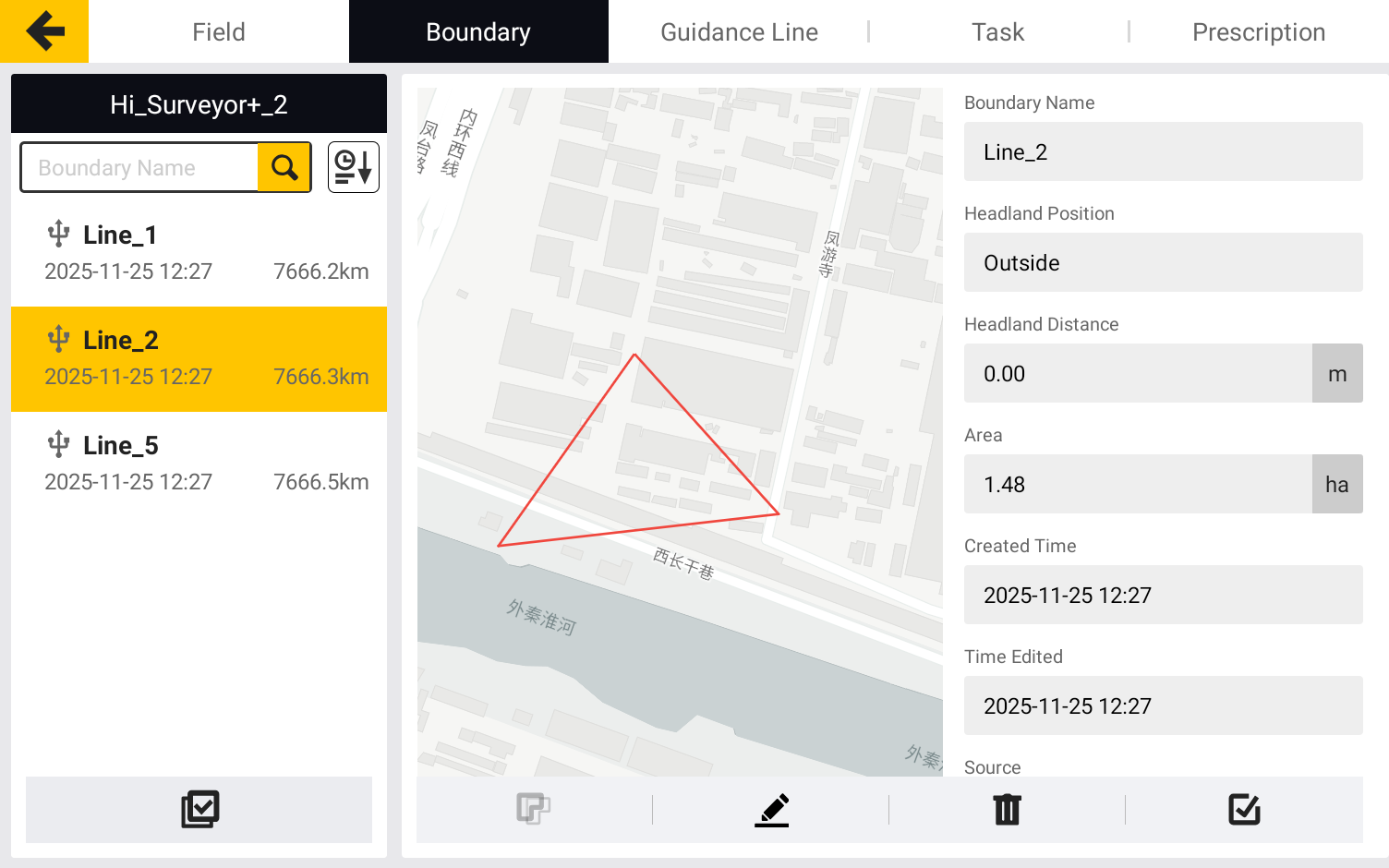
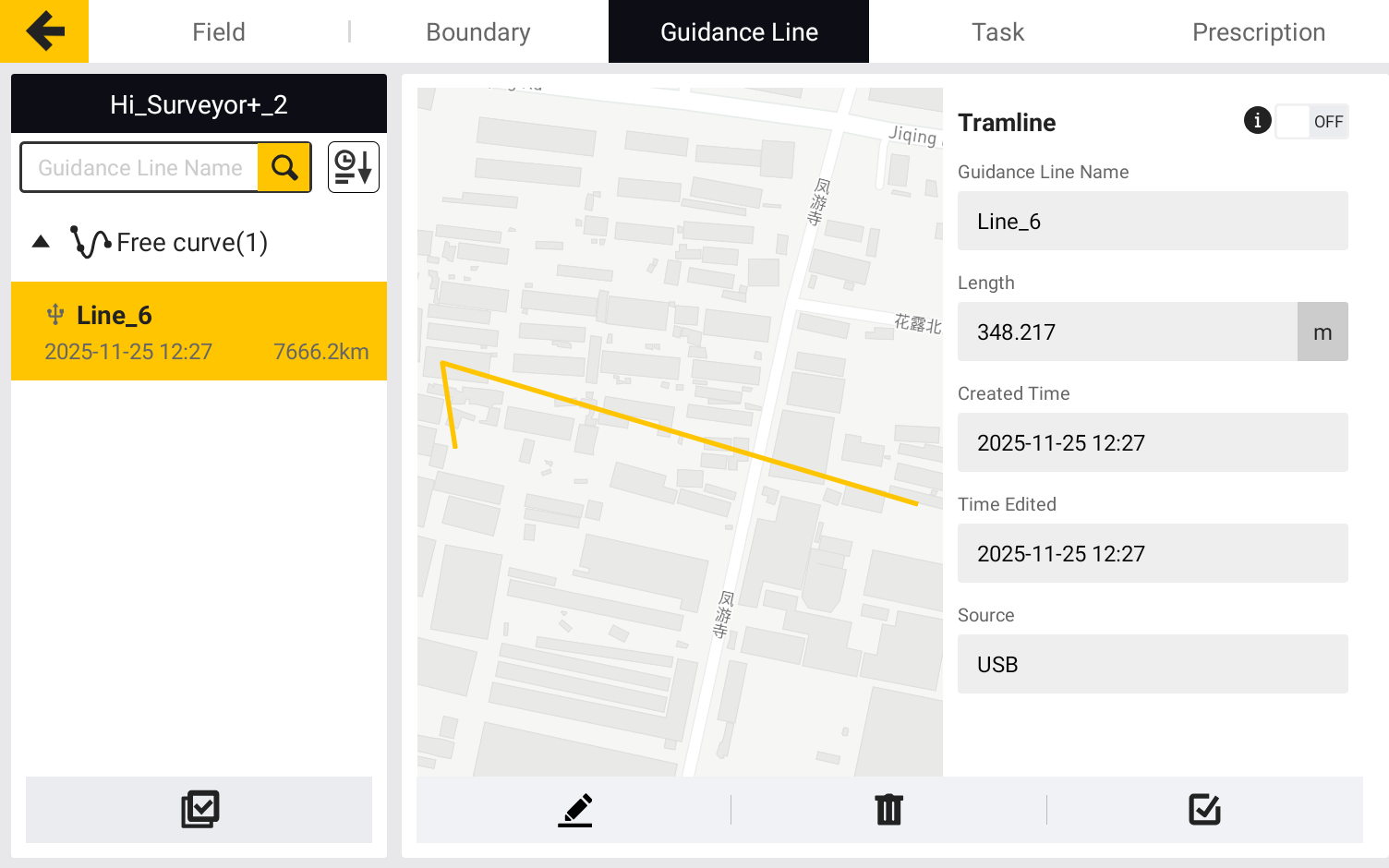
3.11 Measure & Draw results support export to ISOXML format files.
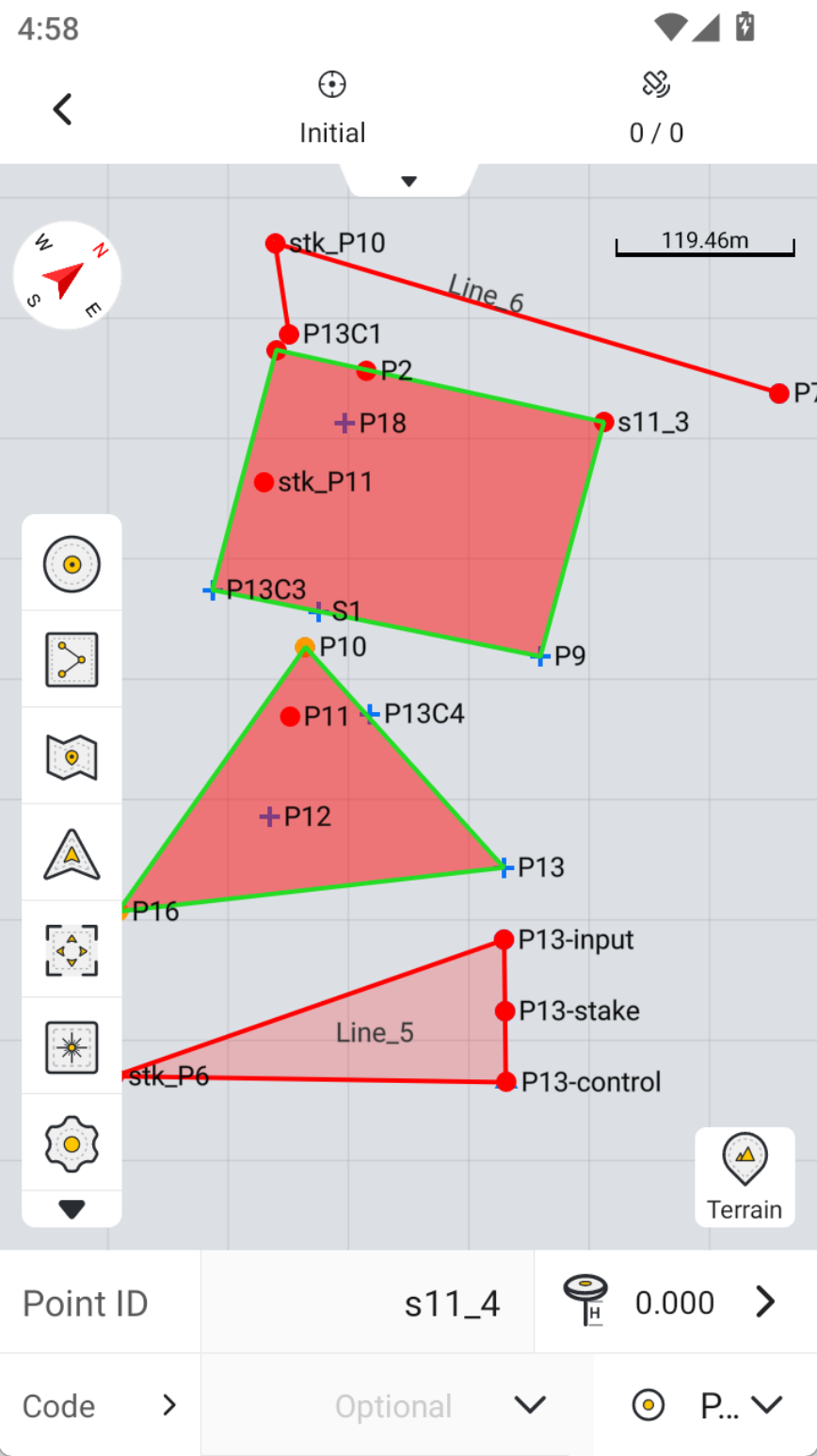
ISOXML files are XML-format files that comply with the ISO 11783 standard. ISO 11783 is an international communication standard specifically designed for agricultural machinery to enable seamless data exchange between different brands and devices. Jointly driven by ISO and SAE, it has become the de facto global standard in the agricultural machinery industry. Its commercial name is commonly ISOBUS, which defines a unified communication protocol between agricultural machinery components such as tractor onboard terminals (displays), implements (e.g., sprayers, seeders), and sensors.
Lines and area files generated from surveying and mapping can now be exported in ISOXML format, and they are fully recognized by FJD Smart Agriculture Guidance System.
 |  |
|
4. Improvements
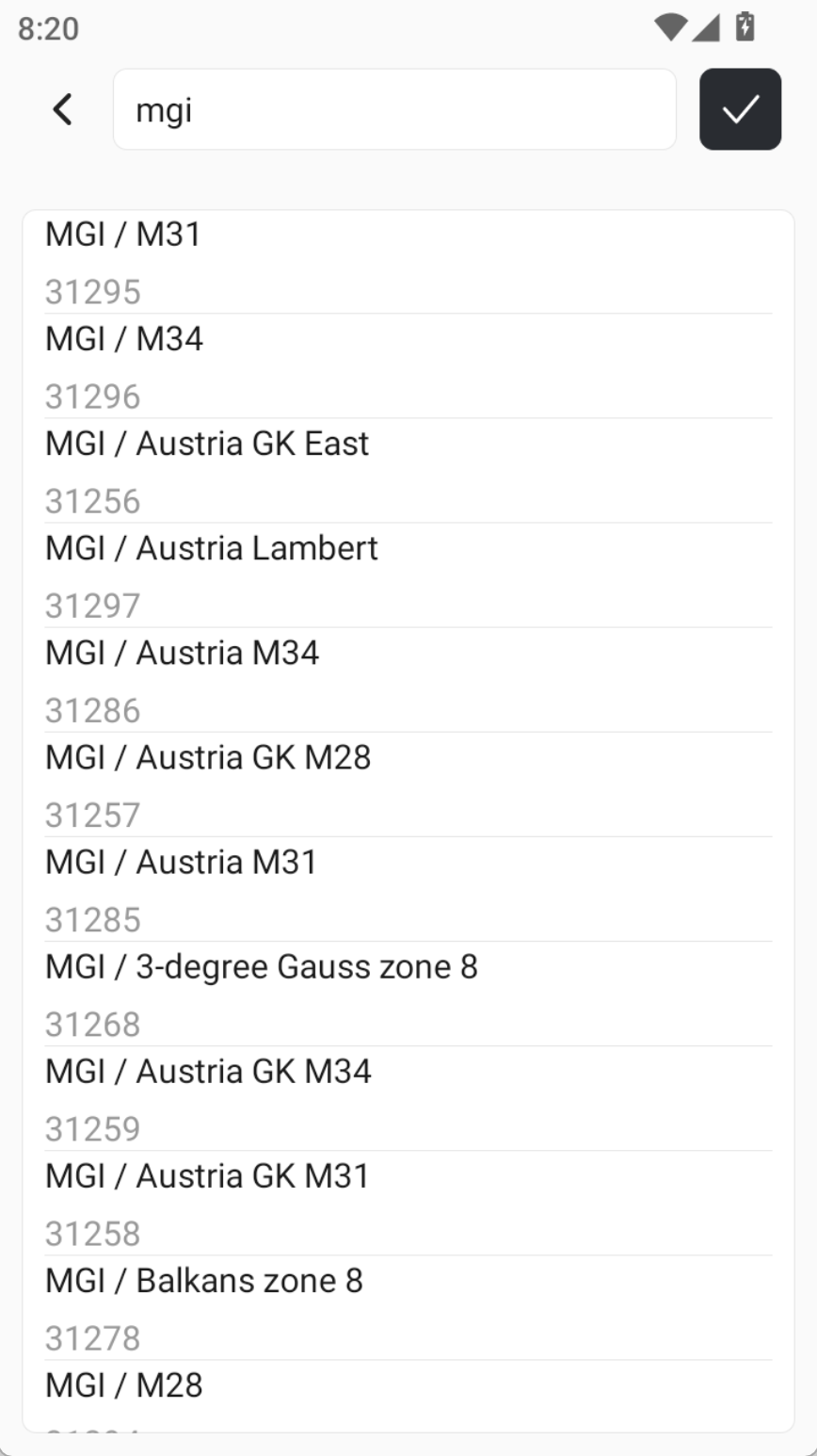
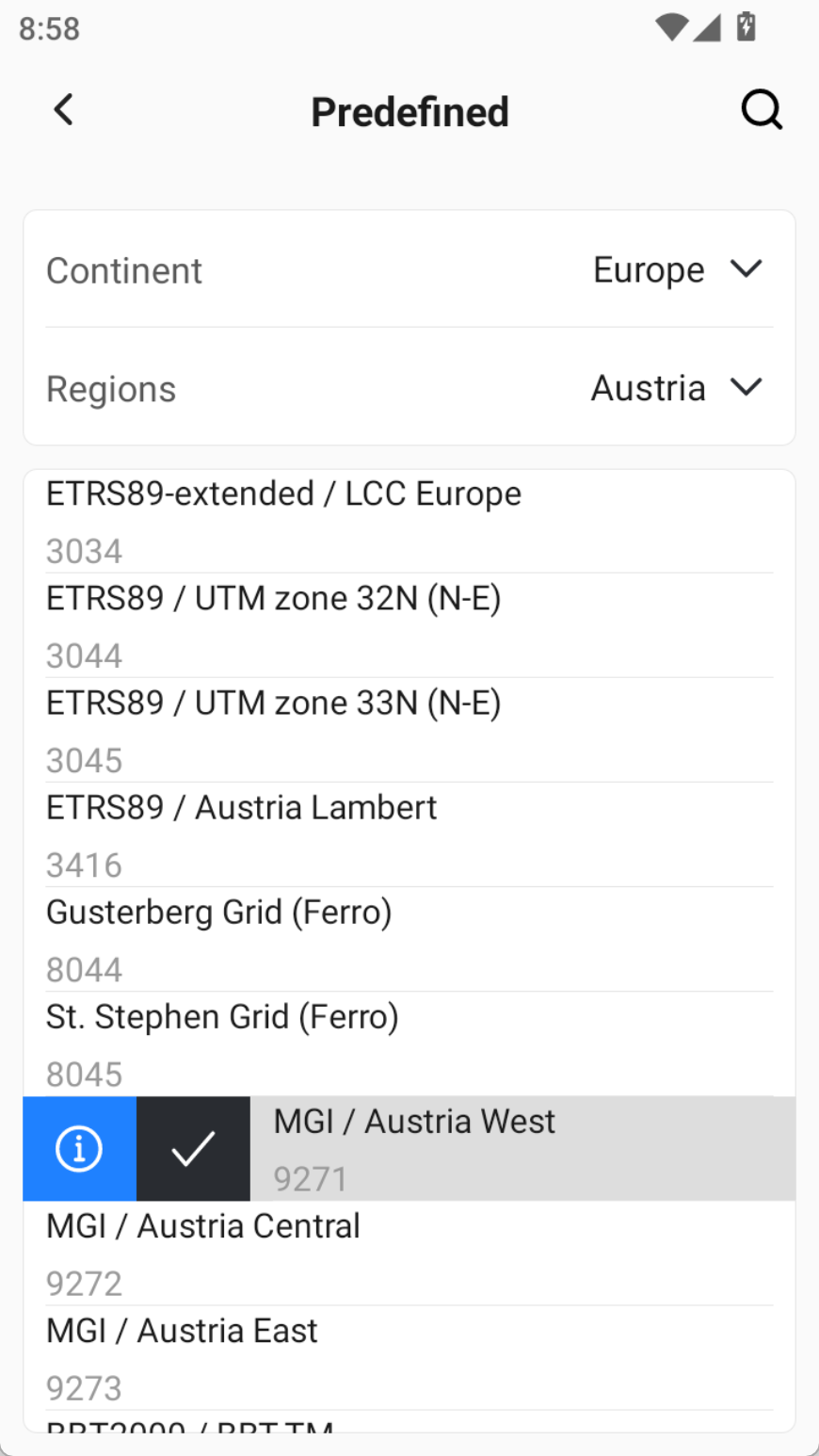
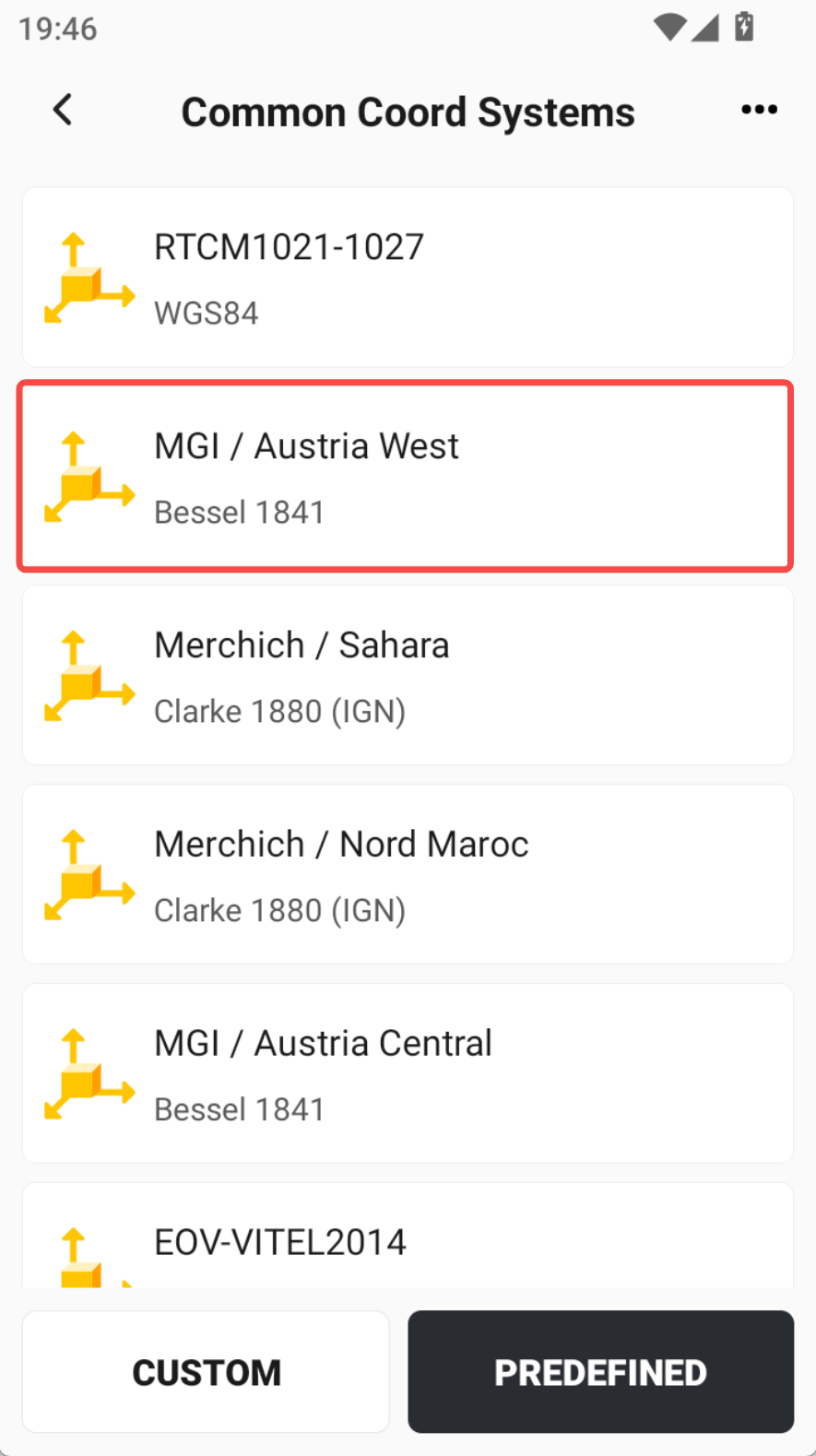
4.1 Predefined coordinate systems support fuzzy search by name or EPSG code.
Predefined Coordinate Systems Page Enhancements:
- Global fuzzy search is now supported — you can search by name or EPSG code.
- Newly added coordinate systems are now displayed at the top of the list, eliminating the need to scroll to the bottom to view them.
 |  |  |
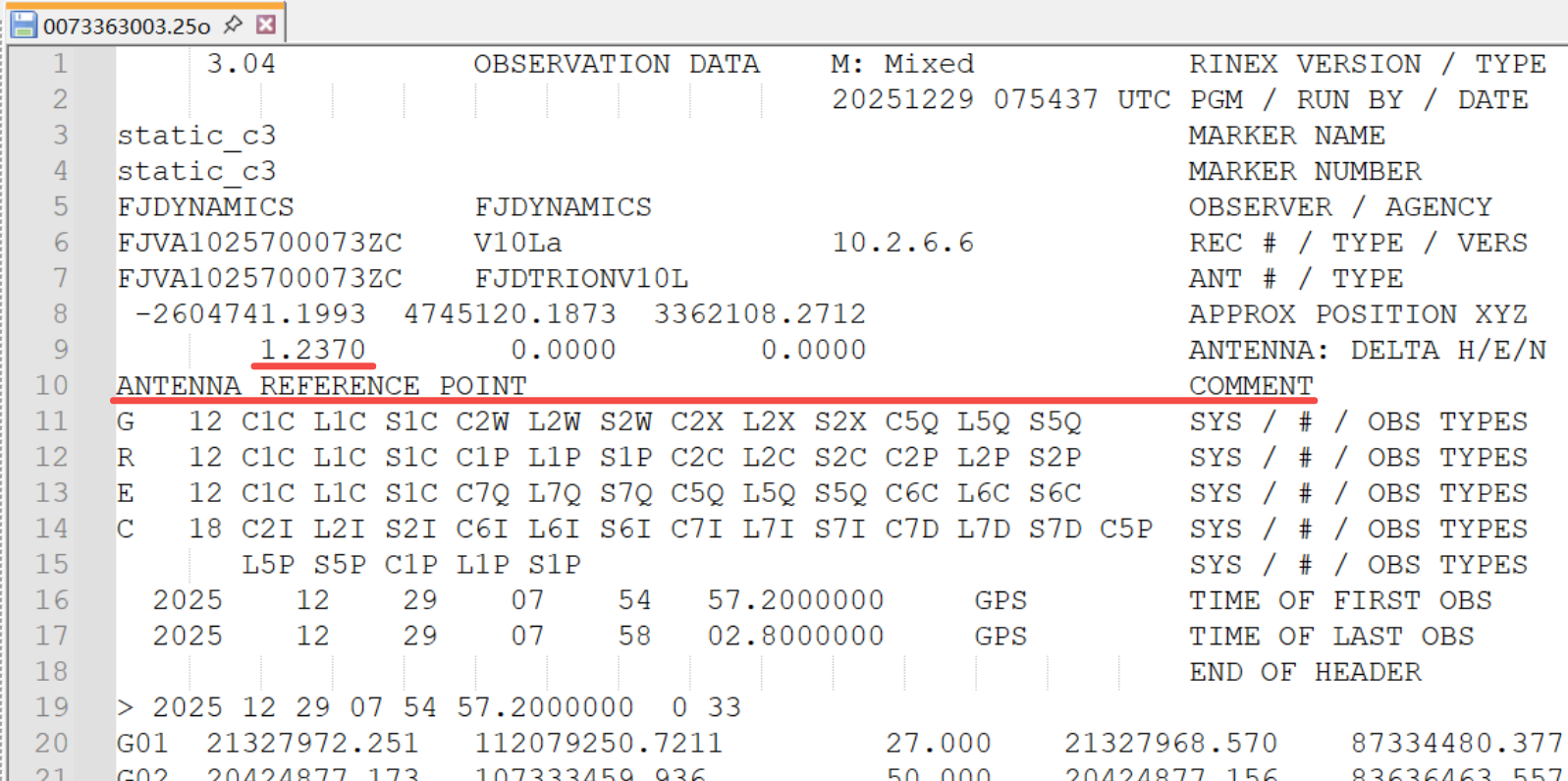
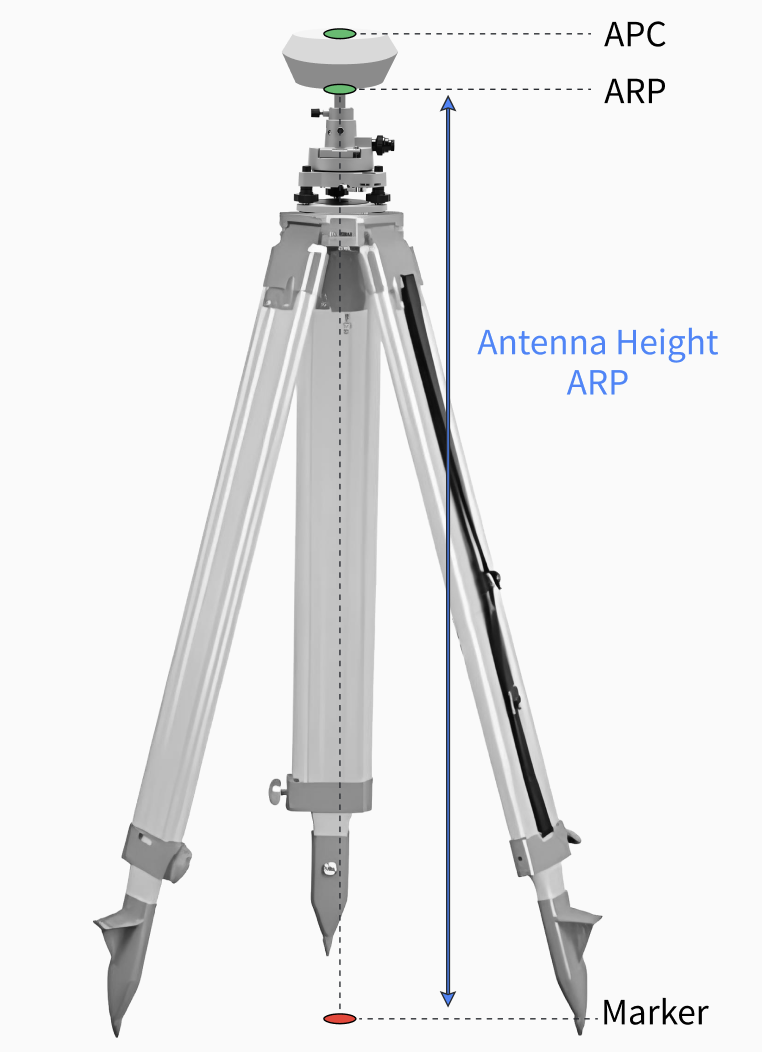
4.2 The antenna height in the static acquisition file header has been optimized from APC to ARP;
To improve the accuracy of static post-processing, especially in the elevation direction, GNSS Studio has optimized the antenna PCO/PCV correction process. In the recorded static data, the antenna height has been optimized from APC to ARP. You can find the corresponding comment if you open the RINEX file.
Note: When importing static data into GNSS Studio, please carefully check the point name and antenna height measurement method for each observation point.
 |  |
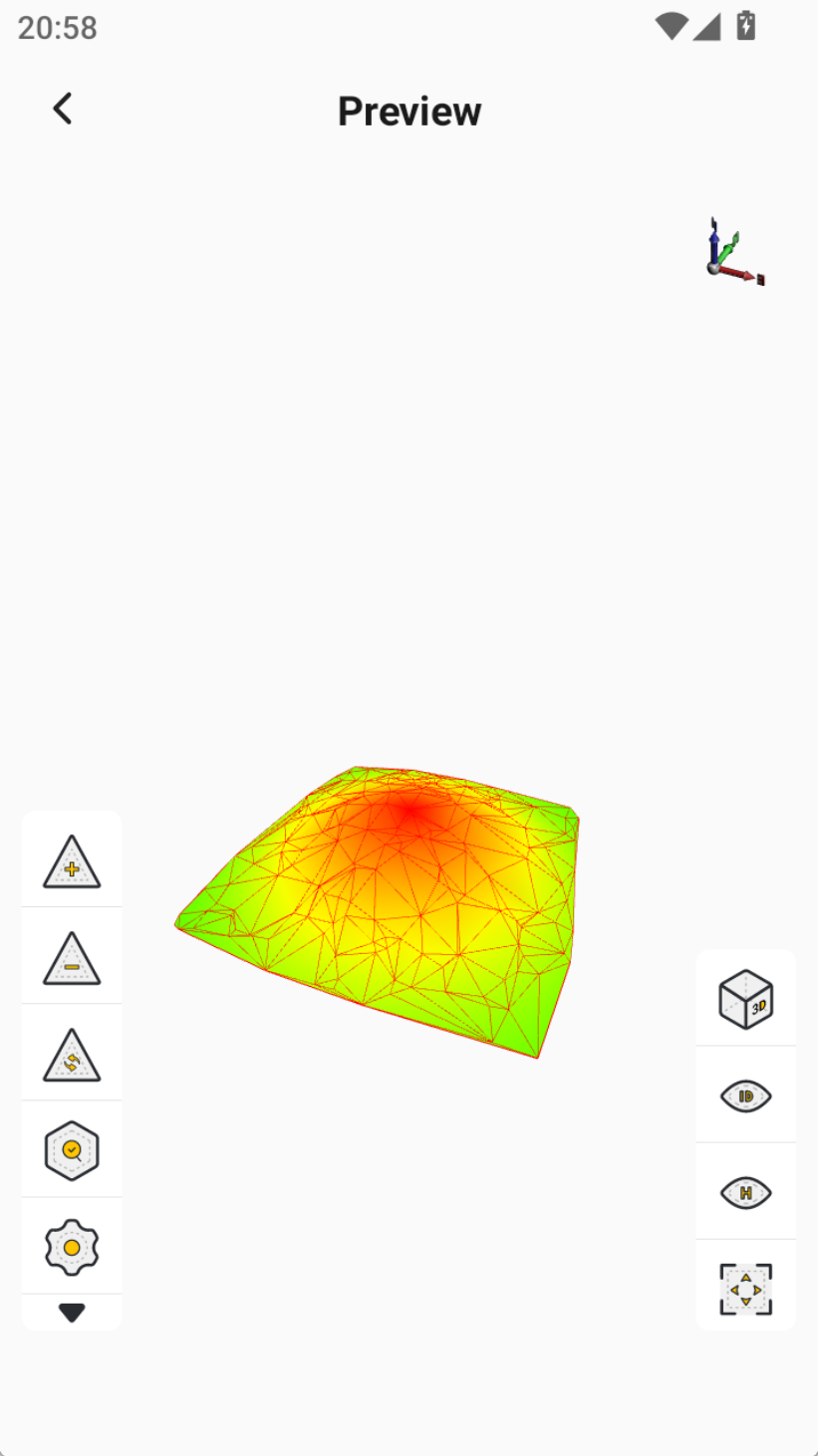
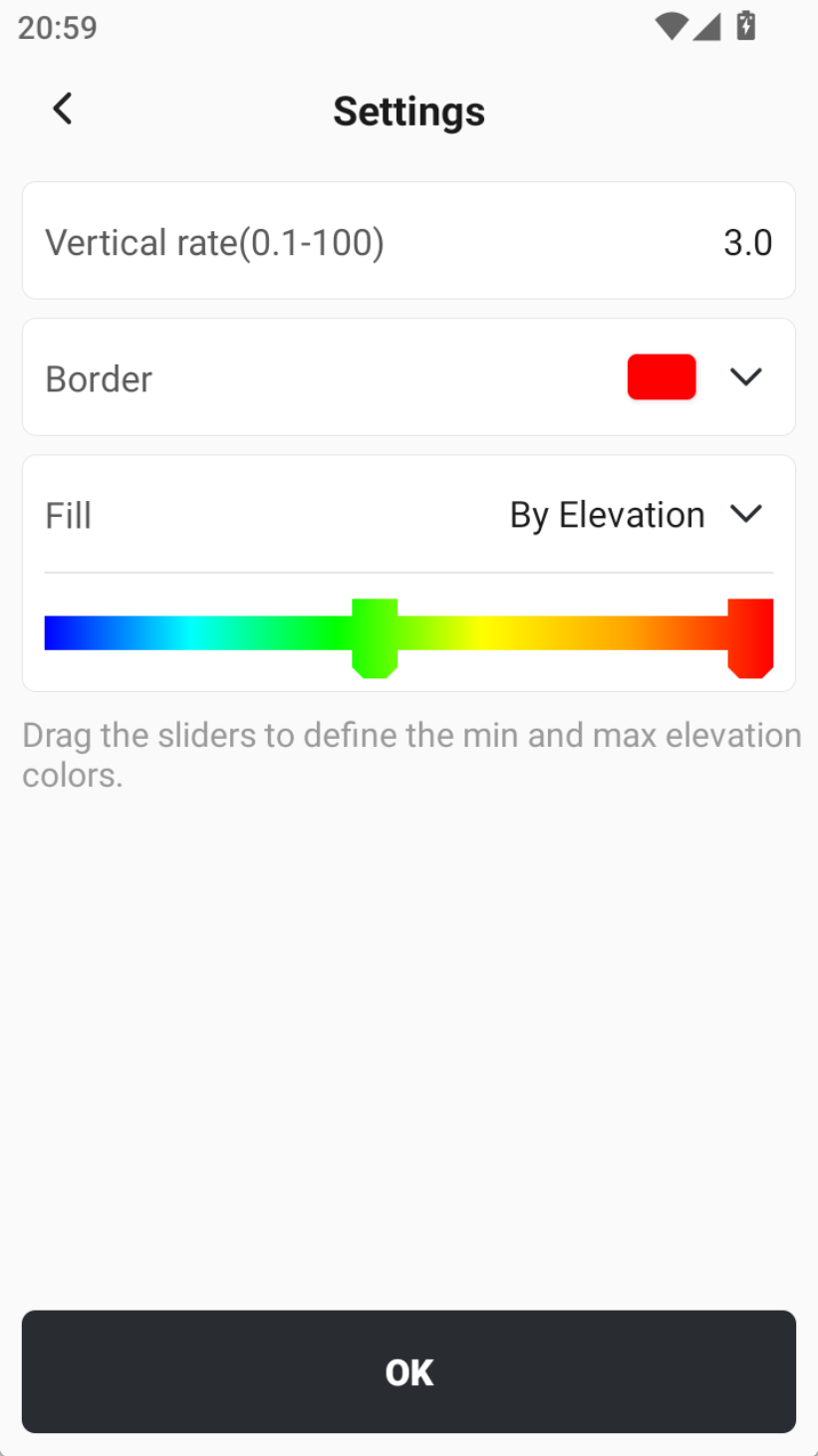
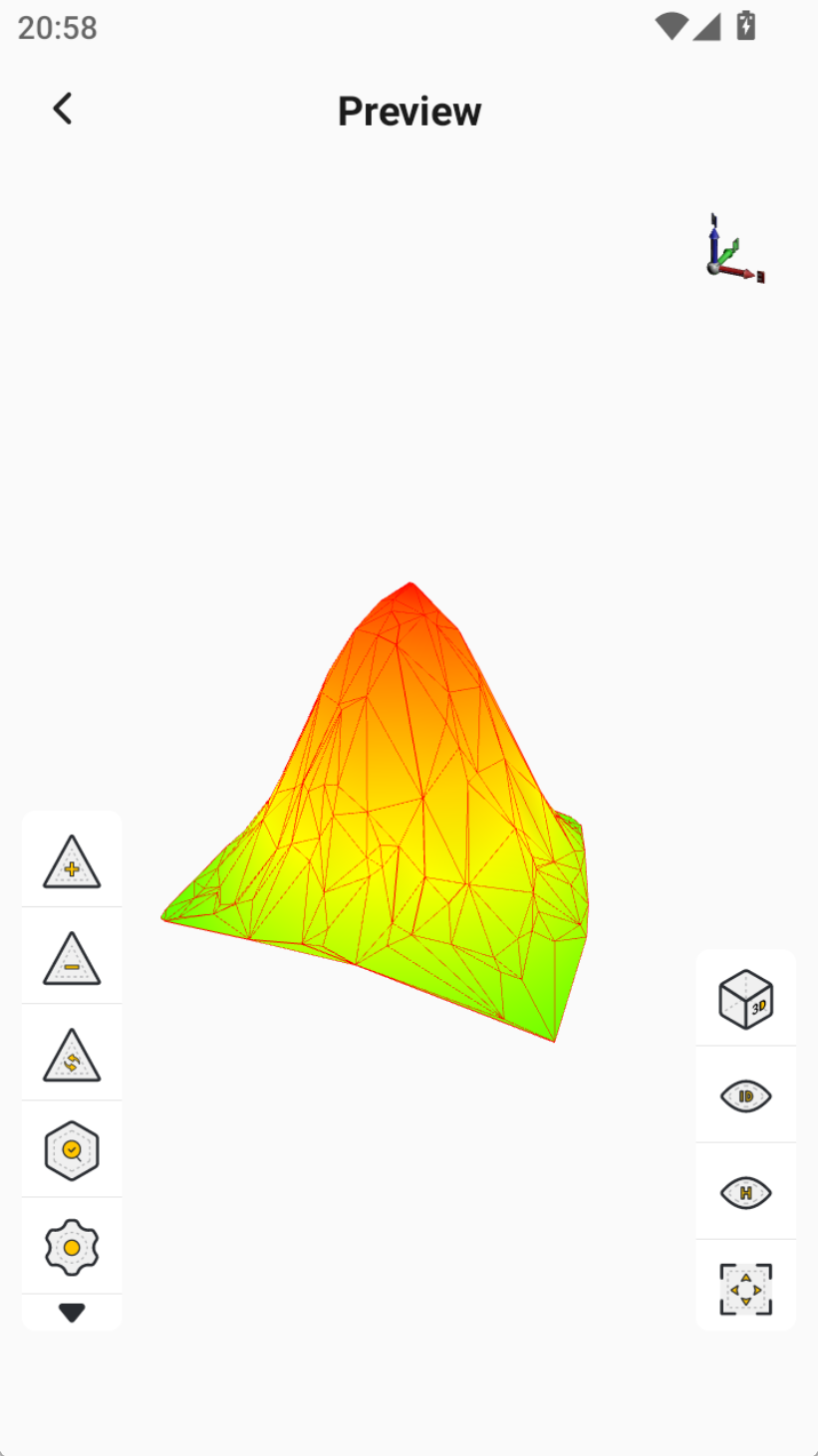
4.3 Added vertical scale setting in the DTM file preview, allowing amplification of height differences for better preview effects.
When the terrain variation is small on the actual map scale, the preview may appear nearly flat with minimal visible relief. By adjusting the Vertical Scale, you can amplify elevation differences and significantly improve the visualization of area files.
 |  |  |
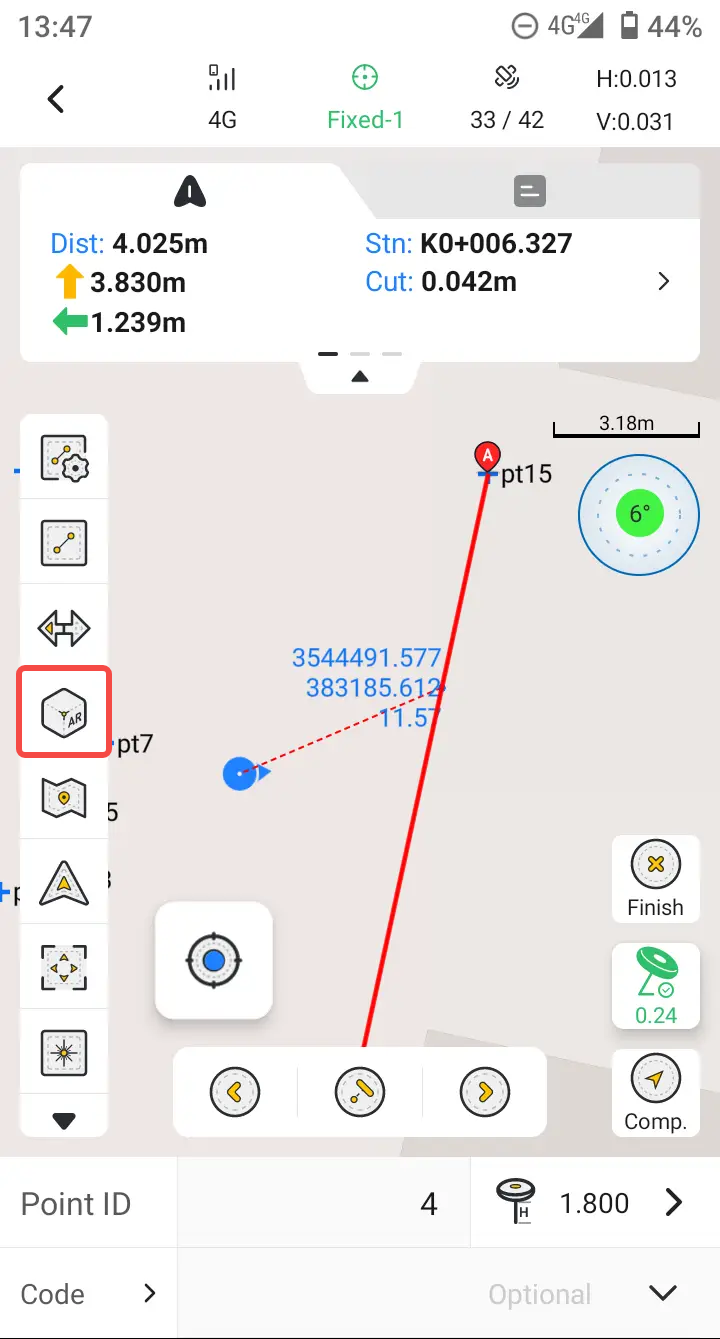
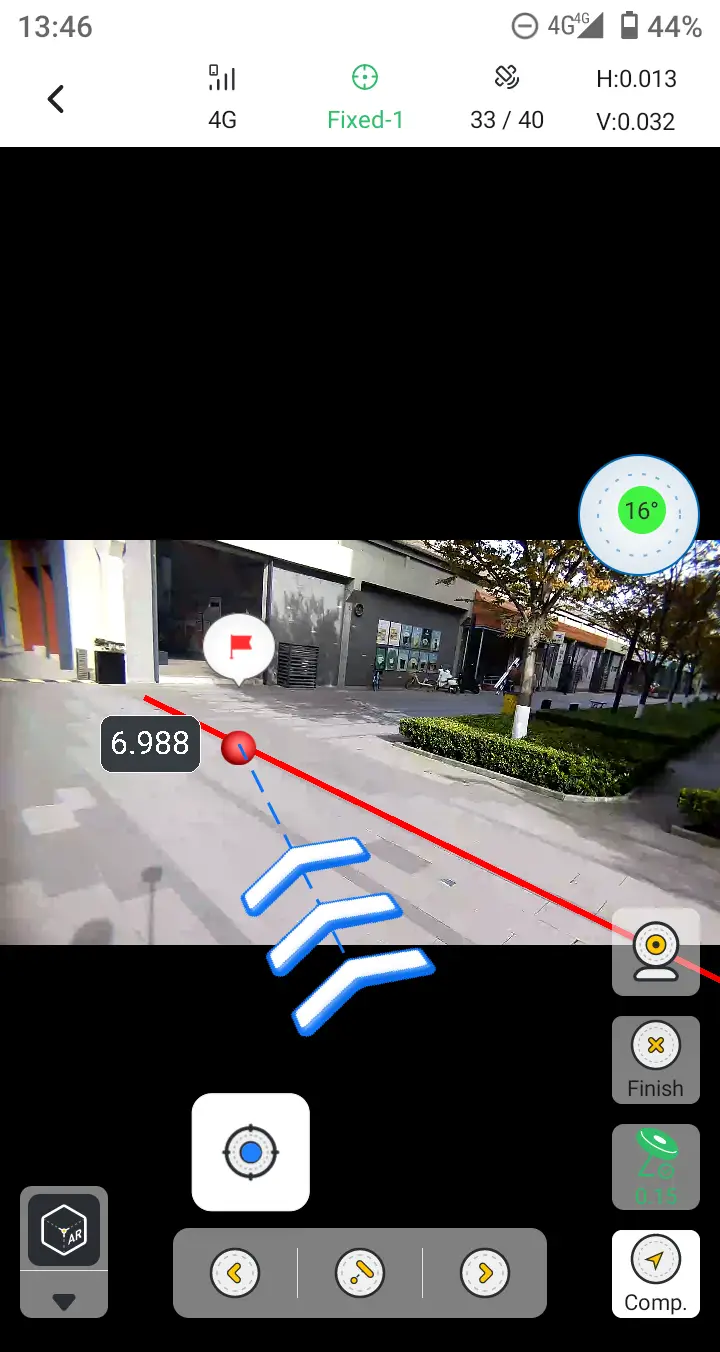
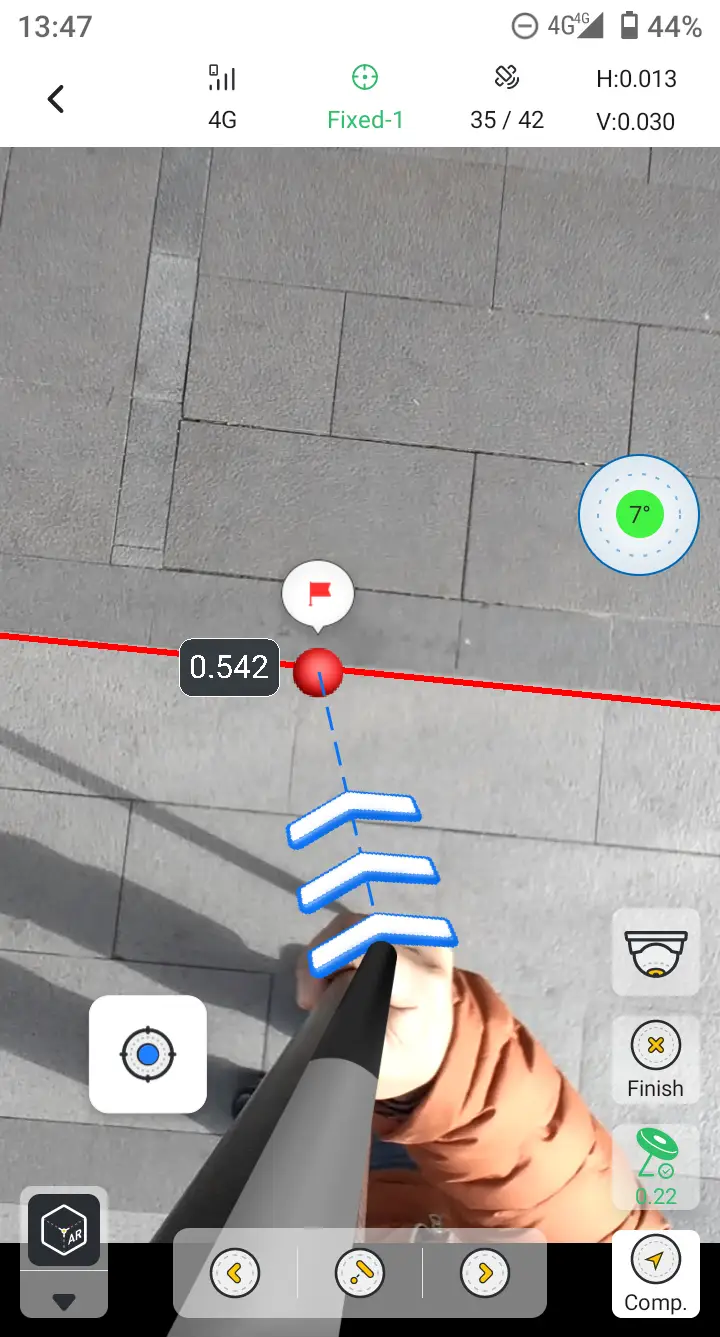
4.4 AR Stakeout supports displaying the line and optimized the display size of the forward view.
During line stakeout, tapping the AR Stakeout icon now provides a real-time view of both the line and the target point. The front-view camera image has also been optimized, improving screen utilization on the controller.
 |  |  |
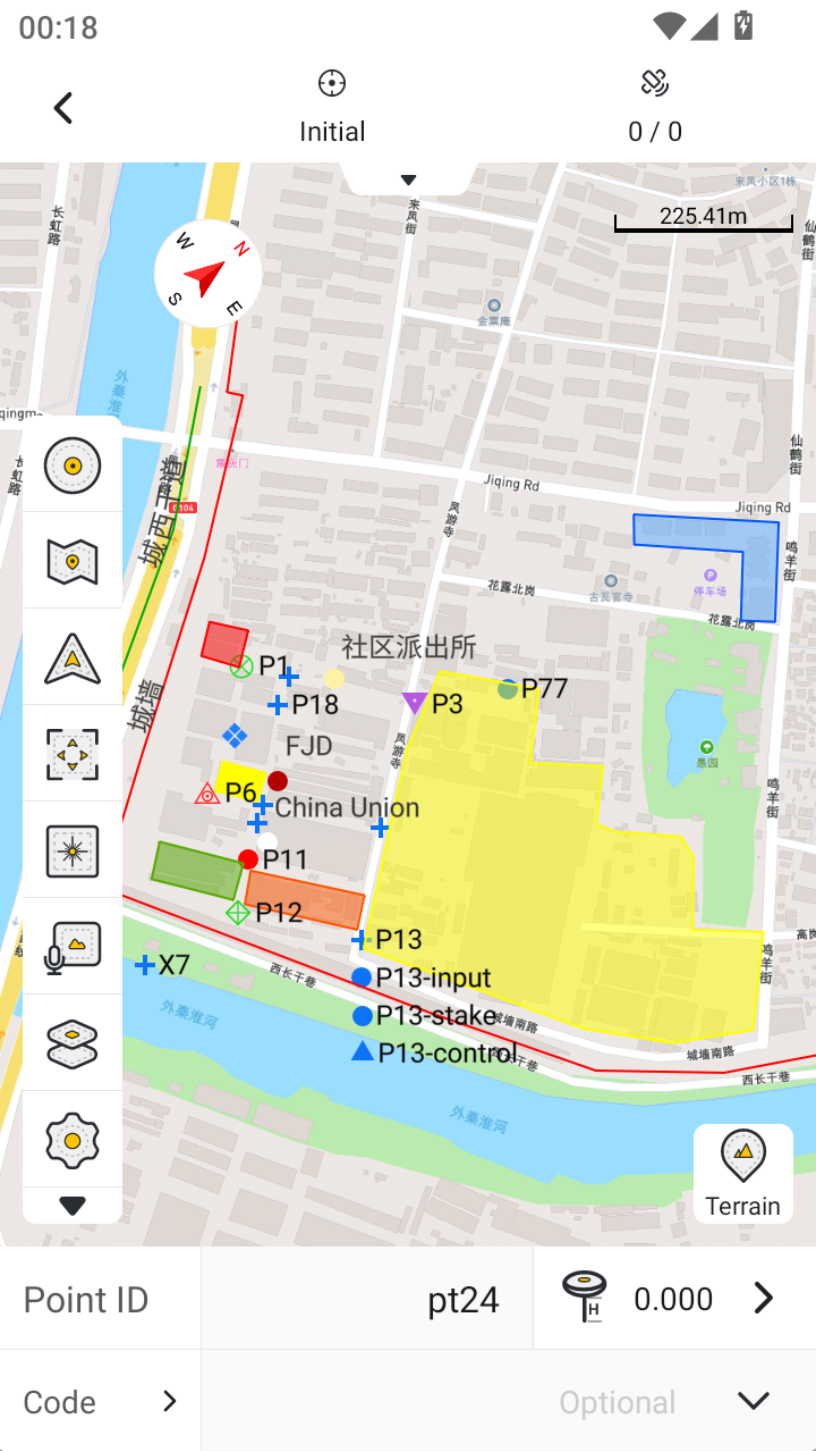
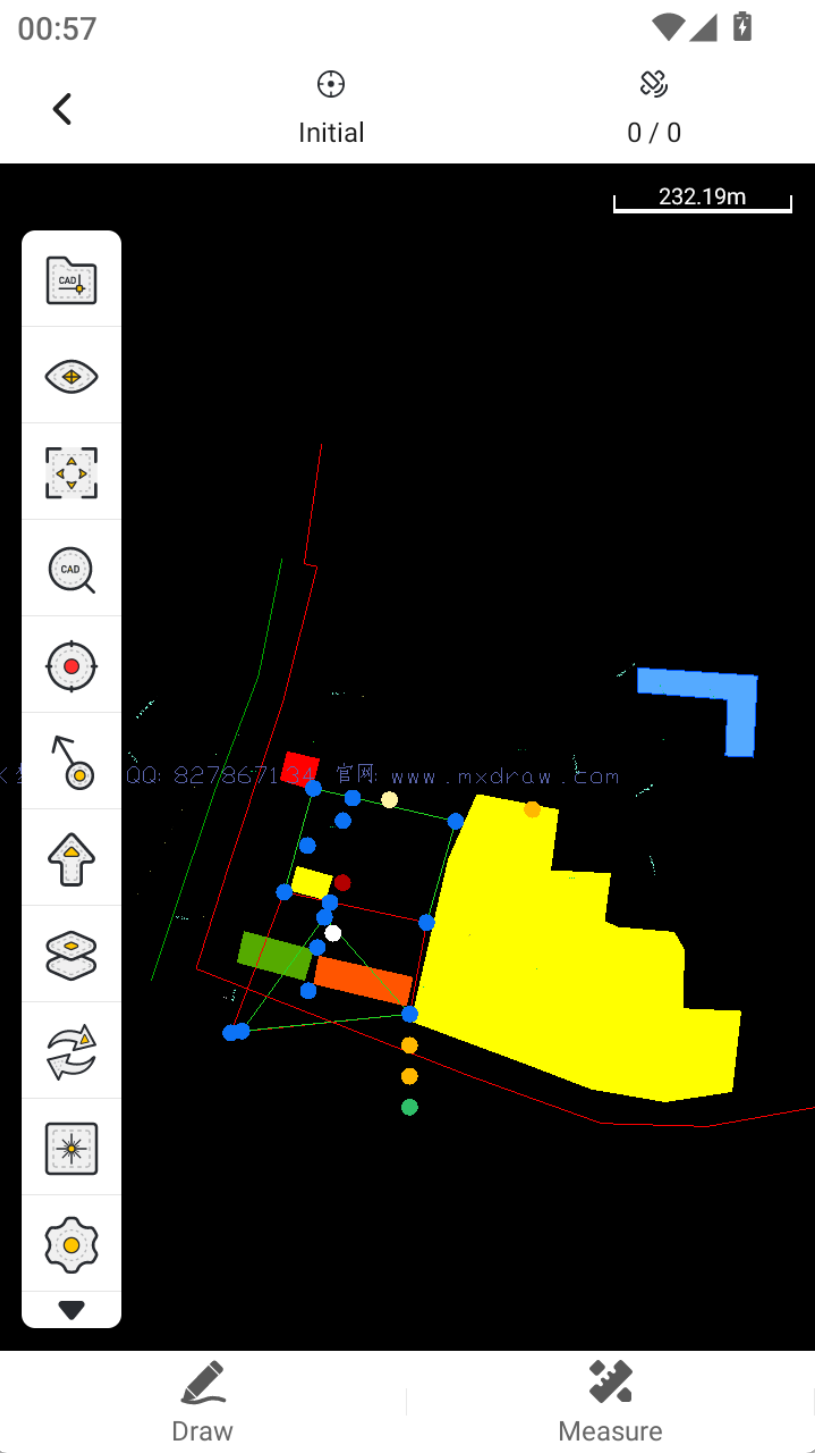
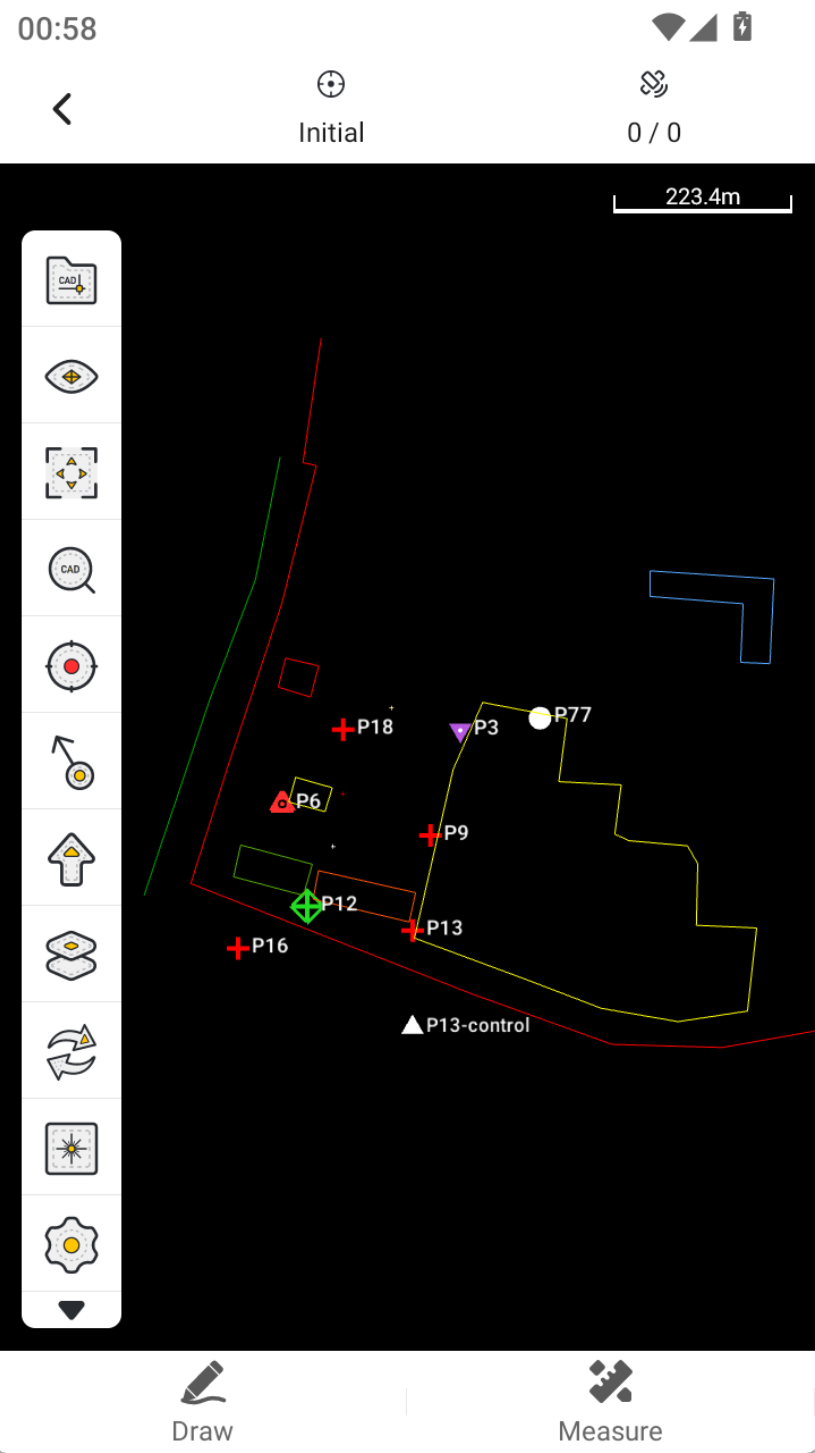
4.5 Loading KML files in Stake CAD can restore styles.
If your KML file contains color or other styling information, these attributes can now be correctly displayed when the file is loaded in Stake CAD.
Note: The self-developed CAD is currently in the public beta stage. You can switch the CAD engine in the settings. As shown in the third image, the self-developed CAD addresses the following:
- Removal of watermarks.
- Proper display of point labels with support for collision avoidance.
- Support for displaying point encoding styles.
 |  |  |
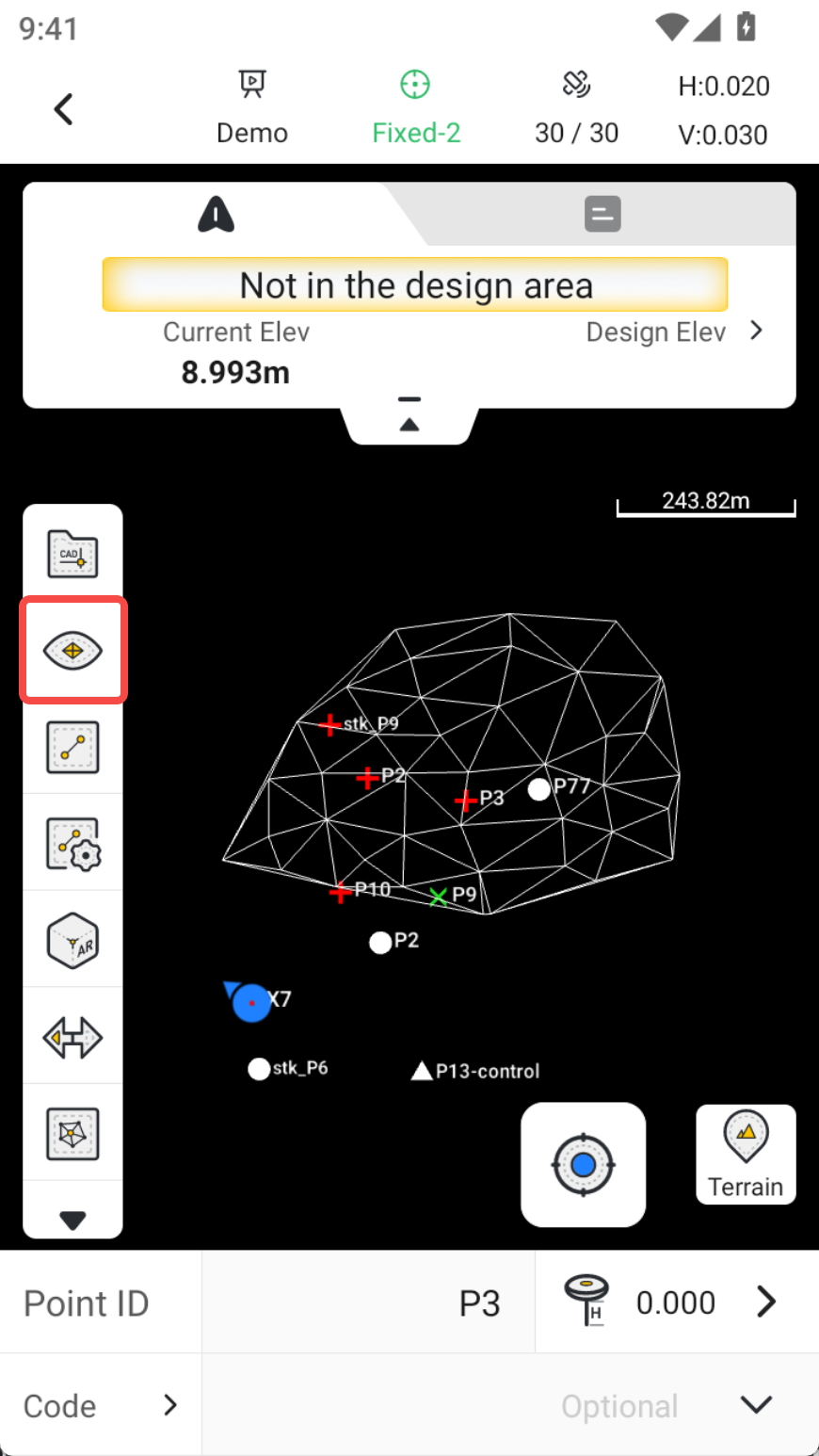
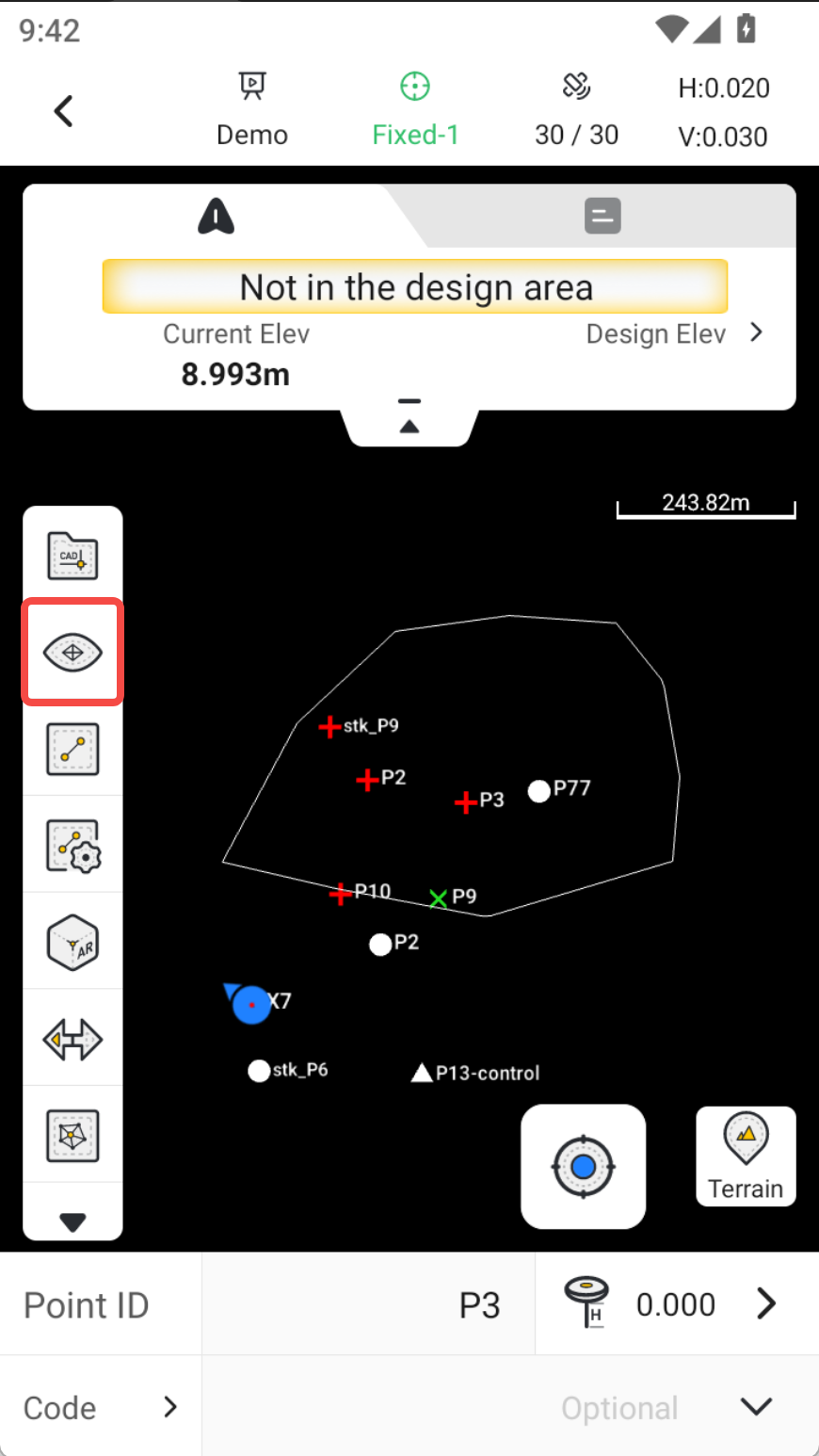
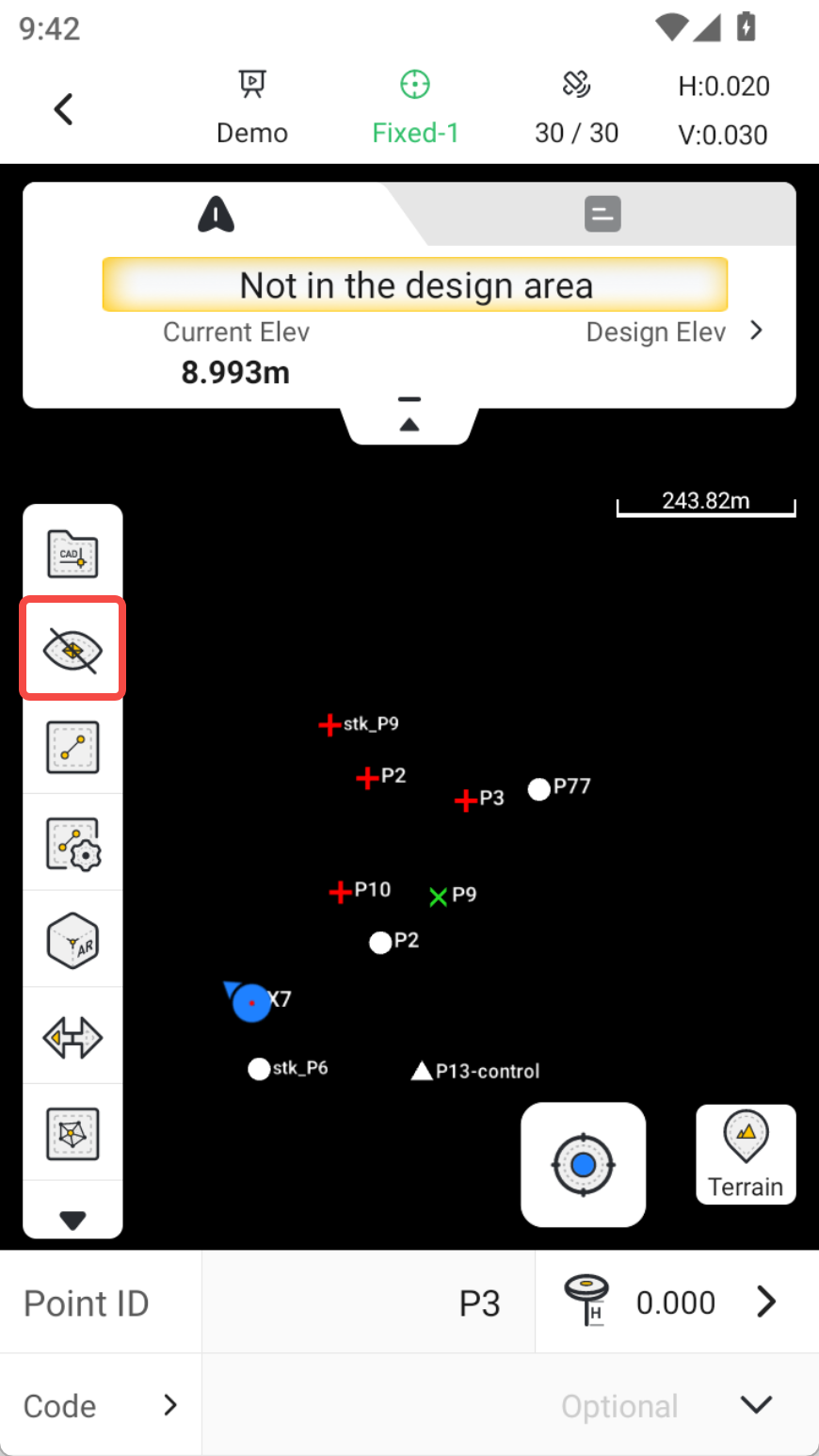
4.6 Optimized surface display in CAD, toolbar icons now support: Show Surface, Show Surface Boundary, Hide Surface.
Reference surfaces are frequently used in CAD Stakeout. The toolbar now includes quick-access actions for area files: Show Surface, Show Surface Boundary, Hide Surface.
 |  |  |
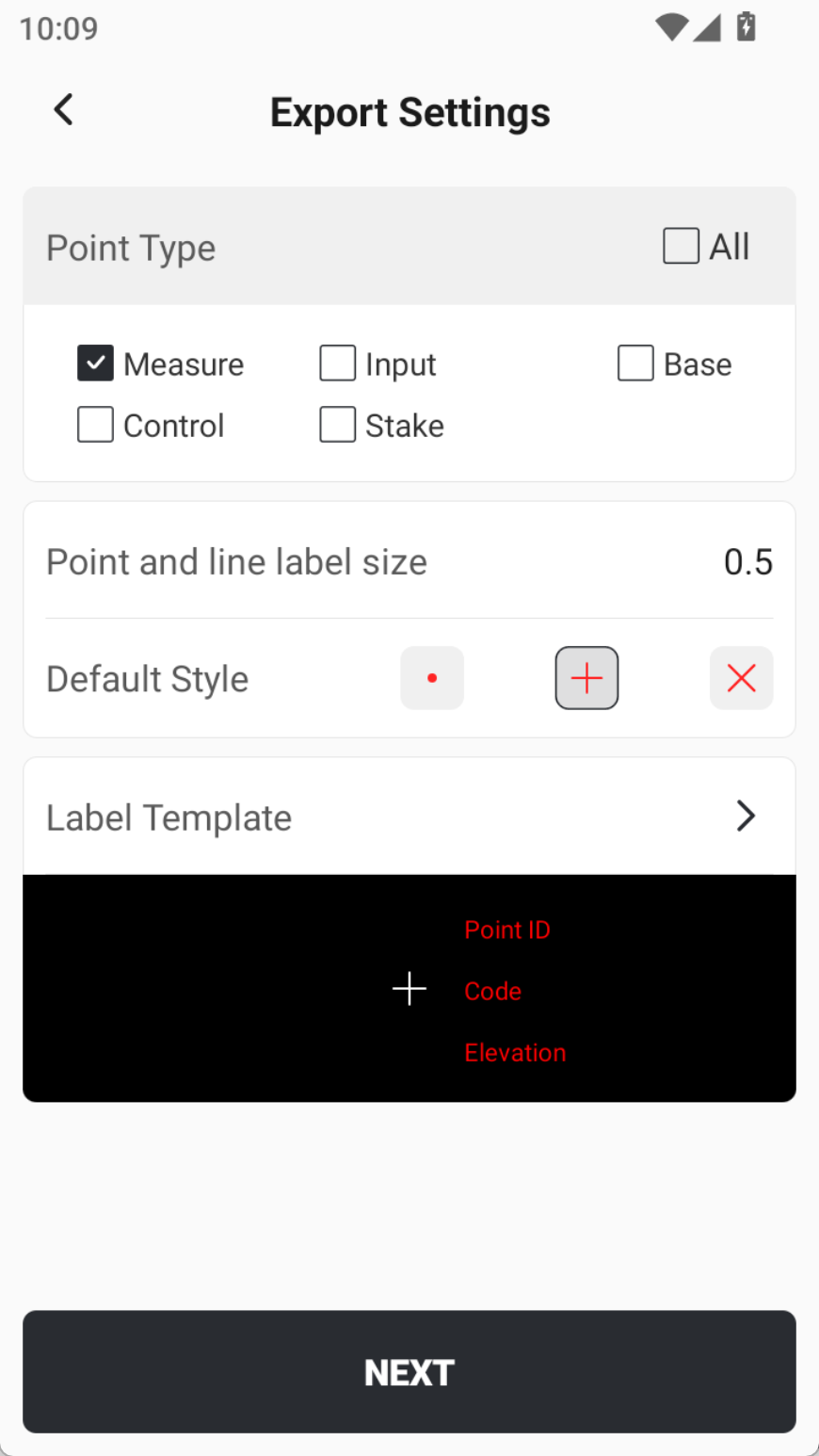
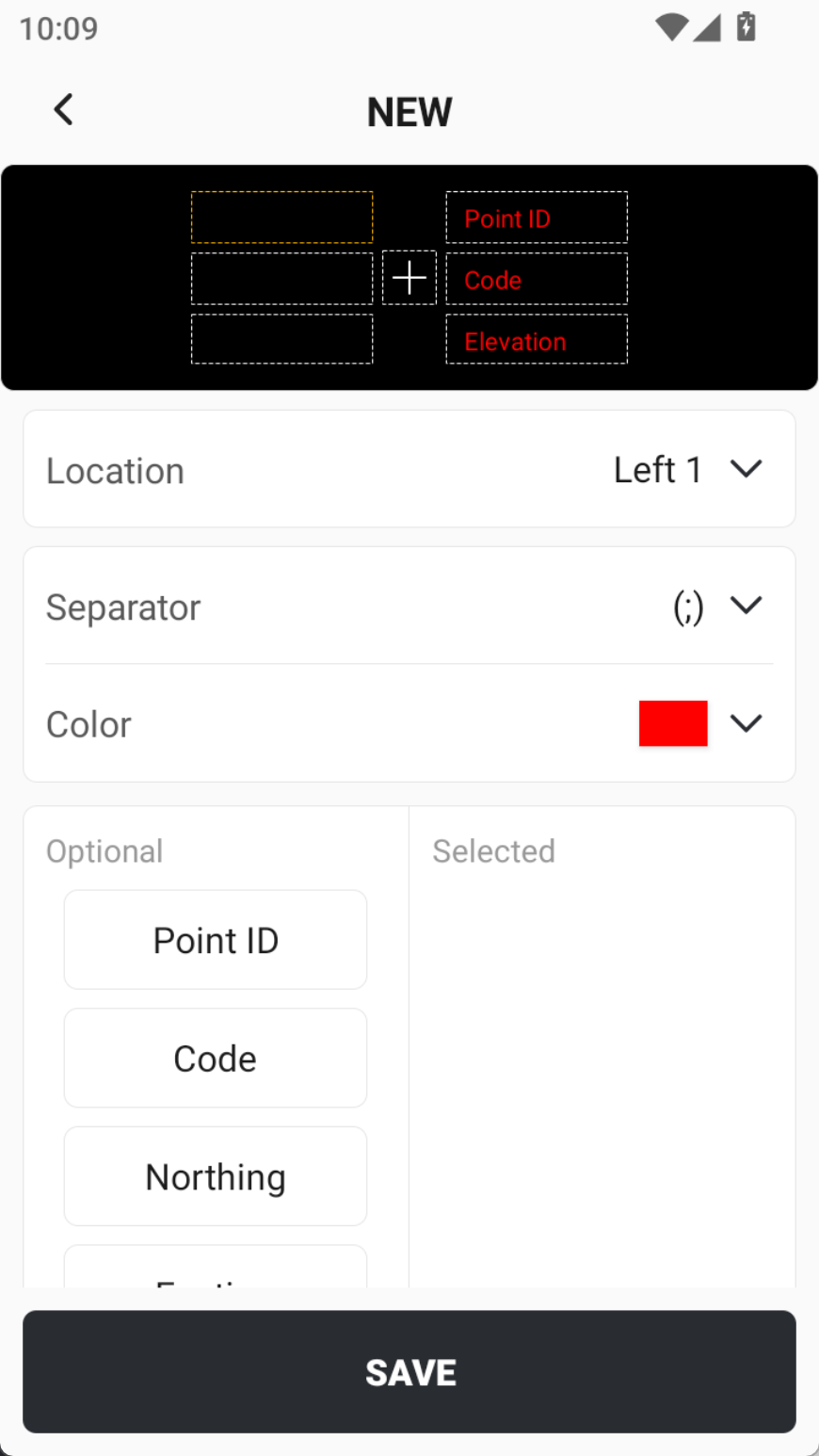
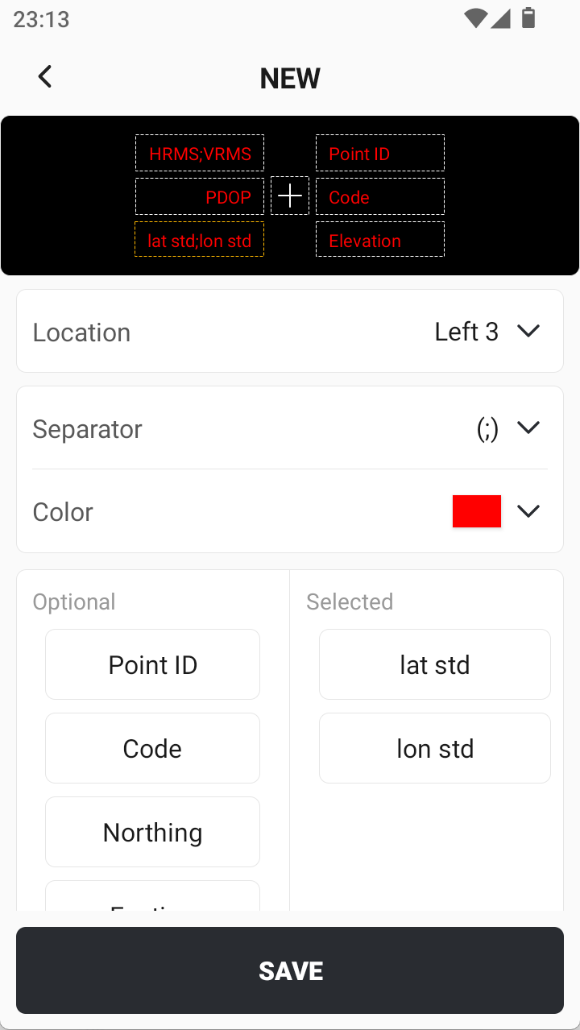
4.7 When exporting CAD files, more label options are supported.
When exporting CAD files, the label template can now be customized with greater flexibility, including label position, separators, colors, and content. In addition, several accuracy-related values have been added to the available label content options.
 |  |  |
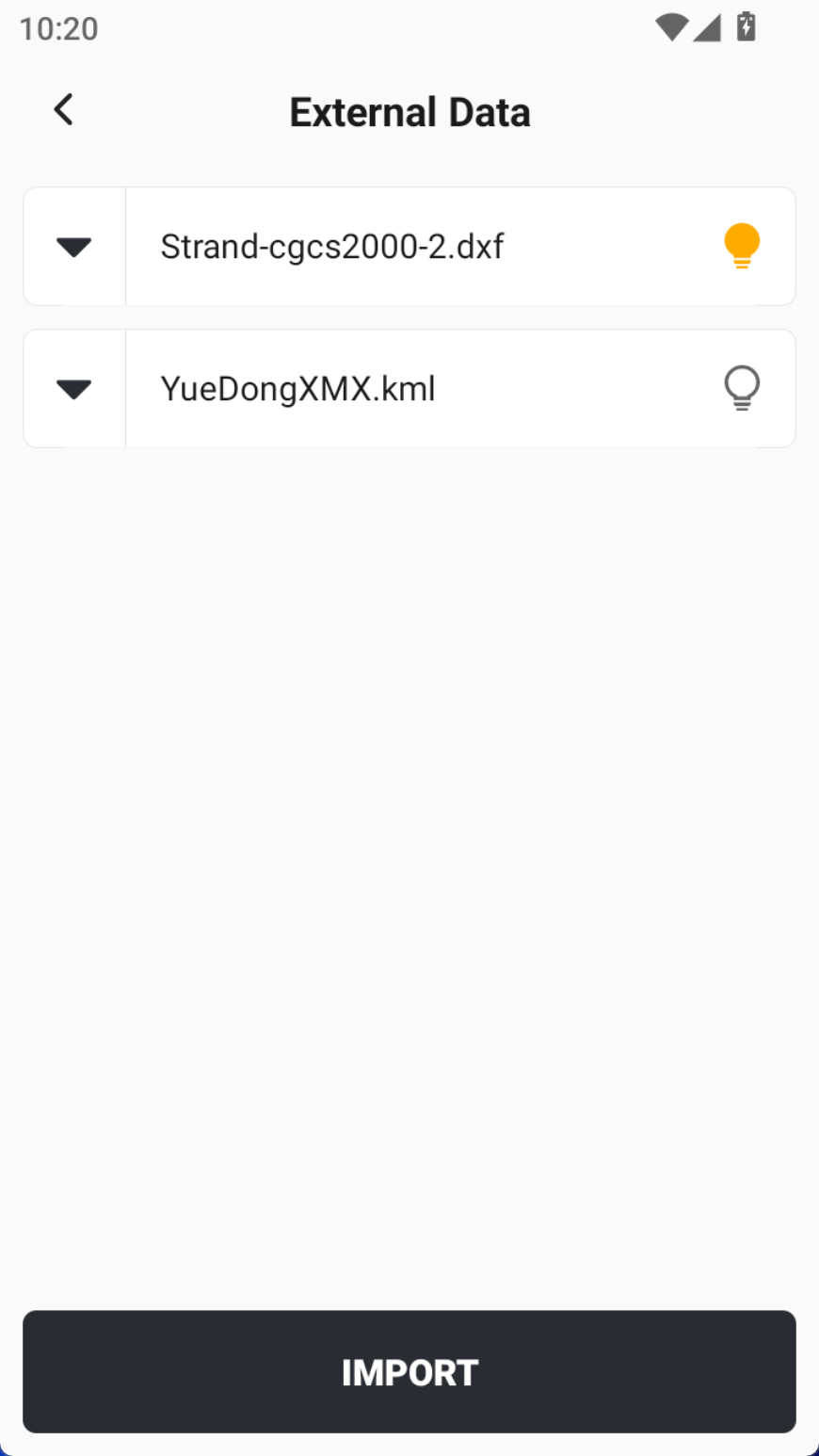
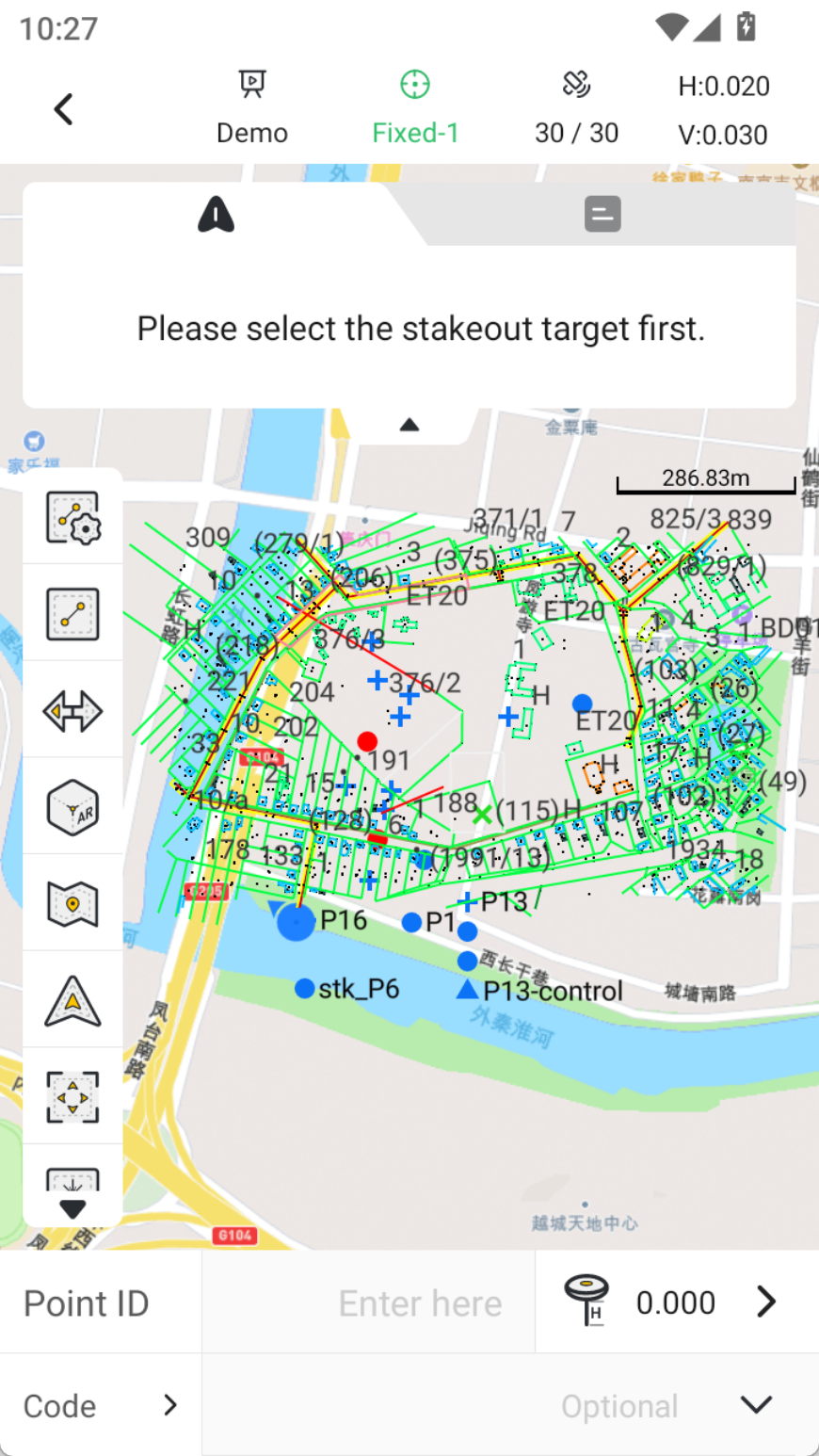
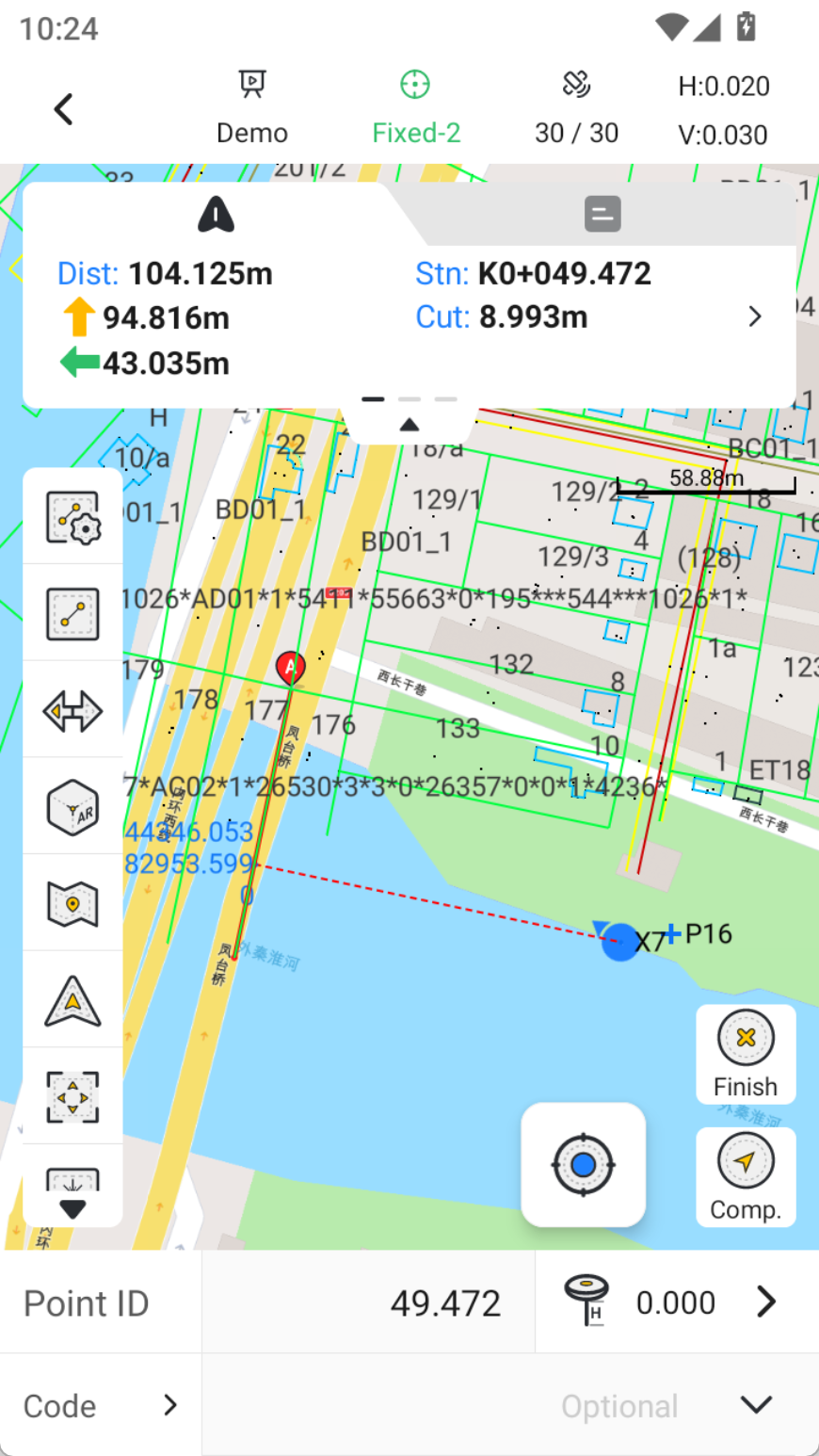
4.8 External data optimization. After loading a CAD file, users can select targets directly on the CAD to start staking in the Stake Points and Stake Lines.
If a CAD file is loaded under External Data in a project, you can now directly select CAD entities during Point Stakeout or Line Stakeout to perform stakeout tasks.
Please note: External Data is not the same as CAD Stakeout. It only supports displaying small CAD files or tiled maps for overlay. If the CAD file is large or contains a high number of entities, please use CAD Stakeout instead for better performance.
 |  |  |
4.9 Optimized the refresh rate of the arrow on the staking page to match the observation rate value.
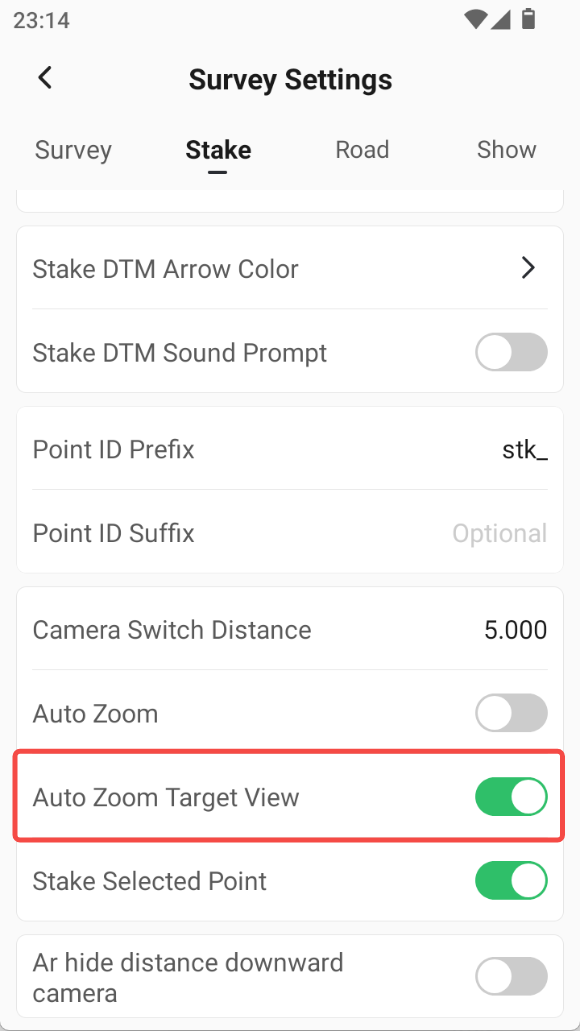
4.10 During staking, auto-zoom to the bullseye view can be turned off. The map will not automatically zoom when approaching the target point.
 |
4.11 The graphics data of Measure & Draw now supports exporting DWG/DXF format file.
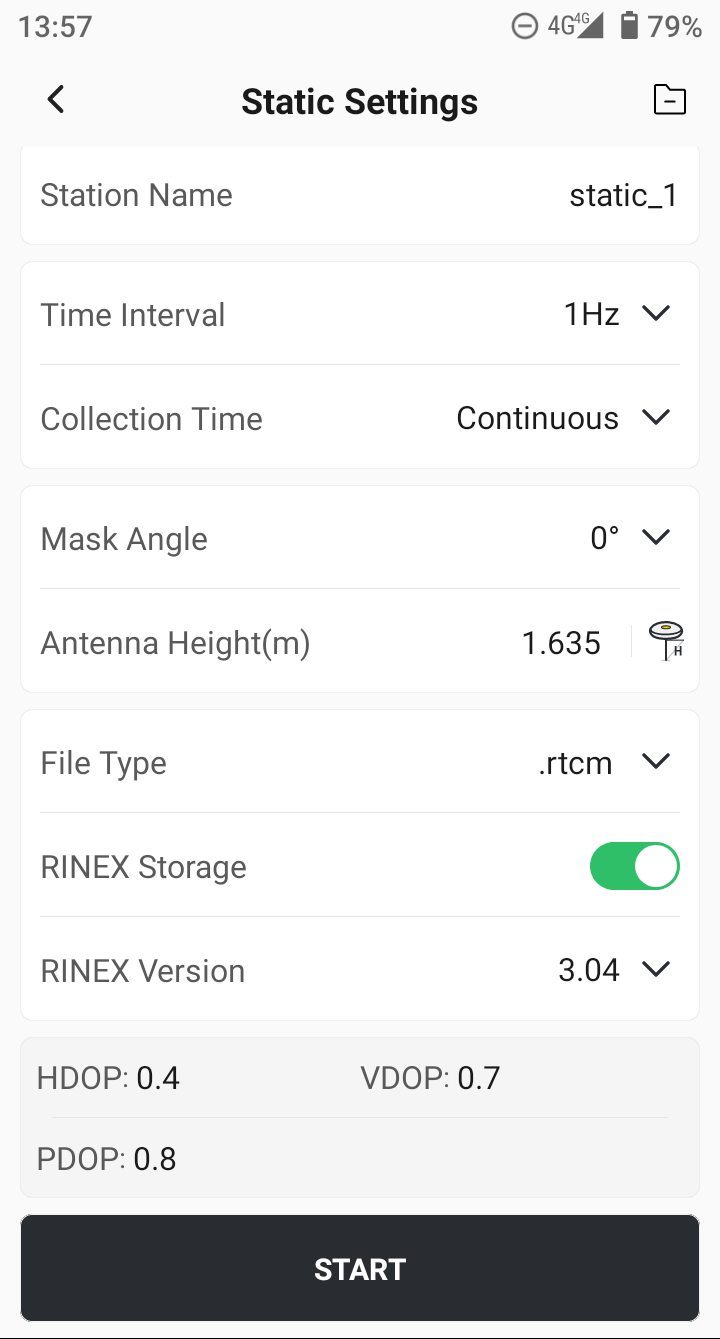
4.12 During static collection, the cutoff elevation angle can be set to 0°.
The Static function now supports the following features:
- The mask angle can be set to 0°.
- Continuous logging is enabled by default, with an optional setting to define file length for looped recording.
- RINEX format storage is supported on the V10 series receivers.
 |
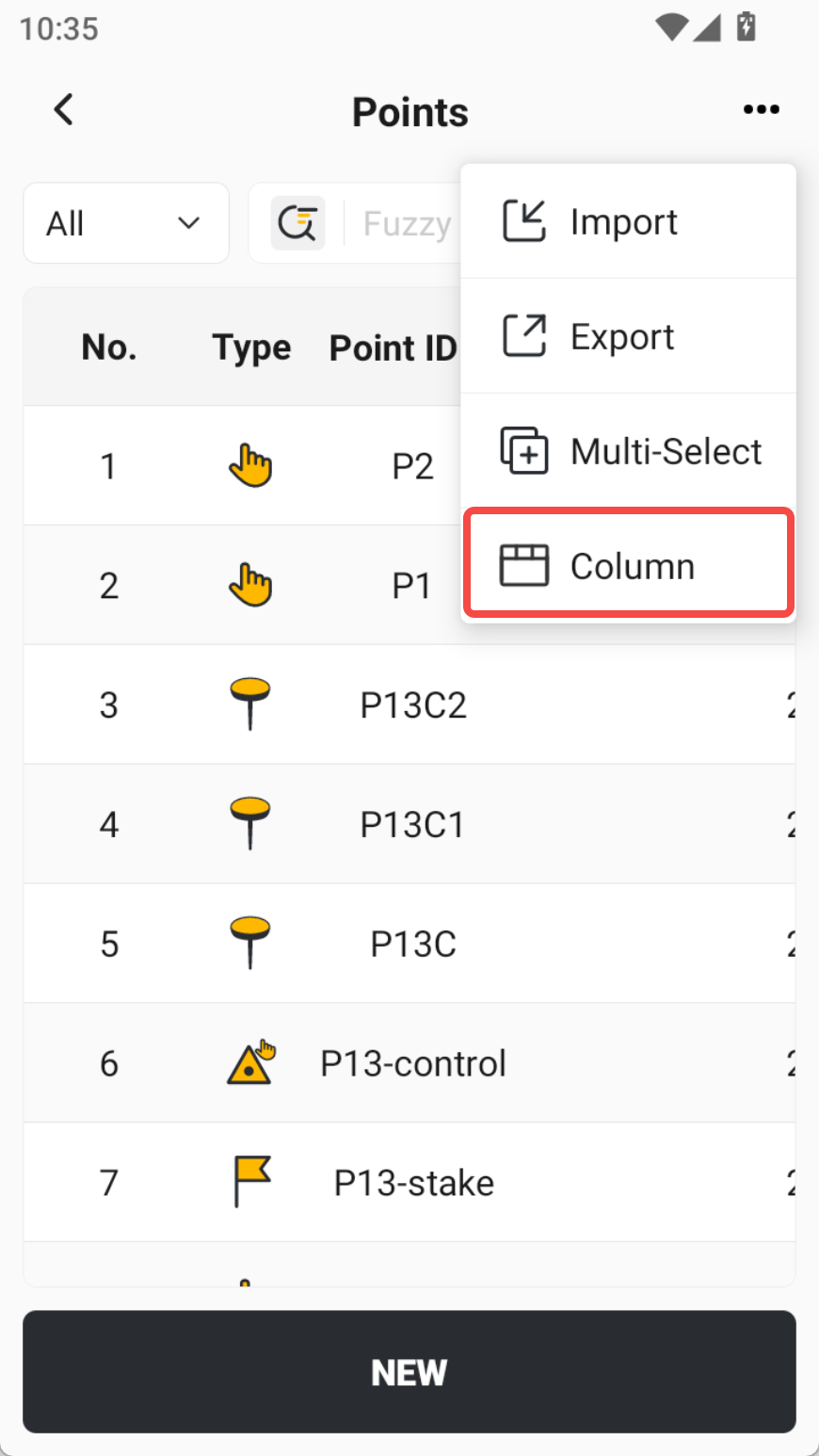
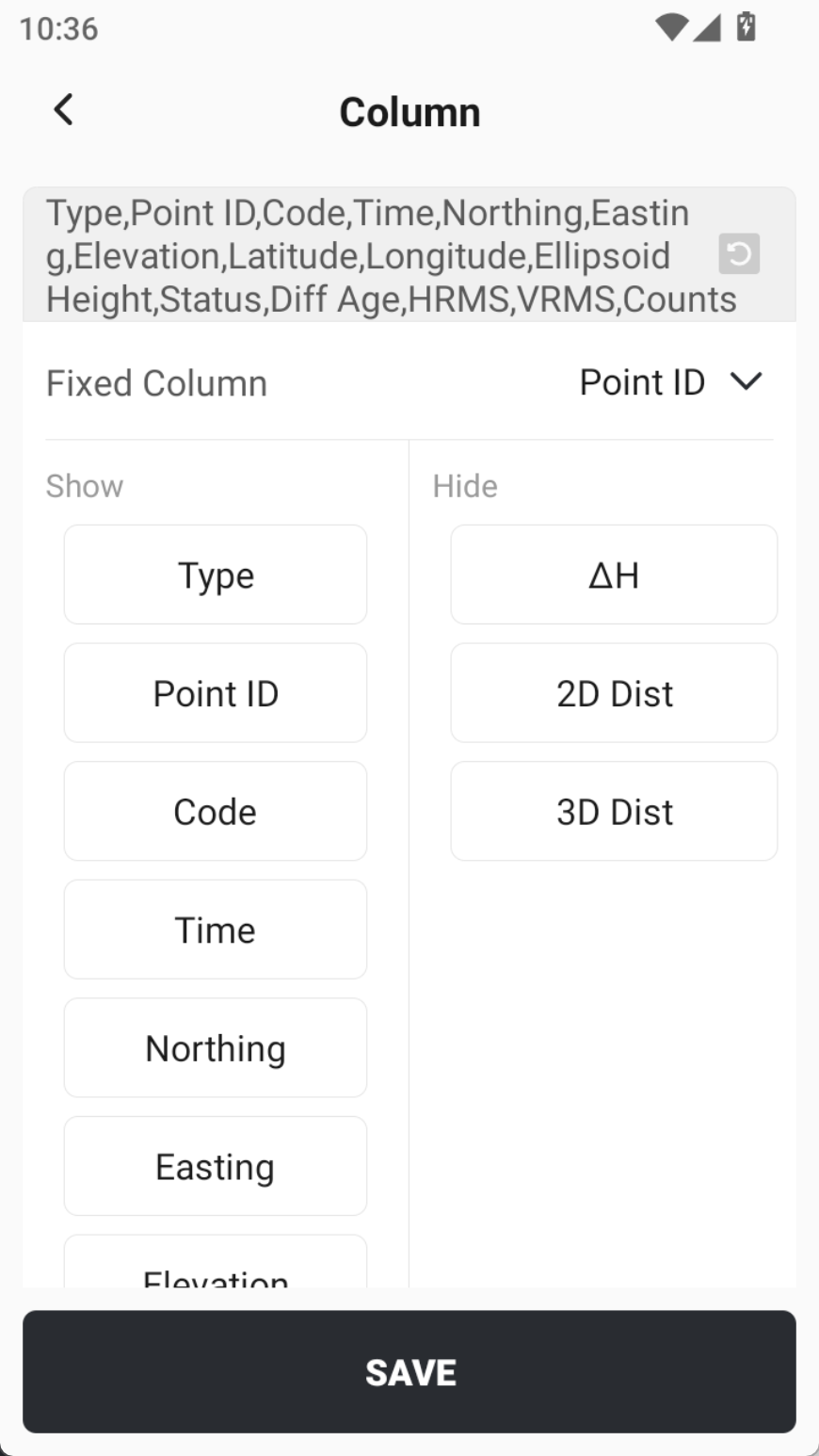
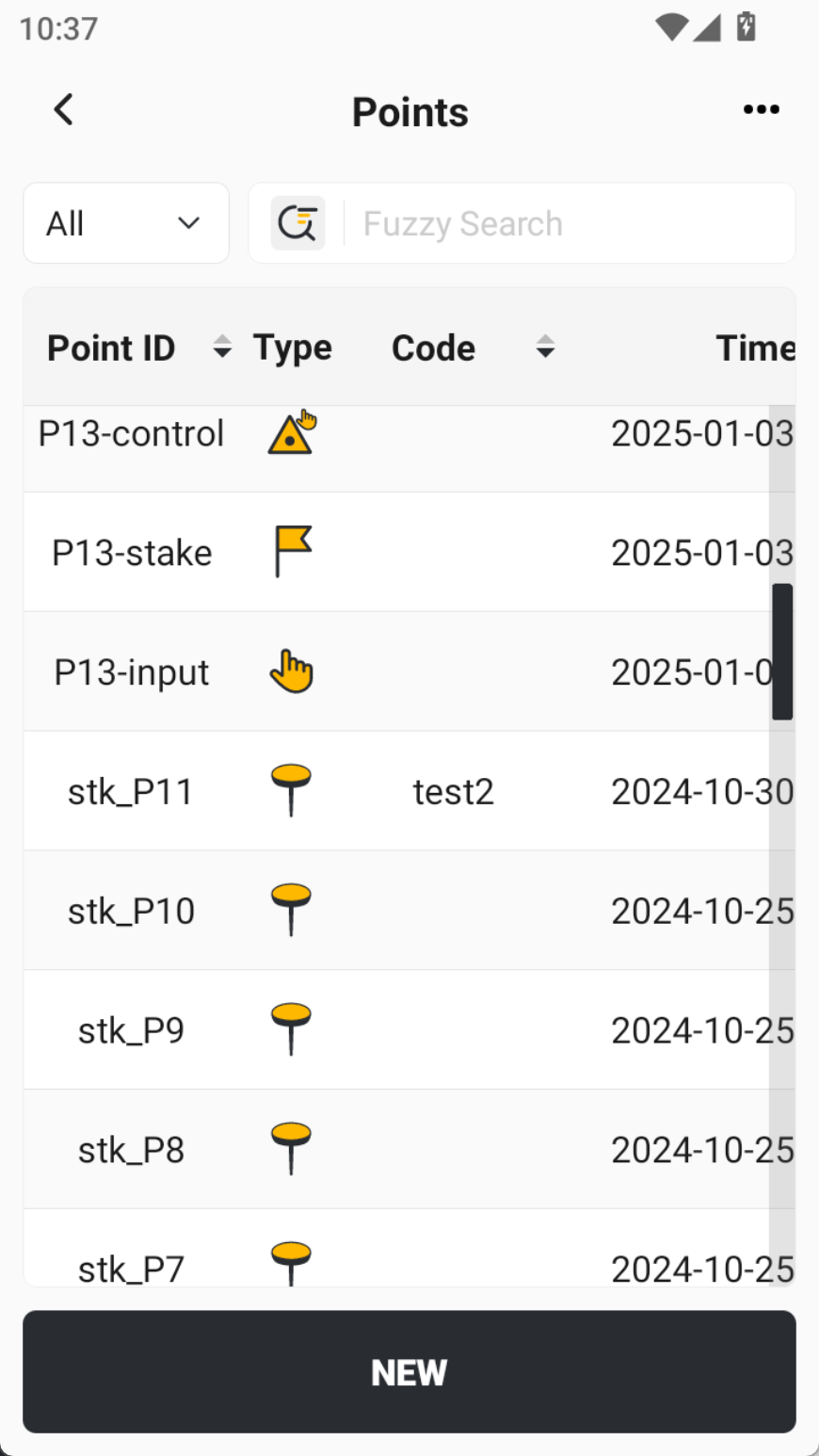
4.13 The point library now can display the height difference between two adjacent points.
When viewing adjacent points in the point library, you can now display their △H, 2D distance, and 3D distance.
You can also pin columns and reorder them according to your preference.
 |  |  |
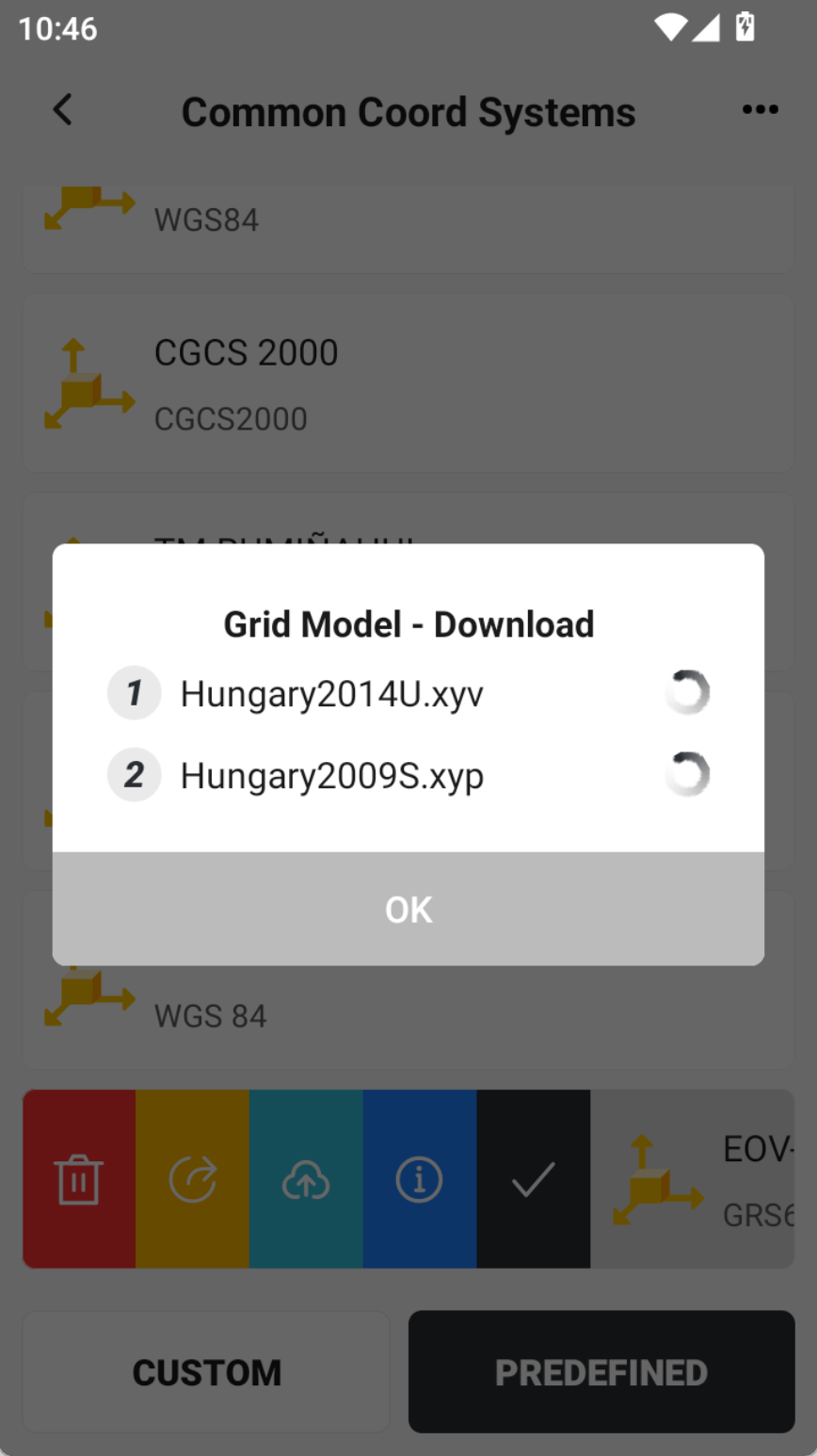
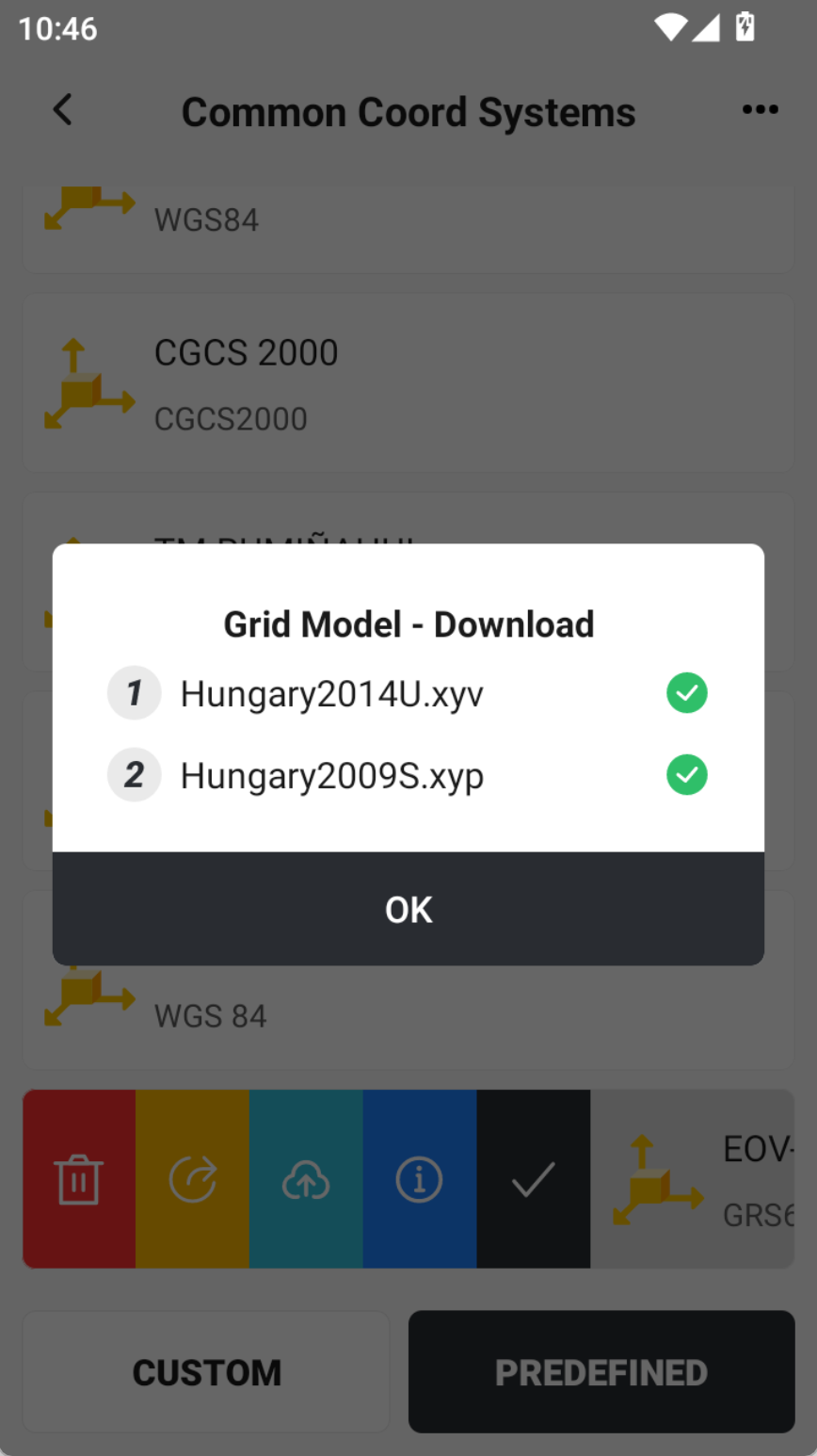
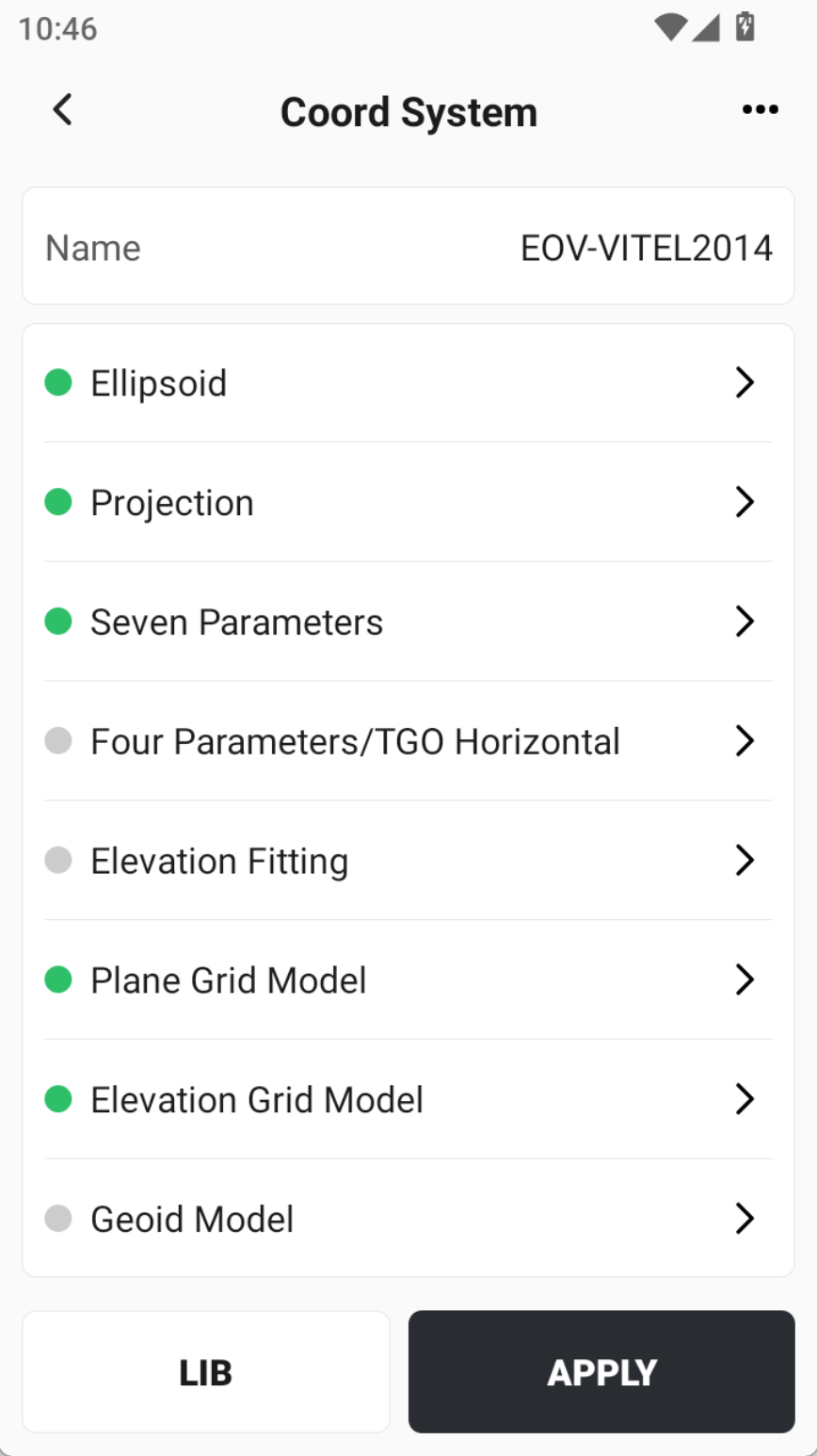
4.14 The Hungarian predefined coordinate system EOV-VITEL2014 automatically associates the plane grid and elevation grid files.
When EOV-VITEL2014 is selected as the coordinate system, the app will automatically associate the corresponding plane grid and elevation grid.
Please note:
- Grid files may be downloaded — if the grid files are not available locally on the controller, the device will download them from the network (network connection required).
- The coordinate system is critical — it is the most important parameter for a project. Although the app provides helpers and shortcuts to assist with setup, we strongly recommend carefully checking every coordinate-system parameter before starting work. Whenever possible, validate the configuration on a known control point before continuing.
 |  |  |
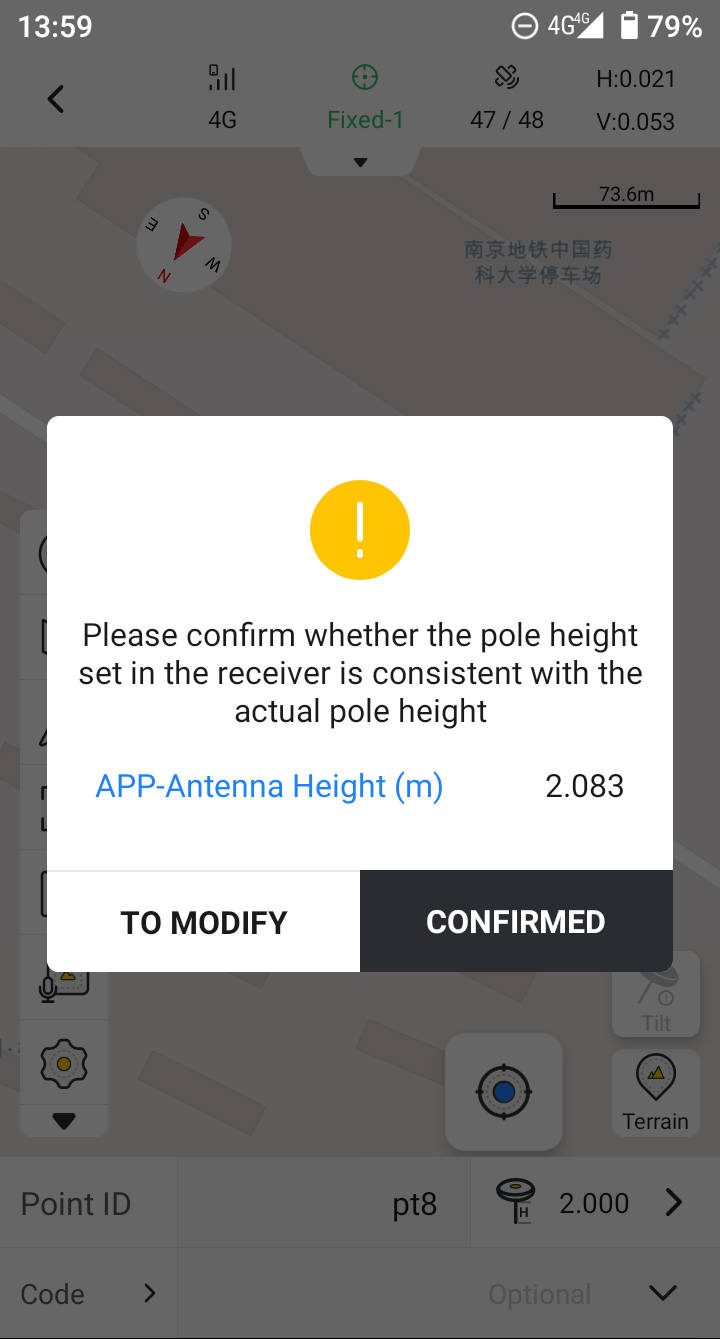
4.15 When performing point measurement, double-check if the pole height set in the receiver matches the one in the APP; if not, a pop-up prompts for modification.
The receiver now stores antenna height information. If the controller is changed, the app will always verify that the antenna height set in the receiver matches the controller settings during measurement, ensuring accurate results.
 |
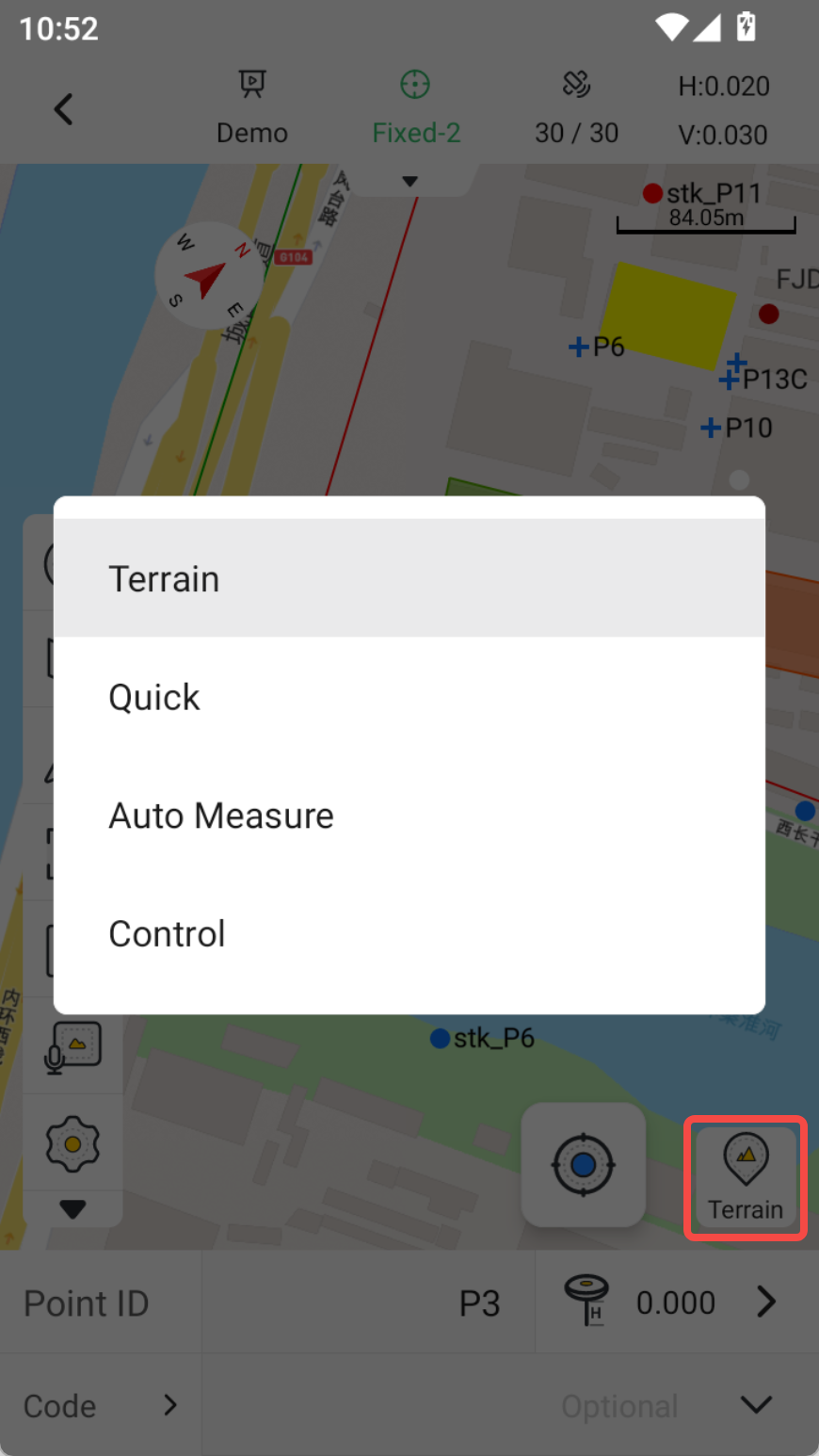
4.16 Removed the main page entries for Auto Measure and Control Measure. Entries have been added within the Point Measurement module.
Reference diagram is shown below:
 |
4.17 Points added in Point Calibration, Base Station Shift, and Base Station Settings are no longer saved to the point library; to view them, check directly within the respective function.
4.18 Translation optimization, including Romanian, French, and other languages.
5. Bug Fixes
5.1 Fixed incorrect axis order display for the predefined coordinate system (EPSG=5513, S-JTSK / Krovak).
5.2 Fixed a crash that occurred when exporting an unfinished line in Measure & Draw.
5.3 Fixed a crash issue after importing some DXF files;
5.4 Fixed the issue where toolbar icon visibility could not be set in GIS collection.
5.5 Fixed an occasional issue where the selected grid model was not stored with the chosen coordinate system when creating a new project.
5.6 Fixed the issue where the elevation label on the map still showed meters when the APP display unit was set to feet.
5.7 Fixed the issue where the input name field was obscured when creating a new surface.
6. Compatibility
| Receiver | Version | Description |
| V1 series | 5.0.3.4 |
|
| V10 series | 10.2.6.5 |
|
| V4e series | 1.0.0.21 | The first version |
7. Known Issues
Our development team is aware of the following issue and plans to address it in a future release. We sincerely apologize for any inconvenience this may cause:
- [Issue 1]: Large CAD files, or files with many entities or text, may fail to load or cause the app to crash during use.
- Temporary workaround: Use a desktop CAD tool to remove unnecessary layers, then re-import the file and attempt to load it again.
- [Issue 2]: When previewing a surface file, if a vertical scale is applied, the positions of nodes/point ID/elevation labels do not update accordingly.
- Temporary workaround: This only affects the preview display and does not impact actual measurement or staking. These labels can continue to show their original elevation positions for now, and no further action will be taken at this time.
8. Update Notes
Thank you for updating! This is a minor update. To ensure a smooth process, please note the following:
| Update Process | The update will be downloaded and installed automatically via OTA (Over-the-Air). Simply agree and tap “Update Now” to start. |
| Data Safety | This update will not erase any personal data or account information. However, as a best practice, we recommend manually backing up any critical data before updating. |
| Preparation | We recommend performing the update over a stable Wi-Fi or 4G connection, and ensuring your device has more than 50% battery or is connected to a charger. |
| After Update | Once the update is complete, the app will automatically restart to ensure all new features and fixes are applied correctly. |
| Rollback | After updating, it will not be possible to revert to the previous version. |
9. Support
If you encounter any issues during use or have valuable suggestions, please feel free to contact us. Your feedback is extremely important to us.
- Technical Support Email: rtk-support@fjdynamics.com
- To help us resolve issues more efficiently, please provide the following information when reporting a problem:
- App version, including both the original and updated versions
- Controller model and serial number
- Operating system version
- Detailed description of the issue and steps to reproduce it
- Relevant screenshots or screen recordings
Thank you again for your continued support of our products!
Copyright © 2025 FJDYNAMICS PTE. LTD. All Rights Reserved.